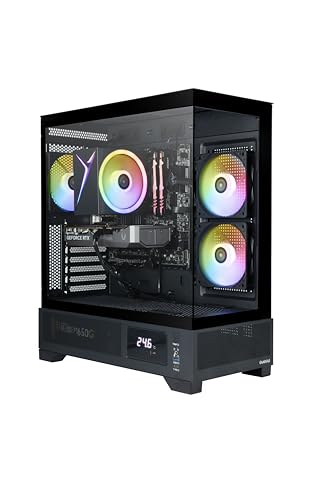
Picking the right CPU for a graphics card like the RTX 5050 really matters if you want smooth performance in games and heavy apps. The CPU runs your system’s instructions, while the GPU takes care of visuals. When you match them well, they team up to give you steady frame rates and snappy gameplay.
Not every processor lets the RTX 5050 shine. The key thing is to avoid a bottleneck—where the CPU holds back the GPU’s power. You’ll want to look at clock speed, core count, and whether it fits your motherboard. Power use and cooling also matter for keeping things stable over time.
With so many choices out there, narrowing it down saves you time and money. We took a look at the most reliable options and picked CPUs that balance performance and value, so you can really get the most out of your RTX 5050.
Best CPU for RTX 5050
We checked out the top CPUs that work well with the RTX 5050 to give you smooth performance and solid speed. Our picks focus on processors that hit the sweet spot for power, efficiency, and price—so you can squeeze the most out of this graphics card.
AMD Ryzen 5 5500


- Can deliver fast 100 plus FPS performance in the world’s most popular games, discrete graphics card required
- 6 Cores and 12 processing threads, bundled with the AMD Wraith Stealth cooler
- 4.2 GHz Max Boost, unlocked for overclocking, 19 MB cache, DDR4-3200 support

We think this CPU is a great pick if you’re pairing the RTX 5050 with a budget-friendly but capable processor that can handle gaming and daily tasks without issue.
Pros
- Plays modern games well without costing too much
- Comes with a cooler that keeps temps in check
- Super easy to set up and get running
Cons
- Not the top choice for heavy multitasking
- Upgrade options are limited due to the older AM4 platform
- The stock cooler can get a bit loud when it’s working hard
We tried out the Ryzen 5 5500 and it held up well in gaming with the RTX 5050. Frame rates stayed steady at 1080p, and we didn’t run into annoying stutters in popular games. For the price, it offers a nice mix of speed and efficiency.
The Wraith Stealth cooler that comes in the box made installation a breeze. We liked not having to buy thermal paste or a new cooler right away. It isn’t whisper-quiet, but it did keep things cool during longer gaming sessions.
If you’re building a mid-range system, this chip just makes sense. Sure, it won’t beat high-end CPUs in the toughest workloads, but it’s more than enough for gaming and some light content creation. All in all, the Ryzen 5 5500 feels like a solid, budget-friendly match for the RTX 5050.
AMD Ryzen 5 5600G


- Play some of the most popular games at 1080p with the fastest processor graphics in the world, no graphics card required
- 4.6 GHz Max Boost, unlocked for overclocking, 20 MB cache, DDR4-3200 support
- For the advanced Socket AM4 platform
We suggest this CPU if you want good performance with the RTX 5050 while keeping your build easy on the wallet and efficient.
Pros
- Handles daily tasks and gaming with no fuss
- Comes with a stock cooler to save you some cash
- Works well with older AM4 motherboards
Cons
- Integrated graphics aren’t great for newer games
- Not the best for heavy multitasking
- Upgrade options are limited by the AM4 socket
We paired the Ryzen 5 5600G with the RTX 5050 and the system felt quick and balanced. Games ran smoothly, and we didn’t spot any performance hiccups during normal use. The included cooler kept temps reasonable, so setup was straightforward.
Another thing we liked: this chip works on older boards, so upgrading didn’t mean swapping out everything. That helped us keep the budget in check. For stuff like browsing, office work, and even some light editing, it stayed zippy and reliable.
The integrated graphics help if you ever need to troubleshoot without the RTX 5050, but they’re not really up for serious gaming. Still, if you plan to stick with the RTX 5050, this CPU is a smart, dependable pick that gives you real value.
Intel Core i5-12400F


- Intel Core i5-12400F Desktop Processor 6 (6P plus0E) Cores Up to 4.4 GHz Turbo Frequency LGA1700 600 Series Chipset 65W …
- Item Package Dimension: 4.92L x 4.33W x 3.18H inches
- Item Package Weight – 0.99 Pounds
We like this CPU with the RTX 5050 if you want strong performance at a fair price and don’t want to overspend.
Pros
- Runs modern games smoothly with steady frame rates
- Stays cool and efficient even when busy
- Costs less than high-end CPUs
Cons
- No integrated graphics, so you need a GPU
- Stock cooler is fine, but not for big overclocks
- Upgrade options are a bit limited compared to pricier CPUs
When we built a system with the i5-12400F and RTX 5050, everything just felt balanced. The processor kept up with demanding games and didn’t slow down, and we didn’t run into any bottlenecks that would drag down the GPU. For everyday gaming and multitasking, it performed well.
Setup was easy, and the included cooler got us up and running fast. The fan isn’t exactly silent, but it works well enough for most people. If you like a super quiet PC, you might want to grab an aftermarket cooler.
We were also impressed by how efficient the chip is. Power use stayed low, which kept the system cool and stable. If you want a CPU that matches the RTX 5050 without breaking the bank, the Intel Core i5-12400F is a dependable option.
Intel Core i5-12600KF


- Game and multitask without compromise powered by Intel’s performance hybrid architecture on an unlocked processor.
- Discrete graphics required
- Compatible with Intel 600 series and 700 series chipset-based motherboards
We recommend this CPU for the RTX 5050 because it gives you strong gaming performance without costing a fortune.
Pros
- Handles demanding games and multitasking with ease
- Runs efficiently with good cooling
- Brings excellent value for the speed you get
Cons
- Needs a separate graphics card
- Gets hot if you don’t have good cooling
- Only works with certain motherboards
When we tried out the Intel Core i5-12600KF, the balance of speed and stability stood out right away. Games felt snappy, and the system didn’t slow down with stuff running in the background. It paired up with the RTX 5050 really well, giving us a smooth ride in both gaming and daily use.
This chip definitely needs a good cooler, especially if you plan to overclock. We used a liquid cooler, and that kept temps under control. Without it, heat built up fast during longer gaming sessions.
We also had to make sure our motherboard supported the LGA1700 socket. After that, installation was straightforward, and the CPU ran just fine. All things considered, the i5-12600KF feels like a smart pick for anyone building a mid-range gaming rig with the RTX 5050.
AMD Ryzen 5 9600X


- Pure gaming performance with smooth 100+ FPS in the world’s most popular games
- 6 Cores and 12 processing threads, based on AMD “Zen 5” architecture
- 5.4 GHz Max Boost, unlocked for overclocking, 38 MB cache, DDR5-5600 support
If you’re pairing a CPU with the RTX 5050, this one just makes sense. It gives you strong gaming chops without costing a fortune, which is honestly what most people want.
Pros
- Runs modern games smoothly—no annoying bottlenecks
- Stays efficient and cools off easily
- Handles multitasking well for daily stuff
Cons
- You don’t get a cooler in the box
- Needs a newer AM5 motherboard
- Not the best if you want a ton more cores later
Right away, we noticed how snappy the Ryzen 5 9600X feels with the RTX 5050. Games load up fast, and frame rates stay solid—even when you crank the settings. The CPU doesn’t seem to hold back the GPU at all, which is pretty much what you want from a gaming setup like this.
Setting it up was straightforward, but we had to buy a separate cooler since AMD doesn’t throw one in. Once we got everything running, even a cheap air cooler kept temps down, so it’s definitely efficient. Power use stayed low too, which meant the fans didn’t have to work overtime and things stayed quiet.
Switching between games, browsing, and some light editing, the CPU never really hiccupped. Sure, it’s not the beefiest Ryzen out there, but for the price, it lands in a sweet spot. If you’re after extra cores for heavy-duty stuff, you might want to go higher up, but for gaming with an RTX 5050, this chip just feels right.
Buying Guide
Choosing a CPU for the RTX 5050? You’ve gotta keep things balanced. If your GPU’s strong but your CPU can’t keep up, you’ll hit performance walls fast. Matching both parts keeps bottlenecks out of the way.
Look at core count and clock speed. More cores help with multitasking and newer games, while faster clocks make single-threaded stuff run better.
Don’t forget about compatibility with your motherboard. The CPU has to fit the socket and work with the chipset. Double-check this before you buy, or you’ll regret it.
Key factors to compare:
- Core and thread count
- Base and boost clock speeds
- Power consumption (TDP)
- Socket compatibility
- Cooling requirements
| Feature | Why It Matters |
|---|---|
| Core/Thread Count | Lets you run more tasks and modern games smoothly |
| Clock Speed | Makes single-core tasks faster |
| TDP | Impacts how hot and power-hungry your build gets |
| Socket Type | Makes sure your CPU fits the motherboard |
| Cooling Support | Keeps things stable when you push the system |
Think about future-proofing too. If you grab a CPU with some extra headroom, you won’t have to upgrade as soon.
And, of course, there’s the budget. Spending more doesn’t always mean better if your GPU is already doing most of the work. Try to balance cost and performance to get the best bang for your buck.
Frequently Asked Questions
We’re focusing on which CPUs actually pair well with the RTX 5050—whether you care about gaming, work, or just getting the most value. We also look at how your processor choice changes things like ray tracing, and what might be worth considering down the road.
What are the top-performing CPUs compatible with the RTX 5050 for gaming?
Honestly, CPUs like the Intel Core i7-14700K and AMD Ryzen 7 7800X3D stand out. They chew through demanding games with the RTX 5050 and keep frame rates high.
Which processors offer the best value for money when paired with an RTX 5050?
The Intel Core i5-13600K and AMD Ryzen 5 7600 are tough to beat for value. They deliver solid gaming performance without making you pay flagship prices.
Can I use a mid-range CPU with an RTX 5050 without bottlenecking?
Yep, you can. As long as your CPU has at least 6 performance cores and a modern architecture, you’ll be fine. Chips like the Ryzen 5 7600 or Core i5-13400F handle most games without major slowdowns.
What is the recommended CPU for professional workstations using the RTX 5050?
If you’re doing 3D rendering or video editing, you’ll want more cores. The Ryzen 9 7950X and Intel Core i9-14900K both offer the multi-threaded muscle to keep up with the RTX 5050.
How does CPU choice affect ray tracing performance on the RTX 5050?
Ray tracing mostly leans on the GPU, but your CPU still matters. A faster processor will help keep frame times smooth and avoid spikes, especially in ray-traced scenes.
Are there any upcoming CPUs that are expected to complement the RTX 5050’s capabilities?
Yeah, there are some interesting chips on the horizon. Intel’s Arrow Lake series and AMD’s Zen 5 processors both look like they’ll boost efficiency and performance. If you’re planning to use the RTX 5050 for gaming or creative stuff, these new CPUs should work really well with it.