Gaming performance depends on precision and control during fast-paced action. A quality mousepad creates a smooth, consistent surface that helps your mouse sensor track accurately. Whether you play competitive shooters or strategy games, the right mousepad can improve your aim and reduce fatigue during long sessions.
Mousepads come in different materials, with cloth and hard surfaces being the most common options. Cloth pads offer comfort and control, making them popular for games that need precise aiming. Hard surface pads provide faster glide and are easier to clean. The size of your mousepad matters too, with larger pads giving you more room for sweeping mouse movements.
When choosing a gaming mousepad, you need to consider the surface material, size, thickness, and edge stitching. The material affects how fast your mouse glides and how much control you have. Size depends on your desk space and sensitivity settings. Thickness impacts comfort for your wrist. Stitched edges prevent fraying over time. We tested fifteen gaming mousepads to identify the ones that offer the best combination of performance, durability, and value.
Best Mousepads for Gaming
We tested dozens of gaming mousepads to find the ones that offer the best performance, durability, and value. Our top picks include options for different play styles, desk sizes, and budgets.
Razer Atlas Glass Gaming Mouse Mat

If you want the smoothest possible mouse experience and don’t mind the premium price, this tempered glass mat delivers exceptional performance.
Pros
- The glass surface provides incredibly fast and smooth mouse movement with almost no resistance
- Cleaning is simple since dirt and fingerprints wipe off easily without leaving marks
- The mat stays perfectly flat and won’t wear out like cloth pads do over time
Cons
- The $100 price point is steep for a mousepad and might not fit every budget
- It’s noticeably heavier than traditional mousepads at over 4 pounds
- The hard surface might feel strange if you’re used to softer cloth pads
We were surprised by how much we actually enjoyed using this glass mousepad. The surface feels completely different from cloth or plastic options. Our mouse glides across it with barely any effort, which makes quick movements feel effortless.
The weight caught us off guard at first. This thing is solid and doesn’t budge at all during gameplay. The rounded edges feel smooth and well-made, not sharp like we worried they might be.
Tracking worked great with our optical mouse. We didn’t notice any issues with the sensor reading movements incorrectly. The micro-etched surface does its job without being visible to the naked eye.
One of the best features is how quiet it is compared to other hard pads. Our mouse movements don’t make that scratchy sound we’ve heard from cheaper hard surfaces. It’s not silent, but it’s much more pleasant to use for long gaming sessions.
Cleaning takes seconds. We just wiped it down with a cloth and everything came right off. No more dealing with stains or worn spots like we had with fabric mousepads. The scratch-resistant coating seems to hold up well so far.
BenQ ZOWIE G-SR-SE Rouge II

This mousepad delivers reliable control and smooth tracking that works well for competitive gaming, especially if you prefer a balanced surface that doesn’t slow down your movements.
Pros
- The dense rubber base grips our desk firmly without any sliding during intense gaming sessions
- The smooth cloth surface provides consistent glide while maintaining enough control for precise aim
- Stitched edges prevent fraying and the pad lays completely flat right out of the package
Cons
- The price point sits higher than basic gaming mousepads on the market
- The red color might not match every desk setup or aesthetic preference
- At 18 x 15 inches, it may feel tight if you use very low sensitivity settings
We found the BenQ ZOWIE G-SR-SE Rouge II strikes a nice middle ground between speed and control. The surface feels smooth under our mouse but provides enough resistance to stop exactly where we want. This makes it easier to land headshots in fast-paced shooters without overshooting our target.
The base deserves special mention because it actually stays put during gameplay. We pushed our mouse across the pad during several gaming sessions and never once had to readjust its position. The medium softness feels comfortable on our wrist without being too squishy.
The 3.5mm thickness provides just enough cushion without creating a raised bump on our desk. We appreciated that the pad came flat and ready to use immediately. The stitched edges look clean and should hold up well over time based on the quality we observed.
The humidity-resistant cloth is a thoughtful touch for those of us who game in warmer climates or tend to have sweaty hands during competitive matches. We noticed the surface maintained its glide characteristics even after extended use. Overall, this mousepad performs well for serious gamers who value consistency and durability.
SteelSeries QcK Heavy

This mousepad delivers smooth tracking and solid stability at a reasonable price, making it a smart choice for gamers who want reliable performance without breaking the bank.
Pros
- The thick rubber base stays planted on our desk without any sliding or shifting during intense gaming sessions
- Our mouse glides smoothly across the micro woven cloth surface with both optical and laser sensors
- We can toss it in the wash when it gets dirty and it comes out looking fresh
Cons
- The edges aren’t stitched so they might fray or peel after months of heavy use
- The all-black design doesn’t offer much visual flair if you care about desk aesthetics
- At 1.4 pounds it’s heavier than basic mousepads, which could matter if you move your setup often
We’ve been using the QcK Heavy for gaming and work, and the extra thickness really does make a difference. The pad feels substantial under our hands and doesn’t budge even when we’re making quick mouse movements during competitive matches.
The surface texture hits a sweet spot between speed and control. Our mouse doesn’t feel like it’s dragging or skating uncontrollably. Whether we’re playing shooters or doing detailed design work, the tracking stays accurate and consistent.
The large size gives us plenty of room to work with. We never run out of space during low sensitivity gaming sessions. After several weeks of daily use, the surface still feels as smooth as day one with no visible wear or rough patches developing.
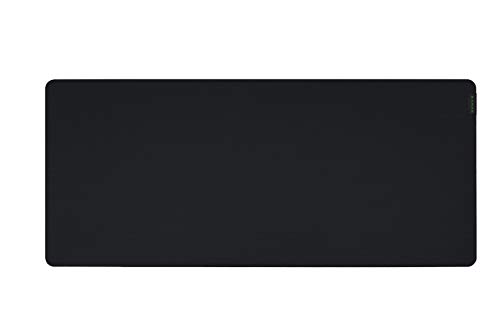
Razer Gigantus V2

The Razer Gigantus V2 delivers reliable performance for gamers who need a large, stable surface without breaking the bank.
Pros
- The rubber base grips our desk firmly and prevents any sliding during intense gaming sessions
- The micro-weave cloth surface provides smooth mouse movement while maintaining enough control for precise aiming
- Available in multiple sizes up to 3XL to fit different desk setups and gaming styles
Cons
- The light-colored fabric shows stains easily and requires regular cleaning with soap and water
- The mousepad needs a day or two to flatten out completely after unboxing
- At 4mm thickness for larger sizes, it adds noticeable height to your desk surface
We tested the XXL version and found it covered our entire gaming area with room to spare. The cloth surface struck a nice balance between speed and control when we used it with different gaming mice. Our mouse glided smoothly across the pad without feeling like it would fly off during quick movements.
The foam base stayed put on our desk even during heated gaming moments. We appreciated not having to readjust the pad between rounds. The stitched edges held up well after weeks of use and showed no signs of fraying.
After a few days of breaking it in, the surface felt consistent across the entire pad. We noticed the fabric does pick up dust and skin oils over time. A quick wipe down with dish soap kept it looking fresh.
The thickness provides a comfortable cushion for our wrist during long gaming sessions. We found the pad worked well with both high and low DPI settings on our mouse.
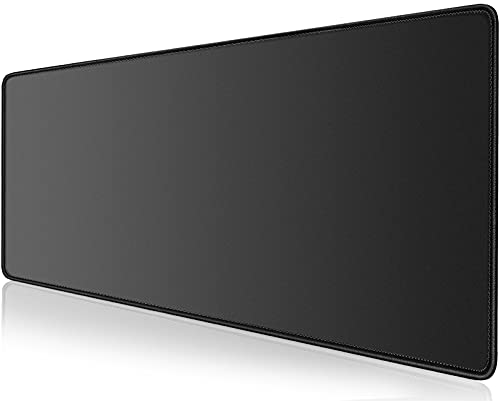
KTRIO RGB Large Gaming Mouse Pad

This extended gaming mouse pad delivers solid performance with customizable RGB lighting at a budget-friendly price point.
Pros
- The 12 different RGB lighting modes add visual appeal to any gaming setup without affecting mouse tracking
- Reinforced stitched edges hold up well after months of daily use with no fraying or peeling
- Dense rubber backing keeps the pad locked in place even during intense gaming sessions
Cons
- The micro-weave surface requires a break-in period before it feels truly smooth
- RGB cable adds desk clutter and must stay plugged in for lighting effects
- Water-resistant coating works but doesn’t fully protect against major spills
We tested this mouse pad over several weeks and found the surface provides consistent tracking across its entire 31.5 by 11.8 inch area. The micro-weave cloth lets our mouse glide smoothly while still offering enough resistance for precise stops. Our optical sensor had no issues reading the surface even on the patterned variants.
The RGB lighting stands out as a nice bonus feature rather than a gimmick. We cycled through the seven static colors and five dynamic effects using the small button on the cable. The lights shine bright enough to see clearly but don’t create distracting glare on our monitor. When we wanted a cleaner look, unplugging the USB cable turned off the lights completely.
Build quality impressed us for the price. The stitched edges remained intact after months of our keyboard and mouse rubbing against them. We accidentally spilled water on it twice, and both times the liquid beaded up on top instead of soaking through. A quick wipe with a cloth cleaned it right up.
The size works well for both gaming and office work. We had plenty of room for low-sensitivity mouse movements in first-person shooters while still fitting our keyboard on the pad. The quarter-inch thickness provided enough cushioning without feeling bulky on our desk.
Buying Guide
When we shop for a gaming mousepad, we need to think about several key features. The right choice depends on our gaming style and desk setup.
Size and Surface Area
Mousepads come in small, medium, large, and extended sizes. Small pads work for high DPI settings and limited desk space. Large and extended pads give us room for low sensitivity gaming and wide arm movements.
We should measure our desk space before buying. Extended pads can fit under both our keyboard and mouse.
Surface Type
The surface material affects how our mouse glides and stops. Hard surfaces offer fast movement and easy cleaning. Soft cloth surfaces provide more control and comfort for our wrist.
| Surface Type | Best For | Features |
|---|---|---|
| Hard | Fast movements, FPS games | Easy to clean, durable |
| Soft | Precision, control | Comfortable, quieter |
Thickness and Base
Thickness ranges from 2mm to 6mm or more. Thicker pads feel more comfortable but may affect our wrist position.
The base should have rubber or anti-slip material. This keeps the pad from moving during intense gaming sessions.
Stitched Edges
Stitched edges prevent fraying and extend the pad’s life. We recommend looking for this feature if we want our mousepad to last longer.
RGB Lighting
Some pads include RGB lighting around the edges. This adds visual appeal to our setup but doesn’t affect performance. We should only consider this if aesthetics matter to us.
Frequently Asked Questions
Gaming mousepads involve specific technical choices that affect your performance. Understanding material types, size requirements, and maintenance practices helps you select and care for the right mousepad.
What features should I consider when choosing a high-performance gaming mousepad?
We recommend focusing on surface texture, thickness, and base stability when selecting a gaming mousepad. The surface determines how your mouse sensor tracks movement, while thickness affects wrist comfort during long sessions.
Stitched edges prevent fraying and extend the mousepad’s lifespan. A non-slip rubber base keeps the pad stationary during intense gaming moments.
Size matters based on your sensitivity settings and available desk space. We suggest measuring your mouse movement range before purchasing.
How does the surface material of a mousepad affect mouse tracking and gaming performance?
Hard surfaces made from plastic or aluminum provide faster mouse glide and consistent tracking. These materials work well with optical sensors and require less effort to move your mouse across the pad.
Soft cloth surfaces offer more control and friction. They slow down mouse movement slightly, which helps with precise aiming.
Hybrid surfaces combine both properties with a textured weave. We find these balance speed and control for players who need both characteristics.
Can the size and shape of a mousepad make a difference in gaming sessions?
Extended mousepads measuring 36 inches or longer accommodate both your keyboard and mouse. This size prevents your mouse from running off the edge during low-sensitivity gaming.
Medium pads around 18 inches wide suit high-sensitivity players who make smaller movements. We use these when desk space is limited.
Shape affects arm positioning and comfort. Rectangular pads are standard, but some gamers prefer squared options for equal vertical and horizontal movement space.
Are there specific mousepads recommended for FPS or MOBA games, and if so, what are their characteristics?
FPS players typically need larger, smooth surfaces for low-sensitivity aiming. We recommend cloth pads with minimal friction that measure at least 18 by 15 inches. These allow for broad arm movements required in tactical shooters.
MOBA players benefit from medium-sized control surfaces since they use higher sensitivity settings. Textured cloth pads around 14 by 12 inches provide enough space for quick, precise clicks.
Speed pads work for both genres if you prefer faster mouse movement. Hard surface pads reduce friction for players who lift their mouse frequently.
How do I properly maintain and clean my gaming mousepad to ensure its longevity?
We clean cloth mousepads by hand-washing them with mild soap and warm water. Gently scrub the surface with a soft brush to remove dirt and oil buildup. Rinse thoroughly and air dry flat to prevent warping.
Hard surface pads need simpler maintenance. We wipe them down with a damp microfiber cloth and mild cleaner.
Clean your mousepad every 2-3 months depending on usage. More frequent cleaning may be necessary if you eat or drink at your desk.
What are the top-rated gaming mousepads currently preferred by professional gamers?
The Logitech G640 appears frequently in professional tournaments due to its consistent cloth surface. Its medium texture balances speed and control for various game types.
Artisan mousepads from Japan are popular among competitive players who prioritize premium materials. The Artisan Hien and Zero models offer different surface textures for specific preferences.
We see the SteelSeries QcK Heavy used by many CS2 professionals. Its 6mm thickness provides wrist support during extended practice sessions. The Razer Gigantus V2 offers a similar experience with a slightly smoother glide.