Building a compact PC doesn’t mean sacrificing performance or style. Mini ITX cases let you create a powerful computer that takes up less desk space and fits into smaller areas. These small cases work with Mini ITX motherboards, which are only 6.7 inches square, making them perfect for people who want a capable machine without the bulk of a traditional tower.
A good Mini ITX case needs to balance size, cooling ability, and room for your components. Some cases focus on being as tiny as possible, while others leave more space for larger graphics cards or additional cooling fans. You’ll also find different styles, from minimalist designs with clean lines to cases with tempered glass panels that show off your build. The material matters too, as aluminum cases typically cost more but offer better heat dissipation than plastic or steel options.
The key factors to consider are GPU clearance, CPU cooler height limits, and airflow design. Many Mini ITX cases can only fit smaller graphics cards or low-profile CPU coolers, which could limit your component choices. You should also think about how easy it is to build in the case, since working in tight spaces can be challenging. We researched and tested multiple Mini ITX cases to find the ones that offer the best combination of size, cooling performance, and build quality.
Best Mini ITX Cases Comparison Video
We tested dozens of mini ITX cases to find the ones that offer the best combination of cooling, build quality, and compact design. Our top picks give you excellent performance without taking up too much space on your desk.
HYTE Revolt 3
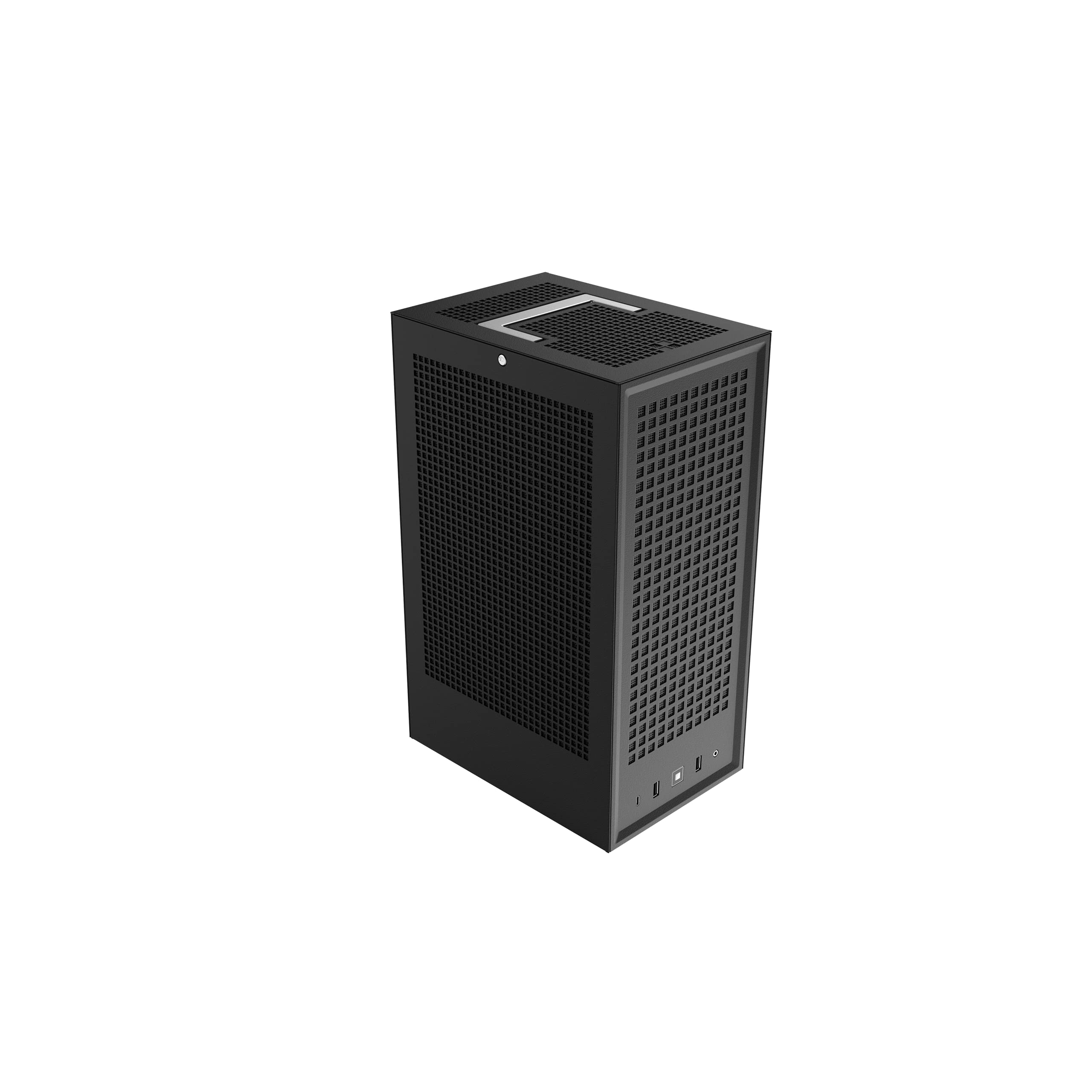
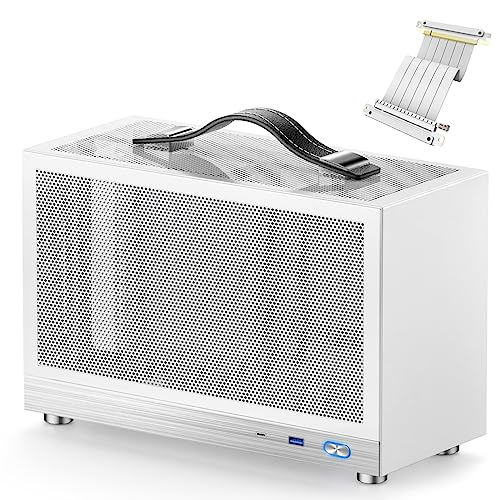
The HYTE Revolt 3 stands out as a solid choice for builders who want a compact ITX case that skips the hassle of riser cables while offering easy access to all components.
Pros
- All panels remove easily, giving full access from every side during builds
- No riser cable needed thanks to the smart vertical layout
- Built-in handle makes moving the case around simple and safe
Cons
- Larger graphics cards like some ASUS 4070 models won’t fit
- Other ITX cases on the market offer better radiator support
- The price point sits higher than some competitors with similar features
We appreciated how straightforward the build process was with the HYTE Revolt 3. The panels pop off without any tools, which saved us time during installation. The vertical design means your graphics card sits upright without needing a separate riser cable that can sometimes cause connection issues.
The case feels sturdy when you pick it up by the handle. We moved it between rooms a few times and never worried about damage. The metal construction gives it a premium feel that matches the price tag.
Space inside works well for most builds, but check your GPU length before buying. We found that some of the newer, bulkier graphics cards push right up against the size limits. The front panel shows off your graphics card nicely once everything is installed.
The front I/O includes USB-C and standard USB ports that are easy to reach. We used the headphone jack regularly and found it convenient. Airflow works fine for moderate builds, though you won’t get the same cooling options as some other cases in this category.
HYTE Revolt 3
The HYTE Revolt 3 stands out as a solid choice for builders who want a compact gaming PC with easy access and no riser cable headaches.
Pros
- Panels come off from all sides making building and upgrades simple
- No PCIe riser cable needed which saves money and reduces compatibility issues
- Built-in carrying handle makes moving the case between rooms or LAN parties easy
Cons
- Larger graphics cards like some ASUS 4070 models won’t fit
- Other cases in this price range offer better radiator support
- The size is bigger than some competing mini ITX options
We found the HYTE Revolt 3 makes building a small PC much easier than we expected. The removable panels on every side gave us complete access to every part of the build. We didn’t struggle with tight spaces or awkward angles like we do with other small cases.
The vertical GPU mount works without a riser cable, which is a big deal. We saved around $50 by not buying a separate cable. There were no signal issues or compatibility problems to worry about either.
The carrying handle feels sturdy and looks good. We used it to move our build from our desk to the living room without worry. The case also has nice touches like headphone holders on the sides.
Space inside is decent but not unlimited. We had to check GPU clearance before buying our graphics card. Some newer cards from ASUS and other brands are just too long for this case.
The front USB ports include two USB 3.2 Type-A connections and one Type-C port. We use the Type-C port for our phone and external drives all the time. The headset jack on the front is convenient too.
Build quality feels solid at 11 pounds. The metal panels don’t flex or rattle. Everything lines up well and the panels snap back into place easily after we open them up.
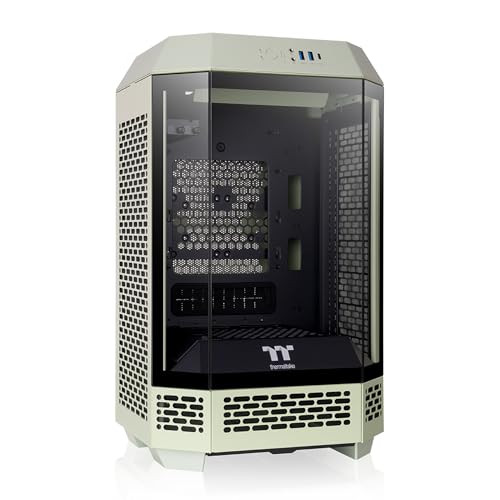
Thermaltake Tower 100

This case delivers solid airflow and a striking design in a compact footprint, making it worth considering if you want a mini ITX build that stands out.
Pros
- Three tempered glass panels showcase your components from multiple angles
- Supports full-size graphics cards up to 330mm and tall CPU coolers up to 190mm
- Comes with two pre-installed fans that keep temperatures under control
Cons
- Takes up more desk space than you’d expect from a mini ITX case
- Limited to 120mm radiators if you want to use an AIO cooler
- Glass panels arrived slightly foggy and needed extra cleaning
We tested this case with a range of components and found it handles heat surprisingly well for its size. The vertical motherboard layout makes installation straightforward, and we appreciated how easy it was to route cables behind the motherboard tray. The included fans ran quietly during normal use and only became noticeable under heavy loads.
The turquoise color looks fantastic in person and really makes the build pop on a desk. We liked that the case uses standard ATX power supplies, which gave us more flexibility in choosing components. The dust filters on all sides kept the interior clean over several weeks of testing.
Cable management took some patience since the space behind the motherboard is tight. We found it helpful to plan our cable routes before installing components. The glass panels felt substantial and secure once mounted, though we had to wipe them down thoroughly before the first use.
Storage options work well with brackets for up to four SSDs or two hard drives. We installed two SSDs on the side brackets without any issues. The case disassembles completely, which made cleaning and maintenance much easier than cases with plastic clips.
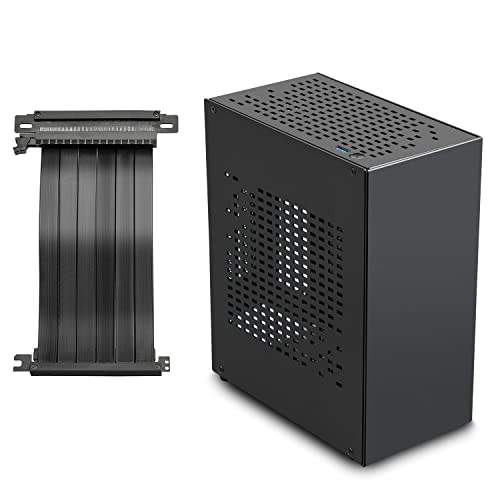
SilverStone SUGO 14

We think this case works well for anyone building a compact gaming PC who needs room for a full-size graphics card and standard power supply.
Pros
- Removable panels make building and upgrades much easier than most small cases
- Fits large graphics cards up to three slots thick without trouble
- Works with standard ATX power supplies so you don’t need expensive small form factor units
Cons
- The weight of nearly 11 pounds makes it heavier than expected for a mini case
- Some motherboard standoff threads might not match certain screws properly
- Air cooling options feel limited compared to the liquid cooling support
The cube design of this case gives us more flexibility than we expected. We could configure it horizontally or vertically depending on our desk space. The four removable panels let us access every part of the build without fighting with the whole chassis.
We built a system with a large graphics card and had plenty of clearance. The adjustable GPU holder kept everything stable and secure. Installing a 240mm radiator went smoothly when we decided to use liquid cooling.
Working inside felt manageable even though it’s a small case. The modular panels came off easily when we needed to route cables or swap components. We appreciated not needing a special compact power supply since standard ATX units fit fine.
The dust filters slide out for cleaning without tools. We found the front panel ports convenient with two USB 3.0 connections and one USB 2.0. The black finish looks clean and professional on a desk.
Build quality feels solid overall. The steel construction doesn’t flex or feel cheap. We did notice the case weighs more than some plastic alternatives, but that trade-off gives us better durability.
Cooler Master NR200

This case delivers excellent cooling and build flexibility in a compact package that actually gives you room to work.
Pros
- Supports large air coolers up to 165mm and multiple radiator options for serious cooling performance
- Horizontal GPU mounting works great with modern high-end graphics cards up to 330mm long
- Smart vented panel design keeps airflow strong without sacrificing the small footprint
Cons
- Limited to SFX power supplies only, which can be more expensive than standard ATX units
- Cable management gets tricky in tight spaces despite the thoughtful layout
- Building in this case takes more planning and patience than a standard mid-tower
We finished our build in the NR200 and were impressed by how much cooling potential fits into such a small space. The case measures just 18.25 liters but somehow accommodates a 280mm radiator or up to six fans. Setting up our components felt manageable even though we worked in close quarters.
The horizontal GPU mounting worked perfectly with our three-fan graphics card. We appreciated not needing a riser cable for the standard setup, which simplified installation. The removable side bracket made installing our cooler much easier than we expected.
Airflow through the vented panels kept our components cool during heavy use. We noticed the temperatures stayed reasonable even when pushing our system hard. The mesh panels do their job without adding bulk to the overall size.
Cable management required some creativity since space behind the motherboard tray is limited. We had to route cables carefully and use zip ties to keep everything tidy. The SFX power supply requirement adds cost, but the smaller PSU size makes the tight fit actually work.
Build quality feels solid with the steel and mesh construction. We found the case sturdy enough to move around without worrying about flex or damage. At just over 10 pounds, it’s heavy enough to feel well-made but light enough to transport easily.
Buying Guide
When we look for a mini ITX case, we need to consider several important factors. The right choice depends on our specific needs and the components we plan to use.
Size and Dimensions
Mini ITX cases come in different sizes even though they use the same motherboard format. We should measure the space where we plan to put the case. Some cases are wider, while others are taller or deeper.
Component Compatibility
We need to check what fits inside before buying. Here are the key measurements to verify:
| Component | What to Check |
|---|---|
| GPU Length | Maximum graphics card length supported |
| CPU Cooler Height | Clearance for air coolers |
| PSU Type | SFX, SFX-L, or ATX power supply compatibility |
| Storage | Number of 2.5″ and 3.5″ drive bays |
Cooling Options
Good airflow keeps our system running well. We should look at how many fans the case supports and where they mount. Some cases work better with liquid cooling systems.
Build Quality and Materials
The materials affect durability and weight. Steel cases are sturdy but heavier. Aluminum cases cost more but weigh less and look premium. We should check if the panels fit tightly and feel solid.
Access and Cable Management
We want a case that makes building easier. Tool-free panels save time during builds and upgrades. Space behind the motherboard tray helps us hide cables and keep things neat.
Ports and Features
Front panel ports matter for daily use. We should count USB ports and check if they include newer USB-C connections. Dust filters help protect our components.
Frequently Asked Questions
Mini ITX cases vary widely in cooling capability, size constraints, and upgrade potential. The best choices depend on your specific needs for airflow, water cooling support, and long-term component compatibility.
What are the top-rated mini ITX cases currently on the market?
We recommend the NZXT H1 V2, Lian Li A4-H2O, and Cooler Master NR200P as leading options. The NZXT H1 V2 includes a built-in 650W power supply and AIO bracket. The Lian Li A4-H2O measures just 11 liters but fits 240mm radiators.
The Cooler Master NR200P offers exceptional value at under $100. It supports tower coolers up to 155mm tall and GPUs up to 330mm long. The Fractal Design Terra is another strong contender with tool-free panels and excellent cable management.
Which mini ITX cases offer the best cooling performance?
The Cooler Master NR200P leads in air cooling with support for six fans and large tower coolers. Its mesh panels on three sides provide unrestricted airflow. We’ve seen CPU temperatures drop by 10-15 degrees compared to more restrictive cases.
The Lian Li Q58 also excels with its full mesh design. It fits triple-slot GPUs and 120mm tower coolers while maintaining small dimensions.
The Fractal Design Torrent Nano uses two 180mm front fans for high airflow at low noise levels. This approach moves more air than traditional 120mm or 140mm fan configurations.
How important is size when choosing a mini ITX case for a compact build?
Size directly affects where you can place your PC and what components fit inside. Cases under 15 liters fit on most desks but often require low-profile coolers and SFX power supplies. Cases between 15-25 liters offer more flexibility with standard ATX power supplies and larger coolers.
We find that an extra 2-3 liters of volume often makes builds much easier. The difference between a 10-liter and 13-liter case can mean fitting a full-size GPU instead of a compact model. You need to balance portability with practical building considerations.
Are there any mini ITX cases that support extensive water cooling?
The Lian Li A4-H2O fits a 240mm radiator despite its 11-liter volume. The SSUPD Meshlicious supports radiators up to 280mm in its vertical tower layout. We’ve built complete custom loops in the Meshlicious with a CPU and GPU block.
The NZXT H1 V2 includes mounting for a 140mm AIO cooler. The Cooler Master NR200P accommodates a 280mm radiator on the side bracket or a 240mm radiator on top.
The Sliger SM580 offers the most water cooling flexibility. It fits dual 240mm radiators or a single 280mm radiator with room for a pump and reservoir.
What features should I look for in a mini ITX case to ensure future upgradability?
We prioritize GPU clearance above all else. Cases that support three-slot GPUs up to 330mm long accommodate most modern graphics cards. The NR200P and Fractal Terra both meet these requirements.
Power supply compatibility matters for upgrades. Cases supporting standard ATX power supplies give you more options than those requiring SFX units. Tool-free panels and modular brackets make component swaps faster.
Look for cases with adjustable drive mounts and multiple fan positions. The ability to move brackets lets you adapt the case to new hardware. We also value removable top panels that provide easy access to motherboard headers.
How does the layout and design of a mini ITX case affect component compatibility?
Traditional layouts place the motherboard flat with the GPU mounted parallel above it. This design limits CPU cooler height but maximizes GPU length. Sandwich layouts position the GPU parallel to the motherboard, reducing overall width but requiring riser cables.
Vertical tower layouts like the Meshlicious maximize component height while minimizing desk space. This works well for tall tower coolers and long radiators.
We find that PSU placement significantly impacts compatibility. Bottom-mounted power supplies provide better GPU clearance. Rear-mounted units create more internal space but may require SFX sizing. Cases with the PSU behind the motherboard offer the cleanest builds but need careful cable planning.