Dash cams are everywhere now—drivers want that extra bit of security, and honestly, it makes sense. These little cameras record video as you drive, and that footage can save you a headache if you ever need to deal with insurance, argue your side in a traffic dispute, or just want a record of a long road trip. In 2025, you’ll notice more models offering sharper video, wider angles, and built-in features like Wi-Fi and GPS. They’re simply more reliable and user-friendly than ever.
When you’re shopping for a dash cam, focus on video quality, storage options, and whether you can install it without wanting to pull your hair out. Some folks really care about night vision, GPS tracking, or maybe cloud backup. For us, the best dash cam gets you clear footage, dependable storage, and easy operation—no unnecessary headaches.
We actually spent a ton of time digging into the latest models, comparing features and real-world performance to find dash cams that really deliver for the price.
Best Dash Cams 2025
We went hands-on with the newest dash cams to see which ones actually hold up for daily driving. Our top picks nail video quality, keep things simple, and toss in useful safety features that help us feel safer out there.
REDTIGER Dash Cam F7NP
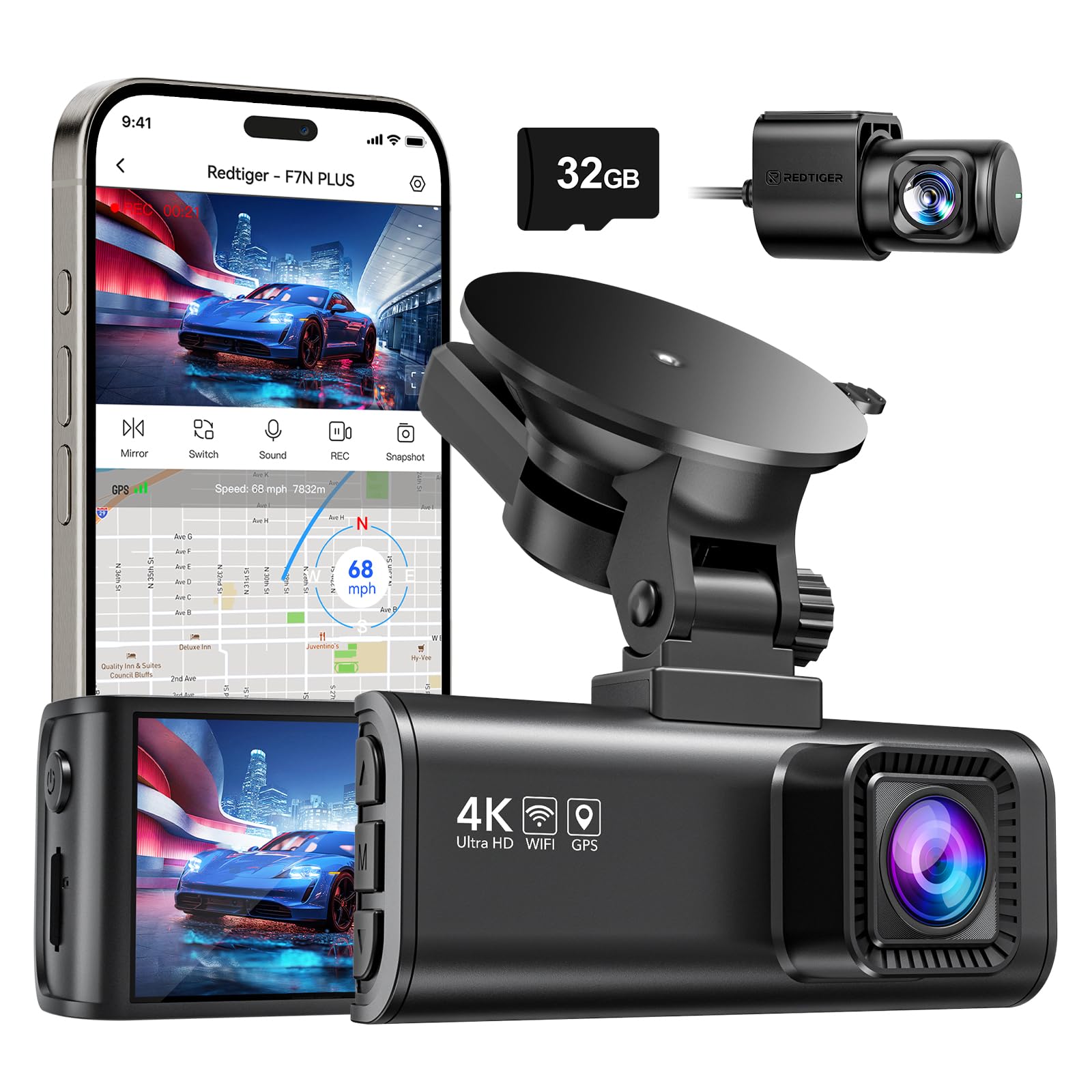
- 4K+1080P DUAL RECORDING- REDTIGER brings to you dual dash cam which records video of up to Ultra HD 4K(3840*2160P)+FHD 1…
- SUPERIOR NIGHT VISION- The REDTIGER driving recorder adopts an excellent optical lens with an ultra-large F1.5 aperture …
- Wi-Fi/SMART APP CONTROL- You just need to connect the dash cam to you smartphone APP via WiFi and then you can use the “…

We think this dash cam really hits the sweet spot for drivers who want front and rear coverage but don’t want to spend a fortune.
Pros
- Video looks crisp day or night
- Wi-Fi app makes control easy
- Rear camera gives extra protection
Cons
- Wires are long and can be annoying to hide
- Mount could be sturdier
- Parking mode needs an extra hardwire kit
We found the setup refreshingly simple. Since they included a memory card, we started recording almost immediately. The 4K front footage looked sharp, and the rear camera made us feel safer in traffic.
Nighttime footage still picked up license plates and street signs, which was honestly a relief. The wide angles helped cut down on blind spots, especially in tight parking lots. We liked how the app let us check clips on our phones—no need to mess with the memory card.
Our only real gripe? The cables. Tucking them away took some patience. The suction mount held up, but we wished it felt a bit more solid. Still, the overall performance made us comfortable leaving this cam in the car every day.
ROVE R2-4K PRO


- 4K UHD RECORDING 2160P @30FPS / 2.5K @60FPS – ROVE R2-4K PRO Dash Cams is our newest and most advanced feature-packed su…
- PAIR YOUR SMARTPHONES WITH ADVANCED 5G WIFI – With R2-4K PRO dash cam, you can connect your iPhone (iOS) or Android smar…
- CAR CAM WITH GPS – R2-4K PRO has built-in GPS, which records and allows you to view real-time live speed and compass on …
This dash cam is a good pick for anyone who wants solid video, easy setup, and practical features without a learning curve.
Pros
- Sharp 4K video shows lots of detail
- App connects quickly and easily
- Parking mode gives peace of mind
Cons
- Hardwire kit isn’t included
- No live phone support yet
- Menu feels crowded at first
We noticed the video looked impressively sharp, even in low light. Night vision worked well on darker roads, and the wide angle caught both lanes clearly. It grabbed license plates without much fuss—exactly what you want from a dash cam.
The app experience felt smooth. We downloaded clips to our phones in seconds and tweaked settings without hunting through menus. Wi-Fi stayed connected, which, honestly, doesn’t always happen with other brands.
Parking mode really impressed us. With motion and impact detection, the camera caught short clips if anything happened around the car. You do need the extra hardwire kit, but after installing it, everything worked reliably. If you park in busy areas, this feature adds real value.
Garmin Dash Cam X310


- Easy-to-use premium dash camera records crisp 4K ultra HD video, and a wide 140- degree field of view captures details i…
- Easy-to-view 2.4” LCD display for immediate playback with an intuitive touchscreen to more easily adjust settings and re…
- Built-in Garmin Clarity polarizer lens enhancement reduces windshield glare to clearly show important video details
If you want a compact 4K dash cam with sharp video and practical features for daily driving, we’d point you to the Garmin Dash Cam X310.
Pros
- 4K video is crisp and detailed
- Small design blends right in
- Voice control keeps your hands on the wheel
Cons
- Some features need a paid subscription
- Screen is pretty small for playback
- Wi-Fi setup takes a bit of patience
Testing the Garmin Dash Cam X310, we immediately noticed the sharp footage. The Clarity polarizer cut windshield glare, so license plates and signs popped out. Even at night, HDR made the video usable and clean.
The touchscreen is tiny but works well for quick checks. For longer clips, we usually grabbed our phones and used the Garmin Drive app. Voice commands responded well, and it felt natural to save a video without reaching for buttons while driving.
We tried out the Vault cloud storage, too. It’s handy, but honestly, the best stuff—like live view and parking guard—costs extra. For some, that’s worth it. Others might just stick to local storage. All in all, the X310 balances size, quality, and daily usability nicely.
Vantrue N4 Pro Dash Cam


- [ True 4K 3-Channel Dash Cam] With the latest technology of STARVIS 2, the N4 Pro’s front camera supports up to 4K 3840*…
- [Vantrue’s Exclusive PlatePix Technology]PlatePix technology can accurately identify license plate numbers with unmatche…
- [OTA Firmware Update & Faster 5GHz Wi-Fi&GPS] Supports OTA upgrades on app to improve performance and updated features. …
We’d say the Vantrue N4 Pro is a strong option if you want reliable 4K coverage from all angles, without a complicated install.
Pros
- Clear video both day and night
- Voice commands make control easy
- Sturdy build handles heat and cold
Cons
- Parking mode needs a separate hardwire kit
- Wi-Fi transfer is slow with big files
- Mounting options feel limited
The N4 Pro’s video quality jumped out at us right away. The front camera caught license plates clearly, even after dark, and the interior view handled low light well. We liked that the rear camera rotates, giving us more flexibility than most dash cams we’ve tried.
The app let us pull clips to our phones quickly, which made sharing easy. Though, bigger videos took a while, so we often just used a memory card reader for those. Voice commands worked smoothly, letting us snap photos or lock a video clip on the fly.
Installing it was simple with the magnetic mount, and it stayed put throughout our drives. For full parking mode, you’ll need to pick up the extra hardwire kit, which does bump up the price. Once it’s set, though, 24/7 monitoring gave us peace of mind when leaving the car overnight.
VIOFO A229 Pro Dash Cam

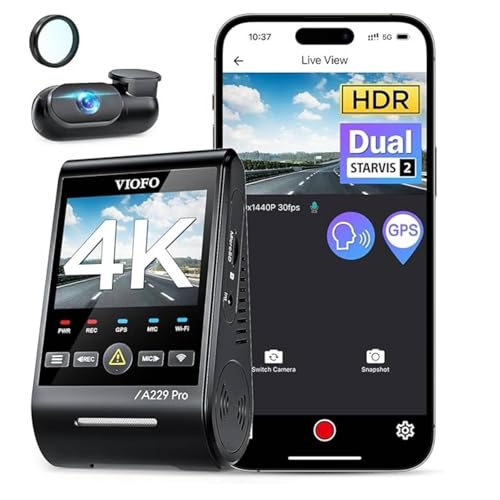
- 【4K +2K Dual STARVIS 2 Sensors Dash Cam】 The pioneering A229 Pro dash cam is equipped with dual flagship SONY STARVIS 2 …
- 【HDR for Front and Rear Night Vision 2.0】 The A229 Pro boasts Sony’s premier STARVIS 2 MX678 and IMX675 sensors, expertl…
- 【3 Parking Modes for 24/7 Protection】 A229 Pro is supported by a buffering function, it will initiate automatic recordin…
If you want sharp 4K video, reliable night vision, and strong parking protection, we’d recommend this one.
Pros
- 4K front and 2K rear video looks clear in any light
- Voice commands keep things hands-free
- Parking modes offer peace of mind
Cons
- Parking mode hardwire kit is extra
- No memory card in the box
- Setup can be tricky for first-timers
The A229 Pro impressed us right away with its video quality. Both front and rear footage looked sharp, and we could read license plates even at night. The included CPL filter helped cut glare on sunny days, so the recordings stayed clear.
We liked using voice control to lock clips or snap photos without digging through menus. Voice alerts came in handy if there was a memory card issue. The app’s Wi-Fi connection worked smoothly, letting us review clips on our phones without removing the card.
Parking protection added some extra confidence. We tried motion detection mode, and it caught events around the car with a short buffer before and after. The only catch is you’ll need to buy the hardwire kit separately, which adds to the cost. Still, the overall performance makes this dash cam a smart pick for everyday driving.
Buying Guide
When it comes to picking a dash cam, let’s be honest—there’s a lot of hype out there, but what really matters? We want features that actually boost safety, reliability, and make our lives easier. A solid dash cam should catch clear video, keep recordings safe, and hold up in all sorts of weather or lighting. No one wants a gadget that flakes out when you need it most.
Key factors to consider:
- Video quality: Go for at least Full HD. Higher resolution makes it way easier to spot details like license plates—trust me, you’ll appreciate that if you ever need it.
- Field of view: The wider, the better for coverage, though keep in mind edges might look a bit warped.
- Low-light performance: Night vision or better sensors really help when it’s dark out. It’s a game-changer if you drive at night.
- Storage options: Make sure it works with big memory cards and does loop recording so you’re not constantly deleting old footage.
- Power source: You’ll have to pick between battery, capacitor, or hardwiring. Each has its quirks—no perfect answer here.
Extra features? Yeah, some are worth it. GPS logs your speed and location. Parking mode keeps an eye on your car even when it’s off. And Wi-Fi or Bluetooth? That just makes getting your videos onto your phone a whole lot less of a headache.
| Feature | Why It Matters | What to Look For |
|---|---|---|
| Resolution | Clearer video and details | 1080p or higher |
| Field of View | Wider coverage of the road | 120°–170° |
| Night Performance | Better recording in low light | Infrared or enhanced sensor |
| Storage | Longer recording time | 64GB+ with loop recording |
| GPS | Tracks speed and location | Built-in or add-on module |
Stick to these basics and you’ll find a dash cam that actually fits what you need—without paying extra for random features you’ll probably never use.
Frequently Asked Questions
We look at how new dash cams boost video quality, connect with your car, and handle storage. We also check out features like night vision, privacy issues, and honestly, what makes some models stand out in 2025.
What are the top features to look for in a dash cam in 2025?
Definitely keep an eye out for 4K resolution, wide-angle lenses, and high frame rates. Built-in GPS, voice controls, and driver assistance alerts make life easier. You’ll want reliable storage and a good mobile app too—it just makes the whole experience smoother.
How does the resolution and frame rate of a dash cam affect video quality?
Higher resolution means you’ll catch more detail—think clearer license plates and road signs. A higher frame rate, like 60 fps, gives you smoother video, especially when something happens fast. Both really help if you ever need footage for evidence.
What are the benefits of having a dash cam with night vision capabilities?
Night vision lets you see what’s going on in the dark. With infrared sensors or better image processing, you’ll get clearer footage at night. That means you’re less likely to miss something important just because it’s dark out.
Are there any new privacy concerns associated with modern dash cams?
Yeah, there are some. Newer dash cams often sync with cloud services or apps, which can raise data security issues. They track your location and record all the time, so sensitive info does get stored. You should check how companies handle encryption and data sharing before you turn those features on.
How do the latest dash cams integrate with smart vehicle systems?
Modern dash cams now link up with in-car displays, parking sensors, and driver assistance. Some even connect through Apple CarPlay or Android Auto, which makes things a lot more convenient. This kind of setup cuts down on distractions and gives you easier controls—who doesn’t want that?
What are the best options for dash cams with cloud storage features?
The best dash cams let you upload videos straight to the cloud, and you can grab them later through their apps. Garmin, Nextbase, and BlackVue stand out—they all offer solid cloud storage, though you’ll need a subscription. With these, backing up your footage feels easy, and you can check your videos from anywhere. Not bad, right?