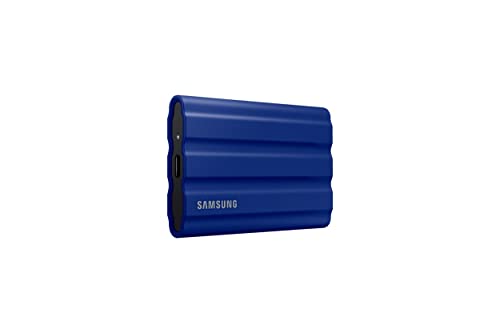
Let’s be honest, external SSDs have pretty much become the go-to way to expand storage and move files around fast. They’re just so much quicker and tougher than traditional hard drives—seriously, it’s a night and day difference for work, school, or just streaming movies. With everyone hanging onto huge files (videos, games, photos, you name it), grabbing an external SSD feels like the simplest way to keep your stuff safe but still right there when you need it.
So, what really matters when you’re picking out an external SSD? Well, speed, capacity, and durability usually top the list. Fast transfer speeds mean you’re not stuck waiting forever for files to move. Storage size tells you how much you can actually keep on there. And yeah, durability matters, especially if you toss your drive in a bag or pocket every day. The best external SSD, honestly, is the one that nails performance, storage, portability, and price all at once for what you need.
We spent hours comparing and actually testing the latest models to find the external SSDs that really stand out in 2025.
Best External SSD 2025
We dug into the latest external SSDs, looking for options that actually deliver fast speeds, solid storage, and good value. Here’s our shortlist of top picks for 2025, whether you’re working, traveling, or just need extra space day-to-day.
Crucial X9 Pro 2TB SSD


- High-speed Performance: Designed for professional creators, this external SSD delivers fast data access with up to 1050M…
- Built to Last: Perfect for field work and all-weather shoots with IP55 water and dust resistance. Plus, drop resistant u…
- Broad Compatibility: External drive connects effortlessly with Windows, Mac, iPad Pro, Chromebooks, Android, Linux, PS4,…

If you want fast, durable, and compact storage that works with basically anything, this is the drive we’d point you to.
Pros
- Moves big files super fast—no annoying delays
- Really compact and light, so it goes anywhere
- Tough build with water and dust resistance
Cons
- Cable’s a bit short for desk setups
- Costs more than your basic external drives
- No way to expand storage inside the drive
The Crucial X9 Pro just feels smooth right out of the box. We moved 4K video files and big photo folders in seconds, which honestly took away the usual wait we’re used to with older drives. The small size means you can toss it in a bag or pocket and barely notice it’s there.
Durability impressed us too. We tried it outside, and it brushed off dust and light rain like it was nothing. The case feels solid, so dropping it by accident isn’t a huge worry when you’re traveling. That’s a huge plus for fieldwork or just shuffling between home and the office.
Compatibility? No headaches there. We plugged it into a MacBook, Windows laptop, even a tablet—worked every time. Didn’t have to mess with extra software either, just plug and go. All things considered, the Crucial X9 Pro hits a sweet spot for speed, portability, and reliability for everyday stuff.
SanDisk Extreme PRO Portable SSD


- Powerful NVMe solid state performance featuring up to 2000MB/s read/write speeds.(1) (Based on internal testing; perform…
- A forged aluminum chassis acts as a heatsink to deliver higher sustained speeds in a portable drive that’s tough enough …
- Up to 3-meter drop protection and IP65 water and dust resistance(4), and a handy carabiner loop. (Previously rated for 2…
We’d recommend this one if you want fast, tough, and secure storage that won’t bog down even if you’re hammering it with big projects.
Pros
- Moves huge files really fast—no lag
- Rugged build with drop and water resistance
- Encryption’s easy to set up for extra security
Cons
- Gets a bit warm during long transfers
- Pricier than your basic drives
- Needs USB-C to hit top speeds
With this SSD, we saw it blaze through hundreds of gigabytes with zero stutter. The speed stays steady, even when you’re dumping big folders of photos or editing video projects. It really saves time over older portable drives.
The rugged design makes us feel better about tossing it in a bag. The aluminum shell feels sturdy, and the carabiner loop is actually handy for clipping it onto stuff. Water and dust resistance is a bonus if you’re working outside.
We liked the built-in encryption too. Setting it up took maybe a couple of minutes, and it gave us peace of mind for sensitive files. Sure, it gets warm after long use, but never so hot you can’t touch it. All in all, this SSD nails the balance between speed, durability, and security.
Crucial X10 Pro 4TB SSD


- Ultra-fast Speeds: Designed for professional creators, this external SSD delivers fast data access with up to 2,100MB/s …
- Built to Last: Perfect for field work and all-weather shoots with IP55 water and dust resistance. Plus, drop resistant u…
- Broad Compatibility: External drive connects effortlessly with Windows, Mac, iPad Pro, Chromebooks, Android, Linux, PS4,…
If you need fast, reliable, and portable storage that doesn’t feel fragile, this drive is a solid bet.
Pros
- Moves big files super quickly
- Small and easy to carry around
- Sturdy with water and dust resistance
Cons
- Heats up a bit during big transfers
- Costs more than smaller drives
- Included cable is on the short side
The Crucial X10 Pro just works right out of the box. We plugged it into a laptop, started moving big video files, and the speed didn’t dip. It even handled 4K footage straight from the drive, which made editing a breeze.
Because it’s so small, you can throw it in any bag without a second thought. It feels sturdy—way better than those flimsy, cheap drives. Water and dust resistance is reassuring, especially if you’re out and about or on the road.
One thing: it does get warm if you’re pushing it with lots of transfers. Not hot enough to worry, but worth mentioning. And yeah, the cable’s a bit short, so you might have to keep it close to your device. Still, the Crucial X10 Pro gets the mix of speed, toughness, and storage right for anyone who needs reliable performance.
Samsung T9 Portable SSD


- NONSTOP SPEED: Race through projects with our fastest SSD for creators; Load, edit and transfer with sustained read and …
- DYNAMIC THERMAL GUARD: When you’re elbow-deep in a passion project, the T9 Portable SSD stays cool; Its advanced thermal…
- ADAPTS TO EVERY NEED: Whether you’re using a desktop, camera or a gaming console3, count on the T9 Portable SSD for exte…
This is our pick if you want fast, dependable, and portable storage for 2025.
Pros
- Super quick file transfers, even with huge projects
- Stays cool, even under heavy use
- Works with all kinds of devices, no fuss
Cons
- You need the right cable and port for top speeds
- A bit bulkier than the slimmest drives
- Costs more than slower options
The Samsung T9 just feels fast from the get-go. We moved big video files and the speed stayed steady—no slowdowns halfway through. Even during long sessions, it stayed cool, which made us trust it more for big jobs.
Plugging it into different devices was a breeze. It worked with our laptop, game console, and even an iPhone, no weird setup needed. That kind of flexibility is great when you’re bouncing between work and personal stuff.
The only real catch: to get the fastest speeds, your device needs to support USB 3.2 Gen 2×2. On older ports, it still works, just not at full throttle. For us, the Samsung T9’s mix of speed, reliability, and size makes it a top choice for 2025.
Oyen Digital U34 Bolt 4TB SSD


- Turbocharged Speeds: Achieve sustained transfer rates up to 2800 MB/s, turning hours of work into minutes.
- Versatile Connectivity: Compatibility with any USB or Thunderbolt 3/4/5 host ensures seamless collaboration across devic…
- Rugged Endurance: Built tough with MIL-Standard 810 protection rating, it stands resilient in any environment.
This drive makes sense if you want fast transfers, solid durability, and dependable performance in a small package.
Pros
- Blazing fast file transfers—no slowdowns
- Tough build, ready for travel
- Runs cool, even when you’re working it hard
Cons
- Bigger than some of the slimmest SSDs
- Costs more than entry-level options
- Short cable can be annoying
The U34 Bolt wowed us with how quickly it moved big video files. Working with 4K footage felt smooth, and we didn’t have to sit around waiting for transfers to finish. It held up under constant use, so reliability wasn’t a concern.
The case feels sturdy and solid. We tossed it in a backpack for travel, and it didn’t pick up any scratches or dings. The aluminum shell kept it cool, which helped during longer editing sessions.
We did notice the size—it’s not massive, but definitely takes up more space than some smaller drives. The cable is short too, which is kind of a pain if your desktop setup is spread out. Still, for speed and toughness, it’s one of our favorites for 2025.
Buying Guide
When you’re shopping for an external SSD, it’s easy to get lost in specs, but really, you want to focus on what affects speed, storage, and durability. Your best pick depends on how you plan to use it—maybe for work, gaming, or just backups—so it’s worth thinking that through first.
Storage capacity should actually fit your needs. If you’re dealing with big media files, you’ll probably want 1TB or more. But if you’re just storing documents or a few photos, a smaller size works fine and usually costs less.
Speed really matters too. SSDs with higher read and write speeds save you time when you’re moving files around. Also, don’t ignore the connection type—USB 3.2 or Thunderbolt can make transfers way faster than older ports.
Durability becomes important if you carry your SSD everywhere. If you get a drive that resists shocks or water, you’ll stress less about accidents. And if it’s compact and light, tossing it in your bag or pocket is just easier.
Price vs. value should always play a role in your decision. You might pay more for better speed or a longer lifespan, but it’s smart to balance those features with your actual budget.
| Feature | What to Look For | Why It Matters |
|---|---|---|
| Storage Capacity | 500GB, 1TB, 2TB+ | Fits your file size needs |
| Speed | High read/write (MB/s) | Quicker transfers |
| Connection Type | USB 3.2, USB-C, Thunderbolt | Boosts performance |
| Durability | Shock or water resistance | Protects while traveling |
| Size & Weight | Compact and light | Makes carrying easier |
| Price | Fits your budget, fair value | Balances cost and features |
Frequently Asked Questions
Now, we’re seeing faster transfer speeds, tougher builds, and bigger storage options in today’s external SSDs. A lot of models support more than one platform, so they’re way more flexible for different users.
What are the top-rated external SSDs for high-speed data transfer in 2025?
From what we’ve seen, the Samsung T9, SanDisk Extreme Pro V2, and Crucial X10 Pro are the fastest out there. These drives use USB 3.2 Gen 2×2 or Thunderbolt 4, and you can get transfer rates over 2,000 MB/s. That’s pretty wild.
How do the latest external SSDs compare in terms of durability and reliability?
Most 2025 models now handle drops from up to 2 meters and have IP65 (or better) water and dust protection. Some even come with hardware encryption and heat management, which definitely helps them last longer.
Can you recommend external SSDs that offer the best value for the price this year?
Honestly, the Crucial X9 Pro and WD My Passport SSD are great picks if you want solid performance but don’t want to overspend. They balance speed, storage, and durability without getting into crazy-high prices.
What advancements have been made in external SSD storage capacities?
Storage options now go all the way up to 8TB for regular folks, and some pro drives even hit 16TB. That means you can keep giant video projects, game collections, and backups on just one device. Pretty convenient, right?
Which external SSDs feature the best compatibility with multiple operating systems?
Drives like the Samsung T9 and SanDisk Extreme Pro V2 come pre-formatted as exFAT, so you can use them right away with Windows, macOS, Linux, or even your game console. Many also toss in companion software to help with files across different platforms.
What are the most significant improvements in external SSD technology recently?
These days, faster interfaces like Thunderbolt 4 and USB4 are pretty much becoming the norm. Manufacturers keep switching to more efficient NAND flash, so you get better speed and your drive lasts longer. Some models even come with built-in security features—think password protection or AES 256-bit encryption. Not bad, right?