
Laptops often heat up during heavy use, especially when gaming, editing videos, or running multiple programs. A laptop cooling pad helps lower temperatures by improving airflow and reducing strain on internal fans. It can also make typing more comfortable by raising the laptop to a better angle.
When choosing a cooling pad, we look at fan size, noise level, build quality, and how well it fits different laptop sizes. The most important factor is how effectively the cooling pad reduces heat without adding extra noise or bulk. USB ports, adjustable height, and portability can also make a difference depending on how and where you use your laptop.
We spent hours researching and testing several cooling pads to find the ones that keep laptops cool, quiet, and comfortable to use.
Best Laptop Cooling Pads
We researched and compared top-rated laptop cooling pads to help keep devices running smoothly and prevent overheating. Our picks balance cooling performance, build quality, and noise levels to suit different needs and budgets. Below is our list of the best options available.
Havit HV-F2056 Laptop Cooling Pad


- [Ultra-portable]: slim, portable, and light weight allowing you to protect your investment wherever you go
- [Ergonomic comfort]: doubles as an ergonomic stand with two adjustable Height settings
- [Optimized for laptop carrying]: the high-quality multi-directional metal mesh provides your laptop with a wear-resistin…

This cooling pad is a solid choice for anyone who needs a quiet, lightweight way to keep their laptop from overheating.
Pros
- Runs quietly even with all three fans on
- Slim and easy to carry in a laptop bag
- Doubles as a simple ergonomic stand
Cons
- Plastic build feels a bit light
- Blue LED lights may not suit all setups
- Limited height adjustment options
We found the Havit HV-F2056 easy to set up and surprisingly effective for its size. The metal mesh surface feels stable, and the airflow from the three fans noticeably lowered our laptop temperature during long work sessions. It fits 15.6″ to 17″ laptops well without wobbling or sliding.
Carrying it around is simple because it’s thin and weighs just over a pound. We liked that it connects through USB and even includes an extra USB port, which helps when ports are limited. The fans stay quiet, which makes it good for office or library use.
While the stand function adds comfort, the two height levels could use more flexibility. The blue lighting looks nice but might not fit every workspace style. Overall, this pad performs reliably and keeps our laptops cooler without adding bulk or noise.
Kootek Laptop Cooling Pad
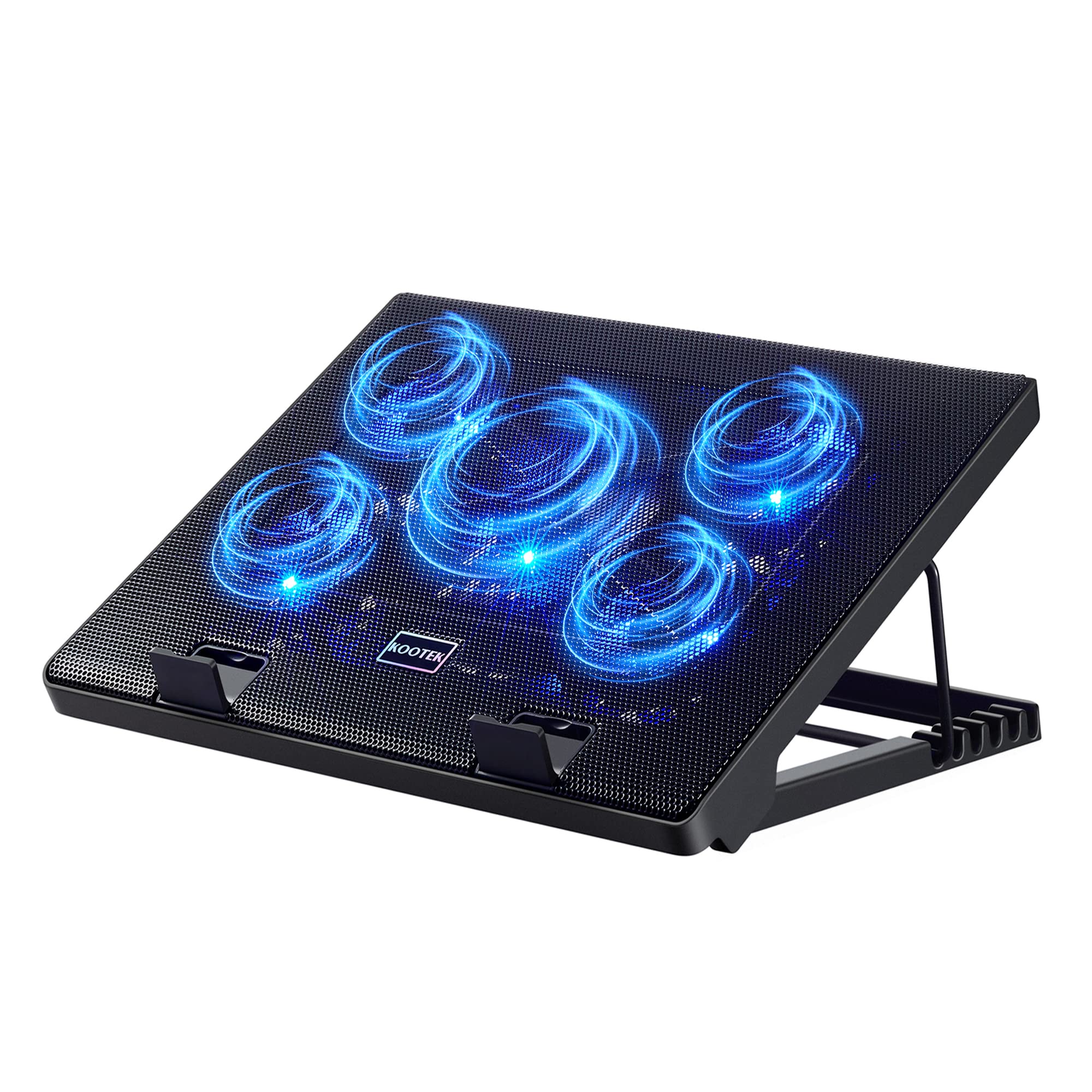

- Whisper-Quiet Operation: Enjoy a noise-free and interference-free environment with super quiet fans, allowing you to foc…
- Enhanced Cooling Performance: The laptop cooling pad features 5 built-in fans (big fan: 4.72-inch, small fans: 2.76-inch…
- Dual USB Hub: With a built-in dual USB hub, the laptop fan enables you to connect additional USB devices to your laptop,…
This cooling pad is a solid choice for anyone who wants quieter fans, better airflow, and a more comfortable laptop setup.
Pros
- Runs quietly even with all five fans on
- Adjustable height makes long sessions easier
- Built-in USB hub adds convenience
Cons
- Blue LEDs may be distracting in dark rooms
- Plastic frame feels a bit light
- Not ideal for very small laptops
We found the Kootek Laptop Cooling Pad easy to set up and surprisingly quiet. The five fans move a good amount of air without adding much noise. We liked being able to switch between different fan combinations depending on how warm our laptop felt.
The adjustable stand helped reduce neck strain during long work sessions. The height settings locked firmly in place, and the front stoppers kept our laptop from sliding. The cooling pad stayed stable on the desk, even when typing fast or gaming.
We appreciated the extra USB ports since many laptops don’t have enough. The pad’s metal mesh surface felt sturdy and helped with heat dissipation. Overall, this model balances cooling power, comfort, and usability well for the price.
Thermaltake Massive 20 RGB Cooling Pad


- Set lights and fan speeds effortlessly: Control lights and fan easily via the built‐in control panel including light mod…
- Supreme ventilation: Steel mesh surface with an integrated 200 millimeter silent fan for optimal airflow and high therma…
- Ergonomic comfort: Ergonomically designed with 3 adjustable height settings (3°/ 9° /13°) for the best viewing and typin…
This cooling pad is a solid pick for anyone who wants quieter cooling and a bit of RGB style without spending too much.
Pros
- Strong airflow keeps large laptops cooler
- Adjustable height improves comfort
- Simple lighting and fan controls
Cons
- Takes up a lot of desk space
- Plastic frame feels less sturdy than metal ones
- Limited fan speed range
We found the Thermaltake Massive 20 RGB easy to set up and use. The large 200mm fan moves plenty of air, and even after hours of gaming, our laptop stayed noticeably cooler. The fan noise stayed low, which made it easier to focus.
The RGB lighting adds a nice touch. We liked being able to switch colors and modes using the built-in buttons without needing extra software. It’s more of a visual bonus than a performance feature, but it gives the setup a clean look.
The pad’s size can be a drawback if you’re short on desk space. It fits up to 19-inch laptops, but that also means it’s bulkier than most. The adjustable angles helped us find a comfortable typing position, though the plastic frame flexed slightly when we pressed down. Overall, it’s a dependable cooling pad that balances performance and appearance well.
IETS GT600V2 Cooling Pad

This cooling pad is a strong choice for users who want serious airflow and don’t mind a bit of extra noise.
Pros
- Moves a large amount of air to lower laptop temperatures fast
- Solid metal body feels sturdy and reliable
- Adjustable height and lighting add useful customization
Cons
- Noticeably loud at top fan speed
- Bulky design takes up desk space
- Foam seal may need trimming for a perfect fit
We tested the GT600V2 with a gaming laptop that usually runs hot. The difference was immediate—the surface temperature dropped quickly, and the fan kept air moving evenly under the chassis. The sealed foam ring helped direct airflow right where it was needed.
The metal frame gave us confidence in its durability. It stayed stable even when we adjusted the height or leaned on the keyboard. The RGB lighting added a bit of personality, but we appreciated that it could be turned off when we wanted a simpler setup.
Noise was the main drawback. At full speed, it was louder than a normal conversation. For heavy gaming or editing, though, the performance trade‑off felt worth it. Overall, the IETS GT600V2 stands out for users who need maximum cooling power and don’t mind a little extra sound to get it.
llano V13 Gaming Laptop Cooler

We recommend this cooling pad for anyone who needs strong, reliable cooling for gaming or heavy laptop use.
Pros
- Cools laptops quickly and effectively
- Adjustable fan speed and LED display for control
- Solid build with ergonomic height settings
Cons
- Can get loud at top speed
- Slightly bulky for travel
- Higher price than basic models
We noticed a clear temperature drop within minutes of turning on the llano V13. The large 5.5-inch turbo fan moves a lot of air, keeping both CPU and GPU temperatures stable during long gaming sessions. It feels sturdy and stays in place thanks to the double non-slip baffles.
The touch controls make it easy to fine-tune the fan speed, and the LED display shows real-time performance. We liked being able to balance cooling power with noise level depending on what we were doing. The included dust filter helps keep the laptop cleaner, which is a nice bonus.
While it’s not the quietest option, it performs better than most pads we’ve tried. The adjustable height adds comfort when working or gaming for hours. For users with 15- to 21-inch laptops, the llano V13 offers dependable cooling and solid value despite the larger size.
Buying Guide
When we choose a laptop cooling pad, we should focus on how well it improves airflow and reduces heat. A good pad helps our laptop maintain stable performance during long use.
Size and Compatibility
We need to check that the pad fits our laptop size. A pad that’s too small or too large won’t cool evenly. Most cooling pads list supported laptop sizes, so we should match those before buying.
Cooling Performance
The number and size of fans affect cooling. Larger fans usually move more air but may spin slower and make less noise. Smaller fans can target specific hot spots.
| Feature | What to Look For | Why It Matters |
|---|---|---|
| Fan Size | 120mm or larger | Quieter and better airflow |
| Fan Speed | Adjustable settings | Lets us balance noise and cooling |
| Material | Metal mesh or aluminum | Improves heat dissipation |
| USB Ports | Extra pass-through ports | Keeps USB access free |
| Height Adjustment | Multiple angles | Helps comfort and airflow |
Noise Level
We should check the decibel rating if it’s listed. Quieter pads are better for shared or quiet spaces.
Portability and Power
Lightweight pads are easier to carry with a laptop. Most use USB power, so we should ensure the cable length fits our setup.
Build Quality
A sturdy frame helps the pad last longer. We should look for non-slip surfaces to keep the laptop stable during use.
Frequently Asked Questions
We review cooling pads that improve airflow, reduce heat buildup, and fit a range of laptop sizes. We also look at quiet operation, fan performance, and how these pads help extend a laptop’s lifespan.
What are the top-rated laptop cooling pads available on the market?
We find that models like the Cooler Master NotePal X3, Thermaltake Massive 20 RGB, and Havit HV-F2056 perform well. They offer strong airflow, durable builds, and adjustable fan speeds.
How do cooling pads enhance a laptop’s performance?
Cooling pads lower internal temperatures, helping the laptop maintain stable performance during demanding tasks. They prevent thermal throttling, which can slow down the processor when it overheats.
Can a laptop cooling pad support various laptop sizes?
Most cooling pads fit laptops from 13 to 17 inches. Some models include adjustable stoppers or wider surfaces to hold larger devices securely.
What are the key features to look for when choosing a laptop cooling pad?
We focus on fan speed, airflow capacity, noise level, and build quality. Pads with extra USB ports and adjustable height settings also add convenience.
How does a laptop cooling pad impact the longevity of a laptop?
By keeping components cooler, a pad helps reduce wear on internal parts like the CPU and GPU. Lower heat levels can prevent damage over time and maintain consistent performance.
Are there any quiet yet effective laptop cooling pads recommended for noise-sensitive environments?
Yes. Pads such as the KLIM Silent and Targus Chill Mat use low-noise fans while still moving enough air to keep laptops cool. They work well in offices, libraries, or shared spaces.



