Gaming PCs no longer need large towers to deliver smooth play. Mini PCs pack modern CPUs and GPUs into small cases that fit on a desk or behind a monitor. They aim to balance size, noise, and power while still running popular games well.
The best mini PC for gaming delivers steady frame rates in a compact box without loud fans or constant heat issues. These systems work well for players who want a clean setup, travel often, or lack space. Many now support external GPUs, fast storage, and multiple displays, which makes them more flexible than older small PCs.
When buying a gaming mini PC, focus on the GPU first, then the CPU, cooling design, and power limits. Also check RAM capacity, storage speed, and upgrade options, since some models lock these parts. We spent weeks researching and testing top mini PCs to find the ones that offer the best gaming performance for their size and price.
Best Mini PC for Gaming
Below is our list of the best mini PCs for gaming. We chose models that balance size, performance, and value for common gaming needs. Each option can handle popular games while saving desk space.
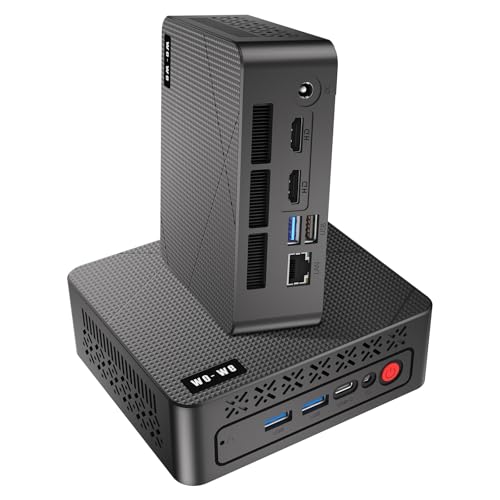
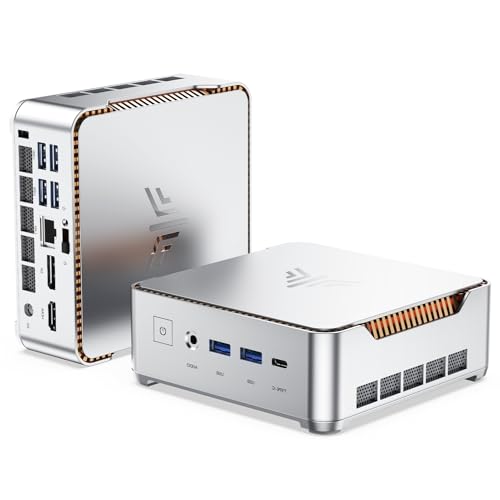
GMKtec Nucbox K6 Mini Gaming PC

We recommend this mini PC for gamers who want strong play in a tiny box without jumping to a full tower.
Pros
- Smooth gameplay in popular titles at sensible settings
- Small size fits easily on a desk or behind a monitor
- Plenty of ports make setup simple
Cons
- Fan noise shows up during long gaming sessions
- Integrated graphics limit ultra settings
- Price sits higher than basic mini PCs
We set the K6 on our desk and liked how little space it used. It stayed stable while we jumped between games and daily tasks. Load times felt quick, and the system never felt bogged down.
During gaming, frame pacing stayed steady at reasonable settings. We noticed the fans ramp up after longer runs, but heat stayed under control. Using a controller and headset was easy thanks to the wide port mix.
For everyday use, the K6 felt snappy and reliable. We ran games, streamed video, and handled work without fuss. This mini PC works best for players who want clean looks and solid gaming without a bulky rig.
GEEKOM AX8 Max Mini PC
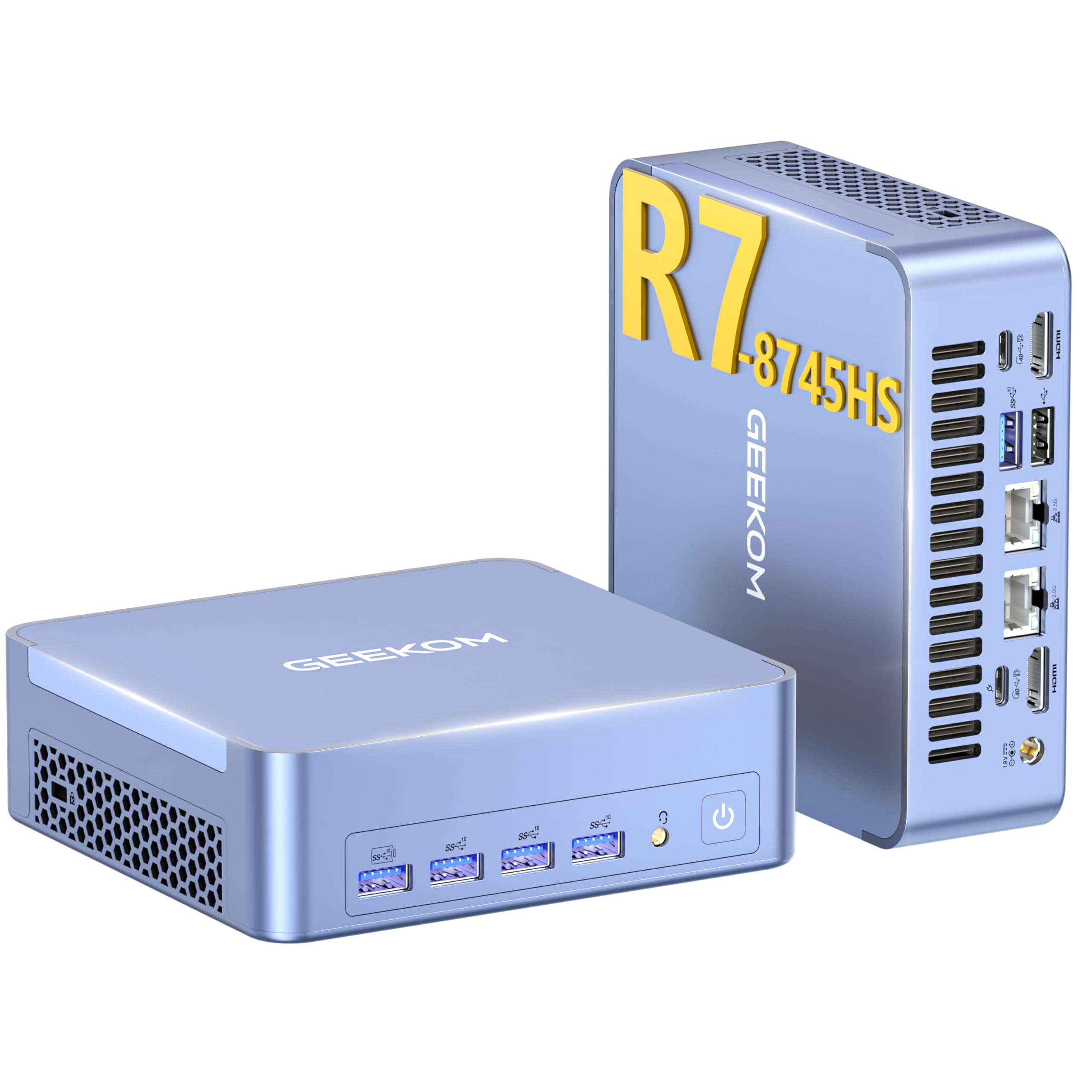
This mini PC makes sense for gamers who want strong performance in a small box without the noise and clutter of a full desktop.
Pros
- Runs modern games smoothly at sensible settings
- Stays quiet even during long play sessions
- Solid metal case feels durable and well built
Cons
- Integrated graphics limit ultra settings in new titles
- Small size leaves little room for internal changes
- Price sits higher than basic mini PCs
We placed the AX8 Max on our desk and liked how little space it took. Setup felt quick, and the system booted fast. The metal body stayed cool to the touch after hours of use.
Gaming felt smooth in real play. We tested a mix of shooters and racing games, and frame pacing stayed steady. The fan noise stayed low, which helped during late-night sessions.
We also noticed how flexible it felt day to day. Switching from gaming to work apps felt instant. Ports sit in easy reach, so plugging in controllers and headsets felt simple.
The limits showed when pushing the newest games to max settings. We had to dial things back for the best balance. Even so, the experience stayed enjoyable and stable.
For gamers who want power without a bulky tower, this mini PC fits well into a clean setup.
MINISFORUM UM790 Pro

This mini PC makes sense for gamers who want strong performance in a small box without moving to a full desktop tower.
Pros
- Runs modern games smoothly at reasonable settings
- Stays quiet and cool during long play sessions
- Handles multitasking without slowdowns
Cons
- Not ideal for ultra settings in new AAA games
- Small case limits future hardware upgrades
- Setup may take some tuning for best results
After using the UM790 Pro for several gaming sessions, it felt quick and steady. Games launched fast, and load times stayed short. The system kept up even when we streamed music and had a browser open in the background.
Heat control stood out right away. The fan noise stayed low, even after hours of play. The metal case felt warm but never hot, which helped keep performance stable without annoying noise.
On the downside, this is still a mini PC. We had to lower some graphics options in newer titles to keep frame rates smooth. Even so, the balance of size, power, and ease of use made it enjoyable for daily gaming and general use.
AtomMan G7 PT Mini Gaming PC

This mini PC makes sense for buyers who want strong gaming performance in a small box without moving to a full desktop tower.
Pros
- Plays modern games smoothly in a compact size
- Stays quiet during long gaming sessions
- Offers plenty of ports for monitors and gear
Cons
- Costs more than basic mini PCs
- Runs warm when pushed hard
- Setup takes time if you upgrade parts
After using the AtomMan G7 PT on our desk, it felt more like a shrunken gaming desktop than a typical mini PC. Games loaded fast, and frame rates stayed steady during long sessions. We did not feel limited by its size while playing.
Cooling stood out right away. Fans stayed calm most of the time, even when games pushed the system. Noise stayed low enough that it never distracted us while wearing speakers instead of headphones.
Desk space also improved. The small case left room for other gear, and cable clutter stayed under control. We liked how easy it was to connect multiple displays and accessories without adapters.
On the downside, heat builds up when we run demanding games for hours. It never felt unsafe, but airflow matters. Price may also stop casual gamers, since this unit targets people who want serious power in a small form.
ASUS ROG NUC (2025) Mini Gaming PC
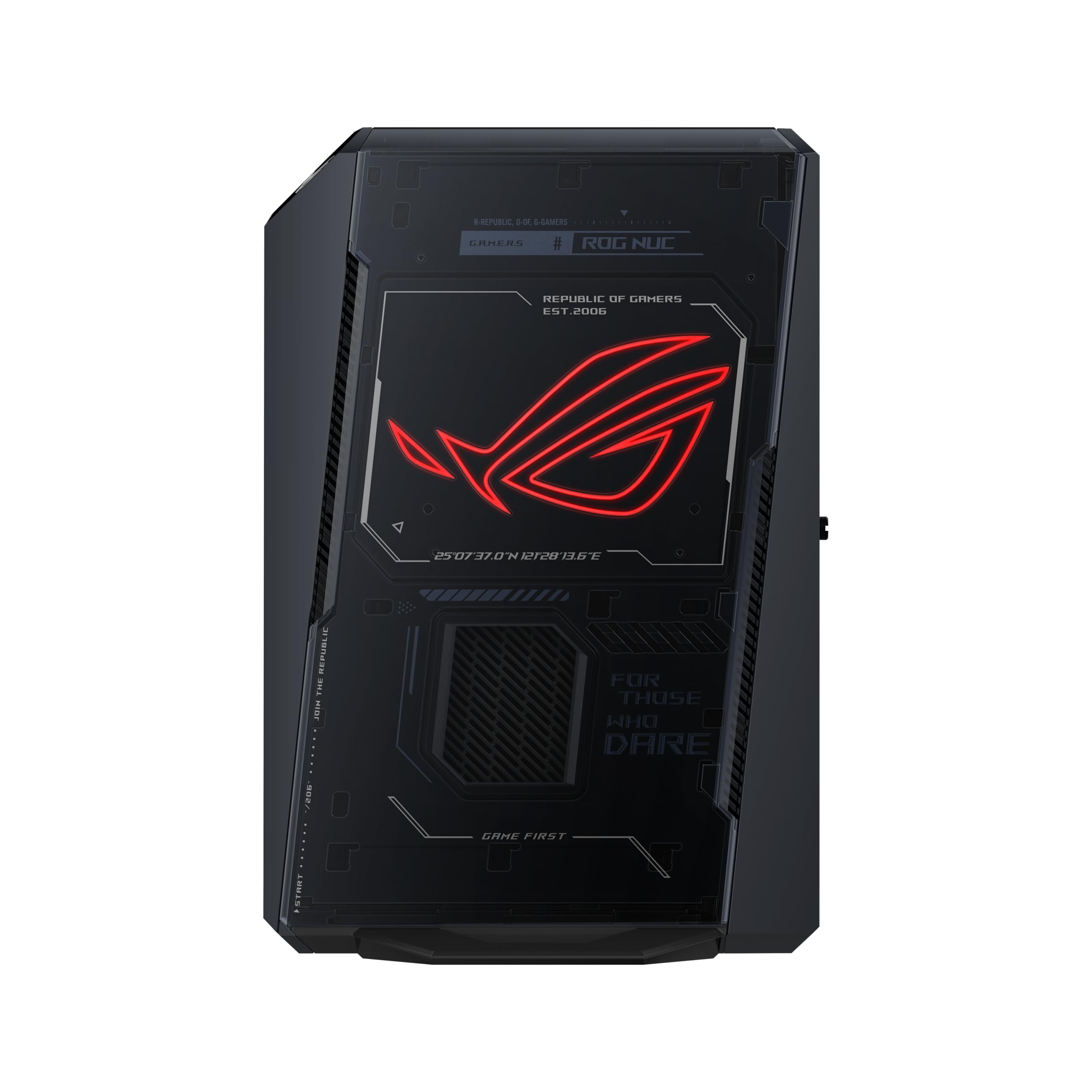
This mini PC fits gamers who want strong performance in a small box and are willing to pay more for a clean, compact setup.
Pros
- Smooth gameplay in modern games without constant tweaks
- Quiet operation even during long sessions
- Small size works well on a desk or TV stand
Cons
- Higher price than many full-size PCs
- Limited space for future upgrades
- Mobile graphics chip, not a desktop card
We set this unit on a small desk and started gaming right away. Setup felt quick and simple, with no extra steps. Games loaded fast, and play stayed smooth at high settings.
During long sessions, the system stayed quiet and cool. Fan noise never pulled us out of the game. That made it easy to use in a shared room or living space.
The compact case stood out the most. It fit where a tower never could, and it looked clean with subtle lighting. Still, the cost feels high, and upgrade options feel tight. This PC works best for gamers who value size and ease over saving money.
Buying Guide
We choose a gaming mini PC by focusing on performance first. Small size limits upgrades, so the right parts at purchase matter. We look for balanced hardware that handles modern games without strain.
Graphics performance drives gaming quality. We check for a capable integrated or discrete GPU that supports current game engines. Frame rate stability matters more than peak numbers.
Processor and memory affect smooth play. We aim for a modern CPU with strong single-core speed. We also choose at least 16 GB of RAM to avoid slowdowns during gameplay.
| Feature | What We Look For | Why It Matters |
|---|---|---|
| GPU | Modern architecture | Better frame rates |
| CPU | Recent generation | Faster game logic |
| RAM | 16 GB or more | Smooth multitasking |
| Storage | SSD | Faster load times |
Cooling matters in small cases. We check airflow design and fan quality to reduce heat. Stable temperatures protect performance during long sessions.
Ports and connectivity shape daily use. We look for multiple USB ports, HDMI or DisplayPort, and fast network support. These features help with monitors, controllers, and online play.
Power limits can restrict gaming. We review system wattage and power delivery to ensure parts run at full speed. A strong power setup helps maintain consistent performance.
Frequently Asked Questions
We cover performance, cooling, value, memory, upgrades, and how mini PCs compare to full towers. The focus stays on real gaming results like frame rates, heat control, and long-term use.
What are the top-performing mini PCs for gaming in terms of graphics and processing power?
Top models use AMD Ryzen 7 or Intel Core i7 CPUs with Radeon 780M or RTX 4060-class GPUs. These systems run modern games at 1080p and 1440p with stable frame rates.
We see strong results from brands that pair fast CPUs with dedicated or high-end integrated graphics. Dual-channel RAM also boosts graphics performance.
How does the cooling efficiency of a mini PC impact gaming performance?
Good cooling keeps the CPU and GPU from slowing down under load. Poor cooling causes thermal throttling, which lowers frame rates.
We recommend models with dual fans, large heat pipes, and clear airflow paths. Quiet cooling also improves long play sessions.
Can you recommend mini PCs that offer the best value for money for gamers?
Value-focused models use Ryzen 5 or Core i5 chips with strong integrated graphics. They cost less and still handle esports and many AAA games at medium settings.
Barebones systems also save money if we add our own RAM and storage. This approach lowers cost without cutting performance.
What should I look for regarding RAM and storage configurations in a mini PC for gaming?
We look for at least 16GB of RAM in dual-channel mode. This setup improves frame rates, especially with integrated graphics.
For storage, an NVMe SSD is key. A 1TB drive gives space for large game files and fast load times.
Are there mini PCs that are easily upgradable for future gaming needs?
Some mini PCs allow RAM and SSD upgrades through easy access panels. This flexibility helps extend the system’s life.
GPU upgrades remain rare, but external GPU support via Thunderbolt or USB4 adds options. We check port support before buying.
How do mini gaming PCs compare to full-sized gaming rigs in terms of gaming experience?
Mini PCs offer solid performance in a small space and use less power. They work well for 1080p and light 1440p gaming.
Full-sized rigs still win on raw power and upgrade options. We choose mini PCs when size, noise, and efficiency matter more.