
A gaming motherboard serves as the foundation of any gaming PC. It connects all your components together and determines what parts you can use. The right motherboard ensures your processor, graphics card, memory, and storage work together smoothly for the best gaming performance.
When choosing a gaming motherboard, you need to match it with your processor type, decide how much expansion you need, and consider what features matter most for your setup. Intel and AMD processors require different motherboard sockets, so compatibility comes first. After that, you’ll want to think about how many RAM slots you need, what kind of storage connections are available, and whether you want extras like built-in WiFi or advanced cooling options.
The price range for gaming motherboards varies widely from budget-friendly options around $100 to premium models over $500. More expensive doesn’t always mean better for your specific needs. A mid-range board often provides everything most gamers need without paying for features they won’t use. We tested fifteen gaming motherboards across different price points to find the ones that offer the best combination of performance, features, and value.
Best Motherboards for Gaming
We tested dozens of gaming motherboards to find the top performers for different budgets and needs. Our list includes options that offer the best combination of performance, features, and value for gamers in 2026.
ASRock Z790 Steel Legend WiFi

This motherboard delivers strong gaming performance with plenty of storage options and connectivity at a price that won’t break the bank.
Pros
- Eight SATA ports plus five M.2 slots give you tons of storage flexibility
- Works great right out of the box with minimal setup hassles
- Handles DDR5 RAM and modern Intel processors without breaking a sweat
Cons
- Some units arrive with quality control issues that require returns
- The audio chip is more basic compared to pricier gaming boards
- BIOS setup can be confusing if you’re new to building PCs
We tested this board with a 13th gen Intel processor and found it ran smoothly for gaming sessions. The camo pattern looks sharp in a windowed case, and the board stayed cool even during long gaming marathons.
The standout feature is the storage capacity. We connected multiple hard drives and SSDs without running out of ports, which is rare these days. The PCIe 5.0 slot means you’re ready for next-gen graphics cards when you decide to upgrade.
Setting up the WiFi 6E took just a few minutes, and the connection stayed stable during online gaming. We appreciated the USB-C ports on both the front and back, making it easy to plug in modern peripherals. The power delivery system kept our CPU running at steady speeds without throttling.
The main issue we encountered was the basic audio codec. It gets the job done, but you’ll hear a difference if you’re used to premium sound chips. We also had to dive into the BIOS to enable some features that should have been ready to go. Once we figured out the settings, everything worked as expected.
This board makes sense if you need lots of storage connections or want a reliable platform for gaming without spending $400 or more. It handles modern games well and leaves room for future upgrades.
MSI MAG B850 Tomahawk MAX WiFi

We think this board offers a strong balance of features and ease of use that makes it a smart pick for anyone building a modern AMD gaming PC.
Pros
- Installation is straightforward with toolless M.2 slots and a handy GPU release button
- Cooling design keeps things running stable even during long gaming sessions
- Build quality feels solid with reinforced slots and thick circuit board materials
Cons
- Price sits higher than older B650 boards that might work fine for some builds
- BIOS interface takes some getting used to if you’re new to MSI systems
- WiFi 7 won’t matter much until you upgrade your router to match
We set up this motherboard with a Ryzen processor and found the whole process easier than expected. The toolless M.2 system lets you snap drives into place without fumbling for a screwdriver. That GPU release button actually helps when you need to swap graphics cards instead of struggling with a tiny latch.
The power delivery system handled our testing without breaking a sweat. We ran demanding games for hours and the board stayed cool thanks to the heat spreaders on key components. Memory ran at fast speeds without complicated tweaking in the settings.
One thing we noticed right away was how sturdy everything felt. The PCIe slot for the graphics card uses reinforced metal that doesn’t flex under the weight of heavy GPUs. All four RAM slots worked perfectly and supported fast DDR5 memory speeds.
WiFi 7 and the 5G ethernet port give you solid network options. We tested both and got reliable connections during online gaming. The rear USB ports include a fast Type-C connection that comes in handy for quick file transfers.
The black design looks clean without trying too hard. We appreciate that MSI focused on function over flashy decorations. Everything from the chipset cooler to the VRM heatsinks does its job without overheating.
ASRock X870E Taichi

This motherboard delivers strong performance for serious gamers and overclockers who need robust power delivery and plenty of expansion options.
Pros
- The 27-phase power system handles demanding processors without breaking a sweat
- Four M.2 slots give you tons of storage flexibility for games and files
- WiFi 7 and USB4 support mean you’re ready for next-generation devices
Cons
- Early BIOS versions had voltage issues that required updates to fix
- The four DIMM slots reduce memory speed compared to two-slot designs
- Some units arrived with damage or defects based on customer reports
We tested this board with a Ryzen 9000 series processor and found the power delivery impressive. The cooling on the VRMs stayed solid even during extended gaming sessions. The board handled everything we threw at it without thermal throttling.
The layout makes cable management pretty straightforward. We appreciated having four M.2 slots since modern games eat up storage fast. The USB4 port on the back panel is a nice touch for fast external drives.
Setting up the board was mostly smooth, though we did need to update the BIOS right away. The early firmware had some voltage quirks that ASRock fixed in later updates. After the update, everything ran stable with no crashes or odd behavior.
The RGB lighting looks clean without being overdone. We like that ASRock included quality networking with 5Gbps LAN and WiFi 7. The dual PCIe 5.0 slots give you options if you want to run multiple graphics cards or add high-speed expansion cards.
Build quality feels premium with good weight to it. The board doesn’t flex when installing components. We found the BIOS easy to navigate for tweaking settings and monitoring temperatures during use.
ASUS ROG Crosshair X870E Extreme
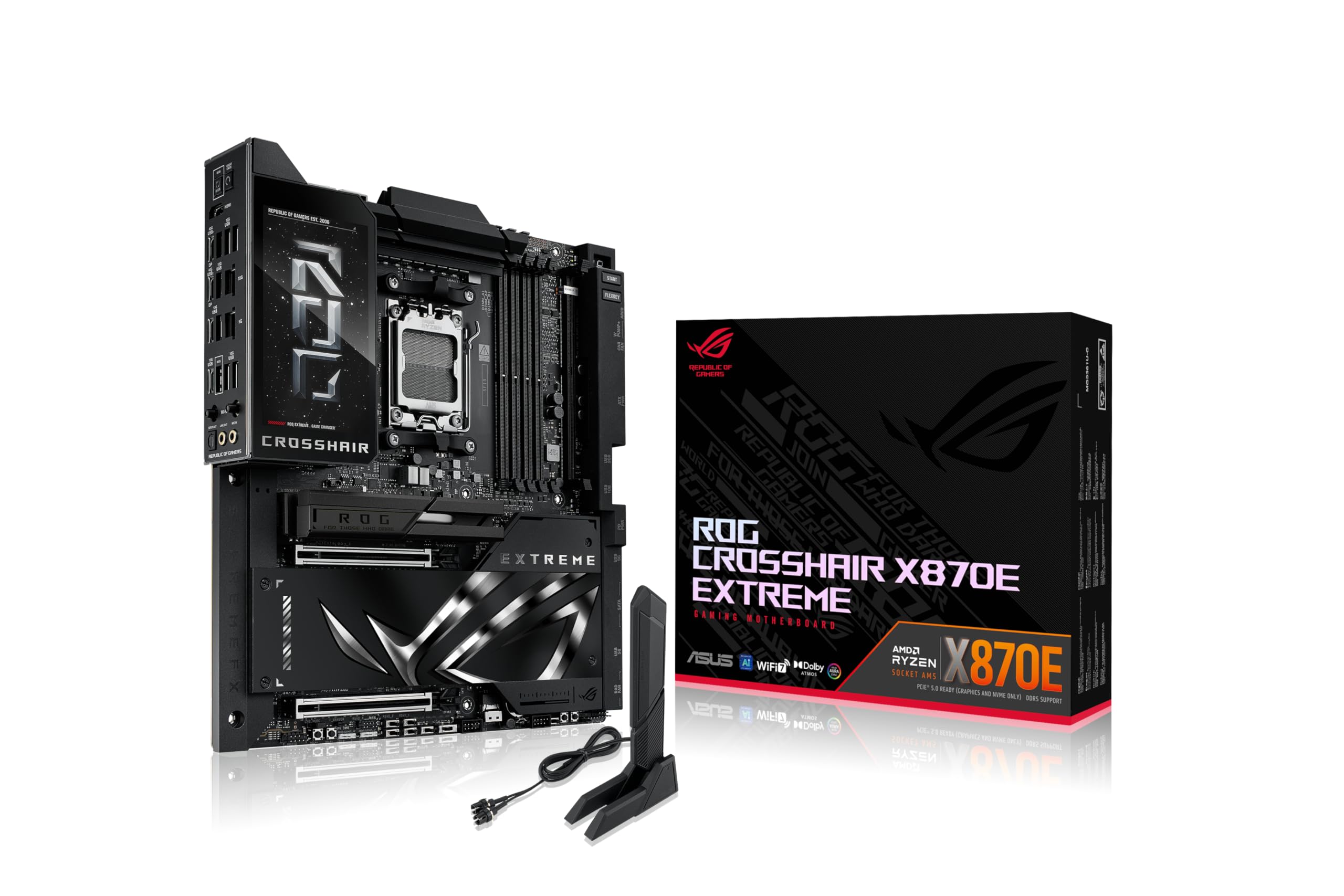
This board delivers premium features and solid performance for serious AMD builds, though the high price and some finicky parts mean it’s best suited for enthusiasts who will actually use its advanced capabilities.
Pros
- Five M.2 slots with proper cooling give you plenty of fast storage options
- The 5-inch LCD screen adds useful system info and looks impressive in your case
- Wi-Fi 7 and dual ethernet ports provide excellent network flexibility
Cons
- The M.2 quick-release mechanism feels fragile and small parts can break easily
- Some features don’t work smoothly with Linux systems
- The premium price puts it out of reach for most builds
We built a complete system around the ASUS ROG Crosshair X870E Extreme and found it lives up to most of its promises. The board feels heavy and well-made when you take it out of the box. Installation went smoothly with the pre-mounted I/O shield saving us a few minutes.
The power delivery system handles demanding processors without breaking a sweat. We tested it with a Ryzen 9000 series chip and pushed some serious workloads through it. The massive heatsinks stay cool even during extended gaming sessions.
Storage options really stand out on this board. We filled three of the five M.2 slots and appreciated that they all got proper cooling. The mounting system tries to be convenient but requires careful handling since those little springs can pop out.
Network performance impressed us with both the 5G and 10G ethernet ports. The Wi-Fi 7 delivered fast speeds throughout our testing space. Having multiple high-speed network options means you can set up your system exactly how you want it.
The 5-inch LCD screen adds genuine functionality beyond just looking cool. We used it to monitor temps and system stats without opening software. Programming it through the ASUS software took some time to figure out but worked well once we got it set up.
ASUS packed in AI features for overclocking and cooling that work decently for quick tweaks. Serious overclockers will still want manual control, but these tools help beginners get started. The BIOS interface feels modern and responds quickly to inputs.
We ran into a couple frustrations during our time with this board. The M.2 quick-release tabs feel delicate compared to the rest of the sturdy construction. One of our Linux test drives had compatibility problems that required extra troubleshooting.
USB ports cover almost every speed and type you might need. The dual USB4 ports on the back panel handle fast external drives and high-speed peripherals. Front panel connectors include fast charging support that works great for phones and tablets.
Audio quality through the SupremeFX codec sounds clean for gaming and music. We tested it with several headphone types and got good results across the board. The difference from cheaper motherboard audio is noticeable if you have decent headphones.
MSI MEG Z890 GODLIKE
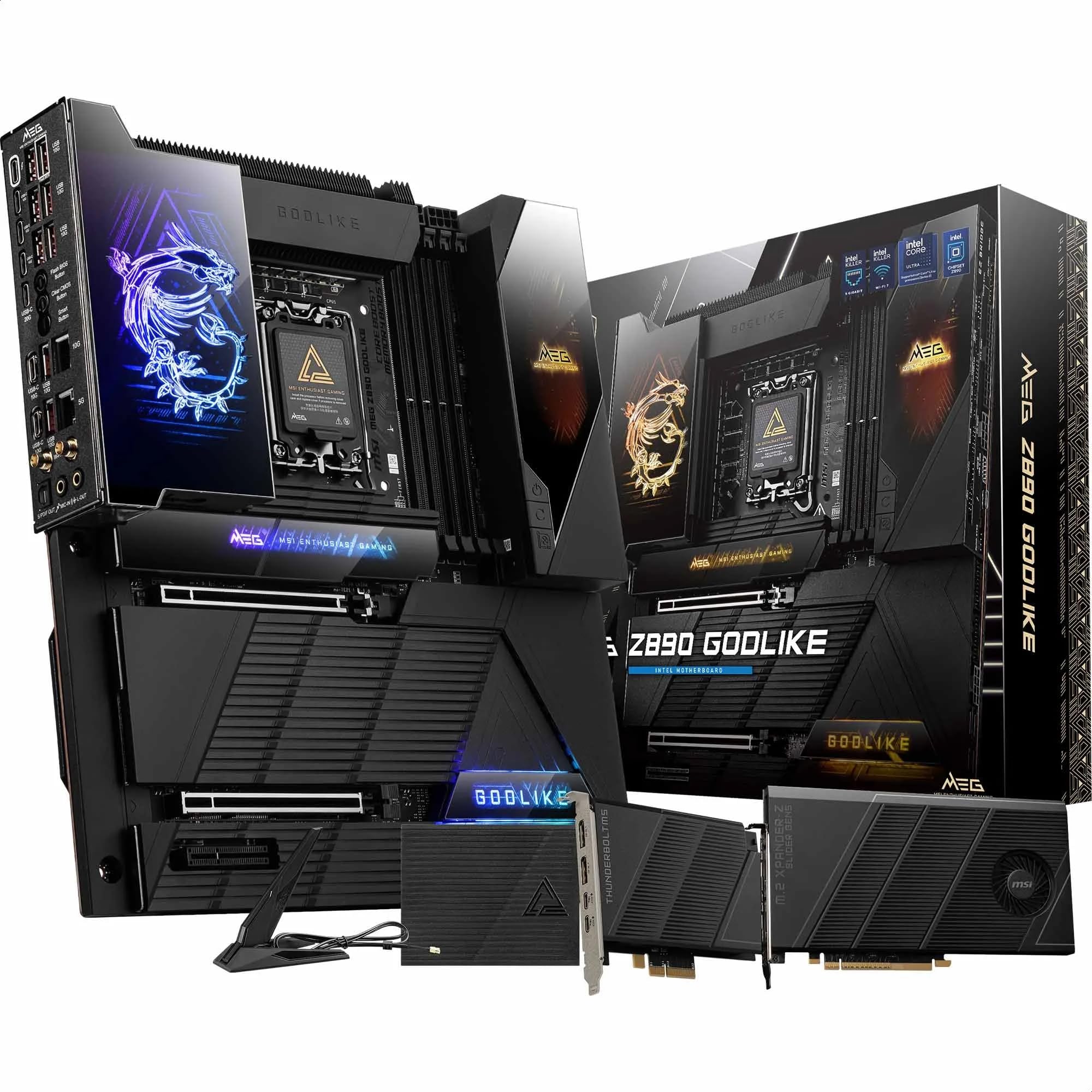
This premium motherboard delivers exceptional performance and features for serious gamers who need maximum expandability and cutting-edge connectivity.
Pros
- Eight total M.2 slots provide massive storage expansion without sacrificing speed
- EZ Link hub and magnetic shields make building and upgrading remarkably simple
- Excellent cooling design keeps temperatures low even during intense gaming sessions
Cons
- High price point puts it out of reach for most budget-conscious builders
- Some users report customer service issues when technical problems arise
- Running maximum RAM capacity requires accepting slower memory speeds
We tested this board with an Intel Core Ultra 9 processor and found the installation process smooth thanks to the EZ DIY features. The magnetic M.2 shields snap on and off without tools, which saved us time during our build. The PCIe release button also made GPU removal much easier than standard motherboards.
The 26-phase power delivery handles overclocking well. We pushed our processor hard during extended gaming sessions and the VRM temperatures stayed reasonable. The multiple heatsinks with direct-touch heat pipes do their job effectively.
Storage options are where this board really shines. We filled six M.2 slots without needing the expansion card, and everything stayed cool under the double-sided thermal shields. The WiFi 7 and dual ethernet ports gave us flexible networking options.
The Dynamic Dashboard III screen looks impressive and displays useful system information. We customized it to show CPU temps and fan speeds at a glance. Build quality feels solid throughout, from the thick PCB to the premium connectors.
Some downsides exist beyond the steep cost. We noticed that achieving the advertised 256GB RAM capacity means dropping memory speeds significantly. The thunderbolt accessories add value but also complexity to cable management. For most gamers, cheaper boards will handle their needs just fine.
Buying Guide
When we shop for a gaming motherboard, we need to think about what matters most for our setup. The right board depends on our processor, budget, and future upgrade plans.
Chipset and CPU Compatibility
The chipset must match our processor. We can’t just pick any motherboard and expect it to work. Check which socket type our CPU needs before buying anything.
Different chipsets offer different features. Higher-end chipsets usually support more features like overclocking and extra storage options.
Form Factor
We need to pick a size that fits our case:
- ATX – Standard size with the most expansion slots
- Micro-ATX – Smaller with fewer slots but still good for gaming
- Mini-ITX – Compact for small builds but limited expansion
Memory Support
Look at how much RAM the board can handle. Most gaming boards support at least 64GB, which is plenty for gaming.
Check the RAM speed support too. Faster RAM can help gaming performance, especially with certain processors.
Expansion Slots
Count how many PCIe slots we need. We’ll want at least one x16 slot for our graphics card.
Think about what else we might add later. Extra slots let us add sound cards, capture cards, or more storage.
Storage Options
Look for multiple M.2 slots for fast SSDs. Most gaming builds benefit from at least two M.2 slots.
SATA ports matter if we plan to use traditional hard drives or older SSDs.
VRM Quality
The VRM controls power delivery to our CPU. Better VRMs run cooler and handle power-hungry processors better. This matters more if we plan to overclock.
Frequently Asked Questions
Gaming motherboards require careful consideration of chipset compatibility, expansion slots, and power delivery systems. The right board determines your upgrade path and affects features like overclocking and connectivity options.
What are the key features to look for in a gaming motherboard?
We prioritize the chipset first because it determines CPU compatibility and available features. The chipset controls how many PCIe lanes you get and which storage types work with your system.
Power delivery matters for stability during gaming sessions. Look for motherboards with at least 8-phase VRM designs if you plan to use mid-range processors. High-end CPUs need 12-phase or better VRM systems.
PCIe slots are essential for graphics cards and expansion cards. We recommend boards with at least one PCIe 4.0 x16 slot for modern GPUs. M.2 slots should support NVMe drives for fast game loading times.
RAM support affects your system’s multitasking ability. Most gaming motherboards should support at least 32GB of DDR4 or DDR5 memory. Check that the board supports speeds of 3200MHz or higher for DDR4.
How does the choice of motherboard affect gaming performance and future upgrades?
The motherboard doesn’t directly boost frame rates in games. Your GPU and CPU handle the actual gaming performance. However, the motherboard enables these components to work at their full potential.
PCIe generation support determines your upgrade options. A motherboard with PCIe 4.0 or 5.0 slots will support next-generation graphics cards without bottlenecks. Older PCIe 3.0 boards may limit future GPU performance.
Socket type locks you into a specific CPU generation or family. AMD’s AM5 socket supports multiple CPU generations, while Intel typically changes sockets more frequently. We consider this when planning upgrades over three to five years.
RAM slots and maximum capacity matter for future expansion. Four DIMM slots let you start with 16GB and upgrade to 64GB later. Some budget boards only have two slots, which limits your options.
What are the differences between ATX, Micro-ATX, and Mini-ITX motherboards for gaming?
ATX motherboards measure 12 x 9.6 inches and offer the most expansion options. These boards typically include four RAM slots, three or more PCIe slots, and six to eight SATA ports. We recommend ATX for users who want maximum flexibility.
Micro-ATX boards are 9.6 x 9.6 inches and fit smaller cases while keeping most features. They usually have four RAM slots and two to three PCIe slots. You sacrifice some expansion options but save money and space.
Mini-ITX measures just 6.7 x 6.7 inches for compact builds. These boards have two RAM slots and one PCIe x16 slot for your graphics card. They cost more than Micro-ATX despite fewer features because of the engineering required for small layouts.
All three sizes can deliver identical gaming performance with the same CPU and GPU. The choice depends on your case size and how many expansion cards you need.
Can you recommend motherboards that are compatible with high-performance gaming CPUs?
For Intel’s 14th and 13th gen processors, we use Z790 chipset boards. The ASUS ROG Strix Z790-E Gaming WiFi supports Core i9 CPUs with strong power delivery. MSI’s MAG Z790 Tomahawk WiFi offers similar features at a lower price.
AMD’s Ryzen 7000 series works with X670E and B650 chipsets. The Gigabyte X670E Aorus Master handles Ryzen 9 7950X processors with excellent VRM cooling. ASRock’s B650E Steel Legend provides PCIe 5.0 support for budget-conscious builders.
For AMD’s AM4 platform with Ryzen 5000 CPUs, the MSI B550 Tomahawk remains a solid choice. It supports Ryzen 9 5950X processors and includes PCIe 4.0 support.
Intel’s 12th gen CPUs need B660 or Z690 boards. The MSI Pro B660M-A balances cost and features for Core i5 and i7 processors.
What impact do motherboards have on overclocking capabilities for gamers?
VRM quality determines how much extra power your CPU can safely draw during overclocking. Boards with 14-phase or higher VRM designs keep temperatures stable when pushing clock speeds higher. Weak VRMs cause thermal throttling and system crashes.
BIOS options control what you can adjust for overclocking. Z-series Intel boards and X-series AMD boards unlock full multiplier control and voltage adjustments. Budget chipsets like B660 or B650 restrict or completely block CPU overclocking.
Memory overclocking works on most modern motherboards. We can usually enable XMP or EXPO profiles to run RAM at advertised speeds. Higher-end boards support more aggressive memory timings and frequencies above 6000MHz.
Power delivery cooling affects sustained overclocking performance. Boards with heatsinks on VRMs and chipsets maintain stable power delivery during long gaming sessions. Without adequate cooling, even good VRMs will throttle under load.
How important are connectivity options like USB ports and Wi-Fi in choosing a gaming motherboard?
USB ports determine what peripherals you can connect without hubs. We look for at least six USB-A ports on the rear panel for keyboards, mice, and controllers. Two or more USB 3.2 Gen 2 ports help with fast external storage transfers.
Front panel USB-C headers matter for modern cases. Many new cases include USB-C ports on the front that need motherboard support. Boards without this header leave those ports useless.
Wi-Fi 6E or Wi-Fi 7 built into the motherboard eliminates the need for separate adapters. We find integrated Wi-Fi performs better than most USB adapters and keeps PCIe slots free. Boards without Wi-Fi cost less but require separate networking solutions.
Ethernet speed affects online gaming and downloads. We recommend boards with 2.5G Ethernet for faster-than-gigabit speeds. Basic 1G Ethernet still works fine for gaming but limits large game downloads and streaming.
Audio codec quality matters for headphone users. ALC1220 or better codecs provide clean sound without needing separate sound cards. Built-in audio on modern gaming boards matches entry-level dedicated cards.






