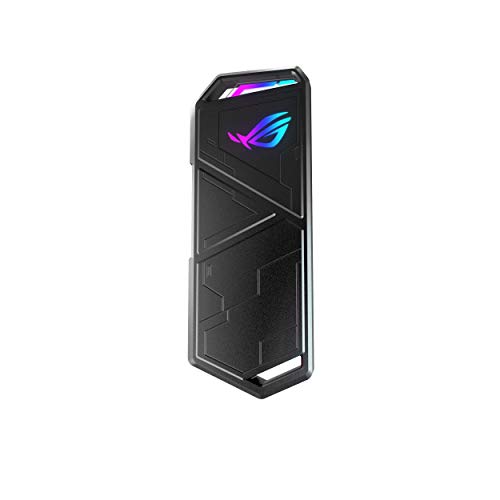
Solid-state drive (SSD) enclosures let us turn an internal SSD into a portable storage device. They offer a simple way to back up files, expand laptop storage, or move large amounts of data quickly. Compared to traditional hard drives, SSDs are faster, quieter, and more durable, making them ideal for everyday use and travel.
When choosing an SSD enclosure, the most important factors are compatibility, speed, and build quality. The enclosure must match the SSD’s size and connection type, such as SATA or NVMe, and support fast data transfer through USB-C or Thunderbolt. A sturdy aluminum body can also help with heat management and protection. The right SSD enclosure should balance performance, reliability, and ease of use for a smooth storage experience.
We spent hours researching and testing several SSD enclosures to find the ones that deliver fast performance, solid construction, and simple setup.
Best SSD Enclosures
We reviewed the top SSD enclosures to help you choose the right one for your storage needs. Our picks focus on speed, build quality, and ease of use so you can get the best performance from your drive.
SSK M.2 NVME SATA SSD Enclosure


- Applicable SSD: This M.2 SSD Enclosure is for NVMe PCIE & SATA M-Key / B+M connectors M.2 SSD. Applicable to sizes 2242 …
- Type C interface: Both side can be inserted; M.2 NVME recommends USB-C Gen 2 10Gbps or Thunderbolt 3 for extreme speed p…
- Aluminum Alloy Shell: Adopts aluminum alloy shell, slim design, excellent heat dissipation, be portable and easy to carr…

This enclosure is a solid choice for anyone who wants a reliable and easy way to use an extra M.2 SSD as external storage.
Pros
- Feels sturdy and stays cool during long file transfers
- Works with both NVMe and SATA drives without extra setup
- Includes both USB-C and USB-A cables for flexibility
Cons
- Aluminum case can get warm under heavy use
- Screw installation takes a few minutes
- Blue activity light is bright in dark rooms
We found the SSK enclosure simple to set up. The aluminum shell feels durable, and the compact design makes it easy to carry in a laptop bag. It connected right away without needing drivers, which saved us time.
During testing, file transfers moved quickly, especially over a USB-C Gen 2 port. The case stayed cooler than expected, though we noticed some warmth after copying large files. The included thermal pads helped with heat control.
We liked that both USB-C and USB-A cables came in the box, making it easy to use with older and newer devices. While the small screws require a steady hand, once closed, the drive felt secure. Overall, this enclosure gives dependable performance for anyone who needs fast, portable SSD storage.
UGREEN SSD Enclosure


- 10Gbps NVMe Enclosure: With the latest USB 3.2 Gen2, this M.2 enclosure can achieve a data transfer rate of 10Gbps. Back…
- Tool-free SSD Enclosure: Tool-free NVMe SSD enclosure for quick and easy installation. Plug and play, no drivers require…
- Broad Compatibility: The UGREEN M.2 NVMe SSD enclosure is specially designed to support NMVe protocol M/B&M keys and for…
This enclosure is a strong choice for anyone who needs a quick, easy way to turn an NVMe drive into a portable storage device.
Pros
- Simple tool-free setup saves time
- Fast transfer speeds feel reliable and consistent
- Solid aluminum body feels durable
Cons
- Can get warm during long transfers
- Silicone sleeve attracts dust
- Doesn’t support SATA drives
We recently used this UGREEN enclosure to clone a laptop drive, and the experience was smooth from start to finish. The latch design made installation simple—no screws or tools needed. Once connected, it immediately showed up on our computer without extra drivers.
Performance impressed us. Transfers felt quick and steady when using a USB-C 3.2 port. The aluminum case helped keep temperatures in check, though it did warm up after heavy use. The silicone cover added grip but also picked up lint easily.
We like how compact it is. It fits easily in a laptop bag, making it convenient for travel or quick backups. For anyone upgrading storage or reusing an old NVMe drive, this enclosure offers dependable performance and solid build quality at a fair price.
DockCase Explorer Edition SSD Enclosure
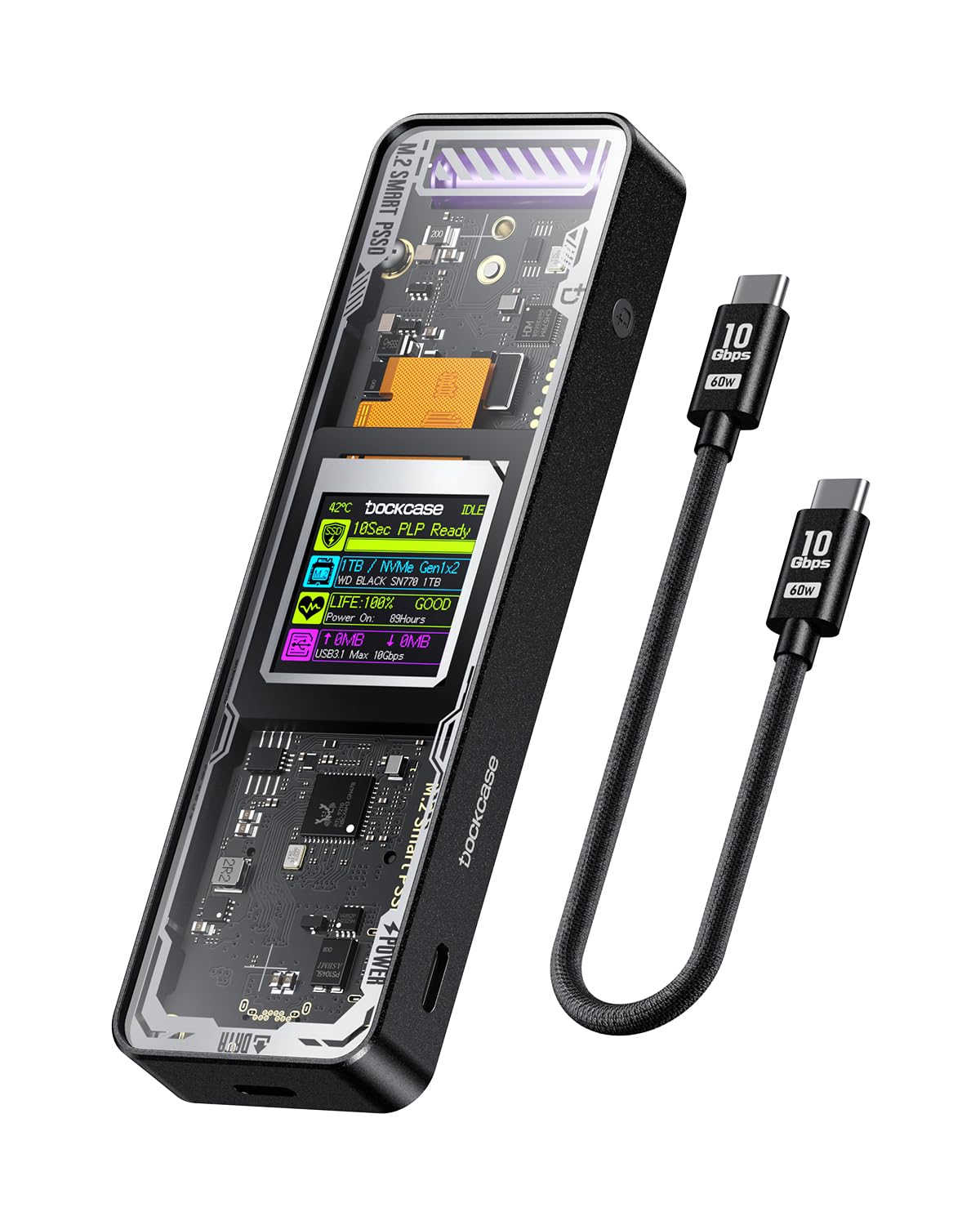

- Support SSD Life Prediction and Identify the Authenticity of Information to Avoid Buying Inferior Disks: DOCKCASE – The …
- Support Hot Swap, Can Provide 10s PLP Prevent Writing Data Loss: The Power Loss Protection of DOCKCASE Smart SSD Enclosu…
- Power Shortage Reminder: The newly added Power Shortage Reminder lets you grasp the current power supply situation. If t…
This enclosure is a smart and dependable choice for anyone who wants to protect their SSD and monitor its health in real time.
Pros
- Built-in screen clearly shows SSD health and life status
- Solid aluminum body keeps temperatures under control
- Power loss protection helps prevent data corruption
Cons
- Slightly higher price than basic enclosures
- Display may feel unnecessary for casual users
- Requires a proper power source for full performance
We liked how the DockCase Explorer Edition combines a rugged feel with a smart display that gives useful information at a glance. The screen shows drive health, remaining life, and power status, which helps us keep track of our SSD’s condition without extra software.
During use, file transfers felt fast and consistent. The enclosure stayed cool even after long sessions, thanks to its dual heat dissipation design. The aluminum shell feels sturdy and well-built, which adds confidence when carrying it around.
While the price is a bit higher than standard models, the added protection and monitoring features make it worth it for those who rely on their drives for important data. We found it most useful when working with large files or moving projects between computers.
Sabrent USB 3.2 Tool-Free SSD Enclosure


- CONVENIENCE: 100% Tool-Free, quickly install and remove SSDs without any tools.
- DESIGN: Ultra-slim Aluminum case with ABS frame. Sleek, Durable, and Convenient. Portable yet durable, ideal for traveli…
- COMPATIBILITY: M.2 form factor compatible with both SATA and NVME in sizes: 2242/2260/2280.
This enclosure is a solid choice for anyone who wants quick, easy, and reliable access to M.2 SSDs without using tools.
Pros
- Tool-free design makes swapping drives fast and simple
- Feels sturdy and stays cool during long transfers
- Works with both NVMe and SATA drives
Cons
- Aluminum surface can show fingerprints easily
- Short included cable may limit placement
- Gets slightly warm under heavy use
We liked how effortless it was to install an SSD. The sliding latch design let us open the case and secure the drive in less than a minute. No screws or tools were needed, which made it great for quick cloning or testing drives.
The slim aluminum body feels durable yet light enough to carry in a laptop bag. It handled our file transfers smoothly, and the USB 3.2 connection delivered consistent speed without hiccups. We noticed only minor warmth after large data copies, which is expected for this type of enclosure.
Compatibility stood out as another strong point. It worked equally well with NVMe and SATA M.2 drives, saving us from having to check each drive type. For users who move between systems or upgrade drives often, this Sabrent enclosure offers a dependable and simple solution.
ACASIS 40Gbps NVMe SSD Enclosure


- 【Upgraded tbu401Pro built-in cooling fan】: The 40GBps M.2 NVMe SSD Enclosure features a triple cooling mechanism.The pur…
- 【JHL7440 + RTL9210 Dual Chip】: ACASIS SSD Enclosure is equipped with JHL7440 + RTL9210 chips, dual chips are more stable…
- 【Lightning Fast 40Gbps】: Built with a JHL7440+RTL9210 dual chipset and supporting UASP protocol, this NVMe enclosure fea…
This enclosure is a strong choice for anyone who wants fast, stable storage with simple setup and solid cooling.
Pros
- Fast transfer speeds that handle large files easily
- Tool-free design makes installation quick
- Built-in fan keeps the drive temperature low
Cons
- Fan noise can be noticeable in quiet rooms
- Speeds may vary depending on your system
- Aluminum body can get warm during long transfers
We tested the ACASIS 40Gbps NVMe enclosure with a Samsung 980 EVO Plus, and the setup took less than a minute. The tool-free design really helps when swapping drives often. Once connected to a Thunderbolt 4 port, the enclosure delivered quick response times and smooth file transfers.
During heavy use, the cooling system proved effective. The small fan and metal body worked together to keep the drive cool, even after long transfers. The fan runs quietly, though in a silent room we could still hear a faint hum. The temperature stayed stable, which gave us confidence in its reliability.
We like that it feels sturdy without being bulky. The aluminum case resists fingerprints and fits easily in a laptop bag. For users who move large amounts of data or edit video files, this ACASIS enclosure offers a dependable mix of speed, convenience, and cooling performance.
Buying Guide
When we choose an SSD enclosure, we should focus on compatibility, speed, and build quality. These factors affect how well the enclosure performs and how long it lasts.
We need to check the interface type. Most enclosures use USB 3.2, USB-C, or Thunderbolt. Faster connections mean quicker file transfers.
It’s also important to confirm the drive size and form factor. Common options include 2.5-inch SATA and M.2 NVMe drives. Using the wrong type can cause connection issues.
| Feature | What to Check | Why It Matters |
|---|---|---|
| Interface | USB 3.2, USB-C, Thunderbolt | Affects data transfer speed |
| Drive Type | SATA or NVMe | Must match your SSD |
| Material | Aluminum or plastic | Impacts durability and heat control |
| Cooling | Built-in heatsink or vents | Helps prevent overheating |
| Tool-Free Design | Snap-in or screw type | Makes installation easier |
We should also look at heat management. SSDs generate heat, and good ventilation or a metal case helps maintain performance.
A tool-free design saves time if we swap drives often. For travel, a compact and sturdy enclosure protects the SSD from damage.
Finally, we should consider warranty and customer support. Reliable support adds value and ensures we can get help if problems occur.
Frequently Asked Questions
We focus on choosing the right SSD enclosure by looking at compatibility, connection speed, and build quality. We also consider how to maintain the enclosure for reliable performance over time.
What factors should I consider when choosing an SSD enclosure?
We look at drive type (SATA or NVMe), connection interface (USB or Thunderbolt), and transfer speed. We also check the material, cooling design, and power delivery. These details help us match the enclosure to our specific SSD and usage needs.
How does SSD enclosure build quality affect performance and durability?
A metal body helps with heat dissipation and protects the drive from physical damage. Poor materials or weak construction can cause overheating or connection issues. We prefer sturdy enclosures with good thermal design to maintain consistent speed and reliability.
Can any SSD fit into any enclosure, or are there compatibility issues to be aware of?
Not all SSDs fit every enclosure. We check the form factor (such as M.2 2280) and interface type (SATA or NVMe). Using the wrong enclosure can prevent the drive from working or limit its performance.
What are the differences between USB 3.1, USB 3.2, and Thunderbolt connections in SSD enclosures?
USB 3.1 supports up to 10 Gbps, while USB 3.2 can reach 20 Gbps with compatible ports. Thunderbolt 3 and 4 offer up to 40 Gbps and lower latency. We choose the connection that matches both our computer ports and speed needs.
How do I ensure the SSD enclosure supports the full speed of my drive?
We confirm that the enclosure and cable both support the drive’s maximum speed standard. Using a slower port or cable can bottleneck performance. We also make sure the enclosure uses a reliable controller chip that handles high data rates.
What are the best practices for maintaining an SSD enclosure to ensure longevity?
We keep the enclosure clean, avoid dropping it, and prevent overheating by allowing airflow around it. We safely eject it before unplugging to reduce data errors. Regular checks for firmware updates also help maintain stable performance.