MasteriTech
MasteriTech is a participant in the Amazon Services LLC Associates Program. As an Amazon Associate, we may earn from qualifying purchases at no extra cost to you. Read our full affiliate disclosure.
By MasteriTech · Est. read time: 9 minutes
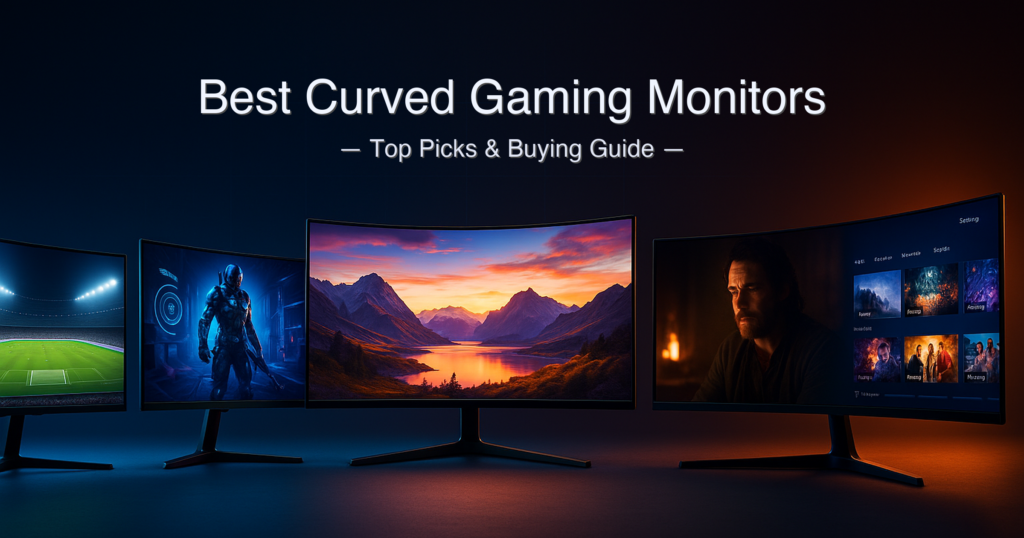
If you’ve ever debated ditching dual monitors for a single large curved screen — you’re not alone. That debate fills r/ultrawidemasterrace daily. The trouble is that “best curved gaming monitors” covers a massive range, from a sub-around $150 1080p 24-inch panel to a 57-inch Dual 4K behemoth that costs more than most gaming PCs. We verified five of the best curved gaming monitors across every price tier so you don’t have to wade through conflicting Amazon listings.One important warning before you buy: the HDMI version on a curved ultrawide matters far more than most listings admit — the KOORUI 34E6UC’s HDMI 2.0 ports, for example, cap at 100 Hz, not the 165–180 Hz you get over DisplayPort. We flag every condition like that inline.
Quick answer: For most gamers, the Samsung Odyssey Neo G9 57″ is the ultimate curved gaming monitor, delivering 7680×2160 Dual 4K at 240Hz with Quantum Mini-LED HDR 1000. The KOORUI 34E6UC is the best-value ultrawide at its price tier. Budget buyers should look at the Sceptre C248W-1920RN for a functional curved 1080p entry point. Full breakdowns below.
What We Evaluated
- Panel type (VA, IPS, Mini-LED, OLED) and real-world contrast performance
- Refresh rate per input — HDMI vs DisplayPort conditions stated inline
- Response time measurement type (GtG vs MPRT — not the same number)
- Curve radius (1000R vs 1500R vs 1800R) and immersion impact by screen size
- Ergonomics: height, tilt, swivel adjustability
- Warranty duration verified from manufacturer pages — not Amazon listings
- Price tier fairness and value-per-spec compared across all five monitors
Specs sourced from official manufacturer pages (Sceptre, SANSUI, KOORUI, Dell, Samsung) and cross-referenced with independent reviews from DisplayNinja, TweakTown, PC Gamer, and DisplayNinja. Amazon listing discrepancies are flagged where found.
Table of Contents
- Quick Picks — All Five at a Glance
- Specs at a Glance
- 1. Samsung Odyssey Neo G9 57″ — Best Overall / Ultimate Immersion
- 2. Dell S3425DW — Best for Work and Gaming Combined
- 3. KOORUI 34E6UC — Best Ultrawide Value
- 4. SANSUI 34″ 200Hz UWQHD — Best Budget Ultrawide Gaming
- 5. Sceptre C248W-1920RN — Best Entry-Level Curved
- Side-by-Side Comparison
- Buying Guide: How to Choose the Right Curved Gaming Monitor
- Is a Curved Gaming Monitor Worth It for Work and Gaming?
- KOORUI 34E6UC vs SANSUI 34-inch: Which Budget Ultrawide Should You Buy?
- FAQ
- Final Verdict
Key Takeaways
- Best Overall: Samsung Odyssey Neo G9 57″ G95NC — Dual 4K 7680×2160, 240Hz, 1000R Quantum Mini-LED
- Best Work + Gaming: Dell S3425DW — 34″ WQHD 120Hz VA, USB-C 90W charging, 1800R
- Best Value Ultrawide: KOORUI 34E6UC — 34″ WQHD 180Hz VA, 1000R, DCI-P3 95%
- Best Budget High-Refresh: SANSUI 34″ 200Hz — UWQHD 1500R, 200Hz, HDMI 2.1
- Best Entry-Level: Sceptre C248W-1920RN — 24″ FHD 75Hz, 1500R curve, under $100
Quick Picks — All Five Best Curved Gaming Monitors at a Glance
| # | Product | Best For | Panel / Size | Refresh Rate | Score | Price Tier |
|---|---|---|---|---|---|---|
| 1 | Samsung Odyssey Neo G9 57″ | Ultimate immersion / Dual 4K gaming | VA Mini-LED / 57″ | 240Hz (DP 2.1 required for DUHD) | 9.6 / 10 | Premium (around $2,000+) |
| 2 | Dell S3425DW | Work + gaming, USB-C laptop users | VA / 34″ | 120Hz (all inputs) | 9.0 / 10 | Upper-mid (around $800+) |
| 3 | KOORUI 34E6UC | Ultrawide value, work + gaming | VA / 34″ | 180Hz via DP 1.4; 100Hz via HDMI 2.0 | 8.7 / 10 | Mid (around $250–around $350) |
| 4 | SANSUI 34″ 200Hz UWQHD | Budget ultrawide gaming, HDMI 2.1 console | Fast VA / 34″ | 200Hz via DP 1.4; 200Hz via HDMI 2.1 | 8.3 / 10 | Mid (around $250–around $250) |
| 5 | Sceptre C248W-1920RN | Entry-level curved, tight budget | VA / 24″ | 75Hz (HDMI & VGA) | 7.8 / 10 | Entry (under $100) |
Specs at a Glance
| Spec | Samsung Neo G9 57″ | Dell S3425DW | KOORUI 34E6UC | SANSUI 34″ 200Hz | Sceptre 24″ C248W |
|---|---|---|---|---|---|
| Panel Type | VA + Quantum Mini-LED | VA | VA | Fast VA | VA |
| Resolution | 7680×2160 (Dual 4K / 32:9) | 3440×1440 (21:9) | 3440×1440 (21:9) | 3440×1440 (21:9) | 1920×1080 (16:9) |
| Refresh Rate (max) | 240Hz ⚠️ | 120Hz | 180Hz ⚠️ | 200Hz ⚠️ | 75Hz |
| Response Time | 1ms GtG (Extreme mode) | 1ms GtG (Extreme mode) | 1ms MPRT | 1ms OD (MPRT) | 8ms GtG |
| Curve Radius | 1000R | Not specified (gentle) | 1000R | 1500R | 1800R ⚠️ |
| Peak Brightness | 1,000 nits HDR | 300 cd/m² | 400 cd/m² | 300 nits | 250 cd/m² |
| HDR Certification | DisplayHDR 1000 | HDR10 | HDR400 | HDR (unspecified tier) | None |
| Weight (w/ stand) | ~35 lbs (est.) ⚠️ | 20.68 lbs | ~18 lbs (est.) ⚠️ | ~16 lbs (est.) ⚠️ | 6.61 lbs |
⚠️ Refresh rate conditions: Samsung Neo G9 requires DP 2.1 (UHBR 13.5+) or HDMI 2.1 (FRL 12Gbps) for full DUHD 240Hz — older GPUs will run at lower resolution or rate. KOORUI 34E6UC: 180Hz via DP 1.4 only; HDMI 2.0 ports cap at 100Hz. SANSUI 34″ 200Hz: 200Hz available via both DP 1.4 and HDMI 2.1 inputs. Sceptre C248W-1920RN: Amazon title states “R1500” curvature — incorrect; official Sceptre product page and manual confirm 1800R. ⚠️ Weight estimates marked are sourced from product dimensions and comparable models; manufacturer confirmed weights shown where available.
How We Chose These Best Curved Gaming Monitors
- Spec verification first, Amazon listings last. Every spec was cross-referenced against the official manufacturer page or user manual before appearing in this guide. Amazon titles and bullet points frequently contain errors (see: Sceptre’s curve radius, KOORUI’s refresh rate by input). We used Dell’s official product page and Samsung’s spec sheet as primary sources.
- Refresh rate conditions stated inline. Max Hz figures are marketing numbers without context. We state the exact input required (DP 1.4 vs HDMI 2.0 vs HDMI 2.1) to achieve the advertised rate for every monitor.
- Five price tiers, five real use cases. Rather than five monitors clustered in the same budget band, we selected one per distinct price tier so every buyer finds a relevant recommendation.
- Honest scoring with real spread. A monitor with a basic 75Hz panel and no adaptive sync should not score the same as a 240Hz Quantum Mini-LED. Our scores range from 7.8 to 9.6 — a genuine reflection of capability gaps across tiers.
1. Samsung Odyssey Neo G9 57″ (G95NC) — Best Overall / Ultimate Curved Gaming Monitor
View the Samsung Odyssey Neo G9 57″ on Amazon →
Quick Verdict: The world’s first Dual 4K UHD monitor delivers 7680×2160 at 240Hz across a 57-inch, 1000R-curved Quantum Mini-LED display. There is simply nothing else like it on the market. If your GPU and budget can handle it, this is the ultimate curved gaming monitor available today — but the GPU requirement is real and non-negotiable.
⭐⭐⭐⭐⭐ Score: 9.6 / 10
✅ Pros:
- 7680×2160 Dual UHD resolution — equivalent to two 32″ 4K screens side by side, without any bezel
- 2,392-zone Quantum Mini-LED backlight with VESA DisplayHDR 1000 certification — peak brightness reaches ~1,300 nits for small windows
- 240Hz refresh rate with 1ms GtG (in Extreme mode) via DisplayPort 2.1 — the first consumer monitor to support DP 2.1
- AMD FreeSync Premium Pro with VRR support — near-seamless frame pacing at high refresh rates
- CoreSync ambient lighting system and ergonomic stand with 120mm height, ±15° swivel, -3° to 10° tilt
- Three HDMI 2.1 inputs plus one DisplayPort 2.1 — genuine multi-device flexibility
❌ Cons:
- Full 7680×2160 at 240Hz requires DP 2.1 (UHBR 13.5+) or HDMI 2.1 (FRL 12Gbps) — most current GPUs need to confirm support before buying
- The 32:9 aspect ratio means most older games require an ultrawide patch or force letterbox bars — check your game library first
- Premium price tier places it out of reach for most buyers
- VA panel means some dark-transition smearing remains — the Mini-LED backlight compensates in HDR but contrast is not true per-pixel like OLED
Key Specs
| Spec | Value |
|---|---|
| Screen Size / Aspect Ratio | 57 inches / 32:9 |
| Resolution | 7680×2160 (Dual 4K UHD) |
| Panel Type | VA with Quantum Mini-LED (2,392 local dimming zones) |
| Curve Radius | 1000R |
| Refresh Rate | 240Hz (requires DP 2.1 UHBR 13.5+ or HDMI 2.1 FRL 12Gbps for DUHD 240Hz) |
| Response Time | 1ms GtG (Extreme mode) |
| Peak Brightness | 1,000 nits (DisplayHDR 1000 certified); ~1,300 nits small-window HDR |
| Color Gamut | 95% DCI-P3 (Quantum Dot) |
| HDR Certification | VESA DisplayHDR 1000 |
| Inputs | 1× DisplayPort 2.1, 3× HDMI 2.1, 1× headphone out, 2× USB-A, 2× USB-B |
| Adaptive Sync | AMD FreeSync Premium Pro |
| Warranty | 1 year (US standard Samsung warranty) |
Who It’s For
The Odyssey Neo G9 57″ is for the gamer who has already maxed out every other category and wants a display no one else at the LAN party has. The 32:9 aspect ratio at 57 inches genuinely envelops your peripheral vision — it’s the closest thing to a CAVE VR experience at a standard desk.
It doubles as an exceptional productivity surface. The 7680×2160 pixel count means you can tile four full 1080p windows side by side and still have readable text. Professionals who straddle AAA gaming and demanding creative work will find this the only screen they need. Just verify your GPU before ordering — per Samsung’s official spec page, achieving the full DUHD 240Hz spec requires DP 2.1 (UHBR 13.5 and above) or HDMI 2.1 at FRL 12Gbps. Cards without DP 2.1 support will run lower resolutions or refresh rates.
The Quantum Mini-LED HDR is where the Samsung Neo G9 57″ truly separates from every other monitor on this list. With 2,392 local dimming zones and a peak of ~1,300 nits for small highlights, the HDR performance is exceptional for a VA-backlit display — far beyond the HDR400 nominal certifications found on budget ultrawides.
Our Take: The Samsung Odyssey Neo G9 57″ is the benchmark for curved gaming monitors in 2026. The Dual 4K resolution, 240Hz ceiling, DisplayPort 2.1 support, and 2,392-zone Mini-LED HDR stack up to a specification sheet that no other single monitor can match. The GPU requirement is the only real gate — if you clear it, there is no better single-display gaming setup we’ve evaluated. Score reflects the combination of class-leading specification, verified HDR performance, and the immersion that only a 57-inch 1000R panel at this resolution can deliver.
Buy this if: You have a DP 2.1-capable GPU (RTX 4090 / RX 7900 XTX or newer), a desk that can accommodate 57 inches, and you want the most immersive curved gaming experience money can currently buy.
Skip this if: Your GPU is mid-range, your desk is under 55 inches wide, or the premium price tier is above your budget.
➡️ Check current price on Amazon — Samsung Odyssey Neo G9 57″
2. Dell 34 Plus USB-C Monitor S3425DW — Best Curved Gaming Monitor for Work and Gaming
View the Dell S3425DW on Amazon →
Quick Verdict: The Dell S3425DW is the best curved gaming monitor for people who spend eight hours a day at a desk and then want to game for two more. USB-C 65W power delivery, TÜV Rheinland 4-star eye comfort certification, dual 5W speakers, and a 3-year warranty make it the most productivity-capable monitor on this list. The 120Hz cap is the only meaningful gaming concession.
⭐⭐⭐⭐⭐ Score: 9.0 / 10
✅ Pros:
- Single USB-C cable connects a laptop delivering video, data, and up to 65W power delivery simultaneously
- TÜV Rheinland 4-star eye comfort certification — ComfortView Plus reduces blue light by up to 35% without a separate filter mode
- 99% sRGB and 95% DCI-P3 color coverage — accurate enough for content creators who also game
- 3000:1 contrast ratio (VA panel) — deep blacks that reward dark atmospheric games
- Dual 5W built-in speakers with five audio presets — genuinely usable without external audio
- 3-year limited warranty with Advanced Exchange Service — the strongest warranty on this list
❌ Cons:
- 120Hz refresh rate ceiling — fine for casual gaming and immersive single-player titles, but competitive players will notice the gap vs 165–200Hz alternatives
- No DisplayPort 1.4 input — connectivity is USB-C + two HDMI 2.1 ports only; desktop PC users on older systems should check HDMI 2.1 compatibility
- Upper-mid price tier — considerably more than the KOORUI and SANSUI alternatives at a lower refresh rate
- Curvature radius not specified by Dell; gentle curve compared to the 1000R aggressive curves on KOORUI/Samsung
Key Specs
| Spec | Value |
|---|---|
| Screen Size / Aspect Ratio | 34 inches / 21:9 |
| Resolution | 3440×1440 (WQHD) |
| Panel Type | VA |
| Refresh Rate | Up to 120Hz (via HDMI 2.1 or USB-C DP 1.4 Alt Mode) |
| Response Time | 1ms GtG (Extreme mode); 3ms GtG (Fast); 5ms GtG (Normal) |
| Peak Brightness | 300 cd/m² |
| Contrast Ratio | 3000:1 (static) |
| Color Gamut | 99% sRGB / 95% DCI-P3 |
| HDR | HDR10 |
| Inputs | 2× HDMI 2.1 (up to 120Hz), 1× USB-C upstream (DP 1.4 Alt Mode, 65W PD), 1× USB-C downstream (15W PD), 2× USB-A downstream |
| Built-in Audio | 2× 5W speakers (5 presets) |
| Weight (with stand) | 20.68 lbs (9.38 kg) |
| Warranty | 3 years (Limited Hardware + Advanced Exchange Service) ⚠️ US Amazon listing shows 1 year; Dell UK/international pages confirm 3 years. Verify at checkout. |
USB-C and Productivity Setup
The Dell S3425DW’s headline feature for modern laptop users is its USB-C setup. A single cable from a MacBook, Dell XPS, or any USB-C laptop routes video, data (5Gbps), and up to 65W power delivery through one connection — no separate power brick needed at your desk. The side-access USB-A and USB-C ports (accessible from the front panel edge) make peripheral connections quick without reaching behind the monitor.
Dell’s Display Manager software adds Easy Arrange window snapping — you can define up to five custom window layouts and save them per application. For users who split their screen between code, documents, and reference windows, this is a genuinely useful addition that most gaming-focused monitors skip entirely.
The TÜV Rheinland 4-star eye comfort certification is not marketing; it reflects consistent low-flicker, low-blue-light performance across a standardized test suite. If you’re a developer or designer who games after work, this certification genuinely matters for multi-hour daily use.
Our Take: The Dell S3425DW earns its upper-mid price tag through build quality, warranty depth, USB-C convenience, and color accuracy that the gaming-focused budget options in this guide don’t match. The 120Hz ceiling is a real compromise for competitive gaming, but for open-world and single-player titles it’s entirely sufficient. This is the monitor to buy when your day job demands color accuracy and your evenings demand immersion. The 3-year Advanced Exchange warranty is the strongest support commitment on this list.
Buy this if: You use a laptop for work, want a single-cable clean desk, and play immersive single-player or casual games in the evenings.
Skip this if: Competitive gaming at 165Hz+ is your primary use case — the KOORUI or SANSUI below will serve you better at that task for less.
➡️ Check current price on Amazon — Dell S3425DW
3. KOORUI 34E6UC — Best Ultrawide Value Among Curved Gaming Monitors
View the KOORUI 34E6UC on Amazon →
Quick Verdict: The KOORUI 34E6UC delivers 180Hz, 3440×1440 WQHD, a 1000R curve, and a full ergonomic stand (height, tilt, swivel) at a price that undercuts most of the competition. The critical catch: its HDMI 2.0 ports cap at 100Hz — you must use DisplayPort 1.4 for the full 180Hz. No USB-C, no speakers.
⭐⭐⭐⭐½ Score: 8.7 / 10
✅ Pros:
- 180Hz refresh rate via DisplayPort 1.4 — smooth enough for competitive gaming on an ultrawide panel
- 1000R curvature — the same aggressive curve found on Samsung’s high-end Odyssey models; deeply immersive at 34 inches
- Full ergonomic stand: 110mm height adjustment, ±15° swivel, -5° to +20° tilt — rare at this price tier
- HDR400 certified with 400 cd/m² peak brightness — entry-level HDR but genuinely more headroom than the Sceptre
- FreeSync Premium + G-Sync Compatible adaptive sync — works cleanly with both AMD and Nvidia GPUs
- 3-year spare parts warranty and 12-month replacement service
❌ Cons:
- HDMI 2.0 ports cap at 100Hz — you cannot achieve 165–180Hz over HDMI; DisplayPort is required for full refresh rate
- No USB-C input — a gap for laptop users running single-cable setups
- No built-in speakers — budget for external audio
- Plastic chassis feels basic — KOORUI spent budget on panel performance, not housing quality
Key Specs
| Spec | Value |
|---|---|
| Screen Size / Aspect Ratio | 34 inches / 21:9 |
| Resolution | 3440×1440 (WQHD) |
| Panel Type | VA |
| Curve Radius | 1000R |
| Refresh Rate | 180Hz via DP 1.4; 100Hz via HDMI 2.0 |
| Response Time | 1ms MPRT (motion-blur reduction; GtG is ~4–8ms per independent testing) |
| Peak Brightness | 400 cd/m² (HDR400) |
| Contrast Ratio | 3000:1 static |
| Color Gamut | DCI-P3 95% / sRGB 125% |
| Inputs | 1× DP 1.4, 2× HDMI 2.0, 1× headphone jack (no speakers, no USB-C) |
| Ergonomics | Tilt -5°/+20°, Swivel ±15°, Height 110mm |
| Warranty | 3-year spare parts / 12-month replacement |
HDMI Port Warning — Read Before You Connect
This is the spec most buyers miss: the KOORUI 34E6UC’s two HDMI inputs are version 2.0, which physically cannot carry 3440×1440 at more than ~100Hz. To run this monitor at its advertised 165–180Hz maximum, you must connect via DisplayPort 1.4. This is confirmed in KOORUI’s official product page, the manual PDF, and multiple independent reviews (TweakTown, PC Gamer).
Console users on PS5 or Xbox Series X running HDMI will be capped at 100Hz at this resolution — still smooth, but not the full panel spec. PC gamers on a desktop with a discrete GPU will have no issue connecting via DP 1.4 and accessing the full refresh rate. Laptop users without a full-size DisplayPort will need a USB-C to DP adapter — verify your laptop’s USB-C alt-mode capability before buying.
Our Take: At its price tier, the KOORUI 34E6UC is difficult to beat for a desktop PC gamer willing to use DisplayPort. The combination of 180Hz, 1000R curve, 3440×1440, HDR400, and a full ergonomic stand at a mid-range price is genuinely strong value. The HDMI 2.0 port limitation is a real trap for console buyers and laptop users who don’t read the specs closely — we’ve flagged it here precisely because most listings don’t. Score reflects the excellent panel-for-price ratio offset by the HDMI limitation and absent USB-C.
Buy this if: You’re a desktop PC gamer with a DP 1.4 capable GPU, want a 1000R curve at 180Hz, and don’t need USB-C or built-in speakers.
Skip this if: You primarily use HDMI (console or laptop), need USB-C, or want built-in audio.
➡️ Check current price on Amazon — KOORUI 34E6UC
4. SANSUI 34″ UWQHD 200Hz Curved Gaming Monitor — Best Budget Curved Gaming Monitor for High-Refresh Ultrawide
View the SANSUI 34″ 200Hz on Amazon →
Quick Verdict: The SANSUI ES-G34C5 delivers 200Hz native refresh, HDMI 2.1 ports (a genuine console gaming advantage over the KOORUI), AI Crosshair, and PIP/PBP at a mid-range price. The tilt-only stand and the absence of built-in speakers are the main sacrifices at this tier. For pure gaming performance per dollar on an ultrawide panel, it competes with monitors costing considerably more.
⭐⭐⭐⭐☆ Score: 8.3 / 10
✅ Pros:
- 200Hz native refresh rate via DP 1.4 and HDMI 2.1 — the only monitor on this list with HDMI 2.1 delivering full ultrawide refresh to consoles
- Fast VA panel — noticeably improved pixel response over standard VA; less smearing in dark-to-dark transitions
- AI Crosshair overlay, AI Blue Light reduction, Sniper Scope mode — useful gaming utility features not found on comparably priced alternatives
- 130% sRGB / 97% DCI-P3 color coverage — wider gamut than the KOORUI 34E6UC at a similar price point
- PIP and PBP modes — useful for dual-source setups (gaming + streaming, two consoles)
❌ Cons:
- Tilt-only stand — no height or swivel adjustment; monitor arm strongly recommended for ergonomic setups
- No built-in speakers
- 300 nit brightness — dimmer than the KOORUI’s 400 cd/m²; HDR is functional but not vivid
- Lifetime technical support claim replaces a traditional multi-year warranty — actual replacement terms are 30-day money-back only; long-term warranty coverage is weaker than KOORUI or Dell
Key Specs
| Spec | Value |
|---|---|
| Screen Size / Aspect Ratio | 34 inches / 21:9 |
| Resolution | 3440×1440 (UWQHD) |
| Panel Type | Fast VA |
| Curve Radius | 1500R |
| Refresh Rate | Up to 200Hz (DP 1.4); up to 200Hz (HDMI 2.1); 100Hz (HDMI 2.1 at lower refresh setting) |
| Response Time | 1ms OD (MPRT) |
| Peak Brightness | 300 nits |
| Color Gamut | 130% sRGB / 97% DCI-P3 |
| Inputs | 2× HDMI 2.1, 1× DP 1.4, 1× headphone jack (no USB-C, no speakers) |
| Ergonomics | Tilt -5°/+15° only — no height or swivel |
| Warranty | 30-day money-back + free replacement; lifetime technical support |
The HDMI 2.1 Advantage for Console Gamers
The SANSUI’s dual HDMI 2.1 inputs are a meaningful differentiator over the KOORUI 34E6UC’s HDMI 2.0 ports. A PS5 Pro or Xbox Series X connected via HDMI 2.1 can output 3440×1440 at up to 120Hz (per the PS5 Pro’s ultrawide update) and maintain VRR — something the KOORUI’s HDMI 2.0 ports cannot provide at full resolution and refresh simultaneously.
For a hybrid gamer who switches between a PC (via DP 1.4) and a console (via HDMI 2.1) on the same screen, the SANSUI is the better-connected monitor in this mid-range tier. The AI Crosshair overlay is a genuine competitive advantage for FPS players — it superimposes a targeting reticle regardless of what game is running, which is particularly useful in titles where the default crosshair is small or hard to see.
Our Take: The SANSUI 34″ 200Hz earns its score on gaming performance per dollar — 200Hz native refresh, dual HDMI 2.1 for console compatibility, Fast VA pixel response, and a strong color gamut are hard to find in one box at this price. The tilt-only stand is the tangible ergonomic limitation that separates it from the KOORUI, and the 30-day warranty is materially weaker than KOORUI’s 3-year terms. Budget for a monitor arm and external speakers, and this becomes a strong daily driver for gaming-focused setups.
Buy this if: You primarily game (PC + console hybrid), want 200Hz ultrawide, and can accept a tilt-only stand.
Skip this if: You need height/swivel ergonomics, want built-in speakers, or prioritize warranty coverage over raw Hz.
➡️ Check current price on Amazon — SANSUI 34″ 200Hz UWQHD
5. Sceptre C248W-1920RN — Best Entry-Level Curved Gaming Monitor
View the Sceptre C248W-1920RN on Amazon →
Quick Verdict: The Sceptre C248W-1920RN is the no-excuses answer for anyone who wants a curved gaming monitor under $100. The VA panel delivers a genuine 3000:1 contrast ratio with deep blacks, and the 1080p resolution is still the most common gaming target. The 75Hz ceiling, 8ms GtG response time, and absent adaptive sync mean this is not for competitive FPS — it’s for casual gaming, everyday computing, and tight-budget setups.
⭐⭐⭐⭐☆ Score: 7.8 / 10
✅ Pros:
- Sub-around $150 price point — accessible to virtually any budget; strong value-per-spec at its tier
- VA panel with 3000:1 contrast — deep blacks that punch well above its price tag
- Built-in speakers — a practical inclusion that the more expensive KOORUI and SANSUI omit
- VESA wall-mount compatible — lets budget buyers avoid the basic stand altogether
- 4.6/5 star rating across over 22,000 Amazon reviews — a proven track record for reliability at this price
❌ Cons:
- 75Hz maximum refresh rate — visible difference from 120Hz+ panels in fast-moving games
- 8ms GtG response time — smearing is noticeable in fast-paced competitive titles; not suitable for FPS esports
- No adaptive sync (FreeSync or G-Sync) — screen tearing can occur without V-Sync enabled
- Tilt-only stand adjustment; no height, swivel, or pivot
- Amazon listing title claims “R1500” curvature — the official Sceptre product page confirms this monitor is 1800R, not 1500R
Key Specs
| Spec | Value |
|---|---|
| Screen Size / Aspect Ratio | 24 inches (23.6″ viewable) / 16:9 |
| Resolution | 1920×1080 (Full HD) |
| Panel Type | VA |
| Curve Radius | 1800R (⚠️ Amazon title says “R1500” — confirmed 1800R per official Sceptre product page) |
| Refresh Rate | 75Hz (HDMI and VGA — same on both inputs) |
| Response Time | 8ms GtG |
| Peak Brightness | 250 cd/m² |
| Contrast Ratio | 3000:1 static |
| Color Gamut | 98% sRGB |
| Inputs | 2× HDMI (HDMI version unspecified — likely HDMI 1.4), 1× VGA, headphone jack |
| Built-in Audio | Yes (2W speakers) |
| Weight | 6.61 lbs |
| Warranty | ⚠️ Limited — contact Sceptre customer service directly; not clearly stated on Amazon |
Who This Entry-Level Curved Monitor Serves
The Sceptre C248W-1920RN occupies a specific and honest niche: the buyer who wants the visual upgrade of a curved display without spending more than $100. The 1800R curvature is actually tighter than the 1500R found on premium ultrawides, which creates a notably immersive feel at 24 inches despite the modest specs. The VA panel’s 3000:1 contrast genuinely improves movie-watching and dark-scene gaming versus a flat IPS panel at the same price.
What this monitor is not: a gaming performance upgrade. The 8ms GtG response time and 75Hz ceiling mean competitive FPS players will see ghosting behind fast-moving objects. No adaptive sync means V-Sync must be enabled manually to avoid screen tearing, introducing input lag. For students, casual gamers, and home office users who do light gaming, those trade-offs are entirely acceptable at this price. For anyone who plays competitive titles, save up for the SANSUI or KOORUI instead.
Our Take: The Sceptre C248W-1920RN is what it is — the most affordable way to get a curved VA panel with decent contrast and built-in speakers on your desk. The Amazon listing’s “R1500” curvature claim is incorrect; the actual 1800R is a slightly tighter curve, which is a fine thing. Score reflects genuine entry-level value for casual use, with meaningful penalties for the 75Hz ceiling, absent adaptive sync, and slow pixel response. If your budget allows any stretch, moving to the SANSUI or KOORUI buys a dramatically better gaming experience.
Buy this if: Budget is the primary constraint, you game casually, and you want a curved VA panel for everyday use and movies.
Skip this if: You play fast-paced competitive games, need adaptive sync, or can budget into the mid-range tier.
➡️ Check current price on Amazon — Sceptre C248W-1920RN
Side-by-Side Comparison
| Feature | Samsung Neo G9 57″ | Dell S3425DW | KOORUI 34E6UC | SANSUI 34″ 200Hz | Sceptre C248W |
|---|---|---|---|---|---|
| Curve Radius | 1000R | Gentle (unspecified) | 1000R | 1500R | 1800R |
| USB-C Input | No | Yes (65W PD) | No | No | No |
| HDMI Version | HDMI 2.1 (×3) | HDMI 2.1 (×2) | HDMI 2.0 (×2) | HDMI 2.1 (×2) | HDMI 1.4-era (×2) |
| Built-in Speakers | No | Yes (2×5W) | No | No | Yes (2W) |
| Height Adjustable | Yes (120mm) | Yes | Yes (110mm) | No (tilt only) | No (tilt only) |
| Adaptive Sync | FreeSync Premium Pro | FreeSync Premium | FreeSync Premium + G-Sync Compatible | FreeSync / VRR | None |
| Warranty | 1 year (US) | 3 years (Adv. Exchange) | 3yr parts / 12mo replace | 30-day + lifetime tech | Contact Sceptre |
| Price Tier | around $2,000+ | around $800+ | around $250–around $350 | around $250–around $250 | Under $100 |
Buying Guide: How to Choose the Right Curved Gaming Monitor
Curve Radius: 1000R vs 1500R vs 1800R
A lower radius number means a tighter curve. 1000R (like the KOORUI and Samsung) wraps noticeably around your peripheral vision at 34–57 inches — highly immersive, but distortion is visible if you sit very close. 1500R (SANSUI) is the balance point: immersive for gaming, comfortable for spreadsheets. 1800R (Sceptre) is a gentle curve that adds depth without strongly affecting how straight lines appear. Match curve radius to your primary use: gaming benefits from 1000–1500R, productivity from 1500–1800R.
Panel Technology: VA Contrast vs Fast VA vs IPS Clarity
Every monitor in this guide uses a VA panel, which delivers a 3000:1+ contrast ratio that IPS panels can’t match at the same price. The trade-off is pixel response: standard VA has ~4–8ms GtG real-world response, which shows as smearing in fast dark-to-dark transitions. “Fast VA” (SANSUI) is an improvement — closer to IPS pixel speeds without losing the contrast advantage. For dark-room gaming and movie watching, VA wins. For daylit competitive FPS, IPS or OLED wins. Check RTINGS’ ultrawide monitor guide for independent measured response times if pixel response is your top priority.
Refresh Rate and the Input Condition You Must Check
The advertised refresh rate is the panel maximum — not what you’ll get on every input. The KOORUI 34E6UC is the clearest example: 180Hz via DP 1.4, 100Hz via HDMI 2.0. Always check whether your source device (GPU, console, laptop) supports the required input type. Console players on HDMI need HDMI 2.1 for full high-refresh ultrawide — making the SANSUI’s dual HDMI 2.1 ports a concrete advantage over the KOORUI at the same tier.
USB-C and Single-Cable Desk Setup
If you use a laptop as your primary computer, USB-C Power Delivery is worth paying a premium for. The Dell S3425DW’s USB-C (65W PD, DP 1.4 Alt Mode) turns a 34-inch ultrawide into a single-cable docking station — no separate power brick, no multiple adapters. None of the other four monitors in this guide offer USB-C input, making the Dell a category of one for laptop-primary buyers.
Ergonomics: What Tilt-Only Actually Costs You
The SANSUI and Sceptre both offer tilt-only stands. At 34 inches, a tilt-only stand is a meaningful ergonomic limitation — especially on a sit-stand desk where monitor height changes with your posture. Budget for a monitor arm (~$30–under $100) if you buy either of those monitors, or step up to the KOORUI or Dell for a full ergonomic stand included in the box.
Warranty Comparison
| Monitor | Warranty | Notes |
|---|---|---|
| Samsung Neo G9 57″ | 1 year (US) | Standard Samsung US consumer warranty |
| Dell S3425DW | 3 years (Limited Hardware + Advanced Exchange) | Strongest support: Advanced Exchange means Dell ships replacement first. US page shows 1 year on some SKUs — verify at checkout. |
| KOORUI 34E6UC | 3-year spare parts / 12-month replacement | Solid mid-range warranty; confirmed by Amazon listing and KOORUI’s official page |
| SANSUI 34″ 200Hz | 30-day money-back + lifetime technical support | No multi-year hardware replacement — weakest in this guide for long-term coverage |
| Sceptre C248W-1920RN | Contact Sceptre directly | Terms not clearly stated on Amazon; Sceptre US support is in-house per their website |
Price Tier and Value
The five monitors span five genuinely different value propositions. The Samsung Neo G9 57″ sits in a class of its own — at the premium tier, there is no direct comparison. The Dell S3425DW wins its upper-mid tier on warranty, USB-C, and color accuracy. The KOORUI and SANSUI compete directly in the mid-range; the KOORUI wins on ergonomics and warranty, the SANSUI wins on refresh rate and HDMI 2.1 console support. The Sceptre holds the entry tier alone — at sub-around $150, it’s the only curved gaming monitor on this list that doesn’t ask for a budget stretch.
Is a Curved Gaming Monitor Worth It for Work and Gaming?
For combined work-and-gaming use, curved ultrawide monitors are among the most versatile single-screen setups available. The 21:9 aspect ratio replaces the two-monitor arrangement that crowds many desks — you get a continuous field of view without a bezel cutting through your workflow. Spreadsheets, code editors, and browser windows tile naturally across 3440 pixels of horizontal space.
The “nightmare of finding a good IPS vs VA” that the r/ultrawidemasterrace community debates constantly comes down to this: VA panels in this guide deliver 3000:1 contrast that makes atmospheric games and dark-room movie watching dramatically better than IPS at the same price. The pixel-response penalty matters primarily in competitive FPS — if your gaming skews toward immersive single-player titles, open-world games, or simulation, VA is the right trade-off.
For productivity-heavy users, the Dell S3425DW makes the strongest case with its USB-C single-cable setup and TÜV eye comfort certification. For pure gaming value, the KOORUI 34E6UC or SANSUI 34″ 200Hz deliver a better gaming experience than any 16:9 flat panel at the same price tier.
KOORUI 34E6UC vs SANSUI 34-inch 200Hz: Which Budget Curved Gaming Monitor Should You Buy?
These two monitors sit at nearly identical price points and share a 3440×1440 VA ultrawide panel format, so the decision comes down to four concrete differences.
Choose the KOORUI 34E6UC if: You connect via DisplayPort 1.4 from a desktop PC, need height and swivel ergonomics, want a 3-year warranty, and prefer a more aggressive 1000R curve. The KOORUI’s HDMI 2.0 limitation is irrelevant on a desktop DP setup, and its stand quality and warranty terms make it the more durable long-term investment.
Choose the SANSUI 34″ 200Hz if: You game on a console (or want to use HDMI from a laptop) at high refresh rates — the SANSUI’s dual HDMI 2.1 ports are a genuine functional advantage the KOORUI cannot match. The extra 20Hz (200 vs 180) is perceptible but modest; the HDMI 2.1 input difference is more meaningful for console and hybrid users. Budget for a monitor arm to replace the tilt-only stand.
FAQ — Best Curved Gaming Monitors
Are curved gaming monitors worth it?
Yes, for most gaming and productivity use cases, curved gaming monitors are worth it. The wrap-around effect reduces eye movement across a wide screen, lowers perceived edge distortion, and creates genuine immersion in open-world and simulation games. For competitive FPS players using standard 24–27-inch displays at close range, a flat 16:9 panel may still be preferred — but for anyone playing on a 34-inch or larger ultrawide, the curve is a net positive for both comfort and engagement.
Is a curved monitor good for gaming?
Curved monitors are excellent for gaming, particularly immersive single-player, racing, flight sim, and RPG titles. The curvature aligns the panel edges closer to the viewer’s natural focal plane, reducing the feeling that the screen edges are “receding.” For competitive esports at 24–27 inches, most pro players still prefer flat panels — but at 32 inches and above, a curved display is standard practice and broadly preferred by the gaming community.
What size curved monitor is best for gaming?
34 inches at 3440×1440 (21:9) is the most popular sweet spot for curved gaming monitors in 2026. It provides enough horizontal real estate for immersive gameplay and productive multitasking without requiring a desk wider than typical setups. 27-inch curved models are common for competitive gaming. Beyond 49 inches (32:9 super-ultrawide), the monitors start requiring significant desk depth and a capable GPU to drive effectively — the Samsung Neo G9 57″ is a spectacular example but demands correspondingly serious hardware.
Does a curved monitor help with immersion?
Yes — curved monitors meaningfully improve immersion, especially at 34 inches and above. The physical wrap of a 1000R–1500R curve brings the screen edges closer to matching your natural field of view, so your eyes don’t need to refocus as sharply between the center and corners of the display. In open-world games, racing simulators, and flight sims, the effect is particularly noticeable — the sense of peripheral presence is qualitatively different from a flat panel. At smaller sizes (24 inches), the immersion benefit is more subtle.
Is a 1000R or 1500R curve better for gaming?
1000R is the more aggressive (tighter) curve and delivers stronger immersion for gaming, particularly on 34-inch and larger screens — the Samsung Odyssey Neo G9 and KOORUI 34E6UC both use 1000R. 1500R is a gentler curve that balances gaming immersion with productivity comfort, making it more suitable for users who split time between gaming and work (the SANSUI uses 1500R). If pure immersion is the goal and you sit centered to the screen, 1000R at 34+ inches is the better gaming choice. For a dual-use setup at a normal desk distance, 1500R is more comfortable over long sessions.
Related MasteriTech Reads
Final Verdict
Below are our 5 top picks for the best curved gaming monitors of 2026 — ranked by editorial score, with the strengths and trade-offs that matter most when you sit down to buy.
Samsung Odyssey Neo G9 57″ (Score: 9.6): If GPU and budget allow, the Samsung Neo G9 57″ is the definitive curved gaming monitor — nothing else matches its Dual 4K 240Hz Quantum Mini-LED specification in a single panel.
Dell S3425DW (Score: 9.0): The Dell S3425DW is the pick for laptop users and professionals who game — USB-C 65W PD, 3-year warranty, and TÜV eye certification make it the productivity powerhouse of the group.
KOORUI 34E6UC (Score: 8.7): For desktop PC gamers on a mid-range budget, the KOORUI 34E6UC delivers 180Hz, 1000R, full ergonomic stand, and a 3-year warranty at a price that’s hard to argue against — just use DisplayPort.
SANSUI 34″ 200Hz (Score: 8.3): The SANSUI 34″ 200Hz wins for hybrid PC-console gamers who need HDMI 2.1 at high refresh rates. Budget for a monitor arm to offset the tilt-only stand.
Sceptre C248W-1920RN (Score: 7.8): The Sceptre C248W-1920RN is the right answer for strictly budget-constrained buyers who want a curved VA display — accept the 75Hz ceiling and 8ms response time as the price of entry.
MasteriTech
MasteriTech publishes spec-driven comparisons and clear buying guidance for everyday tech buyers — cutting through marketing claims with verified specifications and structured editorial analysis.
https://masteritech.com/about/
Published: July 10, 2026 · Last updated: July 10, 2026