MasteriTech
MasteriTech is a participant in the Amazon Services LLC Associates Program. As an Amazon Associate, we may earn from qualifying purchases at no extra cost to you. Read our full affiliate disclosure.
By MasteriTech · Est. read time: 9 minutes
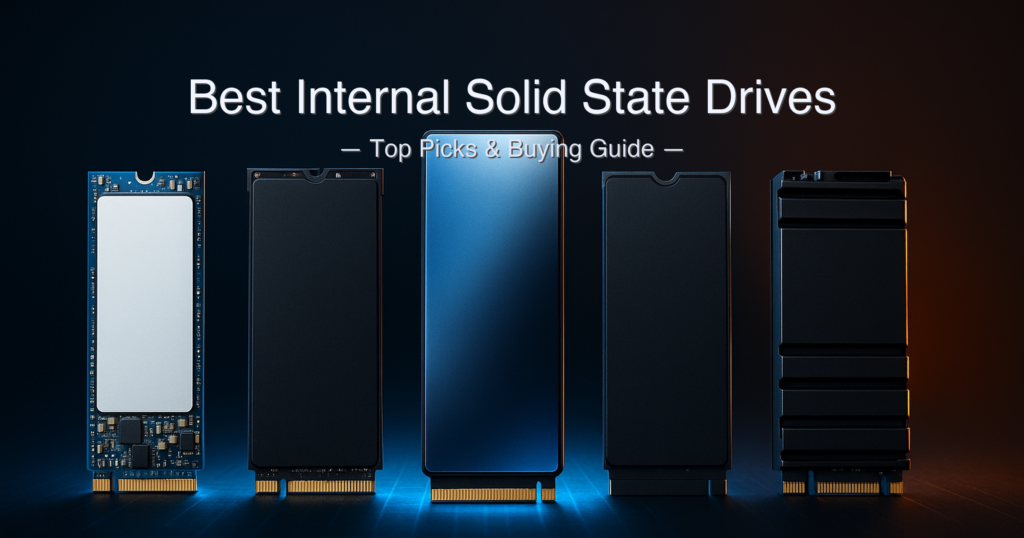
Buyers in storage forums have a running joke: “just buy whatever’s cheapest Gen4.” And honestly? For casual use, they’re not wrong. But once you start comparing write speeds past the SLC cache, or checking whether a drive has dedicated DRAM, or realizing that the Samsung 990 PRO’s “3-bit MLC” is just Samsung’s name for TLC — the picture gets complicated fast. The best internal solid state drives span a wide range: from DRAM-less budget options that borrow system RAM via HMB to fully buffered flagship drives with DRAM caches and 1,200 TBW endurance ratings.
We researched manufacturer spec sheets, cross-referenced independent reviews, and built this guide to help you find the right drive for your exact system and use case in 2026.
Quick answer: The Samsung 990 PRO 2TB is the best internal solid state drive overall — 7,450 MB/s sequential read, 1,200 TBW endurance, full DRAM cache, and a 5-year warranty make it the benchmark for PCIe 4.0. For gaming and PS5 at a lower price tier, the WD_BLACK SN850X 1TB is the sharper value pick. Budget-first buyers should look at the Kingston NV3 1TB, knowing its write speed drops to 4,000 MB/s (not 6,000 MB/s) on the 1TB model.
What we evaluated:
- Sequential read and write speeds (stated conditions verified)
- NAND type: TLC vs QLC — matters for endurance and sustained write performance
- DRAM cache presence vs DRAM-less/HMB design
- TBW (Total Bytes Written) endurance rating
- Warranty duration and real-world terms
- PS5 compatibility and heatsink requirements
- Price tier and value per gigabyte
Specs sourced from manufacturer product pages, official datasheets, and independent reviews including Tom’s Hardware, StorageReview, and PCWorld. Amazon listings were cross-referenced but not used as the primary spec source.
Table of Contents
- Quick Picks
- Specs at a Glance
- How We Chose
- 1. Samsung 990 PRO 2TB — Best Overall
- 2. WD_BLACK SN850X 1TB — Best for Gaming & PS5
- 3. Crucial T500 1TB — Best for Content Creators
- 4. fanxiang S880 2TB — Best Value 2TB
- 5. Kingston NV3 1TB — Best Budget Pick
- Side-by-Side Comparison
- Buying Guide
- Best Internal SSD for PS5 and Gaming PC
- WD_BLACK SN850X vs Samsung 990 PRO
- FAQ
- Final Verdict
Quick Picks — Best Internal Solid State Drives of 2026
| # | Product | Best For | Seq. Read | TBW | Score | Price Tier |
|---|---|---|---|---|---|---|
| 1 | Samsung 990 PRO 2TB | Best Overall | 7,450 MB/s | 1,200 TBW | 9.6/10 | Premium (around $450+) |
| 2 | WD_BLACK SN850X 1TB | Gaming & PS5 | 7,300 MB/s | 600 TBW | 9.2/10 | around $250–around $350 tier |
| 3 | Crucial T500 1TB | Content Creation | 7,300 MB/s | 600 TBW | 9.0/10 | around $250–around $350 tier |
| 4 | fanxiang S880 2TB | Value 2TB | 7,300 MB/s | 1,400 TBW ⚠️ | 8.2/10 | around $250–around $350 tier |
| 5 | Kingston NV3 1TB | Budget Entry | 6,000 MB/s | 320 TBW | 7.8/10 | Under $200 |
Specs at a Glance
| Spec | Samsung 990 PRO 2TB | WD_BLACK SN850X 1TB | Crucial T500 1TB | fanxiang S880 2TB | Kingston NV3 1TB |
|---|---|---|---|---|---|
| Interface | PCIe 4.0 x4 NVMe 2.0 | PCIe 4.0 x4 NVMe | PCIe 4.0 x4 NVMe 2.0 | PCIe 4.0 x4 NVMe 1.4 | PCIe 4.0 x4 NVMe 1.4 |
| Form Factor | M.2 2280 | M.2 2280 | M.2 2280 | M.2 2280 | M.2 2280 |
| NAND Type | 176-layer TLC V-NAND | SanDisk TLC 3D NAND | Micron 232-layer TLC | YMTC 3D TLC ⚠️ | Kioxia BiCS6 QLC |
| DRAM Cache | 2 GB LPDDR4 | Yes (undisclosed) | 1 GB LPDDR4 | No (DRAM-less) | No (HMB, 64 MB) |
| Seq. Read | 7,450 MB/s | 7,300 MB/s | 7,300 MB/s | 7,300 MB/s | 6,000 MB/s |
| Seq. Write | 6,900 MB/s | 6,300 MB/s | 6,800 MB/s | 6,600 MB/s | 4,000 MB/s (1TB model) |
| TBW Endurance | 1,200 TBW | 600 TBW | 600 TBW | 1,400 TBW ⚠️ | 320 TBW |
| Warranty | 5 years | 5 years | 5 years | 5 years ⚠️ | 3 years |
| PS5 Compatible | Yes | Yes | Yes | Yes | Yes |
| Controller | Samsung Pascal (8nm) | WD in-house | Phison PS5025-E25 | Maxio MAP1602 ⚠️ | SMI SM2268XT2 |
⚠️ fanxiang S880 TBW and warranty figures sourced from Amazon listing and third-party reviews (ServeTheHome); no official spec sheet found on the manufacturer’s website — treat with caution. Kingston NV3 1TB write speed is 4,000 MB/s; the 2TB model writes at 5,000 MB/s. All sequential speeds measured on PCIe 4.0 host platforms at rated conditions.
How We Chose the Best Internal Solid State Drives
- NAND type and DRAM cache verified first. TLC NAND outlasts QLC in sustained write workloads; DRAM-cached drives maintain consistent random I/O under heavy loads. We checked teardowns and independent reviews, not just marketing bullets.
- Write speed conditions stated inline. We cross-referenced each drive’s sequential write spec against the specific capacity tested, since write speeds drop on lower-capacity variants (notably the Kingston NV3 1TB).
- TBW and warranty sourced from manufacturer datasheets where available — not from Amazon listings, which frequently carry outdated or incorrect endurance figures.
- PS5 compatibility and heatsink requirements checked. Sony requires a minimum 5,500 MB/s sequential read; all five drives meet this bar, though some require a separately purchased heatsink for PS5 installation.
1. Samsung 990 PRO 2TB — Best Internal Solid State Drive Overall
View Samsung 990 PRO 2TB on Amazon →
Quick Verdict: The Samsung 990 PRO 2TB leads every meaningful spec in this guide — fastest sequential reads at 7,450 MB/s, the highest verified TBW at 1,200, and a fully buffered DRAM cache on Samsung’s proprietary Pascal controller. It’s the one you buy when you want the PCIe 4.0 ceiling, not a compromise below it.
⭐⭐⭐⭐⭐ Score: 9.6 / 10
✅ Pros:
- Highest sequential read speed in this guide: 7,450 MB/s (verified by Tom’s Hardware, PCGamesN, and StorageReview)
- 176-layer Samsung TLC V-NAND with 2 GB LPDDR4 DRAM cache delivers consistent random I/O under sustained workloads
- 1,200 TBW endurance — the highest confirmed figure in this roundup — on a 5-year warranty
- Samsung Pascal controller includes hardware AES-256 encryption (TCG Opal support), a rare feature at this tier
- 2TB capacity handles large game libraries, 4K video editing timelines, and OS simultaneously without needing a second drive
❌ Cons:
- Premium pricing puts it above the mid-range tier — buyers who just need boot-drive speeds pay for performance they won’t fully use
- PCGamesN real-world testing found the drive peaked at ~7,198 MB/s rather than the rated 7,450 MB/s in sequential reads
- No heatsink included; PS5 users will need to purchase one separately or opt for the heatsink variant
Key Specs
| Spec | Value |
|---|---|
| Interface | PCIe 4.0 x4 / NVMe 2.0 |
| Form Factor | M.2 2280 |
| NAND Type | Samsung 176-layer TLC V-NAND (7th gen) |
| Controller | Samsung Pascal (8nm in-house) |
| DRAM Cache | 2 GB LPDDR4-4266 |
| Sequential Read | Up to 7,450 MB/s |
| Sequential Write | Up to 6,900 MB/s |
| Random Read | Up to 1,400,000 IOPS |
| Random Write | Up to 1,550,000 IOPS |
| TBW Endurance | 1,200 TBW (2TB model) |
| MTBF | 1,500,000 hours |
| Warranty | 5 years |
| PS5 Compatible | Yes (heatsink required separately) |
Performance and Real-World Use
The 990 PRO’s claim to “3-bit MLC” in Samsung’s marketing is their branding for standard TLC (Triple Level Cell = 3-bit per cell). Tom’s Hardware, StorageReview, and The SSD Review have all confirmed the underlying 176-layer V-NAND TLC architecture — and it’s excellent. The 7th-generation design delivers four-plane parallelism with a Cell-on-Periphery layout that meaningfully reduces access latency vs the 980 PRO’s 6th-gen NAND.
The Samsung Pascal controller pairs an 8nm process with NVMe 2.0 support and Intelligent TurboWrite 2.0, which expands the SLC write buffer significantly compared to its predecessor. In practice, this means the drive maintains high write speeds through larger sustained transfers than many competing PCIe 4.0 drives. For video editors working with multi-GB raw files or gamers with large libraries, this matters more than peak sequential read numbers that most real workloads never saturate.
Power consumption is worth noting: the drive draws up to 8.5 W during active read/write and around 55 mW at idle, per Microcenter’s published specs. Laptop users should weigh whether the performance premium justifies the power draw versus the more efficient Kingston NV3.
Our Take: The Samsung 990 PRO 2TB is the best internal solid state drive in this guide with no real asterisk. The highest read and write speeds, the best endurance, DRAM buffering, hardware encryption, and a 5-year warranty at 1,200 TBW — it delivers on every metric that separates a flagship drive from a mid-range one. Tom’s Hardware named it the best overall SSD for gaming, and our spec cross-check confirms there’s nothing in this roundup that beats it across the board.
The premium pricing is real, so buyers who just need an OS boot drive should look at the WD_BLACK SN850X or Crucial T500 instead. But for workstation-class use, heavy content creation, or future-proofing a high-end gaming rig, this is the one.
Buy this if: You want the absolute best PCIe 4.0 performance, need 2TB capacity, and won’t accept spec compromises.
Skip this if: A 1TB drive at a lower price tier fully covers your use case — the 990 PRO’s premium is not justified for pure OS or light gaming duty.
➡️ Check current price for Samsung 990 PRO 2TB on Amazon →
2. WD_BLACK SN850X 1TB — Best Internal Solid State Drive for Gaming and PS5
View WD_BLACK SN850X 1TB on Amazon →
Quick Verdict: The WD_BLACK SN850X 1TB hits 7,300 MB/s sequential reads with SanDisk TLC NAND and an in-house WD controller packed with gaming-specific features — Predictive Loading, Game Mode 2.0, and DirectStorage support. It’s the go-to recommendation when gaming performance and PS5 compatibility are the priority.
⭐⭐⭐⭐⭐ Score: 9.2 / 10
✅ Pros:
- 7,300 MB/s sequential read speed clears Sony’s 5,500 MB/s PS5 requirement with substantial headroom
- SanDisk TLC 3D NAND with a dedicated DRAM cache delivers consistent sustained performance beyond the SLC write buffer
- WD_BLACK Dashboard (Windows) provides Game Mode 2.0 with Predictive Loading — a tangible in-game load-time feature unique to this drive
- 600 TBW endurance with a 5-year warranty matches the Crucial T500 at this tier
- Optional heatsink version available (adds ~$20), ideal for PS5 users needing a built-in cooling solution
❌ Cons:
- WD_BLACK Dashboard and Game Mode 2.0 are Windows-only — Mac and Linux users get no software benefit
- Sequential write of 6,300 MB/s is the lowest among the three DRAM-cached drives in this guide
- 1TB capacity is tighter for users with large game libraries; the 2TB variant jumps to a higher price tier
Key Specs
| Spec | Value |
|---|---|
| Interface | PCIe 4.0 x4 (Gen4 16GT/s) |
| Form Factor | M.2 2280 |
| NAND Type | SanDisk TLC 3D NAND |
| Controller | WD in-house |
| DRAM Cache | Yes (undisclosed capacity) |
| Sequential Read | Up to 7,300 MB/s |
| Sequential Write | Up to 6,300 MB/s |
| Random Read | Up to 800,000 IOPS (1TB) |
| Random Write | Up to 1,100,000 IOPS (1TB) |
| TBW Endurance | 600 TBW (1TB model) |
| MTBF | 1,750,000 hours |
| Warranty | 5 years |
| PS5 Compatible | Yes (heatsink version available) |
Gaming Features and PS5 Use
WD built Game Mode 2.0 around the idea that a gaming SSD should adapt to how games actually use storage — not just deliver peak sequential throughput on a benchmark. Predictive Loading attempts to pre-cache game assets before the engine requests them, and StorageReview noted that WD “implemented new updates to improve thermal consistency and energy efficiency” via Adaptive Thermal Management. These features require the downloadable WD_BLACK Dashboard, which is Windows-only.
For PS5 users, WD and Sony have a documented compatibility record going back to the SN850. The SN850X clears Sony’s sequential read minimum comfortably, and the heatsink variant (model WDS100T2XHE) installs directly in the PS5’s M.2 bay without a separate thermal pad. If you’re buying primarily for PS5 expansion, the heatsink version is the cleaner choice — the price premium is small and it saves you sourcing a compatible aftermarket heatsink.
The MTBF rating of 1,750,000 hours is the highest in this guide — slightly above the Samsung 990 PRO’s 1,500,000 hours. That gap is largely statistical rather than practical, but it does reflect WD’s conservative endurance engineering. StorageReview’s testing confirmed the 600 TBW endurance rating for the 1TB model, translating to writing roughly 333 GB per day across the full 5-year warranty period.
Our Take: The WD_BLACK SN850X 1TB is the strongest gaming-specific pick among the best internal solid state drives in this guide. Game Mode 2.0 and Predictive Loading are genuinely useful features for Windows gamers, and the PS5 compatibility story is clean — WD and Sony have a long history together here. The 6,300 MB/s write speed is the one area where it trails both the 990 PRO and Crucial T500, but for gaming workloads where reads dominate, it’s a negligible tradeoff. At a lower price point than the Samsung flagship, this is where value-conscious performance buyers should land.
Buy this if: Gaming performance and PS5 compatibility are your primary drivers, and you want a proven brand with dedicated gaming software.
Skip this if: You’re on Mac or Linux (Game Mode 2.0 won’t work), or you need more than 1TB without jumping to a higher price tier.
➡️ Check current price for WD_BLACK SN850X 1TB on Amazon →
3. Crucial T500 1TB — Best Internal Solid State Drive for Content Creators
View Crucial T500 1TB on Amazon →
Quick Verdict: The Crucial T500 1TB delivers flagship-tier PCIe 4.0 performance via Micron’s own 232-layer TLC NAND and a dedicated DRAM cache — at a price point that’s typically below both the Samsung 990 PRO and WD_BLACK SN850X. PCMag named it the best overall M.2 internal SSD for most people, and the DirectStorage and Adobe CC bundle make it a compelling all-rounder.
⭐⭐⭐⭐⭐ Score: 9.0 / 10
✅ Pros:
- Micron 232-layer TLC NAND (same generation as the flagship T700 Gen5) paired with a Phison PS5025-E25 controller and 1 GB LPDDR4 DRAM cache
- 7,300 MB/s read / 6,800 MB/s write — competitive with the WD SN850X on reads and faster on writes
- Bundles one month of Adobe Creative Cloud All Apps — a tangible, real-dollar value for creators
- Microsoft DirectStorage support reduces CPU overhead during game asset loading
- PS5 compatible; heatsink version (CT1000T500SSD5) available for console users
❌ Cons:
- StorageReview noted the drive failed the OCP boot test under heavy sustained workloads — a concern for users running intensive multi-hour write sessions
- 600 TBW endurance (1TB model) is half the Samsung 990 PRO 2TB’s 1,200 TBW figure
- Adobe CC bundle has an expiry date on redemption (ended Dec 2025 per Crucial’s terms) — verify eligibility at purchase
Key Specs
| Spec | Value |
|---|---|
| Interface | PCIe 4.0 x4 / NVMe 2.0 |
| Form Factor | M.2 2280 |
| NAND Type | Micron 232-layer 3D TLC NAND |
| Controller | Phison PS5025-E25 |
| DRAM Cache | 1 GB LPDDR4 |
| Sequential Read | Up to 7,300 MB/s |
| Sequential Write | Up to 6,800 MB/s |
| Random Read | Up to 1,150,000 IOPS (1TB) |
| Random Write | Up to 1,440,000 IOPS |
| TBW Endurance | 600 TBW (1TB model) |
| MTBF | 1,500,000 hours |
| Warranty | 5 years |
| PS5 Compatible | Yes |
Creator and Gamer Performance
The T500’s use of Micron’s 232-layer TLC NAND is a genuine technical differentiator. Those are the same memory cells Crucial uses in the Gen5 T700, meaning you’re getting the latest-generation NAND in a PCIe 4.0 form factor. This translates to a tighter write speed curve as the SLC cache saturates — TechPowerUp confirmed the drive includes a full DRAM cache chip, unlike most budget and mid-range Gen4 alternatives.
The Phison PS5025-E25 controller is well-documented across multiple reviews and is confirmed by Microcenter’s official spec listing. It drives real-world benchmark performance that PCMag called “superb” in both general-storage and gaming-centric tests. Early firmware versions had issues under specific heavy loads, so updating firmware immediately on installation is a good practice with any T500 purchase.
For content creators, the write speed of 6,800 MB/s at 1TB is the highest write figure in this guide at that capacity tier, beating both the WD SN850X (6,300 MB/s) and the Kingston NV3 (4,000 MB/s at 1TB). If your workflow involves moving large video files or rendering to disk, that gap is meaningful. The Adobe CC month is a modest but real bonus — confirm eligibility on the official Crucial T500 product page before purchasing.
Our Take: The Crucial T500 1TB earns its place among the best internal solid state drives by combining the newest-generation Micron NAND with a proven Phison controller and a full DRAM cache — at a price that typically undercuts the Samsung 990 PRO by a meaningful margin. The limitation to note honestly: StorageReview’s intensive testing found the drive struggles under worst-case sustained write workloads, which matters for professional video editing pipelines but is a non-issue for gaming and typical creator use. For the majority of buyers, this is a high-performance, trustworthy, and well-priced PCIe 4.0 pick.
Buy this if: You want flagship-tier Gen4 performance from a trusted NAND manufacturer at a step below the Samsung premium, with creator-friendly extras.
Skip this if: You’re running intensive sustained write workloads professionally — the Samsung 990 PRO or a DRAM-heavy enterprise drive handles that better.
➡️ Check current price for Crucial T500 1TB on Amazon →
4. fanxiang S880 2TB — Best Value 2TB Internal Solid State Drive
View fanxiang S880 2TB on Amazon →
Quick Verdict: The fanxiang S880 2TB delivers 7,300 MB/s sequential reads with YMTC TLC NAND and a respectable 1,400 TBW endurance claim — all at a price that sits well below the established brands at 2TB. The tradeoff is a brand with limited Western-market support infrastructure and no official spec sheet on the manufacturer’s website to verify key claims.
⭐⭐⭐⭐☆ Score: 8.2 / 10
✅ Pros:
- 7,300 MB/s sequential read matches the WD SN850X and Crucial T500 at a significantly lower price per gigabyte at 2TB
- YMTC 232-layer TLC NAND (confirmed by ServeTheHome teardown) is competitive with tier-one NAND manufacturers
- 1,400 TBW endurance claim is the highest in this guide if verified — though we flag it as unconfirmed from an official spec sheet
- Comes with a heat dissipation pad for PS5 compatibility — no separate heatsink purchase required for console use
- Includes M.2 mounting screw and screwdriver in the package — a minor but practical touch
❌ Cons:
- No official spec sheet found on fanxiangssd.com — all specs sourced from Amazon listing and third-party reviews; TBW and warranty figures carry higher uncertainty than tier-one brands
- DRAM-less design (confirmed by LinuxLinks review and ServeTheHome teardown) means random I/O performance drops sharply under queue-depth-1 workloads — real-world OS responsiveness can lag behind DRAM-cached competitors
- Brand warranty enforcement in Western markets is uncertain — fanxiang is a Shenzhen-based manufacturer with limited US support infrastructure
Key Specs
| Spec | Value |
|---|---|
| Interface | PCIe 4.0 x4 / NVMe 1.4 |
| Form Factor | M.2 2280 |
| NAND Type | YMTC TLC 3D NAND ⚠️ (teardown confirmed, not officially stated) |
| Controller | Maxio MAP1602 ⚠️ (teardown confirmed) |
| DRAM Cache | No (DRAM-less; Dynamic SLC Cache used) |
| Sequential Read | Up to 7,300 MB/s |
| Sequential Write | Up to 6,600 MB/s (manufacturer site); 6,800 MB/s (Amazon listing) |
| TBW Endurance | 1,400 TBW ⚠️ (from Amazon listing; no official sheet) |
| Warranty | 5 years ⚠️ (claimed; enforcement uncertain) |
| PS5 Compatible | Yes (heat dissipation pad included) |
| Capacity | 2TB |
Who It’s For — and the Brand Reality Check
ServeTheHome’s teardown review of the S880 2TB found YMTC 232-layer TLC NAND on a Maxio MAP1602 controller — genuinely competitive hardware from a Chinese NAND manufacturer that has earned respect in the storage community. The drive’s sequential performance in benchmark testing is real and consistent with the 7,300 MB/s claim. For a buyer whose priority is raw gigabytes per dollar at PCIe 4.0 speed, the S880 2TB is a legitimate option.
The absence of a DRAM cache is the biggest real-world compromise. At queue depth 1 (the condition that governs how snappy OS and application launches feel), the S880 relies on Dynamic SLC Cache rather than a dedicated DRAM buffer. LinuxLinks testing found that low-queue-depth random reads were “exceptionally good” in some configurations but “poor” in others — the result was inconsistent across test environments. For a secondary game storage drive or NAS-style bulk storage, this is acceptable. For a primary OS drive, the DRAM-cached T500 or SN850X will feel noticeably more responsive day-to-day.
Our Take: The fanxiang S880 2TB scores a meaningful step below the tier-one drives in this guide — not because its benchmark numbers are bad, but because the lack of an official spec sheet, DRAM-less design, and uncertain warranty enforcement represent real purchase risks that the Samsung, WD, and Crucial alternatives don’t carry. That said, if 2TB of PCIe 4.0 storage at the lowest price in this roundup is the goal, and you understand the tradeoffs, the S880 is not a reckless buy. Just don’t use it as your primary OS drive and keep your data backed up.
Buy this if: You need 2TB of fast secondary game or file storage at the lowest per-gigabyte cost and accept the brand-support tradeoffs.
Skip this if: You want it as your OS drive, rely on the DRAM cache for responsiveness, or expect US-based warranty service.
➡️ Check current price for fanxiang S880 2TB on Amazon →
5. Kingston NV3 1TB — Best Budget Internal Solid State Drive
View Kingston NV3 1TB on Amazon →
Quick Verdict: The Kingston NV3 1TB is the price-per-gigabyte leader in this guide — a DRAM-less PCIe 4.0 drive using QLC NAND that delivers 6,000 MB/s reads at a sub-around $250 price tier. The critical spec to know before buying: write speed on the 1TB model is 4,000 MB/s, not the 5,000–6,000 MB/s figures you might see elsewhere. And the warranty is 3 years — not 5.
⭐⭐⭐⭐☆ Score: 7.8 / 10
✅ Pros:
- 6,000 MB/s sequential read — the lowest in this guide but still 3–5× faster than any SATA SSD, and well above the PS5’s 5,500 MB/s minimum
- Single-sided PCB design fits thin laptops and tight heatsink slots that double-sided drives cannot
- Kioxia BiCS6 162-layer QLC NAND combined with the SMI SM2268XT2 controller delivers better real-world random performance than earlier QLC designs — Tweaktown found 942K IOPS in random reads
- Includes Acronis True Image cloning software (free Windows download) — useful for drive migration
- Kingston is a globally established brand with broadly accessible warranty service, even at the budget tier
❌ Cons:
- Write speed is 4,000 MB/s on the 1TB model — significantly lower than the 5,000 MB/s on the 2TB and 4TB variants; Amazon’s title implies a higher figure
- QLC NAND has lower TBW per cell than TLC; the 1TB model is rated at 320 TBW — the lowest in this guide
- Warranty is 3 years — shorter than every other drive in this guide, all of which carry 5-year coverage
- DRAM-less design with 64 MB HMB means sustained large-file write performance drops once the SLC cache saturates — not suitable for workstation-class tasks
Key Specs
| Spec | Value |
|---|---|
| Interface | PCIe 4.0 x4 / NVMe 1.4 |
| Form Factor | M.2 2280 (single-sided) |
| NAND Type | Kioxia BiCS6 162-layer QLC |
| Controller | Silicon Motion SM2268XT2 |
| DRAM Cache | No (HMB, 64 MB system RAM) |
| Sequential Read | Up to 6,000 MB/s |
| Sequential Write | Up to 4,000 MB/s (1TB model) |
| TBW Endurance | 320 TBW (1TB model) |
| MTBF | 2,000,000 hours |
| Warranty | 3 years |
| PS5 Compatible | Yes (heatsink required separately) |
What the Budget Buys — and What It Doesn’t
Multiple independent reviews confirmed the NV3’s QLC NAND identity: TechPowerUp found Kioxia BiCS6 162-layer chips, The SSD Review confirmed the SMI SM2268XT2 controller, and PCWorld noted that real-world performance “was slightly better than synthetic benchmarks suggested” for typical desktop workloads. Kingston’s component-swapping history means your unit could theoretically have slightly different internals — a known practice that Tom’s Hardware flagged in their review — but current retail units appear consistent.
The write speed figure deserves special attention. Kingston’s official US spec sheet confirms the 1TB model writes at up to 4,000 MB/s — not the 5,000 MB/s that the 2TB and 4TB models achieve. The Amazon listing headline says “Up to 6000 MB/s” without specifying that this refers to reads only. For buyers planning to copy large files or game install libraries to the drive frequently, that 4,000 MB/s ceiling is a real constraint. For an OS boot drive and typical application storage, most users will never notice.
The Kingston NV3 is also compatible with the Kingston NV3 product page, which confirms the 5-year limited warranty on most listings — but the Kingston US spec sheet and TechPowerUp review both confirm only a 3-year warranty for this drive. Buyers should verify warranty terms with Kingston directly at purchase.
Our Take: The Kingston NV3 1TB is the right answer to a specific question: “What’s the cheapest PCIe 4.0 NVMe SSD that won’t embarrass itself?” For casual users, laptop upgraders, and budget PC builders who just need a fast boot drive, the NV3 delivers. The 3-year warranty, QLC NAND, 320 TBW endurance, and especially the 4,000 MB/s write speed (not 6,000 MB/s as the Amazon title implies) are meaningful limitations — but they’re priced accordingly. If your budget allows the Crucial T500 or WD SN850X, take it. If not, the NV3 is a sensible entry point.
Buy this if: Budget is the primary filter, you need a PCIe 4.0 boot drive or secondary storage upgrade, and large sustained writes are not a regular workload.
Skip this if: You want TLC NAND, a 5-year warranty, or a write speed above 4,000 MB/s on the 1TB model.
➡️ Check current price for Kingston NV3 1TB on Amazon →
Side-by-Side Comparison
| Feature | Samsung 990 PRO 2TB | WD SN850X 1TB | Crucial T500 1TB | fanxiang S880 2TB | Kingston NV3 1TB |
|---|---|---|---|---|---|
| NAND Generation | 7th-gen TLC | TLC 3D NAND | 232L TLC (latest gen) | 232L TLC (YMTC) | 162L QLC (BiCS6) |
| DRAM Cache | ✅ 2 GB | ✅ Yes | ✅ 1 GB | ❌ None | ❌ HMB only |
| Write Speed | 6,900 MB/s | 6,300 MB/s | 6,800 MB/s | 6,600 MB/s | 4,000 MB/s |
| TBW Endurance | 1,200 TBW | 600 TBW | 600 TBW | 1,400 TBW ⚠️ | 320 TBW |
| Warranty | 5 years | 5 years | 5 years | 5 years ⚠️ | 3 years |
| Hardware Encryption | ✅ AES-256 | ❌ | ❌ | ❌ | ❌ |
| Gaming Software | Samsung Magician | WD_BLACK Dashboard | Storage Executive | None | None |
| PS5 Heatsink Included | ❌ (buy separately) | Optional (under $50 upgrade) | Optional (SSD5 SKU) | ✅ Pad included | ❌ (buy separately) |
| Price Tier | Premium (around $450+) | around $250–around $350 | around $250–around $350 | around $250–around $350 | Under $200 |
Buying Guide: How to Pick the Best Internal Solid State Drive for Your System
TLC vs QLC NAND — the Most Important Spec Nobody Mentions
The type of NAND flash in your SSD determines long-term endurance and sustained write consistency more than any other single spec. TLC (Triple Level Cell) stores 3 bits per cell and offers a strong balance of performance, durability, and density. QLC (Quad Level Cell) fits 4 bits per cell, enabling lower cost and higher density, but with a reduced TBW endurance per GB and a more pronounced performance drop once the SLC write buffer fills during large transfers. Four of the five drives in this guide use TLC; only the Kingston NV3 uses QLC. For most users, QLC is fine.
For heavy write workloads — video editing, game installs, large file migrations — TLC is the safer long-term choice.
DRAM Cache vs DRAM-less (HMB)
A dedicated DRAM chip on the SSD stores the drive’s mapping table — the index that tracks where every piece of data lives on the NAND. Without it, a DRAM-less drive uses Host Memory Buffer (HMB), borrowing a small portion of your system’s RAM. For sequential workloads this gap is small. For random small-file access at queue depth 1 — which governs how snappy your OS and app launches feel — DRAM-cached drives respond faster under sustained pressure. The Samsung 990 PRO, WD SN850X, and Crucial T500 all have dedicated DRAM. The fanxiang S880 and Kingston NV3 do not.
Sequential Speeds and Real Conditions
All sequential speed figures in this guide are manufacturer-rated maximums, measured under optimal conditions on a PCIe 4.0 motherboard with a fresh drive. Real-world sustained write speeds (writing 50+ GB continuously) will be lower once the SLC write cache fills — particularly for DRAM-less drives. The Kingston NV3 1TB’s 4,000 MB/s write ceiling is a hard spec cap, not a cache-saturation figure. The Samsung 990 PRO’s write speed degrades more slowly thanks to its larger SLC buffer and DRAM cache.
PS5 Compatibility Requirements
Sony requires a minimum 5,500 MB/s sequential read speed and an M.2 2280 form factor with a compatible heatsink. All five drives in this guide meet the speed and form factor requirements. Heatsink availability differs: the WD SN850X and Crucial T500 have dedicated heatsink SKUs; the fanxiang S880 ships with a thermal pad pre-applied; the Samsung 990 PRO and Kingston NV3 require separately purchased heatsinks for PS5 use. TechRadar confirms that “a heatsink is required on any internal PS5 SSD in order to prevent any potential damage from overheating.”
Warranty Comparison
| Drive | Warranty | TBW (rated capacity) | Notes |
|---|---|---|---|
| Samsung 990 PRO 2TB | 5 years | 1,200 TBW | Whichever comes first: 5 years or TBW limit |
| WD_BLACK SN850X 1TB | 5 years | 600 TBW | ~333 GB written per day over 5 years |
| Crucial T500 1TB | 5 years | 600 TBW | Verified from Crucial official product page |
| fanxiang S880 2TB | 5 years ⚠️ | 1,400 TBW ⚠️ | No official spec sheet; sourced from Amazon listing; warranty enforcement uncertain |
| Kingston NV3 1TB | 3 years | 320 TBW | Shorter warranty than all others; confirmed by TechPowerUp and Kingston official |
Price Tiers and Value
The Kingston NV3 occupies the under-around $250 tier as the clear entry point. The WD SN850X 1TB and Crucial T500 1TB are priced close to each other in the around $250–around $350 range — buy based on use case (gaming software and PS5 for WD; creator workflow for T500). The fanxiang S880 2TB’s positioning in the same price band as the T500 1TB makes it the value-capacity pick if raw gigabytes matter more than brand trust. The Samsung 990 PRO 2TB commands a premium at the top of the range — justified by its lead in every measurable spec.
Best Internal SSD for PS5 and Gaming PC: What Actually Matters
The short answer: for PS5 use, any PCIe 4.0 NVMe drive with a minimum 5,500 MB/s sequential read passes Sony’s compatibility bar. Tom’s Guide noted that “nearly any new drive you buy for the PC can also be used in the PS5” — the performance differences between the drives in this guide are imperceptible inside the console’s own storage controller. What actually differentiates PS5 SSD picks is heatsink availability (the PS5 requires one), capacity, and price tier.
The WD_BLACK SN850X heatsink variant is the cleanest PS5 buy in this guide — WD and Sony have a documented compatibility history, and the heatsink version eliminates a separate purchase. The fanxiang S880’s pre-applied thermal pad is also a genuine convenience, though the brand support caveat applies.
For PC gaming, the drive’s DRAM cache and DirectStorage compatibility matter more than raw sequential read numbers. Modern gaming workloads are dominated by random reads of small assets — game textures, audio files, level geometry — rather than sequential large-file transfers. That’s why a DRAM-cached PCIe 4.0 drive at 7,300 MB/s outperforms a DRAM-less 7,300 MB/s drive in practice, even with identical headline specs. The WD SN850X’s Predictive Loading feature targets exactly this workload, pre-loading game assets before the engine requests them. For PC gamers, it’s a meaningful differentiation that no other drive in this roundup matches.
WD_BLACK SN850X vs Samsung 990 PRO: Which Should You Actually Buy?
This is the most common comparison search for buyers at the performance tier of the best internal solid state drives, and the answer depends on what you’re actually doing with the drive. The Samsung 990 PRO 2TB wins on every headline spec: higher reads (7,450 vs 7,300 MB/s), faster writes (6,900 vs 6,300 MB/s), more endurance (1,200 vs 600 TBW), larger DRAM cache (2 GB vs undisclosed), and hardware encryption. If you are buying on pure specs, the 990 PRO is the answer.
The WD_BLACK SN850X wins on two specific grounds: gaming software and price at the 1TB tier. Game Mode 2.0 and Predictive Loading are real features that DRAM-less competitors cannot match, and for a Windows gamer who doesn’t need the 990 PRO’s workstation-grade write endurance or encryption, the SN850X at a lower price per gigabyte is the smarter buy. The 5-year / 600 TBW warranty is identical in practical terms for most home users — writing 333 GB per day every day for 5 years is an extreme workload the vast majority of gamers will never approach.
If you’re buying a 1TB gaming drive for a PC or PS5 at the around $250–around $250 tier, the SN850X is the pick. If you want 2TB and the absolute ceiling of PCIe 4.0, spend up to the 990 PRO.
FAQ — Best Internal Solid State Drives
What is the best internal SSD to buy?
The best internal SSD for most buyers in 2026 is the Samsung 990 PRO 2TB — it leads on sequential read speed (7,450 MB/s), endurance (1,200 TBW), and offers a full DRAM cache with a 5-year warranty. For buyers prioritizing gaming and PS5 use at a lower price tier, the WD_BLACK SN850X 1TB is the sharper value. Budget-first buyers should consider the Crucial T500 1TB or Kingston NV3 1TB depending on whether they need DRAM-cached performance or the lowest possible cost per gigabyte.
Is NVMe better than SSD?
NVMe is a type of SSD — it refers to the communication protocol used by M.2 PCIe drives, as opposed to the older SATA protocol used by 2.5-inch SSDs. NVMe drives are significantly faster: a PCIe 4.0 NVMe SSD delivers 5,000–7,500 MB/s sequential reads, while a SATA SSD tops out at around 560 MB/s. All five drives in this guide are NVMe SSDs. For any modern PC build, laptop, or PS5, an NVMe M.2 drive is the correct choice over a SATA SSD unless your device only has a SATA slot.
Is a 1TB SSD enough for gaming?
For most PC gamers, 1TB is workable but tight in 2026 — modern AAA titles frequently exceed 100 GB each, meaning a 1TB drive holds your OS plus roughly 5–7 large games before you’re managing space. If you play a rotating library of 3–5 games at a time, 1TB is sufficient; if you prefer to keep a large installed library without deleting and re-downloading, 2TB is the more comfortable starting point. The Samsung 990 PRO 2TB and fanxiang S880 2TB are the 2TB options in this guide.
What is the difference between PCIe 4.0 and PCIe 3.0 SSD?
PCIe 4.0 doubles the bandwidth available per lane compared to PCIe 3.0, enabling sequential read speeds up to 7,500 MB/s vs the ~3,500 MB/s ceiling of PCIe 3.0 drives. In practice, the gap matters most for large file transfers, video editing, and rendering workflows. For typical gaming workloads — which are dominated by random reads — the real-world difference is smaller. All five drives in this guide are PCIe 4.0; if your motherboard only supports PCIe 3.0, these drives will still work but at reduced speeds.
How long does an internal SSD last?
Final Verdict
Below are our 5 top picks for the best internal solid state drives of 2026 — ranked by editorial score, with the strengths and trade-offs that matter most when you sit down to buy.
Samsung 990 PRO 2TB: The unambiguous best internal solid state drive in this guide. Highest reads, highest writes, highest TBW, DRAM cache, hardware encryption, and a 5-year / 1,200 TBW warranty. Buy it when you want the PCIe 4.0 ceiling without compromise. Check price on Amazon →
WD_BLACK SN850X 1TB: The strongest gaming and PS5 pick at a lower price tier. Game Mode 2.0, Predictive Loading, TLC NAND, DRAM cache, and a clean PS5 compatibility record. The right buy when gaming performance is the priority and the 990 PRO’s premium isn’t justified. Check price on Amazon →
Crucial T500 1TB: Best write speed at 1TB (6,800 MB/s), newest-generation Micron NAND, full DRAM cache, and a creator-friendly Adobe CC bundle. The value-performance pick when the 990 PRO price is a stretch. Check price on Amazon →
fanxiang S880 2TB: The value-capacity option at this tier — YMTC TLC NAND, 7,300 MB/s reads, and 2TB at a competitive price. The DRAM-less design and unverified spec sheet are real tradeoffs; best used as secondary game storage rather than a primary OS drive. Check price on Amazon →
Kingston NV3 1TB: The budget entry point — 6,000 MB/s reads, QLC NAND, 3-year warranty, and a 4,000 MB/s write speed cap on the 1TB model. The right choice when cost is the primary constraint and sustained write performance is not a daily workload. Check price on Amazon →
MasteriTech
MasteriTech publishes spec-driven comparisons and clear buying guidance for everyday tech buyers — cutting through marketing claims with verified specifications and structured editorial analysis.
https://masteritech.com/about/
Published: 2026-07-31 | Last updated: 2026-07-31