MasteriTech

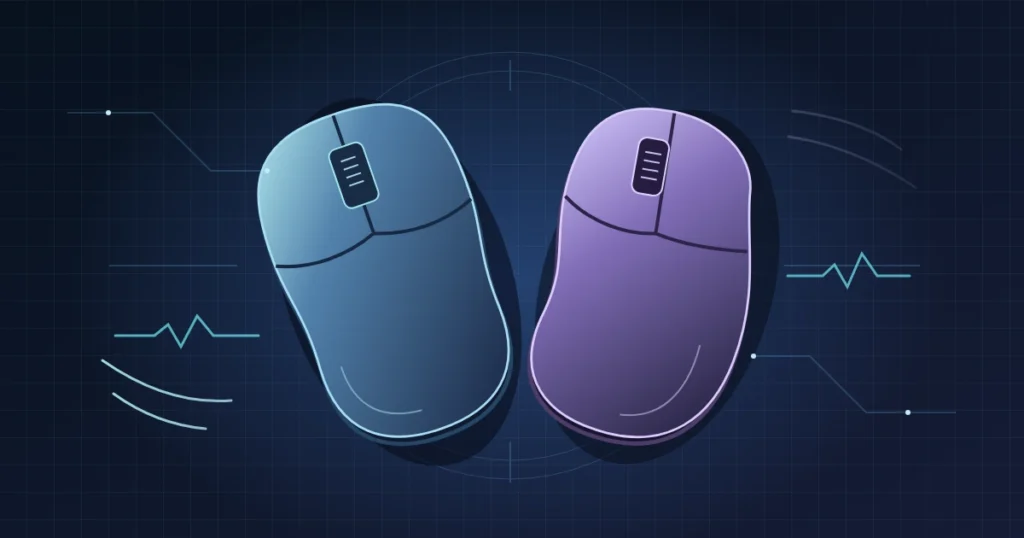
The best 8K wireless gaming mice are the ones that fit your hand. For most players, a comfortable mouse at 1,000 Hz is a better buy than an awkward one at 8,000 Hz. Start with the Rapoo VT7 if you want to spend less and its full-size shell fits. If you use claw grip and want an independently tested lightweight option, compare the ASUS ROG Harpe II Ace and Razer Viper V4 Pro. For a larger right hand that rests on the mouse, I’d choose the DeathAdder V4 Pro.
As an Amazon Associate I earn from qualifying purchases.
Five 8K wireless gaming mice compared
All five advertise up to 8,000 Hz wireless polling on compatible 2.4 GHz connections. The weights are manufacturer figures, not measurements from a shared test bench. Choose the shape before comparing a few grams of weight or the maximum DPI.
| Model | Advertised weight | Shape and likely fit | Why consider it |
|---|---|---|---|
| Razer Viper V4 Pro | 49 g (black) | Low, symmetrical; claw or fingertip | Premium option with independent latency testing |
| Razer DeathAdder V4 Pro | 56 g (black) | Right-handed ergonomic; larger hands and palm grip | More palm support |
| ASUS ROG Harpe II Ace | 48 g | Symmetrical profile for right-handed use; claw or fingertip | Lightweight with independent 1K and 8K testing |
| Rapoo VT7 | 53 g | Larger symmetrical shell; check button reach | Value if substantially cheaper |
| ATTACK SHARK R11 Ultra | 49 ± 3 g | 124 mm long, 38 mm tall; compare with your current mouse | Carbon-fiber composite and three connection modes |
8,000 Hz vs. 1,000 Hz: What changes?
At 1,000 Hz, the nominal interval between reports is 1 millisecond. At 8,000 Hz, it’s 0.125 millisecond. The 0.875 ms difference is between report intervals, not a guaranteed cut in click-to-screen latency. Sensor processing, the wireless link, the game and the display all contribute. Higher polling can increase CPU work or worsen frame pacing in some setups, so try it in the game you actually play.
Igor’s Lab tested the Harpe II Ace and reported average end-to-end latency of about 9.7 ms at 1K versus 9.6 ms at 8K in the directly compared runs. That’s one setup and one mouse. Start at 1K, then try 2K or 4K before deciding whether 8K is worth keeping.
Battery life can change more than latency. Razer’s Viper specifications list up to 180 hours at 1K or 45 hours at 8K. Its DeathAdder specifications list up to 150 or 22 hours at the same rates. Those are manufacturer maximums, not our measurements. Expect to charge more often if you leave 8K on.
Pick the shape before you pay more
Razer Viper V4 Pro: Low-profile premium pick
The Viper’s low shell leaves room to move the mouse with your fingers. That suits fingertip and many claw grips, but offers less support if you like the mouse to fill your palm. Razer’s launch specifications confirm the 49 g black model, Focus Pro 50K optical sensor and 8K wireless polling. RTINGS’ Viper V4 Pro measurements showed excellent click and sensor performance. I’d pay more for a shape I already like and that level of testing, rather than for the 50K DPI number.
Check the Razer Viper V4 Pro on Amazon
Razer DeathAdder V4 Pro: For a larger right hand
The DeathAdder’s right-handed sloping shell provides more palm support than the Viper. That shape may feel bulky if you have small hands or use fingertip grip. Razer rates the black model at 56 g. RTINGS’ DeathAdder V4 Pro measurements found very low and consistent click latency and strong sensor performance. The shape is the reason to choose it over the Viper.
Check the Razer DeathAdder V4 Pro on Amazon
ASUS ROG Harpe II Ace: Light with independent test coverage
ASUS specifies 48 g, an AimPoint Pro 42K sensor and native 8K wireless. The shape gives claw users some rear support while allowing fingertip adjustments. The 8K receiver is included and ROG Gear Link offers browser-based settings. ASUS rates battery life at up to 101 hours with lighting off in 1K wireless or Bluetooth mode, not at 8K. It’s my first alternative to the Viper if both fit and the ASUS costs less delivered.
Check the ASUS ROG Harpe II Ace on Amazon
Rapoo VT7: Spend less if the shape fits
Rapoo’s standard VT7 Gen 2 specifications list a 53 g symmetrical body, PAW3398 sensor and up to 8K wireless polling. The advertised 750 hours is at 1K, so don’t compare it with Razer’s 8K figures. This is a larger mouse: make sure you can comfortably reach the side buttons. It’s the cheaper option I’d try if the savings and returns terms make sense. I didn’t find comparable independent latency measurements for the exact linked configuration.
ATTACK SHARK R11 Ultra: Consider it for the shell
The comparison links to the Black Ink + Tape bundle. The manufacturer’s R11 Ultra specifications list a carbon-fiber-composite shell, 49 ± 3 g, PAW3950MAX sensor and up to 8K via 2.4 GHz. Bluetooth and wired modes are available, but do not assume the 8K figure applies to Bluetooth. Consider it if you prefer its 124 mm profile and flexible connectivity. I didn’t find comparable independent latency measurements for the exact model.
Check the ATTACK SHARK R11 Ultra on Amazon
What I’d check before buying on Black Friday
Amazon’s US shopping event runs through November 30. That does not guarantee a discount on any of these exact listings. If the upgrade can wait, compare the same color and bundle on Black Friday and Cyber Monday.
- Hand fit: Measure a mouse you already like. Note where the shell supports your palm, how easily your fingers reach the side buttons and whether you can lift the mouse comfortably.
- Easy returns: Check who sells and ships it, the return window and whether opening it to try the grip affects eligibility. Verify the manufacturer warranty separately for marketplace offers.
- Receiver and settings: Confirm the correct 2.4 GHz receiver is included. Start at 1K, then raise the rate in a game you know and watch for stutter or faster battery drain.
- Like-for-like price: Compare the delivered price of the exact model, color and bundle. A discount off list price is not proof of a historical low.
My picks: DeathAdder for palm support; Viper or Harpe II Ace for lighter claw or fingertip options; VT7 if it fits and costs meaningfully less. Pick the R11 Ultra if you specifically want its shell or connectivity. For all five, start at 1K and leave 8K on only if you prefer the result on your setup.
MasteriTech compared manufacturer specifications and published independent tests. We did not perform a five-mouse hands-on test.