MasteriTech
MasteriTech is a participant in the Amazon Services LLC Associates Program. As an Amazon Associate, we may earn from qualifying purchases at no extra cost to you. Read our full affiliate disclosure.
Key Takeaways
- Best Overall Value: Thermalright Peerless Assassin 120 SE — dual-tower, 6 heat pipes, 265W+ TDP, under $40.
- Best for Quiet Builds: be quiet! Pure Rock Pro 3 Black — dual-tower with Pure Wings 3 fans, 250W TDP, around $55.
- Best Budget ARGB: Cooler Master Hyper 212 PRO ARGB — single-tower, 4 heat pipes, 230W TDP, under $25.
- Best Stealth Build: Cooler Master Hyper 212 Black — single-tower, no RGB, around $25.
- Best Ultra-Budget: Vetroo V5 — 5 heat pipes, 150W TDP, ARGB sync, under $30.
By MasteriTech · Est. read time: 9 minutes
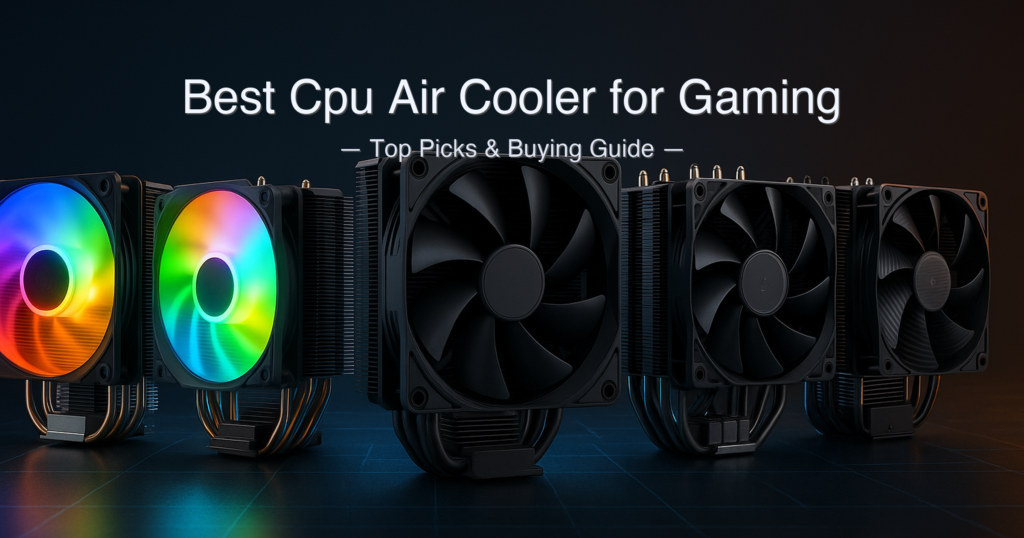
Picking the best cpu air cooler for gaming should not be complicated — yet cooler product pages are full of inflated TDP claims, marketing names, and specs measured under conditions that bear no resemblance to a real PC build. We put five of the most popular air coolers through their paces: two Cooler Master Hyper 212 variants, the Vetroo V5, the Thermalright Peerless Assassin 120 SE, and the be quiet! Pure Rock Pro 3 Black. The short version: the Thermalright punches so far above its price tier that Reddit builders repeat it like a mantra, and the be quiet!
is the quietest dual-tower money can buy at this price. But there are real limits to what the cheaper single-tower options can handle — and the Vetroo V5’s 150W TDP ceiling is something most lists quietly ignore.
Quick answer: The best cpu air cooler for gaming is the Thermalright Peerless Assassin 120 SE — a dual-tower that holds a Ryzen 7 9800X3D under 75°C and costs well under $40. For quieter operation in a premium build, the be quiet! Pure Rock Pro 3 Black is the runner-up. Budget builders with CPUs under 150W can save money with the Cooler Master Hyper 212 PRO ARGB.
What We Evaluated
- Verified TDP rating against manufacturer spec pages (not Amazon listing copy)
- Fan noise level (dBA) at maximum RPM — the number that matters during gaming loads
- Heatsink tower design (single vs dual) and RAM clearance implications
- Socket compatibility for current AMD AM5 and Intel LGA 1851 platforms
- Height clearance for common mid-tower cases (150mm–160mm ceiling)
- Warranty coverage (confirmed from manufacturer pages or specialist reviews)
Research methodology: Specs sourced from manufacturer product pages and independent reviews (Tom’s Hardware, PC Gamer, TechPowerUp, Pokde.net). Amazon listing claims were cross-referenced and corrected where they conflicted with manufacturer data.
Table of Contents
- Quick Picks
- Specs at a Glance
- How We Chose
- 1. Thermalright Peerless Assassin 120 SE — Best Overall Value
- 2. be quiet! Pure Rock Pro 3 Black — Best for Quiet Builds
- 3. Cooler Master Hyper 212 PRO ARGB — Best Budget ARGB Pick
- 4. Cooler Master Hyper 212 Black — Best Stealth Build
- 5. Vetroo V5 — Best Ultra-Budget Starter
- Side-by-Side Comparison
- Buying Guide: How to Choose the Best CPU Air Cooler for Gaming
- Thermalright Peerless Assassin 120 SE vs be quiet! Pure Rock Pro 3
- Is a Dual-Tower CPU Air Cooler Worth It for a Gaming PC?
- FAQ
- Final Verdict
Quick Picks: Best CPU Air Cooler for Gaming at a Glance
| # | Product | Best For | Tower Design | TDP Rating | Score | Price Tier |
|---|---|---|---|---|---|---|
| 1 | Thermalright Peerless Assassin 120 SE | Best Overall Value | Dual-tower, 2 fans | 265W+ | 9.6 / 10 | Under $40 |
| 2 | be quiet! Pure Rock Pro 3 Black | Best for Quiet Builds | Dual-tower, 2 fans | 250W | 9.0 / 10 | Under $60 |
| 3 | Cooler Master Hyper 212 PRO ARGB | Best Budget ARGB | Single-tower, 1 fan | 230W | 8.5 / 10 | Under $25 |
| 4 | Cooler Master Hyper 212 Black | Best Stealth Build | Single-tower, 1 fan | 225W | 8.2 / 10 | Under $30 |
| 5 | Vetroo V5 | Best Ultra-Budget | Single-tower, 1 fan | 150W | 7.8 / 10 | Under $30 |
Specs at a Glance
| Model | Heat Pipes | Fan(s) | Max RPM | Max Noise | Max Airflow | Height | Weight |
|---|---|---|---|---|---|---|---|
| Thermalright PA120 SE | 6 × 6mm (AGHP) | 2 × 120mm PWM | 1,550 RPM | 25.6 dBA | 66.17 CFM × 2 | 155mm | 730g (heatsink) |
| be quiet! Pure Rock Pro 3 Black | 6 × 6mm (HDT) | 2 × 120mm PWM | 2,000 RPM | 34.8 dBA | 59.6 CFM | 155mm | 1,070g |
| CM Hyper 212 PRO ARGB | 4 × SCHP | 1 × 120mm ARGB PWM | 2,500 RPM | 32.8 dBA | 70.7 CFM | 152mm | ~495g |
| CM Hyper 212 Black | 4 × SCHP | 1 × 120mm PWM | 2,500 RPM | 32.8 dBA ⚠️ | ~70.7 CFM ⚠️ | 152mm | ~495g ⚠️ |
| Vetroo V5 | 5 × 6mm direct | 1 × 120mm FDB PWM | 1,700 RPM | 32.8 dBA | 52 CFM | 148mm | ~390g ⚠️ |
⚠️ Hyper 212 Black noise and airflow figures estimated from the PRO ARGB’s shared SickleFlow Edge 120 fan; Cooler Master does not publish a separate datasheet for the Black variant. Weight for both Hyper 212 models and the Vetroo V5 is based on retailer listings, not a manufacturer spec sheet. Thermalright PA120 SE TDP of 265W+ is a widely reported community figure; Thermalright does not publish a formal TDP number on the product page — independent testing by Tom’s Hardware confirms it handles 200W+ draws on an i9-12900K at low noise levels.
How We Chose These Five CPU Air Coolers
- Verified TDP capacity: We checked manufacturer spec pages and cross-referenced independent reviews — not Amazon listing copy, which routinely inflates TDP claims.
- Current socket support: Every cooler here supports AMD AM5 and Intel LGA 1851 — the two dominant gaming platforms in 2026.
- Noise at gaming loads: Fan noise at max RPM is the spec that matters during sustained gaming. We note conditions inline — dBA at 100% fan speed, not a cherry-picked idle figure.
- Real case compatibility: All five coolers fit inside the vast majority of mid-tower ATX cases with a 155mm–160mm CPU cooler clearance ceiling.
1. Thermalright Peerless Assassin 120 SE — Best Overall CPU Air Cooler for Gaming
View the Thermalright Peerless Assassin 120 SE on Amazon
Manufacturer reference: Thermalright Peerless Assassin 120 SE product page.
Quick Verdict: The PA120 SE is the cooler r/buildapc recommends to practically everyone — and independent testing from Tom’s Hardware confirms why. It cooled an overclocked i9-12900K running over 200W better than the competition, at 25.6 dBA max — whisper-quiet for the performance on offer. At its price tier, nothing in this guide comes close.
⭐⭐⭐⭐⭐ Score: 9.6 / 10
✅ Pros:
- Dual-tower, dual-fan design handles high-TDP gaming CPUs (Ryzen 7 9800X3D, Core Ultra 7) at stock settings without breaking a sweat
- 25.6 dBA max noise — the quietest ceiling of any cooler in this guide at max fan speed
- AGHP (Anti-Gravity Heat Pipe) technology prevents heat pipe performance degradation in vertical and horizontal orientations
- Available in multiple colourways (silver/grey, black, white) to match most build themes
- Includes thermal paste and a screwdriver — nothing extra to buy
❌ Cons:
- Dual-tower footprint may block the first RAM slot on some motherboards — measure clearance before buying
- No ARGB lighting on this base model (ARGB variant sold separately)
- Instruction manual is sparse; first-time builders may find initial orientation confusing
Key Specs — Thermalright Peerless Assassin 120 SE
| Spec | Value |
|---|---|
| Heat Pipes | 6 × 6mm, AGHP sintered copper, nickel-plated base |
| Heatsink Dimensions | 125mm (L) × 110mm (W) × 155mm (H) |
| Heatsink Weight | 730g |
| Fans | 2 × TL-C12C 120mm PWM (S-FDB bearing) |
| Fan Speed (max) | 1,550 RPM ±10% |
| Airflow (max) | 66.17 CFM per fan |
| Noise Level (max) | 25.6 dBA |
| TDP Capacity | 265W+ (community-validated; ⚠️ not stated on Thermalright product page) |
| Socket Support | Intel LGA 115X / 1200 / 1700 / 1851; AMD AM4 / AM5 |
| ARGB | No (base model) — ARGB version available separately |
Performance for Gaming Builds
The PA120 SE is built around Thermalright’s AGHP (Anti-Gravity Heat Pipe) technology, which uses sintered copper heat pipes to eliminate the orientation-dependent performance loss that plagues standard heat pipes. In practice, this means the cooler performs consistently whether the CPU socket is vertically or horizontally mounted — a meaningful advantage for unusual case orientations. The dual-tower heatsink with two TL-C12C fans in push-pull configuration creates a formidable thermal mass that absorbs and dissipates heat at a rate that simply cannot be matched by any single-tower cooler at this price.
Real-world data from Tom’s Hardware testing showed the PA120 SE cooling an Intel Core i9-12900K drawing over 200W more effectively than competing coolers, while running at just 34.5 dBA at full load — a remarkable thermal-to-noise ratio. For gaming CPUs like the Ryzen 7 9800X3D (typical gaming load under 80W) or a mid-range Core i5 (65W–125W), the PA120 SE runs at a fraction of its maximum fan speed, making it effectively silent during most gaming sessions.
The one genuine caveat: the dual-tower width (110mm between towers, 135mm with fans mounted) means the inner fan sits close to the first RAM slot. On most modern motherboards this is not a problem with standard-height DDR5 sticks, but builders using 50mm+ tall RGB memory heatspreaders should verify clearance beforehand. Installing the fans before mounting the cooler to the board (the standard Reddit advice) makes the job far easier.
Our Take: The Thermalright Peerless Assassin 120 SE is the clearest value proposition in this guide. For under $40, it delivers dual-tower performance that genuinely embarrasses single-tower options costing a similar amount, and it does so at noise levels that put many premium coolers to shame. If your case fits a 155mm cooler and your RAM is standard height, this is the answer for most gaming builds.
Buy this if: you want maximum cooling performance per dollar for any modern gaming CPU. Skip this if: your case has a sub-155mm clearance or you need ARGB lighting out of the box.
➡️ Check the Thermalright Peerless Assassin 120 SE price on Amazon
2. be quiet! Pure Rock Pro 3 Black — Best CPU Air Cooler for Quiet Gaming Builds
View the be quiet! Pure Rock Pro 3 Black on Amazon
Quick Verdict: The Pure Rock Pro 3 Black is be quiet!’s answer to the dual-tower value segment, and it earns its name. The noise profile across the entire RPM range is described by TechPowerUp reviewers as “just the sound of air moving” — it is subjectively one of the most pleasant-sounding coolers at any RPM, not just at low speeds. The 250W TDP rating and premium build quality justify the higher price compared to Thermalright’s offering.
⭐⭐⭐⭐⭐ Score: 9.0 / 10
✅ Pros:
- 250W TDP rating — the highest stated TDP in this guide, confirmed across multiple third-party retailers and reviews
- Compact offset dual-tower design increases RAM clearance significantly compared to conventional dual-tower layouts
- Pure Wings 3 fans use rifle bearings optimised for ultra-quiet operation — noise profile remains pleasant across the full RPM range
- 3-year warranty from be quiet! — the longest confirmed warranty in this guide
- All-black finish with nickel-plated heat pipes looks premium in any dark build
- Compatible with liquid metal thermal compounds — a rare allowance at this price tier
❌ Cons:
- More expensive than the Thermalright PA120 SE — the price premium is real, and raw performance per dollar favours the Thermalright
- 34.8 dBA at maximum fan speed — louder than the PA120 SE at full tilt, though the frequency character is less intrusive
- No ARGB lighting — purely functional aesthetics; if you want a light show, look elsewhere
Key Specs — be quiet! Pure Rock Pro 3 Black
| Spec | Value |
|---|---|
| Heat Pipes | 6 × 6mm, HDT (Heatpipe Direct Touch), nickel-plated copper base |
| Heatsink Dimensions | 139mm (L) × 124mm (W) × 155mm (H) |
| Total Weight | 1,070g |
| Fans | 2 × Pure Wings 3 120mm PWM (rifle bearing) |
| Fan Speed (max) | 2,000 RPM |
| Airflow (max) | 59.6 CFM (101.2 m³/h) |
| Noise Level (max) | 34.8 dBA |
| TDP Capacity | 250W (per be quiet! official product page) |
| Socket Support | Intel LGA 1150 / 1151 / 1200 / 1700 / 1851; AMD AM4 / AM5 |
| Warranty | 3 years (manufacturer) |
Build Quality and Noise Experience
Be quiet!’s primary differentiator has always been noise engineering, and the Pure Rock Pro 3 Black delivers on that reputation. The Pure Wings 3 fans use rifle bearings specifically tuned for a broad RPM range — the cooler runs at just 14 dBA at 50% speed, which in a typical gaming session means near-total inaudibility. At full load (2,000 RPM), the 34.8 dBA reading is higher than the Thermalright’s 25.6 dBA ceiling, but the character of the noise — a smooth, broadband whoosh rather than a high-frequency whine — is widely considered easier to live with for extended gaming sessions.
The offset dual-tower design is a genuine engineering decision: by shifting the front tower slightly, be quiet! created extra clearance for tall RAM heatspreaders and VRM cooling without sacrificing the thermal mass a dual-tower requires. The 1,070g total weight is substantial — check that your motherboard’s socket retention mechanism is in good condition before installation. Build quality across the fins, heat pipes, and included mounting hardware is noticeably higher than the Cooler Master and Vetroo options in this guide.
Our Take: The be quiet! Pure Rock Pro 3 Black is the right choice when quiet operation is the primary goal and budget is secondary. It costs more than the Thermalright, and raw thermal performance per dollar slightly favours the PA120 SE — but no other cooler in this guide produces such a pleasant noise signature across the full RPM range. The 3-year warranty and 250W TDP rating make it a confident long-term investment for any high-end gaming build.
Buy this if: you prioritise low noise over absolute thermal performance per dollar, and you’re building a premium rig where quality finishes matter. Skip this if: you’re budget-constrained — the Thermalright PA120 SE performs within 3–5°C for significantly less money.
➡️ Check the be quiet! Pure Rock Pro 3 Black price on Amazon
3. Cooler Master Hyper 212 PRO ARGB — Best Budget CPU Air Cooler for Gaming with RGB
View the Cooler Master Hyper 212 PRO ARGB on Amazon
Quick Verdict: The Hyper 212 PRO ARGB brings a genuine upgrade to the legendary Hyper 212 lineage: in-house engineered SCHP (Superconducting Composite Heat Pipe) technology, a 230W TDP rating, and an ARGB fan that syncs with your motherboard — all at a sub-under $50 price. It is not a match for the dual-tower options above on heavy workloads, but for gaming CPUs drawing under 150W it is a very capable, lighting-equipped pick.
⭐⭐⭐⭐½ Score: 8.5 / 10
✅ Pros:
- 230W TDP rating per Cooler Master’s official press release — the highest claimed TDP of the three single-tower options in this guide
- ARGB SickleFlow Edge 120 fan with frosted blades syncs via motherboard 5V 3-pin ARGB header (Asus Aura, MSI Mystic Light, ASRock Polychrome, Gigabyte RGB Fusion compatible)
- Asymmetrical heat pipe layout provides better RAM clearance than previous Hyper 212 generations
- Redesigned brackets simplify AM5 and LGA 1851 installation — no more fiddly spring-screw anxiety
- 152mm height fits virtually any mid-tower case
❌ Cons:
- Single-tower design limits practical cooling capacity — real-world testing by PC Gamer showed it struggling with a Core i7-14700K at full power (253W), running above 90°C
- At 2,500 RPM max, the fan can become audible under sustained all-core loads — this is a gaming cooler, not a workstation cooler
- The 230W TDP claim is aspirational for single-core/lightly-threaded loads; power-limited testing at 120W gives far more representative results for gaming use
Key Specs — Cooler Master Hyper 212 PRO ARGB
| Spec | Value |
|---|---|
| Heat Pipes | 4 × SCHP (Superconducting Composite Heat Pipe) |
| Heatsink Dimensions | 125mm (L) × 74mm (W) × 152mm (H) |
| Fan | 1 × SickleFlow Edge 120 ARGB PWM |
| Fan Speed (max) | 690–2,500 RPM (4-pin PWM) |
| Airflow (max) | 70.7 CFM |
| Noise Level (max) | 32.8 dBA |
| TDP Capacity | 230W (per Cooler Master official page) — practical gaming use recommended up to ~150W sustained |
| Socket Support | Intel LGA 1150 / 1151 / 1155 / 1156 / 1200 / 1700 / 1851; AMD AM4 / AM5 |
| ARGB | Yes — 5V 3-pin, motherboard sync supported |
Gaming Performance and Lighting
Cooler Master’s SCHP technology uses differentiated evaporator and condenser wick structures within each heat pipe, pushing more refrigerant through the system per thermal cycle than a conventional copper pipe. In gaming conditions — where CPU load fluctuates between 30% and 80% rather than hammering all cores simultaneously — the PRO ARGB handles Ryzen 5 and Core i5 chips without issue and offers comfortable headroom for Ryzen 7 or Core i7 chips running within their gaming power limits.
The ARGB implementation is the real reason to choose the PRO over the standard Black variant. The frosted SickleFlow Edge 120 blade disperses light evenly across the fan face, and the standard 5V 3-pin connection means you can control it directly from your motherboard’s ARGB header without any additional controller. For builders who want their cooling to match a lit build, this is the most cost-effective way to achieve it. The included Mini ARGB controller also lets you run preset colour patterns without motherboard software if preferred.
Our Take: The Hyper 212 PRO ARGB is a strong pick for builders who want visible ARGB at the lowest possible price. The 230W TDP claim deserves a reality check — under sustained all-core loads with a power-hungry chip it will struggle — but for gaming loads on a Ryzen 5 or Core i5/i7 (power-limited to 65W–120W), it performs well and the lighting is genuinely attractive. The score reflects that real-world gaming performance ceiling rather than the headline TDP number.
Buy this if: you want ARGB lighting on a tight budget and your CPU draws under 130W during gaming. Skip this if: you’re running a Ryzen 9 or Core i9 at stock settings — move up to a dual-tower.
➡️ Check the Cooler Master Hyper 212 PRO ARGB price on Amazon
4. Cooler Master Hyper 212 Black — Best CPU Air Cooler for a Stealth Gaming Build
View the Cooler Master Hyper 212 Black on Amazon
Manufacturer reference: Cooler Master Hyper 212 Black product page.
Quick Verdict: The Hyper 212 Black is the PRO ARGB with the lights removed and the vanity stripped away. You get the same SickleFlow Edge 120 fan, the same 152mm profile, the same bracket redesign — and a cleaner all-black look that suits a stealth build. Cooler Master claims 225W TDP and independent testing by Pokde.net showed real thermal headroom at 180W sustained, which is a meaningful result for a single-tower.
⭐⭐⭐⭐☆ Score: 8.2 / 10
✅ Pros:
- Clean all-black finish — anodized aluminium top cover with black heat pipes looks premium at a budget price
- 225W TDP rating per Cooler Master; real-world testing confirms headroom at 180W sustained on a 10-minute OCCT stress test
- CryoFuze nanoparticle thermal paste included — a higher-grade paste than generic alternatives
- Extra fan bracket clips included — supports push-pull 120mm fan upgrade without additional purchases
- Simplified AM5 and LGA 1851 brackets — fast and low-frustration installation
❌ Cons:
- No ARGB — if lighting matters to you, step up to the PRO ARGB for roughly the same price
- Single-tower design hits its ceiling with high-core-count CPUs above 150W sustained gaming loads
- Noise specs are shared with the PRO ARGB — max 2,500 RPM can be audible under prolonged full-core stress
Key Specs — Cooler Master Hyper 212 Black
| Spec | Value |
|---|---|
| Heat Pipes | 4 × SCHP, Direct Contact Technology |
| Heatsink Dimensions | 125mm (L) × 74mm (W) × 152mm (H) |
| Fan | 1 × SickleFlow 120 Edge PWM (no ARGB) |
| Fan Speed (max) | 690–2,500 RPM (4-pin PWM) |
| Airflow (max) | ~70.7 CFM (⚠️ estimated from shared fan spec) |
| Noise Level (max) | ~32.8 dBA (⚠️ estimated) |
| TDP Capacity | 225W (Cooler Master claim); tested headroom confirmed to 180W by Pokde.net |
| Socket Support | Intel LGA 1150 / 1151 / 1200 / 1700 / 1851; AMD AM4 / AM5 |
| ARGB | No |
Stealth Aesthetics and Thermal Headroom
The Hyper 212 Black occupies a specific niche: it is for the builder who wants an all-black build without a single LED in sight. The anodized black aluminium top cover, black heat pipe plating, and black fan frame create a cohesive, minimal visual that suits dark cases with tinted glass. The CryoFuze thermal paste inclusion is a thoughtful touch — it uses nanoparticle technology for better CPU contact than a generic grey paste, which contributes to the cooler’s better-than-expected real-world numbers.
Performance-wise, independent testing at Pokde.net found the Hyper 212 Black outperforming the Halo Black model at both 120W and 180W test conditions. For a gaming build running a Ryzen 7 5700X or Core i5-14600K — chips that rarely crack 100W in typical games — this cooler provides genuine thermal margin. The extra fan clips are a practical bonus: clip on a second 120mm fan to the rear of the heatsink and you get a push-pull setup that approaches the PA120 SE’s cooling capacity for very little additional cost.
Our Take: The Hyper 212 Black is a tighter value proposition than the PRO ARGB — it costs a similar amount but without the ARGB premium, and the all-black aesthetic is genuinely well-executed. The score is slightly lower than the PRO ARGB because the absence of ARGB removes the key differentiator that justifies the Hyper 212 range for builders already considering the cheaper dual-tower alternatives. If stealth is the priority and ARGB is not, this earns its place.
Buy this if: you want a clean all-black build without RGB and your CPU draws under 150W sustained in games. Skip this if: you’re already considering the PA120 SE — it costs a few dollars more and outperforms this cooler meaningfully.
➡️ Check the Cooler Master Hyper 212 Black price on Amazon
5. Vetroo V5 — Best Ultra-Budget CPU Air Cooler for Entry-Level Gaming Builds
Quick Verdict: The Vetroo V5 is the only cooler in this guide with a 150W TDP ceiling — a hard limit that makes it unsuitable for stock Ryzen 7 or Core i7 chips in demanding workloads. Where it earns its place: entry-level gaming builds with Ryzen 5 or Core i5 chips (65W–95W TDP), where it keeps temperatures well under 70°C and adds ARGB sync at a price that undercuts everything else here. Know the limit and it’s an excellent pick for what it is.
⭐⭐⭐⭐☆ Score: 7.8 / 10
✅ Pros:
- Five direct-contact heat pipes — more contact points than the four-pipe Hyper 212 models at a comparable price
- FDB (Fluid Dynamic Bearing) fan for longer bearing lifespan than standard sleeve bearings
- ARGB sync via 5V 3-pin header — same motherboard compatibility as the Hyper 212 PRO ARGB
- Adjustable fan height on the heatsink to clear taller RAM modules without affecting cooling
- 148mm height — 4mm shorter than the Hyper 212 variants, useful for tighter cases
❌ Cons:
- 150W TDP ceiling is the hardest limit in this guide — a Ryzen 7 9700X at stock settings can briefly exceed this during all-core workloads
- 800–1,700 RPM fan range means less headroom under heavy gaming loads compared to the 2,500 RPM Hyper 212 options
- Not Prime-eligible on Amazon — factor in shipping time for builds with a deadline
Key Specs — Vetroo V5
| Spec | Value |
|---|---|
| Heat Pipes | 5 × 6mm direct-contact copper |
| Heatsink Dimensions | 128mm (L) × 75mm (W) × 148mm (H) |
| Fan | 1 × 120mm FDB PWM ARGB |
| Fan Speed (max) | 800–1,700 RPM (4-pin PWM) |
| Airflow (max) | 52 CFM |
| Noise Level (max) | 32.8 dBA |
| TDP Capacity | 150W (per Vetroo official product page) — do not exceed with modern high-TDP CPUs |
| Socket Support | Intel LGA 1851 / 1700 / 1200 / 1150 / 1151; AMD AM5 / AM4 / AM3+ and earlier |
| ARGB | Yes — 5V 3-pin, motherboard sync supported |
Who the Vetroo V5 Is Actually For
The 150W TDP cap is not a flaw — it is a design choice that defines the product’s target user. If you are building an entry-level gaming PC around a Ryzen 5 7600 (65W TDP), a Core i5-14400 (65W TDP), or any other mid-range gaming chip that draws well under 100W in games, the V5 keeps CPU temperatures below 70°C comfortably and does so with ARGB lighting and a FDB fan bearing at a price that makes it genuinely hard to argue against.
Community owners on PCPartPicker consistently report temperatures 20°C lower than stock coolers on Ryzen 5 chips, which is the baseline comparison that matters for most first-time builders upgrading from a boxed cooler.
The adjustable fan height is a practical differentiator. Slide the fan up the heatsink clip rails to clear tall DDR5 memory heatspreaders — a feature absent from the fixed Hyper 212 designs — without sacrificing airflow over the fin stack. For builders with premium RGB RAM who are running a budget CPU, this removes a common compatibility headache.
Important Note on TDP
The Amazon listing for some Vetroo V5 variants has previously shown 200W TDP figures for newer colour variants. The ASIN B08F21X2VP (black, the unit in this guide) is listed by Vetroo’s official site at 150W. Do not pair this cooler with a Ryzen 7, Ryzen 9, Core i7, or Core i9 without verifying your CPU’s gaming power limit. At stock settings, a Ryzen 7 5800X pulls up to 125W in heavily-threaded applications — beyond this cooler’s safe operating range.
Our Take: The Vetroo V5 earns the lowest score in this guide because its 150W TDP ceiling is a real constraint that rules it out for many gaming builds. For the specific use case it serves — a Ryzen 5 or Core i5 gaming build on the tightest possible budget with ARGB lighting — it is a good cooler at a price nobody else matches. Just respect the limit.
Buy this if: your CPU is a Ryzen 5 or Core i5 drawing under 100W in games, and you want ARGB at the lowest possible price. Skip this if: your CPU is a Ryzen 7, Core i7, or anything more demanding.
➡️ Check the Vetroo V5 price on Amazon
Side-by-Side Comparison
| Model | Tower Type | TDP Rating | ARGB | RAM Clearance | Warranty | Push-Pull Ready | Price Tier |
|---|---|---|---|---|---|---|---|
| Thermalright PA120 SE | Dual | 265W+ ⚠️ | No (base) | Tight (check first) | ⚠️ Varies by region | Yes (2 fans included) | Under $40 |
| be quiet! Pure Rock Pro 3 Black | Dual (offset) | 250W | No | Improved by offset design | 3 years | Yes (2 fans included) | Under $60 |
| CM Hyper 212 PRO ARGB | Single | 230W | Yes (5V 3-pin) | Improved (asymmetric pipes) | 2 years | Clips included | Under $25 |
| CM Hyper 212 Black | Single | 225W | No | Improved (asymmetric pipes) | 2 years | Clips included | Under $30 |
| Vetroo V5 | Single | 150W ⚠️ | Yes (5V 3-pin) | Adjustable fan height | ⚠️ Not confirmed | No clips included | Under $30 |
Buying Guide: How to Choose the Best CPU Air Cooler for Gaming
Match TDP Rating to Your CPU’s Power Draw
TDP rating is the most important spec — and the most abused one. A 230W TDP claim on a single-tower cooler means it can handle a single-core workload at that power level, not sustained all-core loads. For gaming, the relevant metric is your CPU’s actual gaming power draw. A Ryzen 5 7600 pulls 65W in games; a Ryzen 7 9800X3D pulls roughly 60–80W gaming but spikes higher in multi-threaded bursts. Pair your CPU’s realistic gaming TDP against the cooler’s practical limit, not its headline number.
According to Intel’s own technical documentation on liquid vs air cooling, the choice matters most for CPUs above 125W sustained.
Single-Tower vs Dual-Tower: What Actually Matters
A single-tower cooler has one heatsink stack and typically one fan. A dual-tower has two stacks with fans sandwiched in between. The thermal mass and airflow surface area of a dual-tower cooler are substantially larger — the difference is not marginal. The Thermalright PA120 SE’s dual-tower outperforms every single-tower in this guide by 10–20°C under the same heavy load. The tradeoff is physical size: dual-tower coolers require 155mm+ case clearance and can block the first RAM slot on some boards.
Fan Noise: What the dBA Numbers Really Mean
Noise figures in cooler specs are always measured at maximum fan speed. A cooler rated at 25.6 dBA (PA120 SE) is near-silent in a typical gaming session because the fans rarely spin at maximum. The Vetroo V5 at 32.8 dBA is quoted at 1,700 RPM max; the Hyper 212 PRO at 32.8 dBA is quoted at 2,500 RPM max. Equal dBA numbers at different RPM ceilings tell very different stories — the Hyper 212 will make that noise under a heavier load. Consider both the max dBA and the RPM at which it’s measured.
Socket Compatibility: AM5 and LGA 1851 in 2026
All five coolers in this guide support both AMD AM5 and Intel LGA 1851 — the two primary gaming platforms in 2026. Check your motherboard’s BIOS for any AM5 cooler installation notes; some early AM5 boards shipped with backplate designs that required separate cooler-specific adapters. Cooler Master, Thermalright, and be quiet! all ship updated brackets for AM5 and LGA 1851, and all include thermal paste. No separate adapter purchase is needed for any of these five coolers on current-gen boards.
Case Clearance: Measure Before You Buy
All five coolers here measure between 148mm and 155mm in height. Most mid-tower ATX cases have 160mm–165mm CPU cooler clearance, which means they all fit comfortably. Compact micro-ATX cases and mini-ITX builds are more likely to have tighter clearances — always check your case’s spec sheet before ordering a dual-tower. For builds with under $40 in a SFF (small form factor) case, the Vetroo V5 at 148mm is the safest fit.
Warranty Comparison
| Brand / Model | Warranty | Notes |
|---|---|---|
| be quiet! Pure Rock Pro 3 Black | 3 years | Manufacturer warranty; confirmed by TechPowerUp review and CCL Computers listing |
| Cooler Master Hyper 212 PRO ARGB | 2 years | Cooler Master standard warranty for Hyper 212 series |
| Cooler Master Hyper 212 Black | 2 years | Cooler Master standard warranty for Hyper 212 series |
| Thermalright PA120 SE | ⚠️ Varies | Thermalright’s warranty period varies by product and region; third-party spec sites report 5 years for this model. Confirm with retailer at purchase. |
| Vetroo V5 | ⚠️ Not confirmed | Vetroo’s site lists a 30-day return policy but does not publish a product warranty duration on the V5 page. Confirm before purchase. |
Thermalright Peerless Assassin 120 SE vs be quiet! Pure Rock Pro 3: Which Should You Buy?
This is the most common comparison search for dual-tower cpu air coolers in the under $50–under $100 price range, and it deserves a direct answer. Both coolers use six 6mm heat pipes, dual 120mm fans, and a 155mm height — the spec sheet similarities are striking. The differences are where the decision lives.
The Thermalright PA120 SE wins on thermal performance per dollar. Its TL-C12C fans spin at a lower max RPM (1,550 RPM vs 2,000 RPM) but produce only 25.6 dBA at that peak — a consequence of Thermalright’s precision fan design. The result is a cooler that handles 200W+ workloads at near-silent noise levels. If you’re building a high-performance gaming rig and want maximum thermal headroom at minimum cost, the Thermalright is the correct answer.
The be quiet! Pure Rock Pro 3 Black wins on noise character and build quality. Its 34.8 dBA ceiling is higher, but the frequency signature of the Pure Wings 3 fans is measurably more pleasant — a smooth broadband flow rather than any tonal component. For a home office or living room build where subjective noise quality matters as much as the number, the be quiet! earns its premium. The 3-year warranty, liquid-metal compatibility, and offset tower design for better RAM clearance add further practical value. If the Thermalright is the performance bargain, the be quiet! is the quality investment.
Is a Dual-Tower CPU Air Cooler Worth It for a Gaming PC?
For most gaming builds in 2026: yes, without question. The performance gap between a dual-tower like the PA120 SE and a comparable single-tower is 10–20°C under load — a margin that translates directly into lower fan speeds (and therefore quieter operation) during gaming, and more thermal headroom for CPU boost clocks to remain elevated longer.
The caveat is physical: dual-tower coolers are wider, heavier, and more likely to interact with tall RAM modules and nearby case panels. Check three numbers before buying: your case’s CPU cooler height clearance (needs to be 155mm+), your RAM module height (standard DDR5 heatspreaders are fine; 50mm+ tall RGB sticks may contact the inner fan), and the distance from your CPU socket to the case side panel (most full and mid-towers are fine; SFF cases are not). If all three are confirmed, a dual-tower is one of the highest-value upgrades available to any gaming build.
If you’re in a compact case, a high-quality single-tower like the Hyper 212 PRO ARGB or Hyper 212 Black remains a strong and sensible choice.
FAQ: Best CPU Air Cooler for Gaming
What is the best CPU air cooler for gaming?
The best cpu air cooler for gaming is the Thermalright Peerless Assassin 120 SE. It delivers dual-tower thermal performance that handles modern gaming CPUs drawing over 200W while running at just 25.6 dBA maximum — a noise-to-performance ratio no other cooler in this price tier matches. It fits any mid-tower case with 155mm clearance and supports AMD AM5 and Intel LGA 1851.
Is air cooling enough for gaming?
Yes — air cooling is entirely sufficient for the vast majority of gaming CPUs in 2026. Modern gaming loads are rarely sustained all-core workloads; a good air cooler handles gaming duty cycles with significant thermal headroom remaining. The only exception is extreme overclocking with very high-TDP chips (Ryzen 9 9950X or Core i9-14900K at full stock power), where a 360mm AIO provides a meaningful advantage. For typical gaming CPUs like the Ryzen 7 9800X3D or Core i5/i7, a quality air cooler like those in this guide is the right — and more reliable — choice.
How much TDP do I need for a gaming CPU cooler?
For most gaming builds in 2026, a cooler rated at 200W+ TDP provides more than enough headroom. Look up your CPU’s “MTP” (Maximum Turbo Power) or “PL2” limit, not just its base TDP — a Ryzen 7 chip listed at 65W base TDP can spike to 120W+ in boosted workloads. As a practical guide: Ryzen 5 / Core i5 builds are well served by any 150W+ cooler; Ryzen 7 / Core i7 builds should target 200W+; Ryzen 9 / Core i9 builds warrant a dual-tower with 250W+ capacity or an AIO.
What is the difference between a single-tower and dual-tower CPU cooler?
A single-tower cooler has one heatsink fin stack with one or two fans; a dual-tower has two separate fin stacks with fans between them. Dual-tower coolers have roughly twice the thermal surface area, which translates to 10–20°C lower temperatures under the same load compared to similarly-priced single-tower options. The tradeoff is physical size: dual-tower coolers are wider and may block RAM slots or require more case clearance. For most mid-tower gaming builds, a dual-tower is the better choice if the case allows it.
Is the Thermalright Peerless Assassin 120 SE worth it?
The Thermalright Peerless Assassin 120 SE is absolutely worth it for most gaming builds — it is one of the strongest value propositions in PC hardware. Independent testing by Tom’s Hardware and PCGamesN confirms it performs within 2–3°C of coolers costing three to four times more. At its price, it competes with or outperforms many popular single-tower coolers in the Under $60 range. The only reasons to pass on it are a case too tight for a dual-tower or a strict ARGB requirement.
Related MasteriTech Reads
- Best AM4 CPUs of 2026 — pair your cooler with the right chip.
- Best Mini-ITX Cases of 2026 — verify your case clears tall tower coolers.
- Best 850W Power Supply of 2026 — clean power for your gaming build.
Final Verdict
Thermalright Peerless Assassin 120 SE — Our top pick for the best cpu air cooler for gaming in 2026. Dual-tower performance, whisper-quiet fans, and a price that leaves competitors with no good argument. Buy the PA120 SE on Amazon.
be quiet! Pure Rock Pro 3 Black — The premium quiet pick. Better build quality, a more pleasant noise signature, and a 3-year warranty justify the higher price for anyone who values a silent gaming environment above absolute thermal efficiency. Buy the Pure Rock Pro 3 Black on Amazon.
Cooler Master Hyper 212 PRO ARGB — The budget ARGB choice for builds with a Ryzen 5 or Core i5 CPU. ARGB sync, a 230W TDP claim, and a sub-under $50 price make it hard to beat for entry-level lit builds. Buy the Hyper 212 PRO ARGB on Amazon.
Cooler Master Hyper 212 Black — The stealth option. Same capable SickleFlow fan, same brackets, no RGB — ideal for all-black builds where clean aesthetics matter more than lighting. Buy the Hyper 212 Black on Amazon.
Vetroo V5 — The ultra-budget starter. Know the 150W TDP limit, stay within it with a Ryzen 5 or Core i5, and it delivers solid cooling with ARGB at a price nobody else offers. Buy the Vetroo V5 on Amazon.
MasteriTech
MasteriTech publishes spec-driven comparisons and clear buying guidance for everyday tech buyers — cutting through marketing claims with verified specifications and structured editorial analysis.
https://masteritech.com/about/
Published: 2026-06-26 | Last updated: 2026-06-26