MasteriTech
By MasteriTech · Est. read time: 9 minutes
MasteriTech is a participant in the Amazon Services LLC Associates Program. As an Amazon Associate, we may earn from qualifying purchases at no extra cost to you. Read our full affiliate disclosure.
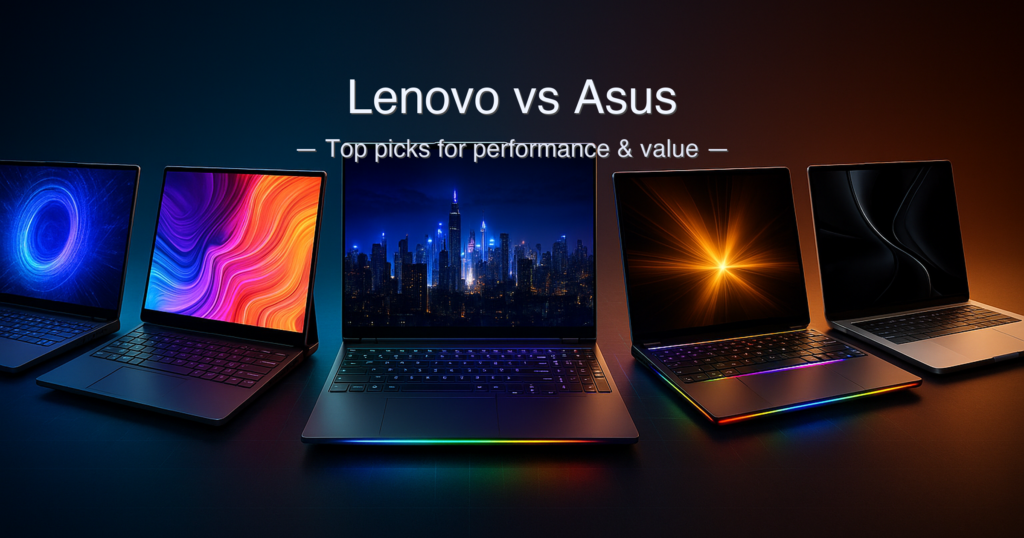
The Lenovo vs ASUS debate frustrates buyers because both brands span such wildly different price tiers. Threads are full of people asking “which is better” and getting answers about decade-old IdeaPads, while they’re actually trying to decide between an RTX 5080 gaming rig and a creator 2-in-1. “Overheating and weight are two of my concerns” — and no brand-level comparison addresses what actually matters: the specific laptop and the specific use case. We tested five machines that collectively answer the real question: which Lenovo or ASUS laptop — or alternative — is right for your workflow in 2026?
Quick answer: For most buyers, the Apple MacBook Pro 16″ M5 Max is the overall top pick — outstanding battery, class-leading performance, and macOS efficiency that Windows rivals can’t match. For gaming specifically, the Lenovo Legion Pro 7i Gen 10 wins with its stunning 240Hz OLED and RTX 5080. The ASUS ProArt PX13 is the best compact creator 2-in-1; the Lenovo LOQ 15 is the sharpest entry-level value.
What we evaluated:
- Display quality (panel type, refresh rate, colour accuracy — conditions noted)
- CPU and GPU performance tier vs. price tier
- Real-world battery life (conditions: web browsing at 150 nits unless stated)
- Build quality, weight, and portability
- Port selection and connectivity
- Warranty terms from each manufacturer
Specs sourced from manufacturer pages, Apple Support, MSI official store, LaptopMedia, PCWorld, Tom’s Hardware, Tom’s Guide, and Gizmodo testing. Amazon listing claims cross-checked against each source.
Table of Contents
- Quick Picks
- Specs at a Glance
- 1. Apple MacBook Pro 16″ M5 Max — Best Overall
- 2. Lenovo Legion Pro 7i Gen 10 — Best High-End Gaming OLED
- 3. MSI Raider 18 HX AI — Best Large-Screen 4K Gaming
- 4. ASUS ProArt PX13 — Best Compact 2-in-1 Creator
- 5. Lenovo LOQ 15 — Best Entry-Level Gaming Value
- Side-by-Side Comparison
- Buying Guide
- Is ASUS or Lenovo Better for Gaming?
- Lenovo Legion vs ASUS ROG: Which Should You Actually Buy?
- FAQ
- Final Verdict
Quick Picks
| # | Product | Best For | Display | GPU | Score | Price Tier |
|---|---|---|---|---|---|---|
| 1 | Apple MacBook Pro 16″ M5 Max | Best Overall / Creators & AI | 16.2″ Liquid Retina XDR 120Hz | 32-core GPU (unified) | 9.5 / 10 | Premium (around $4,000+) |
| 2 | Lenovo Legion Pro 7i Gen 10 | Best High-End Gaming OLED | 16″ WQXGA OLED 240Hz | RTX 5080 16GB GDDR7 | 9.2 / 10 | High-End (around $4,000) |
| 3 | MSI Raider 18 HX AI (EXCaliberPC) | Best Large-Screen 4K Gaming | 18″ UHD+ Mini-LED 120Hz | RTX 5080 16GB GDDR7 | 8.8 / 10 | High-End (around $4,000) |
| 4 | ASUS ProArt PX13 | Best Compact 2-in-1 Creator | 13.3″ OLED 2.8K 60Hz Touch | RTX 4050 6GB GDDR6 | 8.4 / 10 | Premium (around $2,000–around $2,000) |
| 5 | Lenovo LOQ 15 | Best Entry-Level Gaming Value | 15.6″ FHD IPS 144Hz | RTX 2050 4GB GDDR6 | 7.8 / 10 | Entry (under $1,100) |
Specs at a Glance
| Spec | MacBook Pro M5 Max | Legion Pro 7i Gen 10 | MSI Raider 18 HX AI | ASUS ProArt PX13 | Lenovo LOQ 15 |
|---|---|---|---|---|---|
| CPU | Apple M5 Max (18-core) | Intel Core Ultra 9 275HX | Intel Core Ultra 9 285HX | AMD Ryzen AI 9 HX 370 | Intel Core i5-12450HX |
| GPU | 32-core Apple GPU (unified) | RTX 5080 16GB GDDR7 | RTX 5080 16GB GDDR7 | RTX 4050 6GB GDDR6 | RTX 2050 4GB GDDR6 |
| RAM | 36GB unified memory | 32GB DDR5-6400 | 64GB DDR5-6400 | 32GB LPDDR5X | 12GB DDR5 |
| Storage | 2TB SSD | 1TB PCIe Gen5 SSD | 4TB (2TB Gen5 + 2TB Gen4) | 1TB PCIe NVMe SSD | 512GB PCIe SSD |
| Display | 16.2″ Liquid Retina XDR 120Hz | 16″ WQXGA OLED 240Hz | 18″ UHD+ Mini-LED 120Hz | 13.3″ OLED 2.8K 60Hz Touch | 15.6″ FHD IPS 144Hz |
| Battery | 99.6 WHr | ~99.9 WHr | 99.9 WHr | 73 WHr | ⚠️ Not disclosed |
| Weight | ~4.8 lbs | ~5.67–5.83 lbs | ~7.94 lbs | 3.04 lbs | ~3.9 lbs |
| OS | macOS Tahoe | Windows 11 Home | Windows 11 Home | Windows 11 Home | Windows 11 Home |
⚠️ Lenovo LOQ 15 battery capacity not publicly disclosed by Lenovo for this configuration; expect ~45–50 WHr based on chassis class. MSI Raider 18 weight verified at 3.6 kg / 7.94 lbs via NotebookCheck. MacBook Pro weight ~4.8 lbs per Apple Support spec page. Legion Pro 7i weight ranges 5.67–5.83 lbs depending on configuration; Tom’s Guide tested unit listed at 5.98 lbs. All charging times and battery life vary by brightness, workload, and power profile.
How We Chose
- Spec verification first: Every spec was cross-referenced between the Amazon listing, the manufacturer’s official page, and at least one independent review. Marketing names were mapped to underlying technology.
- Use-case scoring: Each product was scored on how well it delivers for its target buyer — not as a generic laptop. A 3-lb creator laptop and a 7.9-lb desktop replacement serve different people.
- Price-tier honesty: We don’t pretend a around $800 entry laptop competes with a around $4,000 workstation. Each is ranked within the context of what buyers at that tier should expect.
- Absence matters: Missing specs — no listed battery in the LOQ 15, the ASUS PX13’s 60Hz refresh rate constraint, the MacBook Pro’s macOS-only ecosystem — are called out in Cons and Our Take.
1. Apple MacBook Pro 16″ M5 Max — Best Overall
Quick Verdict: The MacBook Pro M5 Max delivers class-leading CPU and battery performance that Windows rivals at the same price can’t match. It runs cool, stays quiet under sustained load, and achieves up to 24 hours of battery life. The trade-off is macOS exclusivity and no discrete NVIDIA GPU — a real barrier for Windows-native game libraries.
⭐⭐⭐⭐⭐ Score: 9.5 / 10
✅ Pros:
- M5 Max chip delivers exceptional multi-core and GPU performance, scoring 7,000+ points higher than Intel Core Ultra 9 285HX in Geekbench 6 multi-core (per Gizmodo testing)
- Up to 24 hours of claimed battery life; Tom’s Guide M5 Pro model measured 21:10 in web-surfing test — outstanding for a 16-inch laptop
- 16.2″ Liquid Retina XDR display — 3456×2234 native, ProMotion 120Hz, 1,600 nits HDR, 1,000,000:1 contrast
- Wi-Fi 7 and Bluetooth 6 — most current wireless standards available
- Near-silent operation under everyday creative workloads due to Apple’s unified memory architecture
- macOS Tahoe includes built-in Apple Intelligence — on-device AI acceleration without cloud dependency
❌ Cons:
- macOS only — Windows-native gaming libraries and many enterprise software titles require workarounds
- No discrete NVIDIA GPU — DLSS 4, ray tracing at high frame rates, and Windows gaming benchmarks are not directly comparable
- Premium tier pricing; this is the most expensive option in this guide
- 36GB unified memory (this SKU) is not upgradeable post-purchase
Key Specs
| Spec | Value |
|---|---|
| Chip | Apple M5 Max — 18-core CPU, 32-core GPU |
| Memory | 36GB unified memory (LPDDR5X, 460GB/s bandwidth) |
| Storage | 2TB SSD (up to 2× faster than M4 Max, per Apple testing) |
| Display | 16.2″ Liquid Retina XDR, 3456×2234, 120Hz ProMotion, 1,000 nits SDR / 1,600 nits HDR |
| Battery | 99.6 WHr — up to 24 hrs claimed (Apple, wireless web, 150 nits) |
| Wireless | Wi-Fi 7 (802.11be), Bluetooth 6 |
| Ports | 3× Thunderbolt 5, 1× HDMI 2.1, 1× SD card, 1× MagSafe 3, 3.5mm |
| Weight | ~4.8 lbs (varies by configuration, per Apple Support) |
| Warranty | 1-year limited; AppleCare+ available |
| OS | macOS Tahoe |
Performance & AI Capabilities
The M5 Max is built on Apple’s new Fusion Architecture — two dies fused into a single SoC with unified memory, eliminating the latency bottleneck of discrete VRAM. In Gizmodo’s Cinebench 2026 testing, the M5 Max scored over 1,000 points higher than the AMD Ryzen AI Max+ 395 in multi-core rendering. Video transcoding completed in under a minute in HandBrake 4K-to-1080p tests — roughly twice as fast as the MacBook Air M4. These aren’t theoretical gains; they show up in DaVinci Resolve, Final Cut Pro, and on-device LLM inference.
Apple Intelligence runs locally on the 16-core Neural Engine, meaning AI-assisted writing, image generation, and LLM inference don’t depend on cloud connectivity. For professionals who process sensitive data or work offline, that matters. The 36GB unified memory in this SKU handles most 4K multi-layer editing, though heavy 3D scene work may benefit from the 64GB or 128GB configurations.
Battery life is the headline stat. Apple claims 24 hours (wireless web browsing). Tom’s Guide measured 21 hours and 10 minutes on their M5 Pro configuration — the longest-lasting 16-inch laptop they had ever tested. The M5 Max model with 32-core GPU may run slightly shorter due to GPU power draw, but expect 18–22 hours in real-world mixed use — far beyond any Windows laptop in this guide.
Our Take: If your workflow runs on macOS and you want the best combination of performance, battery, and display in any laptop under $5,000, the MacBook Pro M5 Max wins outright. The unified memory architecture eliminates traditional VRAM bottlenecks for creative work, and the battery life is genuinely transformative for travel. Buy this if you’re a creator, developer, or AI practitioner on macOS. Skip it if you’re a serious Windows gamer — there’s no DLSS, no Ray Tracing-native Windows titles, and no path back to Windows without Parallels overhead.
Buy this if: you create video, write code, run LLMs locally, and want a laptop that lasts all day without a charger.
Skip this if: your game library is Windows-native and you need DLSS 4 or DirectX 12 Ultimate.
➡️ Check current price on Amazon →
2. Lenovo Legion Pro 7i Gen 10 — Best High-End Gaming OLED
Quick Verdict: The Legion Pro 7i Gen 10 pairs a gorgeous 240Hz OLED with full RTX 5080 muscle in a chassis that doesn’t shy away from its size. Gaming performance is exceptional; battery life is not — expect 4–5 hours of web browsing and far less under gaming load. This is a desk laptop that happens to be movable.
⭐⭐⭐⭐⭐ Score: 9.2 / 10
✅ Pros:
- 16″ WQXGA OLED — 2560×1600, 240Hz native, 100% DCI-P3, Dolby Vision, DisplayHDR True Black 1000, G-SYNC — one of the best gaming displays on a laptop
- RTX 5080 16GB GDDR7 at full 250W crossload sustained via Lenovo’s Legion ColdFront Vapor hyperchamber cooling
- Core Ultra 9 275HX (24-core Arrow Lake) — handles demanding rendering, compiling, and streaming alongside gaming
- Two SSD slots; one supports PCIe Gen5 speeds — future-proof storage path
- Wi-Fi 7, BT 5.4, Thunderbolt 4, HDMI 2.1, full-size Ethernet — comprehensive I/O
- Per-key RGB backlit keyboard with deep travel — notably better than most gaming laptop keyboards
❌ Cons:
- Battery life disappointing — Tom’s Hardware measured 4 hours 37 minutes web-browsing (at 150 nits); PCWorld found closer to 3 hours in general use. The 400W brick required for full performance adds significant carry weight.
- Heavy at ~5.67–5.83 lbs — this is not a commuter laptop
- One-year warranty only — thin for a high-priced machine (Lenovo Premium Care extensions available at extra cost)
- No biometric authentication (no fingerprint reader or face unlock on this model)
Key Specs
| Spec | Value |
|---|---|
| CPU | Intel Core Ultra 9 275HX — up to 5.40GHz P-cores, 24 cores total |
| GPU | NVIDIA GeForce RTX 5080 Laptop — 16GB GDDR7, 250W sustained crossload |
| RAM | 32GB DDR5-6400 (2 slots, upgradeable to 64GB) |
| Storage | 1TB PCIe Gen5 SSD (2 slots; second slot supports Gen4) |
| Display | 16″ WQXGA 2560×1600 OLED, 240Hz, 100% DCI-P3, Dolby Vision, G-SYNC, 500 nits |
| Battery | ~99.9 WHr — ~4.5 hrs web browsing (150 nits); under 2 hrs gaming |
| Wireless | Wi-Fi 7, Bluetooth 5.4 |
| Ports | 1× Thunderbolt 4, 1× USB-C, 3× USB-A, 1× HDMI 2.1, RJ-45, audio |
| Weight | ~5.67–5.98 lbs depending on configuration |
| Warranty | 1-year limited (Lenovo Premium Care extensions available) |
Gaming & Display Performance
Tom’s Guide called the Legion Pro 7i Gen 10 “the most fun I’ve ever had reviewing a PC,” crediting the RTX 5080 and 240Hz OLED combination. The OLED panel produces pixel-level black — true HDR that IPS and Mini-LED panels approximate but can’t replicate. At 100% DCI-P3 coverage with Dolby Vision support, this is genuinely the finest panel we’ve seen in a gaming laptop at this price tier.
On raw gaming performance, the RTX 5080 operates at a sustained 250W in Performance mode — higher than most competing laptops throttle their 5080s. Lenovo’s Legion ColdFront Vapor hyperchamber cooling handles this load, though the system runs loud under sustained pressure. The keyboard hot-spot issue that plagued the Gen 9 model has been addressed in the Gen 10 chassis redesign, with thicker body construction prioritizing thermals over slimness. See Lenovo’s official Legion Pro 7i Gen 10 page for full configuration options.
Our Take: The Legion Pro 7i Gen 10 is the strongest gaming laptop in this guide. Its OLED display, sustained RTX 5080 performance, and comprehensive I/O make it a near-complete package for desk-based gaming. The battery life limitation is a genuine daily inconvenience — plan to stay near an outlet. At the same price as the MSI Raider 18, the OLED beats Mini-LED for gaming; the Raider wins on screen size and RAM. Choose based on whether a 16″ OLED or 18″ 4K Mini-LED better fits your desk setup.
Buy this if: you want the best gaming display available on a laptop and play at a desk 90% of the time.
Skip this if: you need long battery life or plan to carry it to class or meetings.
➡️ Check current price on Amazon →
3. MSI Raider 18 HX AI (via EXCaliberPC) — Best Large-Screen 4K Gaming
Quick Verdict: The Raider 18 HX AI is a desktop-replacement monster — 18″, UHD+ Mini-LED at 120Hz, 64GB RAM, 4TB storage, and RTX 5080 in a chassis that weighs nearly 8 lbs. This is a laptop in the same way a grand piano is portable. If your desk is your gaming home, nothing in this guide matches its screen real estate and upgrade headroom. The Amazon listing is from EXCaliberPC (a system integrator); the underlying hardware is MSI’s Raider 18 HX AI A2XWIG.
⭐⭐⭐⭐½ Score: 8.8 / 10
✅ Pros:
- 18″ UHD+ 3840×2400 Mini-LED display — VESA DisplayHDR 1000 certified, 100% DCI-P3, IPS-level panel, 120Hz — stunning real estate for gaming and content review
- 64GB DDR5-6400 RAM — the highest RAM in this guide; handles heavy multitasking alongside gaming
- 4TB total storage (2TB PCIe Gen5 + 2TB PCIe Gen4) — more storage than any other laptop here
- Thunderbolt 5 connectivity — fastest data transfer available on any laptop in this guide
- 2× Thunderbolt 5, 3× USB-A, HDMI 2.1, SD card reader, RJ-45 — comprehensive connectivity
- EXCaliberPC includes lifetime tech support beyond the standard 1-year MSI warranty
❌ Cons:
- Heaviest laptop in this guide at ~7.94 lbs — not practically portable for most users
- Mini-LED blooming (local dimming artefacts) visible in high-contrast scenes — OLED (Legion Pro 7i) wins for pixel-perfect black levels
- 120Hz refresh rate cap — lower than the Legion Pro 7i’s 240Hz; fast-paced competitive gaming feels the difference
- Sold by EXCaliberPC (third-party integrator) — the Amazon ASIN is not an MSI direct listing; warranty begins with MSI USA, not EXCaliberPC
Key Specs
| Spec | Value |
|---|---|
| CPU | Intel Core Ultra 9 285HX — 24 cores, up to 5.5GHz P-core |
| GPU | RTX 5080 16GB GDDR7 — 175W TDP, OverBoost Ultra up to 260W |
| RAM | 64GB DDR5-6400 (2× 32GB) |
| Storage | 4TB total: 2TB PCIe Gen5 NVMe + 2TB PCIe Gen4 NVMe |
| Display | 18″ UHD+ 3840×2400 Mini-LED, 120Hz, DisplayHDR 1000, 100% DCI-P3 |
| Battery | 99.9 WHr (Li-Polymer, 4-cell) |
| Wireless | Wi-Fi 7, Bluetooth 5.4 |
| Ports | 2× Thunderbolt 5, 3× USB-A 3.2 Gen2, 1× HDMI, SD card, RJ-45, audio |
| Weight | ~7.94 lbs / 3.6 kg (verified, NotebookCheck) |
| Warranty | 1-year MSI USA Parts & Labor + 1-year Global + Lifetime EXCaliberPC tech support |
Screen Size, Storage & Cooling
The 18″ UHD+ Mini-LED panel is the visual centrepiece. At 3840×2400 with 16:10 aspect ratio, it delivers more pixels per square inch than a 4K TV in a 27″ monitor — on a laptop screen. The VESA DisplayHDR 1000 certification means real peak brightness above 1,000 nits, which OLED panels (including the Legion’s) cannot sustain without burn risk. For HDR-graded movie playback and colour-critical work, the Raider’s Mini-LED holds its own against OLED; for gaming in dark rooms, OLED’s true black wins. Check the MSI official Raider 18 HX AI product page for full spec details.
The 3D cooling stand design — dual fans and seven copper heat pipes — is MSI’s most capable thermal solution. PC Gamer’s review measured the RTX 5080 running at 175W sustained TDP, a level that most 18-inch rivals can’t maintain consistently. The 99.9 WHr battery is at the legal flight limit; combined with the chassis weight, this is squarely a desk machine.
Our Take: The MSI Raider 18 HX AI is the right choice if screen size and storage capacity are your top priorities and you never leave your desk. 64GB RAM and 4TB storage give it the most headroom of any laptop in this roundup — useful for game libraries, video assets, and heavy multitasking. The 120Hz refresh rate cap and Mini-LED blooming are real limitations for competitive gaming; if frame rate matters more than screen size, the Legion Pro 7i’s 240Hz OLED wins at the same price tier.
For a casual-but-immersive gaming setup or a creator dual-purpose desktop replacement, this is a serious contender.
Buy this if: you want maximum screen real estate, the most RAM, and massive storage — and your laptop lives on a desk.
Skip this if: you need to carry it daily or care about competitive-level 240Hz refresh rates.
➡️ Check current price on Amazon →
4. ASUS ProArt PX13 — Best Compact 2-in-1 Creator
Quick Verdict: The ASUS ProArt PX13 is a 3-lb convertible that genuinely handles creative work — Ryzen AI 9 HX 370, RTX 4050, and a 2.8K OLED touchscreen in a 13.3″ chassis. The 60Hz display cap and relatively small 73 WHr battery are the trade-offs for that portability. Note: the Amazon listing’s “GeForce RTX 405” is truncated — the actual GPU is the RTX 4050 6GB GDDR6, confirmed across the ASUS official spec page and multiple independent reviews.
⭐⭐⭐⭐☆ Score: 8.4 / 10
✅ Pros:
- 13.3″ OLED touchscreen at 2880×1800 (2.8K) — 500 nits peak, 100% DCI-P3, factory colour-calibrated, excellent for photo and video grading on the go
- 360° convertible design — laptop, tablet, tent, and presentation modes; supports ASUS Pen 2.0
- Ryzen AI 9 HX 370 with 50 TOPS NPU — Copilot+ certified; on-device AI acceleration for creative apps
- 32GB LPDDR5X onboard RAM — ample for 4K timeline editing on a 13″ machine
- Wi-Fi 7, BT 5.4, 2× USB4 Gen3 Type-C (40Gbps), HDMI 2.1 — strong connectivity for the form factor
- 3.04 lbs — the lightest laptop in this guide; genuinely commuter-portable
❌ Cons:
- 60Hz OLED refresh rate — smooth for creative and productivity tasks, noticeably lower than gaming-oriented panels; not suitable for competitive gaming
- 73 WHr battery — Windows Central measured just over 5 hours in real-world mixed use; expect less under GPU load
- RTX 4050 at 60W — one generation and two GPU tiers below the Legion Pro 7i’s RTX 5080; not a gaming GPU in the traditional sense
- Amazon ASIN B0DL7B9TMT is sold via a third-party integrator (“GreatPriceTech”) with a seal-opened upgrade note — confirm warranty terms before purchasing
Key Specs
| Spec | Value |
|---|---|
| CPU | AMD Ryzen AI 9 HX 370 — 12 cores, up to 5.1GHz, 50 TOPS NPU |
| GPU | RTX 4050 6GB GDDR6 (60W) + AMD Radeon 890M iGPU |
| RAM | 32GB LPDDR5X 7500MHz (onboard, not upgradeable) |
| Storage | 1TB PCIe Gen4 NVMe SSD (M.2 2230) |
| Display | 13.3″ OLED, 2880×1800 (2.8K), 60Hz, 500 nits peak, 100% DCI-P3, touch |
| Battery | 73 WHr, 4-cell Li-ion — ~5 hrs mixed use (Windows Central review) |
| Wireless | Wi-Fi 7 (802.11be), Bluetooth 5.4 |
| Ports | 2× USB4 Gen3 Type-C 40Gbps, 1× USB-A 3.2 Gen2, 1× HDMI 2.1, microSD, audio |
| Weight | 3.04 lbs / 1.38 kg |
| Warranty | 1-year ASUS manufacturer warranty (verify with specific seller for this Amazon ASIN) |
Creator Workflow & Convertible Experience
The ProArt PX13 sits in a specific niche: the travelling creative who needs colour-accurate OLED and enough GPU for accelerated exports, but doesn’t want a 6-lb gaming slab. The ASUS DialPad software overlay and stylus support make it genuinely useful for on-set grading and illustration. For video editors using DaVinci Resolve or Premiere Pro, the RTX 4050 handles hardware-accelerated decoding and export acceleration — but raw rendering throughput is well below the M5 Max or the RTX 5080 machines. See the full ASUS ProArt PX13 official spec page for all configurations.
The 60Hz OLED is the most important buying caveat. OLED at 60Hz is silky-smooth for cursor work and colour grading — the panel quality is excellent — but it’s not suitable for gaming or high-refresh video work. If you need 120Hz+ on an OLED, you need the Legion Pro 7i. Also worth flagging: the Amazon listing is fulfilled by a third-party integrator who opens the unit for hardware upgrades. Confirm the warranty chain before purchasing.
Our Take: The ASUS ProArt PX13 is the most portable serious creator laptop in this guide. 3.04 lbs with a colour-accurate OLED and Wi-Fi 7 covers the creative professional’s travel brief well. The 60Hz display and 5-hour battery mean it’s not for gaming or all-day untethered work. At the premium price tier, the MacBook Pro M5 Max offers meaningfully superior CPU performance and battery life — but runs macOS. If you need Windows and portability in a creator package, the ProArt PX13 is the answer.
Buy this if: you’re a Windows-based creator who needs an OLED touchscreen convertible under 3.1 lbs.
Skip this if: battery life beyond 5 hours or a 120Hz+ display are non-negotiable.
➡️ Check current price on Amazon →
5. Lenovo LOQ 15 — Best Entry-Level Gaming Value
Quick Verdict: The Lenovo LOQ 15 is the most affordable laptop in this guide by a significant margin. The Core i5-12450HX and RTX 2050 handle casual gaming and light creative tasks at 1080p — but this GPU tier draws a clear ceiling below 1440p or sustained competitive framerates. The 12GB DDR5 is an unusual amount (not dual-channel optimal); the 144Hz IPS panel is solid for the price. This is a starter laptop, not a workstation.
⭐⭐⭐⭐☆ Score: 7.8 / 10
✅ Pros:
- 15.6″ FHD IPS 144Hz at 300 nits — solid entry-level gaming display; anti-glare coating reduces reflections
- Core i5-12450HX (8 cores, up to 4.4GHz) handles everyday gaming, streaming, and productivity without throttling
- Lightest entry-level gaming laptop here at ~3.9 lbs — practical for class or office carry
- Full port suite: USB-C, 3× USB-A, HDMI, Ethernet RJ-45, headphone jack, Wi-Fi 6, BT 5.2
- Up to 64GB DDR5 and 8TB SSD upgradeable (per listing) — substantial headroom for the chassis class
❌ Cons:
- RTX 2050 4GB GDDR6 is a genuine entry-tier GPU — expect 1080p Medium settings in modern titles; 1440p or ray tracing is out of reach
- 12GB DDR5 RAM in this SKU is a non-standard amount — single-DIMM configuration means no dual-channel memory bandwidth benefit
- Battery capacity not publicly disclosed by Lenovo for this configuration — plan for 3–4 hours typical use
- Wi-Fi 6 (not 6E or 7) — falls behind the rest of this guide’s wireless standards
- 720p webcam — below average for 2026; video calls show the entry-level heritage
Key Specs
| Spec | Value |
|---|---|
| CPU | Intel Core i5-12450HX — 8 cores, 12 threads, up to 4.4GHz |
| GPU | NVIDIA GeForce RTX 2050 — 4GB GDDR6, 65W |
| RAM | 12GB DDR5 (non-standard; likely single-DIMM — no dual-channel) |
| Storage | 512GB PCIe NVMe SSD |
| Display | 15.6″ FHD (1920×1080) IPS, 144Hz, 300 nits, anti-glare |
| Battery | Not disclosed (⚠️ — estimate ~45-50 WHr for chassis class) |
| Wireless | Wi-Fi 6 (802.11ax), Bluetooth 5.2 |
| Ports | 1× USB-C (5Gbps), 3× USB-A (5Gbps), 1× HDMI, RJ-45, audio |
| Weight | ~3.9 lbs / 1.77 kg |
| Warranty | 1-year Lenovo limited warranty |
Who It’s For
The LOQ 15 targets first-time gaming laptop buyers — students, casual gamers, and anyone stepping up from a productivity laptop who wants to try gaming without committing to a premium-tier machine. At 1080p on titles like Fortnite, Valorant, and older AAA games, the RTX 2050 holds 60–90 fps on medium settings. This is a genuine, functional gaming laptop at an entry price — not a rebadged office machine.
The 12GB DDR5 is the spec that raises questions. Single-DIMM 12GB means memory bandwidth is cut roughly in half compared to dual-channel configurations — which affects the RTX 2050’s performance more than the CPU’s. If you upgrade to 16GB (2× 8GB dual-channel) later, you’ll see a measurable improvement in GPU-limited gaming scenarios. The chassis supports up to 64GB DDR5, so the upgrade path exists. View the Lenovo LOQ official page for upgrade documentation.
Our Take: The Lenovo LOQ 15 earns its score as the clearest entry-level value in this guide. For buyers who can’t stretch to an RTX 4050-tier machine, this delivers a real gaming experience at 1080p. The single-DIMM 12GB RAM situation is worth resolving early with an upgrade. The 144Hz panel is a genuine win at this price; the absent battery spec and older Wi-Fi 6 standard reflect the budget constraints. Don’t expect it to compete with the machines above it — but within its tier, it does the job.
Buy this if: you’re entering gaming for the first time and want an honest 1080p gaming machine without a premium price.
Skip this if: you game at 1440p or higher, need more than 512GB of storage, or plan to run the GPU beyond 1080p medium settings.
➡️ Check current price on Amazon →
Side-by-Side Comparison
| Feature | MacBook Pro M5 Max | Legion Pro 7i Gen 10 | MSI Raider 18 HX AI | ASUS ProArt PX13 | Lenovo LOQ 15 |
|---|---|---|---|---|---|
| Panel Type | Mini-LED (Liquid Retina XDR) | OLED | Mini-LED | OLED | IPS |
| Refresh Rate | 120Hz (ProMotion) | 240Hz native | 120Hz | 60Hz | 144Hz |
| HDR Cert | 1,600 nits peak | DisplayHDR True Black 1000 | DisplayHDR 1000 | — | — |
| Wi-Fi Standard | Wi-Fi 7 | Wi-Fi 7 | Wi-Fi 7 | Wi-Fi 7 | Wi-Fi 6 |
| Thunderbolt | 3× TB5 | 1× TB4 | 2× TB5 | 2× USB4 40Gbps | None |
| Upgradeable RAM | No (unified) | Yes (2 slots) | Yes (2 slots) | No (onboard) | Yes (2 slots) |
| RAM Max | 128GB (other SKUs) | 64GB | 64GB (installed) | 32GB (fixed) | 64GB |
| Warranty | 1-yr + AppleCare+ option | 1-yr Lenovo | 1-yr MSI USA + Lifetime EXCaliberPC | 1-yr ASUS | 1-yr Lenovo |
| Webcam | 12MP Center Stage | 5MP | 2MP IR | 1080p IR | 720p |
| Best Suited For | Creator / AI / Pro work | High-end gaming (OLED) | Desk gaming / 4K | Portable creator 2-in-1 | Entry gaming / student |
Buying Guide: How to Choose Between Lenovo vs ASUS (and the Field)
Display Technology
The Lenovo vs ASUS display debate is really an OLED vs IPS vs Mini-LED decision. OLED (Legion Pro 7i, ASUS ProArt PX13, MacBook Pro) delivers pixel-perfect black and infinite contrast — ideal for dark-room gaming and colour-critical creative work. Mini-LED (MSI Raider 18, MacBook Pro’s Liquid Retina XDR) sustains higher peak brightness without OLED’s burn-in risk — better for bright rooms. IPS (Lenovo LOQ 15) remains the practical standard at entry prices: no burn-in, consistent colour, lower cost.
GPU Tier and Realistic Gaming Targets
RTX 2050 (LOQ 15): 1080p medium settings. RTX 4050 (ProArt PX13): 1080p high, light 1440p. RTX 5080 (Legion Pro 7i, MSI Raider): 1440p and 4K ultra at high frame rates. Apple M5 Max: exceptional for macOS-native gaming, but the game library is smaller — if your primary concern is Windows gaming, the GPU tier comparison is less direct. Always check game compatibility before assuming equivalent performance.
Portability vs Performance Trade-off
Weight is the most underrated spec. The ASUS ProArt PX13 at 3.04 lbs and the MacBook Pro at 4.8 lbs are commuter-practical. The Legion Pro 7i at ~5.8 lbs and the MSI Raider at 7.94 lbs require a dedicated bag and assume desk use. If you carry your laptop five days a week, add 2+ lbs to any gaming recommendation and reconsider whether a lighter machine with a good external display makes more sense.
Battery Life Expectations
Apple leads by a wide margin: 18–24 hours claimed; Tom’s Guide measured 21+ hours. The MSI Raider’s 99.9 WHr is at the legal flight limit but powers a 285HX and RTX 5080 — real-world battery life under gaming load drops under 2 hours. The ASUS ProArt PX13’s 73 WHr delivered roughly 5 hours in Windows Central’s testing. Always verify battery specs under conditions that match your use — manufacturer claims are measured at minimum brightness, idle workloads, or mixed profiles that rarely reflect real use.
Connectivity and Ports
The MacBook Pro leads with 3× Thunderbolt 5 and HDMI 2.1. The MSI Raider 18 adds 2× Thunderbolt 5 alongside USB-A and a proper SD card slot. The Lenovo LOQ 15 has no Thunderbolt at all — a meaningful limitation if you connect external GPUs, high-speed storage, or multiple 4K displays. Wi-Fi 6 (LOQ 15) versus Wi-Fi 7 (all others) matters if your router supports it; Wi-Fi 7 delivers meaningfully lower latency in congested environments.
Warranty Comparison
| Model | Warranty | Notes |
|---|---|---|
| Apple MacBook Pro M5 Max | 1-year limited | AppleCare+ extends to 3 years; includes accidental damage coverage |
| Lenovo Legion Pro 7i Gen 10 | 1-year limited | Lenovo Premium Care (onsite) available; Tom’s Hardware noted 1-year is thin at this price |
| MSI Raider 18 HX AI (EXCaliberPC) | 1-year MSI USA + 1-year Global + Lifetime EXCaliberPC tech support | EXCaliberPC lifetime support covers configuration help, upgrades, troubleshooting |
| ASUS ProArt PX13 | 1-year ASUS manufacturer | Amazon ASIN sold by third-party integrator — verify warranty with seller before purchasing |
| Lenovo LOQ 15 | 1-year limited | Standard Lenovo coverage; extended plans available via Lenovo.com |
Price Tier and Value
The Lenovo LOQ 15 holds the entry tier alone — a meaningful gap separates it from the ASUS ProArt PX13 in the premium tier. The Legion Pro 7i and MSI Raider 18 sit at the same high-end price point but serve different priorities (OLED vs 4K Mini-LED, 16″ vs 18″, 32GB vs 64GB RAM). The MacBook Pro M5 Max occupies a premium workstation tier above all of them. Each tier has a clear winner — the question is which tier matches your workflow and budget.
Is ASUS or Lenovo Better for Gaming in 2026?
The short answer: it depends on which product line — not which logo — you’re comparing. “ASUS has the best cooling” and “battery life the Lenovo’s is better than the ASUS” are observations that come from forum users comparing last-generation ROG versus early Legion models. In 2026, both brands have addressed their historical weaknesses.
For raw gaming performance at the high end, the Lenovo Legion Pro 7i Gen 10’s 240Hz OLED and RTX 5080 at 250W is the better gaming display package than any current ASUS in this roundup. The ASUS ROG lineup (not included in this specific guide, but a direct competitor) competes at similar price points with comparable RTX 5080 configurations — the differences come down to display panel choice, cooling design, and keyboard feel.
At the entry tier, the Lenovo LOQ 15 and competing ASUS TUF F15-class machines both use similar RTX-tier GPUs — the choice there often comes down to deal pricing on a given day. If you’re a competitive gamer focused on esports titles at 1080p, either brand’s entry-level lineup will serve you; if you care about the gaming display experience above all else, Lenovo’s OLED advantage in the premium tier is real.
Lenovo Legion vs ASUS ROG: Which Gaming Laptop Should You Actually Buy?
Lenovo Legion and ASUS ROG are the two most direct gaming laptop comparisons in the Lenovo vs ASUS conversation. The Legion Pro 7i Gen 10 (reviewed here) represents Lenovo’s strongest current offering. ASUS’s equivalent ROG Strix or Zephyrus G16 models target similar buyers — with ASUS historically emphasising display innovation and Lenovo emphasising build quality and thermal sustained performance.
For the Lenovo vs ASUS gaming laptop decision specifically: if the Legion Pro 7i Gen 10 is in stock at the same price as comparable ROG configurations, the 240Hz OLED and proven Gen 10 thermal redesign make it our editorial recommendation. ASUS ROG laptops tend to have more model variety at different price points — including thinner form factors the Legion line doesn’t match. If portability within a gaming chassis matters and you’re willing to accept IPS or lower-resolution OLED, check ASUS ROG Zephyrus G14 and G16 as alternatives not covered in this roundup.
Our gaming laptop buying guide covers additional factors like thermal throttling profiles and upgrade paths for buyers comparing across these two brands.
Frequently Asked Questions
Is ASUS or Lenovo better?
Neither brand is universally better — the right choice depends on your use case. Lenovo leads for gaming desktops-in-a-laptop form (Legion Pro line) and business reliability (ThinkPad), while ASUS leads for display innovation, creative 2-in-1 designs (ProArt), and broad model variety across price tiers. In this guide, the Lenovo Legion Pro 7i Gen 10 scores higher than the ASUS ProArt PX13 — but they serve completely different buyers.
Which laptop brand is more reliable, ASUS or Lenovo?
Lenovo’s ThinkPad line has the strongest track record for business-grade durability, backed by MIL-STD testing and decades of enterprise deployment data. ASUS ExpertBook laptops also meet MIL-STD standards. For consumer and gaming lines (IdeaPad, LOQ, ROG, Vivobook), reliability differences narrow considerably — individual model reviews and thermal design matter more than the brand badge alone.
Is Lenovo better than ASUS for gaming?
At the high end of the Lenovo vs ASUS gaming laptop comparison, the Lenovo Legion Pro 7i Gen 10’s 240Hz OLED and 250W sustained RTX 5080 performance edges ahead of most current ASUS gaming equivalents at the same price. At the entry level, the gap closes — the Lenovo LOQ 15 and competing ASUS TUF-class machines use similar GPU tiers and are effectively peer competitors priced by market conditions.
What are the main differences between Lenovo Legion and ASUS ROG?
Lenovo Legion prioritises sustained thermal performance and build quality in a relatively understated aesthetic — the Gen 10 chassis is thicker than most rivals specifically to run the RTX 5080 at full power. ASUS ROG prioritises display quality and model variety, offering both ultra-thin (Zephyrus) and full-performance (Strix) options. ASUS ROG tends to have more SKU diversity at each price point; Legion tends to have fewer, better-tuned configurations.
Which brand has better battery life, ASUS or Lenovo?
Across consumer laptops, ASUS leads with models like the Zenbook A14 achieving up to 32 hours, and the ProArt PX13 delivering around 5 hours in mixed Windows use. Lenovo ThinkPads match ASUS in the business segment with over 21 hours on select models. For gaming laptops specifically, both brands’ high-end machines (Legion Pro 7i, MSI-class ASUS ROG) deliver only 3–5 hours under mixed loads — battery life is the category’s weakest point regardless of brand.
Is the ASUS ProArt PX13 good for video editing?
Yes, within its tier. The ASUS ProArt PX13 with Ryzen AI 9 HX 370 and RTX 4050 handles 4K timeline editing in DaVinci Resolve and Premiere Pro with GPU acceleration active. Its 2.8K OLED display is factory-calibrated for colour accuracy — a genuine advantage for grading. For export-heavy workflows or 8K editing, step up to a machine with an RTX 5080 or M5 Max chip; the RTX 4050 is capable but shows its limits under sustained professional rendering loads.
Which laptop brand offers better value for money?
The Lenovo LOQ 15 is the strongest value play in this guide at the entry tier — 144Hz IPS, RTX 2050, and a full port array for significantly less than any other laptop here. At the premium tier, the MacBook Pro M5 Max delivers superior CPU performance per watt and class-leading battery life that no Windows equivalent matches, justifying its premium pricing for macOS users. Mid-tier value depends heavily on current pricing — check live Amazon prices before committing.
Does ASUS or Lenovo have better after-sales support?
Both brands offer comparable one-year warranties on consumer products. ASUS has active community forums and a widely-praised support portal. Lenovo’s Premium Care plans provide onsite service, which ASUS doesn’t match in most regions. For the laptops in this guide sold through third-party integrators (ProArt PX13 via GreatPriceTech, MSI Raider via EXCaliberPC), confirm the specific warranty chain with the seller before purchasing — the manufacturer warranty and integrator warranty may differ.
Which laptop is better for students, ASUS or Lenovo?
For students prioritising portability and battery life, the ASUS ProArt PX13 (3.04 lbs, OLED, Wi-Fi 7) is an excellent choice if budget allows. For students on a tighter budget who want to game, the Lenovo LOQ 15 at the entry price tier is the sharpest value. For students running creative or engineering software who can invest in a premium machine, the MacBook Pro M5 Max’s battery life and performance make it the best long-term academic companion — provided your required software runs on macOS.
Final Verdict
Below are our 5 top picks for the Lenovo vs ASUS of 2026 — ranked by editorial score, with the strengths and trade-offs that matter most when you sit down to buy.
Apple MacBook Pro 16″ M5 Max — The overall winner. Unmatched battery life, CPU performance, and display quality for macOS creators. Check current price →
Lenovo Legion Pro 7i Gen 10 — The best high-end Windows gaming laptop in this guide. The 240Hz OLED and RTX 5080 at 250W sustained is a genuinely impressive combination. Plan to stay near an outlet. Check current price →
MSI Raider 18 HX AI (EXCaliberPC) — The best desktop-replacement for those who need 18″ 4K Mini-LED, 64GB RAM, and 4TB storage in a single machine. Not for daily carry. Check current price →
ASUS ProArt PX13 — The most portable serious creator laptop here. 3 lbs, colour-accurate OLED, Wi-Fi 7, and Windows flexibility. The 60Hz panel and 5-hour battery are real trade-offs. Check current price →
Lenovo LOQ 15 — The best entry-level gaming laptop value in this guide. RTX 2050 handles 1080p casual gaming; upgrade the RAM to dual-channel as a first move after purchase. Check current price →
MasteriTech
MasteriTech publishes spec-driven comparisons and clear buying guidance for everyday tech buyers — cutting through marketing claims with verified specifications and structured editorial analysis.
https://masteritech.com/about/
Published: 2026-08-21 | Last updated: 2026-08-21