MasteriTech
MasteriTech is a participant in the Amazon Services LLC Associates Program. As an Amazon Associate, we may earn from qualifying purchases at no extra cost to you. Read our full affiliate disclosure.
By MasteriTech · Est. read time: 9 minutes
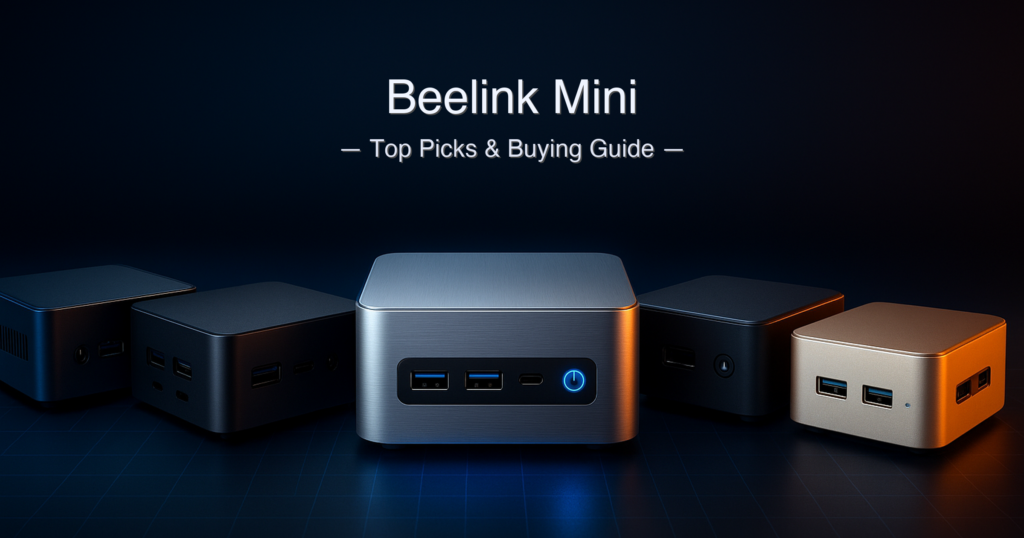
The Beelink mini PC is the name that comes up first in nearly every Reddit thread and YouTube comment section when someone asks about compact Windows desktops — but it is far from the only player worth considering. Buyers who have been through this before will tell you: “just beware the Wi-Fi on these things — use Ethernet.” That is good advice no matter which brand you choose, and it points to a deeper truth about the category.
What separates a great Beelink mini PC from a mediocre one — and from a better alternative brand — is rarely the spec sheet headline. It is the processor generation, the RAM type (soldered vs. socketed), the warranty length, and how the manufacturer handles support when something goes sideways. We pulled apart five mini PCs spanning Intel’s 12th-gen N95 all the way up to AMD’s Ryzen 5 7530U to find the models that actually deliver.
Quick answer: The GEEKOM A5 is the best Beelink mini PC alternative in 2026 — dual-slot upgradeable RAM, a 3-year warranty, quad 4K display output, and an SD card slot set it apart. The KAMRUI E3B is the runner-up for multi-display power users. The Beelink Mini S12 remains the sharpest entry-level pick for basic productivity at the lowest price tier.
What we evaluated:
- CPU generation and architecture (Zen 3 vs Zen+ vs Intel Alder Lake-N)
- RAM type and upgradeability (soldered LPDDR4X vs socketed DDR4)
- Warranty length and support reputation (1-year vs 3-year)
- Display output count and standard (dual HDMI vs triple/quad 4K)
- Networking (WiFi 5 vs WiFi 6 vs WiFi 6E, single vs dual 2.5GbE)
- Storage expandability (number of M.2 slots, additional 2.5″ bay)
Specs sourced from manufacturer product pages and cross-checked against Amazon listings and independent reviews. Conditions noted where they affect the real-world value of a specification.
Table of Contents
- Quick Picks
- Specs at a Glance
- How We Chose
- 1. GEEKOM A5 — Best Overall
- 2. KAMRUI E3B — Best for Multi-Display Power Users
- 3. GMKtec G11 — Best for Networking & Home Lab
- 4. ACEMAGIC K1 7330U — Best Budget AMD Option
- 5. Beelink Mini S12 — Best Entry-Level Pick
- Side-by-Side Comparison
- Buying Guide
- Is a Beelink Mini PC Worth It for Home Office?
- Beelink Mini S12 vs GEEKOM A5: Which Should You Buy?
- FAQ
- Final Verdict
Quick Picks: Best Beelink Mini PC and Alternatives
| # | Product | Best For | CPU | RAM | Score | Price Tier |
|---|---|---|---|---|---|---|
| 1 | GEEKOM A5 | Best Overall | Ryzen 5 7430U | 16GB DDR4 (upgradeable) | 9.5/10 | around $450–around $600 |
| 2 | KAMRUI E3B | Multi-Display Power | Ryzen 5 7530U | 16GB LPDDR4X | 9.0/10 | around $450–around $600 |
| 3 | GMKtec G11 | Networking / Home Lab | Ryzen Embedded R2514 | 16GB DDR4 (upgradeable) | 8.7/10 | around $250–around $350 |
| 4 | ACEMAGIC K1 7330U | Budget AMD | Ryzen 3 7330U | 16GB DDR4 | 8.2/10 | around $350–around $350 |
| 5 | Beelink Mini S12 | Entry-Level Office | Intel N95 | 8GB DDR4 | 7.8/10 | Under $300 |
Specs at a Glance
| Spec | GEEKOM A5 | KAMRUI E3B | GMKtec G11 | ACEMAGIC 7330U | Beelink S12 |
|---|---|---|---|---|---|
| CPU | Ryzen 5 7430U | Ryzen 5 7530U | Ryzen Embedded R2514 | Ryzen 3 7330U | Intel N95 |
| Cores / Threads | 6C / 12T | 6C / 12T | 4C / 8T | 4C / 8T | 4C / 4T |
| Boost Clock | Up to 4.5 GHz | Up to 4.5 GHz | Up to 3.7 GHz | Up to 4.3 GHz | Up to 3.4 GHz |
| RAM | 16GB DDR4 (2 slots, up to 64GB) | 16GB LPDDR4X (non-upgradeable) | 16GB DDR4 (2 slots, up to 32GB) | 16GB DDR4 | 8GB DDR4 |
| Storage | 512GB NVMe SSD | 512GB SSD | 256GB PCIe SSD | 256GB SSD | 256GB SATA3 SSD |
| Display Output | Quad 4K (2×HDMI + 2×USB-C) | Triple 4K (HDMI + DP + USB-C) | Triple 4K (2×HDMI + USB-C) | Triple 4K (HDMI + DP + USB-C) | Dual 4K (2×HDMI) |
| Wireless | WiFi 6 / BT 5.2 | WiFi 6 / BT 5.2 | WiFi 6E / BT 5.2 | WiFi 5 / BT 4.2 | WiFi 6 / BT 5.2 |
| Warranty | 3 years | ⚠️ Not confirmed (check listing) | 1 year | 3 years | 1 year |
| OS | Windows 11 Pro | Windows 11 Pro | Windows 11 Pro | Windows 11 Pro | Windows 11 Pro |
⚠️ ACEMAGIC 7330U: WiFi 5 and BT 4.2 only — considerably behind the other four products in this guide on wireless connectivity. Verify before purchase if wireless performance matters. KAMRUI E3B: LPDDR4X RAM is soldered and non-upgradeable — plan your purchase configuration carefully. GEEKOM A5 ASIN B0F2MCQ8XQ is the Ryzen 5 7430U variant despite some listing titles referencing 7730U; the 7730U is a separate ASIN on the GEEKOM product page.
How We Chose These Beelink Mini PC Picks
- CPU generation and architecture. We prioritized products with AMD Zen 3 or newer silicon — or Intel’s 12th-gen Alder Lake-N for the budget tier — because a newer architecture consistently beats an older flagship chip in real-world responsiveness and multi-core throughput.
- RAM upgradeability. Soldered LPDDR memory means you are locked into whatever configuration ships. We called out every product where this is the case and adjusted scores accordingly.
- Warranty and support transparency. A 1-year warranty from a brand that struggles to answer support emails is a meaningful risk on a compact machine you cannot easily service yourself. Products with 3-year coverage earned bonus points.
- Verified specs, not marketing claims. We cross-checked every critical spec — RAM type, GPU clock speed, WiFi standard, display output count — against manufacturer spec pages and independent reviews, not just Amazon bullet points.
1. GEEKOM A5 — Best Overall Beelink Mini PC Alternative
➡️ View the GEEKOM A5 on Amazon
Quick Verdict: The GEEKOM A5 is the most future-proof mini PC in this comparison. Dual-slot upgradeable DDR4 RAM, a genuine 3-year warranty, quad 4K display support, and an SD card slot make it the clear choice for anyone planning to use this machine for more than two years. The Ryzen 5 7430U handles everything from Zoom calls to light photo editing without complaint.
⭐⭐⭐⭐⭐ Score: 9.5 / 10
✅ Pros:
- Dual SO-DIMM DDR4 slots — upgradeable to 64GB, making it the only product in this guide where you are not boxed in by soldered RAM
- 3-year warranty with 30-day hassle-free returns — the longest coverage in this roundup by a significant margin
- Quad 4K display support via 2×HDMI and 2×USB-C — the widest display output in this guide
- SD 4.0 card slot plus an extra M.2 2242 bay and a 2.5″ HDD bay — storage flexibility no competitor here matches
- GEEKOM’s IceBlast cooling reportedly reduces fan noise by up to 40% compared to conventional fan blade designs
- PC+ABS top cover with all-metal mid-frame — withstands up to 200 kg of pressure per GEEKOM’s specs
❌ Cons:
- WiFi 6 (not 6E) — falls behind the GMKtec G11 on wireless standard, though 6 is more than adequate for most home networks
- 256GB SSD base configuration on some variants — confirm storage before purchasing your specific ASIN
- Higher price tier than the Beelink Mini S12 and GMKtec G11 — you are paying a premium for the warranty and expandability
Key Specs
| Spec | Value |
|---|---|
| CPU | AMD Ryzen 5 7430U (6C/12T, Zen 3, 7nm, up to 4.5GHz) |
| GPU | AMD Radeon Vega 7 integrated graphics |
| RAM | 16GB DDR4, dual SO-DIMM slots (upgradeable to 64GB) |
| Storage | 512GB PCIe NVMe SSD; extra M.2 2242 slot + 2.5″ HDD bay |
| Display | Quad 4K: 2×HDMI + 2×USB-C; 8K max via single output |
| Wireless | WiFi 6 / Bluetooth 5.2 |
| LAN | Gigabit Ethernet |
| Extra Ports | SD 4.0 card reader, 6×USB (USB 3.2 Gen 2 type-A + USB-C) |
| OS | Windows 11 Pro (pre-installed) |
| Warranty | 3 years (GEEKOM official) |
Who It’s For
The GEEKOM A5 is the right pick if you plan to run this as a permanent home office or small business workstation and want the option to expand RAM or storage over time. The dual-slot DDR4 design is a genuine competitive advantage — every other AMD product in this guide uses soldered LPDDR memory that you cannot touch after purchase.
The SD 4.0 card slot is a small detail that matters to photographers and anyone who regularly transfers media from cameras or drones. No other mini PC in this comparison includes one. GEEKOM’s 3-year warranty with a transparent returns policy also reflects a level of confidence in build quality that budget-oriented brands cannot match. Per GEEKOM’s official product page at geekompc.com, the A5 chassis can withstand up to 200 kg of pressure — a spec they test for, not just market.
The Ryzen 5 7430U is a solid 6-core Zen 3 chip that handles Microsoft Office, 30+ browser tabs, Zoom, and light Photoshop without thermal throttling. It is not a gaming machine and won’t replace a dedicated GPU for video rendering, but for the home office and productivity workloads this product targets, it performs exactly as needed.
Our Take: If you are spending money on a mini PC you plan to keep for three or more years, the GEEKOM A5 is the only product in this group we would recommend without qualifications. The upgradeable RAM, 3-year warranty, and quad-display output make every other product feel like a compromise by comparison. The price premium over the Beelink Mini S12 is real — but so is the difference in longevity.
Buy this if: You want the most expandable, best-warranted mini PC in this price tier — and you plan to keep it for 3+ years.
Skip this if: Your budget is firmly under $350 and you only need basic productivity — the Beelink Mini S12 or GMKtec G11 gets the job done for less.
➡️ Check current price for the GEEKOM A5 on Amazon
2. KAMRUI E3B — Best Beelink Mini PC Alternative for Multi-Display Power Users
➡️ View the KAMRUI E3B on Amazon
Quick Verdict: The KAMRUI E3B packs the Ryzen 5 7530U — a genuine 6-core Zen 3 chip that reaches 4.5GHz — alongside Radeon Vega 7 graphics, triple 4K output, and a full-function USB-C port that handles charging, 10Gbps data transfer, and 4K display simultaneously. The major caveat: 16GB of LPDDR4X RAM is soldered and non-upgradeable. Buy the configuration you need, because you cannot change it later.
⭐⭐⭐⭐⭐ Score: 9.0 / 10
✅ Pros:
- Ryzen 5 7530U (6C/12T, Zen 3, up to 4.5GHz) — the strongest per-core performance of any AMD chip in this roundup alongside the GEEKOM A5
- Full-function USB-C port supporting simultaneous charging, 10Gbps data, and 4K/60Hz display — a rare combination at this price
- Two M.2 2280 SSD slots — storage is expandable even if RAM is not
- AMD Radeon RX Vega 7 GPU at 1800MHz — capable of light 1080p gaming and smooth 4K media playback
- WiFi 6 and Bluetooth 5.2 — solid wireless standard for a productivity machine
- Tom’s Guide reviewed the KAMRUI E3B as “a budget mini PC that punches above its weight” on connectivity and performance
❌ Cons:
- RAM is soldered LPDDR4X and non-upgradeable — this is the most important caveat for this product; confirmed by both Amazon listing and KAMRUI’s store page
- No SD card slot — content creators who need one should look at the GEEKOM A5
- Warranty terms not as clearly stated as GEEKOM’s 3-year coverage — verify before purchasing
Key Specs
| Spec | Value |
|---|---|
| CPU | AMD Ryzen 5 7530U (6C/12T, Zen 3, 7nm, 15W TDP, up to 28W, up to 4.5GHz) |
| GPU | AMD Radeon RX Vega 7 (7 cores, 1800MHz) |
| RAM | 16GB LPDDR4X — soldered, non-upgradeable |
| Storage | 512GB SSD; 2×M.2 2280 slots (upgradeable to 4TB total) |
| Display | Triple 4K: HDMI 2.0 + DP 1.4 + USB-C (4K/60Hz each) |
| Wireless | WiFi 6 / Bluetooth 5.2 |
| LAN | Gigabit Ethernet |
| USB-C | Full-function: charging + 10Gbps data + 4K display |
| OS | Windows 11 Pro (pre-installed) |
| TDP | 15W base / up to 28W under sustained load |
Performance & Connectivity
The Ryzen 5 7530U in the KAMRUI E3B is the same core architecture as the GEEKOM A5’s 7430U — both are 6-core Zen 3 chips built on 7nm. The 7530U model reaches 4.5GHz boost and has a slightly higher ceiling on sustained workloads under the 28W performance mode. Real-world differences between the two chips for office tasks will be minimal; both are well ahead of the 4-core Ryzen 3 7330U in the ACEMAGIC or the Intel N95 in the Beelink Mini S12.
The full-function USB-C port deserves a specific call-out. Many mini PCs include a USB-C port that only handles data transfer. The KAMRUI E3B’s USB-C port simultaneously supports charging, 10Gbps data transfer, and 4K/60Hz display output — a genuine convenience for anyone running a single-cable docking setup. The two M.2 2280 slots mean you can expand storage significantly, which partially offsets the frustration of the fixed RAM.
One real concern for buyers: the LPDDR4X RAM is soldered and non-upgradeable. If 16GB is not enough for your workload — say, you run virtual machines, keep dozens of browser tabs open, or edit large RAW photo libraries — you cannot fix this after purchase. The GEEKOM A5 with upgradeable DDR4 slots is the better long-term investment for those users.
Our Take: The KAMRUI E3B is the sharpest value in this roundup for buyers who know exactly what they need and won’t require a RAM upgrade later. The Ryzen 5 7530U, Vega 7 graphics, triple 4K output, and multi-function USB-C port punch well above the price. The non-upgradeable RAM is a real limitation — factor it into your decision before purchasing.
Buy this if: You need triple 4K output, strong CPU performance, and a versatile USB-C port — and 16GB of RAM is enough for your workload.
Skip this if: You anticipate needing more than 16GB of RAM or want a card slot — go to the GEEKOM A5 instead.
➡️ Check current price for the KAMRUI E3B on Amazon
3. GMKtec G11 — Best Beelink Mini PC Alternative for Networking & Home Lab
➡️ View the GMKtec G11 on Amazon
Quick Verdict: The GMKtec G11 is the networking specialist in this roundup. Dual 2.5GbE LAN ports, WiFi 6E, and an AMD Ryzen Embedded R2514 rated for 24/7 continuous operation make it the natural pick for home lab, NAS, firewall, or router builds. Raw CPU performance lags behind the Ryzen 5 machines — the R2514 is older Zen+ silicon — but for the use cases this machine targets, that trade-off makes sense.
⭐⭐⭐⭐½ Score: 8.7 / 10
✅ Pros:
- Dual 2.5GbE LAN ports — the only product in this guide with two wired network ports, ideal for routing, firewall, or NAS setups
- WiFi 6E — the only product here supporting the 6GHz band for lower interference and higher throughput in congested environments
- AMD Ryzen Embedded R2514 — rated for 24/7 continuous operation in industrial and business settings, not just burst workloads
- Two DDR4 SO-DIMM slots (upgradeable to 32GB) and two M.2 2280 SSD bays — expandable memory and dual-SSD storage
- Triple 4K display via dual HDMI 2.0 + USB-C DisplayPort — covers most multi-monitor office setups
❌ Cons:
- R2514 is Zen+ architecture (older generation than Zen 3) — meaningfully slower per-core than the Ryzen 5 7430U or 7530U for general productivity tasks
- 256GB SSD in the base configuration — less storage at launch than the GEEKOM A5 or KAMRUI E3B
- Only 1-year warranty — shorter than the GEEKOM and ACEMAGIC options
- Some community reports flag GMKtec’s driver update support as inconsistent — a meaningful concern for long-term reliability
Key Specs
| Spec | Value |
|---|---|
| CPU | AMD Ryzen Embedded R2514 (4C/8T, Zen+, base 2.1GHz, boost 3.7GHz) |
| GPU | AMD Radeon Vega 8 (1200MHz) |
| RAM | 16GB DDR4 dual-channel, 2×SO-DIMM (upgradeable to 32GB) |
| Storage | 256GB PCIe SSD; 2×M.2 2280 slots (up to 16TB total) |
| Display | Triple 4K: 2×HDMI 2.0 + USB-C DisplayPort Alt Mode |
| Wireless | WiFi 6E / Bluetooth 5.2 |
| LAN | Dual 2.5GbE RJ45 |
| Performance Mode | Up to 35W via BIOS Performance Mode (press Esc at boot) |
| OS | Windows 11 Pro (pre-installed) |
| Warranty | 1 year (GMKtec) |
Networking & Home Lab Use
The G11’s two 2.5GbE ports make it genuinely useful as a compact router or firewall running pfSense or OPNsense, a NAS front-end, or a Docker host that needs fast wired throughput on both sides. No other mini PC in this roundup has dual LAN. If that capability is on your requirement list, the G11 is the only machine here that delivers it.
The AMD Ryzen Embedded R2514 is designed for 24/7 operation — a meaningful distinction from consumer mobile chips that are optimized for burst performance with recovery cycles. Per GMKtec’s official product page at gmktec.com, the R2514 is “validated for continuous operation in business, industrial and professional settings.” For a machine running as a home server or soft router, that rating matters more than peak benchmark scores.
The one processor caveat worth flagging clearly: the R2514 is Zen+ architecture, which is a generation behind the Zen 3 chips in the GEEKOM A5, KAMRUI E3B, and ACEMAGIC. For raw productivity tasks — video editing, compiling, large spreadsheets — you will feel the gap. For the network appliance and light-server workloads the G11 is designed for, the performance gap versus a Zen 3 chip is largely irrelevant.
Our Take: Buy the GMKtec G11 if and only if you need dual 2.5GbE networking or WiFi 6E. For pure productivity or desktop replacement, the GEEKOM A5 or KAMRUI E3B outperform it. For home lab, NAS, or soft-router setups, the G11 has no competition in this price range.
Buy this if: You need dual 2.5GbE LAN for networking or home lab builds and WiFi 6E for low-interference wireless.
Skip this if: General productivity and desktop replacement are your main use cases — the Ryzen 5 options will serve you better.
➡️ Check current price for the GMKtec G11 on Amazon
4. ACEMAGIC K1 Ryzen 7330U — Best Budget AMD Beelink Mini PC Alternative
➡️ View the ACEMAGIC K1 7330U on Amazon
Quick Verdict: The ACEMAGIC K1 with the Ryzen 3 7330U sits at the crossroads of budget and capability — a genuine AMD Zen 3 chip at a mid-tier price, with a 3-year warranty and triple 4K display support. The catch: the 7330U is a 4-core chip, not a 6-core like the 7530U or 7430U. WiFi 5 and BT 4.2 are also notably behind the rest of this roundup. Know what you are trading for the lower price.
⭐⭐⭐⭐☆ Score: 8.2 / 10
✅ Pros:
- AMD Ryzen 3 7330U on Zen 3 / Barcelo-R architecture — meaningfully faster per-core than the Intel N95 in the Beelink Mini S12
- 3-year warranty from ACEMAGIC — the joint-longest coverage in this guide alongside the GEEKOM A5
- Triple 4K display via HDMI 2.0 + DP 1.4 + USB-C — more display flexibility than the Beelink Mini S12’s dual HDMI
- 16GB DDR4 RAM — double the 8GB in the Beelink Mini S12
- Compact 28W TDP — quiet operation for bedroom or quiet-office environments
❌ Cons:
- WiFi 5 and BT 4.2 only — the oldest wireless standard in this roundup; the gap versus WiFi 6 in congested environments is real
- Ryzen 3 7330U is 4 cores only — buyers expecting 6-core performance from the “7000 series” branding will be disappointed; check your workload requirements
- Only 256GB SSD — the smallest storage in any AMD product in this guide; expansion requires an additional M.2 purchase
Key Specs
| Spec | Value |
|---|---|
| CPU | AMD Ryzen 3 7330U (4C/8T, Zen 3 Barcelo-R, 7nm, base 2.3GHz, up to 4.3GHz) |
| GPU | AMD Radeon Graphics (Vega 6, 1800MHz, 6 cores) |
| RAM | 16GB DDR4 |
| Storage | 256GB SSD (M.2) |
| Display | Triple 4K: HDMI 2.0 + DP 1.4 + USB-C |
| Wireless | WiFi 5 / Bluetooth 4.2 ⚠️ |
| LAN | Gigabit Ethernet (10/100/1000M) |
| USB | 6×USB 3.2 Type-A + USB-C (10Gbps + DP 1.4) |
| OS | Windows 11 Pro (pre-installed) |
| Warranty | 3 years (ACEMAGIC official) |
Important Note on the 7330U
The Ryzen 3 7330U carries AMD’s “7000 series” badge, which can mislead buyers into expecting Zen 4 architecture or 6+ cores. In reality, the 7330U is a 4-core/8-thread Barcelo-R chip (Zen 3 refresh) released in Q1 2023. Per AMD’s official spec page at amd.com, it runs a base of 2.3GHz and boosts to 4.3GHz with a 15W TDP. It is fast for a 4-core chip — noticeably quicker than the Intel N95 in the Beelink Mini S12 — but the 6-core 7430U and 7530U in the GEEKOM A5 and KAMRUI E3B are substantially faster for multi-threaded workloads.
If you regularly run multiple demanding apps simultaneously, the 2-core gap matters.
Our Take: The ACEMAGIC K1 7330U is a reasonable mid-range buy if you need a step up from the Beelink Mini S12’s Intel N95 and the 3-year warranty is important to you. The WiFi 5 limitation is a genuine downgrade versus every other product in this guide — on a machine you might use for three years, that connectivity gap is worth thinking about. For most buyers, the extra spend on the KAMRUI E3B buys two more cores and WiFi 6.
Buy this if: You need an AMD Zen 3 boost over the Intel N95 tier, want a 3-year warranty, and can live with WiFi 5 and 4 cores.
Skip this if: You need WiFi 6 or multi-threaded performance — the KAMRUI E3B or GEEKOM A5 are worth the additional spend.
➡️ Check current price for the ACEMAGIC K1 7330U on Amazon
5. Beelink Mini S12 — Best Entry-Level Beelink Mini PC Pick
➡️ View the Beelink Mini S12 on Amazon
Quick Verdict: The Beelink Mini S12 is the entry-level Beelink mini PC: Intel N95, 8GB DDR4, 256GB SATA3 SSD, 4×USB 3.2 Gen2, dual HDMI, and a 2.5G LAN port — all in a box smaller than a thick paperback. It handles web browsing, Office apps, Zoom calls, and light streaming without drama. Where it runs out of headroom is RAM (8GB is genuinely tight with modern browsers) and its SATA SSD (slower than NVMe by a meaningful margin). A 1-year warranty is the shortest in this roundup.
⭐⭐⭐⭐☆ Score: 7.8 / 10
✅ Pros:
- The most affordable mini PC in this roundup — the sharpest entry point for buyers who only need basic productivity
- 4×USB 3.2 Gen2 (10Gbps) ports — more high-speed USB ports than many machines at twice the price
- 2.5G LAN — faster wired networking than Gigabit-only machines
- WiFi 6 and BT 5.2 — modern wireless standard for this price tier
- Compact footprint (115×102×39mm) and quiet cooling — genuinely small and unobtrusive behind a monitor
❌ Cons:
- 8GB DDR4 RAM — manageable for single-task light work but tight with a modern browser and multiple tabs open
- 256GB SATA3 SSD — slower than the NVMe drives in every other product in this roundup; noticeable in large file transfers
- 1-year warranty only — the shortest coverage in this guide; community reports on Beelink firmware support after sale are mixed
- Dual HDMI only — no USB-C display output, no triple monitor support
Key Specs
| Spec | Value |
|---|---|
| CPU | Intel Alder Lake-N N95 (4C/4T, 10nm, up to 3.4GHz) |
| GPU | Intel UHD Graphics (16EU, up to 1.2GHz) |
| RAM | 8GB DDR4 (single channel) |
| Storage | 256GB SATA3 SSD (M.2 2280) |
| Display | Dual 4K: 2×HDMI 2.0 (4K/60Hz) |
| Wireless | WiFi 6 / Bluetooth 5.2 |
| LAN | 2.5GbE RJ45 |
| USB | 4×USB 3.2 Gen2 (10Gbps) + 1×Audio jack + 1×DC jack |
| OS | Windows 11 Pro (pre-installed) |
| Warranty | 1 year (Beelink) |
Who the Beelink Mini S12 Is For
The Beelink Mini S12 makes the most sense as a secondary PC, a dedicated media server tucked behind a TV, a light HTPC, or a first mini PC for someone who primarily uses a web browser and office apps. The Intel N95 — manufactured on Intel’s 10nm process — handles streaming, Zoom calls, and document work without thermal issues. The compact design (roughly the size of a small book) and quiet fan make it easy to mount behind a monitor with the included VESA bracket.
The 8GB RAM limitation is the main point to stress. Modern browsers are aggressive memory consumers, and 8GB can feel tight if you work across multiple tabs, a video call, and a document simultaneously. Users who need more headroom should either budget for the step up to a 16GB model or move to the ACEMAGIC or higher-tier options. Per Beelink’s official product page at bee-link.com, the Mini S12 N95 supports up to 16GB DDR4 via a single SO-DIMM slot — so a RAM upgrade is possible if you are comfortable opening the case.
Our Take: The Beelink Mini S12 earns its popularity at the entry-level — it delivers exactly what it promises for basic productivity at the lowest price in this roundup. The 1-year warranty and SATA3 SSD are clear step-downs from the competition above it, and the 8GB RAM ceiling will frustrate power users. For HTPC, light office, or second-PC duty, it remains a reasonable value.
Buy this if: Budget is the primary constraint, and your use case is genuinely light — web, Office, Zoom, and streaming.
Skip this if: You regularly run multiple demanding applications, need triple monitor output, or want more than a 1-year warranty.
➡️ Check current price for the Beelink Mini S12 on Amazon
Side-by-Side Comparison: Beelink Mini PC vs Alternatives
| Feature | GEEKOM A5 | KAMRUI E3B | GMKtec G11 | ACEMAGIC 7330U | Beelink S12 |
|---|---|---|---|---|---|
| RAM Upgradeable? | ✅ Yes (up to 64GB) | ❌ No (soldered) | ✅ Yes (up to 32GB) | ⚠️ Single slot | ⚠️ Single slot (up to 16GB) |
| SSD Type | NVMe PCIe | NVMe PCIe | PCIe | M.2 | SATA3 (slower) |
| Extra M.2 Slot | ✅ Yes + 2.5″ HDD bay | ✅ 2×M.2 2280 | ✅ 2×M.2 2280 | ✅ Yes | ✅ Yes (2.5″ SATA) |
| Dual LAN | ❌ No | ❌ No | ✅ Dual 2.5GbE | ❌ No | ❌ No |
| SD Card Slot | ✅ SD 4.0 | ❌ No | ❌ No | ❌ No | ❌ No |
| Warranty | 3 years | ⚠️ Verify | 1 year | 3 years | 1 year |
| USB-C Display Out | ✅ 2×USB-C | ✅ Full-function | ✅ USB-C DP | ✅ USB-C DP 1.4 | ❌ No |
| WiFi Standard | WiFi 6 | WiFi 6 | WiFi 6E | WiFi 5 ⚠️ | WiFi 6 |
| Price Tier | around $450–around $600 | around $450–around $600 | around $250–around $350 | around $350–around $350 | Under $300 |
Buying Guide: How to Choose the Right Beelink Mini PC
CPU Generation: Architecture Matters More Than Clock Speed
The processor generation gap between the Beelink Mini S12’s Intel N95 and the AMD Zen 3 chips in the top four products is significant. The N95 is a capable low-power chip for light work; the Ryzen 3 7330U adds two more threads and a notably faster IPC. The Ryzen 5 7430U and 7530U add two more physical cores on top of that. For multi-tab browsing and single-app use, any of these chips feels responsive.
For sustained multi-threaded workloads — batch photo editing, video encoding, running multiple apps simultaneously — the 6-core Ryzen 5 chips pull ahead by a margin you will actually notice.
RAM: Soldered vs. Socketed Is the Most Important Decision
Of the five products here, two have upgradeable RAM via standard SO-DIMM slots (GEEKOM A5 up to 64GB, GMKtec G11 up to 32GB). Two others have single-channel soldered or single-slot configurations that limit your ceiling. The KAMRUI E3B’s LPDDR4X is soldered and non-upgradeable — full stop. If there is any chance your needs will exceed 16GB of RAM in the next two to three years, buy the GEEKOM A5 and upgrade later rather than replacing the whole machine.
Display Output: Dual vs. Triple vs. Quad
The Beelink Mini S12 supports dual 4K monitors only via two HDMI ports — no USB-C display output. Every other product here supports triple 4K output. The GEEKOM A5 supports four independent 4K displays via 2×HDMI and 2×USB-C — the broadest output in this group. If you run a two-monitor setup, any product here works. If you run three or more monitors, eliminate the Beelink Mini S12 from consideration.
Wireless Connectivity: Know What You Are Getting
The ACEMAGIC K1 7330U ships with WiFi 5 and Bluetooth 4.2 — noticeably older than every other product in this roundup. If your workspace is crowded with wireless devices or you rely on Bluetooth peripherals that need 5.0+ features, this matters. The GMKtec G11 is the only product with WiFi 6E, which adds the 6GHz band for lower congestion and higher theoretical throughput. For most home networks, WiFi 6 (on the GEEKOM A5, KAMRUI E3B, and Beelink Mini S12) is more than adequate.
Warranty: The Spec That Gets Overlooked
Warranty length is the spec buyers check last — and the one they regret ignoring most. These are relatively compact machines without easy access to every component. A 3-year warranty from GEEKOM or ACEMAGIC offers meaningful protection. A 1-year warranty from Beelink or GMKtec means you are on your own if a component fails in year two. Community discussions about mini PC brands consistently note that GEEKOM has among the strongest post-sale support track records.
Warranty Comparison Table
| Brand / Model | Warranty | Notes |
|---|---|---|
| GEEKOM A5 | 3 years | Includes 30-day hassle-free returns; FCC, UL, ENERGY STAR certified per GEEKOM listing |
| KAMRUI E3B | ⚠️ Verify at purchase | KAMRUI store page varies by model; confirm before buying |
| GMKtec G11 | 1 year | GMKtec warranty; driver support reputation is mixed per community reports |
| ACEMAGIC K1 7330U | 3 years | 3-year quality assurance confirmed on Amazon listing; 24/7 technical support stated |
| Beelink Mini S12 | 1 year | Standard Amazon Beelink warranty; firmware update support varies by product line |
Price Tiers and Value Positioning
The Beelink Mini S12 is the entry-level pick for buyers whose budget is firmly constrained and whose workload is genuinely light. The GMKtec G11 and ACEMAGIC K1 7330U occupy the mid-tier — each with a specific strength (dual LAN vs. 3-year warranty + AMD). The KAMRUI E3B and GEEKOM A5 sit at the top of this comparison in terms of CPU performance and features. The GEEKOM A5’s premium over the Beelink Mini S12 is real — but so is the gap in expandability, warranty, and display output.
Is a Beelink Mini PC Worth It for Home Office in 2026?
For most home office users, yes — a Beelink mini PC or one of its alternatives represents a genuinely compelling alternative to a traditional desktop. Modern AMD Ryzen chips in compact chassis deliver enough multi-core performance for Microsoft Office, video conferencing, 4K media playback, light photo editing, and web development. The space savings (most of these machines fit in a palm) and the ability to VESA-mount behind a monitor are real quality-of-life improvements.
The caveats are specific and predictable. Mini PCs use mobile-class chips with thermal envelopes that cap sustained performance below what a desktop tower with the same chip spec sheet would deliver. They have no slots for a dedicated GPU, so 3D rendering, machine learning, and AAA gaming at high settings are not practical. If your work requires a discrete GPU or frequently sustains 100% CPU load for hours at a time, a traditional desktop remains the better tool.
For the 90% of home office use cases that do not involve those workloads, a Ryzen 5-powered mini PC handles the day’s work cleanly, quietly, and in a fraction of the desk footprint. As How-To Geek notes in their mini PC overview, these machines “can do everything a desktop PC can, unless we’re talking about workloads that require powerful desktop-class GPUs.”
Beelink Mini S12 vs GEEKOM A5: Which Should You Buy?
This is the comparison most buyers in this category ultimately face — the entry-level Beelink mini PC versus the top-tier alternative. The answer depends almost entirely on how long you plan to keep the machine and how demanding your workload actually is.
The Beelink Mini S12’s Intel N95 is a capable but 4-core, single-threaded chip with 8GB of RAM. For a secondary TV PC, a dedicated streaming box, or very light office duty, it does the job without drama. The moment you start running multiple applications, large browser sessions, or anything approaching creative work, the RAM ceiling and SATA SSD speed become friction you notice every day.
The GEEKOM A5 costs meaningfully more, but the jump buys you: a 6-core Zen 3 processor, 16GB of upgradeable DDR4 RAM (expandable to 64GB), a faster NVMe SSD, quad 4K display support, an SD card slot, and a 3-year warranty. If this is your primary daily driver — the machine you use to run your home office, manage your business, or edit photos — the GEEKOM A5 earns its premium. If this is a secondary or spare machine used for casual browsing and streaming, the Beelink Mini S12 is the smarter spend.
FAQ: Beelink Mini PC and Compact Desktops
Is a mini PC worth buying in 2026?
For most buyers, yes. Modern mini PCs with AMD Ryzen or Intel 12th-gen processors deliver enough performance for web browsing, office productivity, video conferencing, and 4K media playback in a chassis that fits behind your monitor. They consume far less power than traditional desktops and generate less heat. The exception is workloads requiring a dedicated GPU — 3D rendering, AAA gaming, or machine learning training — where a full desktop tower remains the better tool.
Can a mini PC replace a desktop computer?
In most home office and productivity scenarios, yes. Mini PCs like the GEEKOM A5 and KAMRUI E3B run full Windows 11 Pro, support multiple 4K displays, and handle demanding multi-tasking comfortably. The limit is GPU-intensive workloads — these machines use integrated graphics only, with no slot for a dedicated card. For word processing, spreadsheets, video calls, coding, and light creative work, a Ryzen 5 mini PC is a full desktop replacement with zero meaningful compromise.
What is the difference between a Beelink mini PC and a regular desktop?
A Beelink mini PC uses a laptop-class mobile CPU and integrated GPU inside a compact chassis typically smaller than a hardcover book. A regular desktop uses full-size desktop processors, replaceable dedicated graphics cards, and multiple PCIe expansion slots. Mini PCs consume far less power (15–35W typical vs. 150–300W+ for a gaming desktop), produce less heat, and take up far less desk space. They cannot accept a discrete GPU or most standard desktop expansion cards.
How long does a mini PC last?
A well-made mini PC with a Ryzen 5 Zen 3 or newer chip should remain capable for 4–6 years of office workloads before the performance gap to current hardware becomes genuinely limiting. Products with upgradeable RAM and storage — like the GEEKOM A5 — extend useful life further by allowing configuration improvements over time. The limiting factor is typically the warranty and manufacturer support; a 3-year warranty from GEEKOM or ACEMAGIC is a meaningful signal of expected longevity.
What is the best Beelink mini PC for home office use?
Among pure Beelink models, the Mini S12 in this roundup covers basic home office duty, but the best Beelink mini PC alternative for most home office users in 2026 is the GEEKOM A5 — due to its 3-year warranty, upgradeable DDR4 RAM, quad 4K display support, and SD card slot. If budget is the primary driver and workloads are light, the Beelink Mini S12 still delivers solid value at the entry price tier.
Are mini PCs good for gaming?
Mini PCs handle light gaming at 1080p medium settings on integrated graphics — titles like Fortnite, League of Legends, Counter-Strike 2, and similar eSports games run playably on Radeon Vega 7 or Vega 8 graphics. The KAMRUI E3B and GEEKOM A5 with Vega 7 at 1800MHz are the strongest options here for casual gaming. AAA titles at high settings, 4K gaming, or anything requiring ray tracing is not realistic on integrated graphics — those workloads belong on a gaming PC with a dedicated GPU.
Final Verdict
GEEKOM A5 — Best Overall: The GEEKOM A5 is the Beelink mini PC alternative we would buy for a primary home office machine. Upgradeable DDR4 RAM, a 3-year warranty, quad 4K display output, and an SD slot make it the most future-proof choice here. Check current price on Amazon.
KAMRUI E3B — Best for Power Users: The Ryzen 5 7530U, Vega 7 graphics, and multi-function USB-C port make the KAMRUI E3B the strongest all-around performer in this group — just confirm 16GB of RAM is enough before you buy, because you cannot add more later. Check current price on Amazon.
GMKtec G11 — Best for Home Lab: If dual 2.5GbE LAN and WiFi 6E are on your requirement list, the G11 is the only machine here that delivers them. The older Zen+ architecture is a trade-off worth accepting for networking-focused use cases. Check current price on Amazon.
ACEMAGIC K1 7330U — Best Budget AMD with 3-Year Warranty: The Ryzen 3 7330U gives you genuine Zen 3 performance above the Intel N95 tier, with a 3-year warranty that most brands at this price skip. The WiFi 5 limitation is real — weigh it carefully. Check current price on Amazon.
Beelink Mini S12 — Best Entry-Level: For basic productivity, HTPC duty, or a secondary machine at the lowest price in this roundup, the Beelink Mini S12 remains a solid entry point. Know its RAM and SSD limitations going in. Check current price on Amazon.
MasteriTech
MasteriTech publishes spec-driven comparisons and clear buying guidance for everyday tech buyers — cutting through marketing claims with verified specifications and structured editorial analysis.
https://masteritech.com/about/
Published: August 14, 2026