MasteriTech

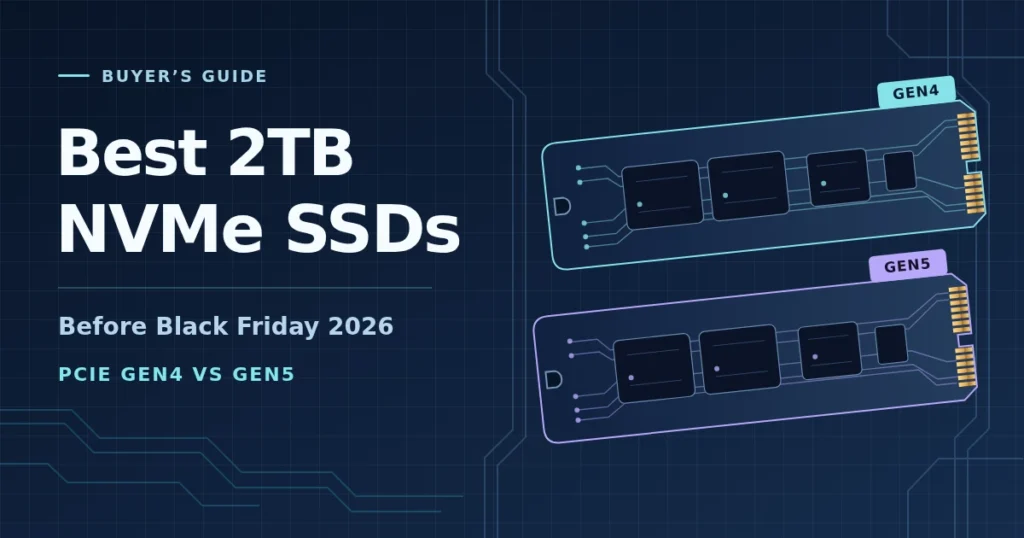
If you’re uninstalling games to make room for the next one, a 2TB NVMe SSD is a practical upgrade. For most gaming PCs, start with a well-priced Gen4 drive. Pay extra for Gen5 if your PC has a Gen5 ×4 M.2 slot and you regularly move large projects between fast drives.
As an Amazon Associate I earn from qualifying purchases. Read our affiliate disclosure.
Buy now or wait for Black Friday?
If you have enough space to get through the week, wait until Black Friday, November 27, and compare the same 2TB models. Write down today’s delivered price, including a heatsink if you’ll need one. Check the seller, return window and warranty at the same time. If a game or project needs space now and you find a competitive Gen4 price, don’t put it off for a sale that might not materialize.
TrendForce reported a recent fall in NAND spot prices and forecast that overall NAND contract prices would decline starting in early 2027. That describes the component market. It doesn’t establish what an Amazon seller will charge next week or whether any of these drives is at a historical low.
Five 2TB NVMe SSDs compared
All five are M.2 2280 NVMe drives. The table shows manufacturer-rated peak sequential speeds for the 2TB models, not measured game loads. TBW means terabytes written, a rated endurance figure commonly tied to the warranty.
| 2TB model | PCIe interface | Max read / write (MB/s) | Endurance (TBW) | Compare it for |
|---|---|---|---|---|
| BIWIN Black Opal NV7400 | Gen4 ×4 | 7,450 / 6,500 | 2,000 | Gen4 value and larger file copies |
| Acer Predator GM7 | Gen4 ×4 | 7,200 / 6,300 | 1,200 | Mainstream gaming upgrade |
| Samsung 9100 PRO | Gen5 ×4 | 14,700 / 13,400 | 1,200 | Frequent large transfers |
| Lexar NM790 | Gen4 ×4 | 7,400 / 6,500 | 1,500 | Gaming and project storage |
| Lexar NQ780 | Gen4 ×4 | 7,000 / 5,000 | 1,200 | A game library at the right price |
BIWIN Black Opal NV7400: Start here for Gen4 value
This is the first model to price-check for a gaming PC that also sees large file copies. Its manufacturer datasheet gives it the highest rated endurance of these five. In Tom’s Hardware’s 2TB test, sequential writes ran at about 5.84 GB/s for 58 seconds in the fast cache, fell to about 2.6 GB/s when writing directly to TLC flash, then fell below 0.9 GB/s during cache folding. If you regularly move hundreds of gigabytes, don’t budget around the box speed holding throughout.
Check the BIWIN Black Opal NV7400 2TB on Amazon US
Acer Predator GM7: A straightforward gaming upgrade
The Predator capacity table lists the 2TB model at up to 7,200 MB/s read. The 7,400 MB/s headline applies to the 4TB model. Compare the GM7 with the NV7400 on delivered price, seller and cooling rather than a few hundred MB/s on paper. For PS5, make sure the exact drive and cooling solution meet Sony’s requirements.
Check the Acer Predator GM7 2TB on Amazon US
Samsung 9100 PRO: For frequent large transfers
The Samsung capacity table rates the 2TB version at 14,700 MB/s read and 13,400 MB/s write. It can run in a compatible Gen4 or Gen3 ×4 NVMe slot at lower speeds. The linked model is the bare drive, so plan for M.2 cooling.
In Tom’s Hardware’s 9100 PRO 2TB tests, it beat most of the Gen4 drives tested on a 50 GB transfer. In a separate sustained test it averaged about 12.9 GB/s in cache and just under 1.9 GB/s after it filled. Gen5 is easier to justify when transfers are a recurring bottleneck, not for an ordinary game library.
Check the Samsung 9100 PRO 2TB on Amazon US
Lexar NM790: A balanced Gen4 option
The Lexar NM790 2TB is a TLC option for games and project files. Compare it with the NV7400 when their delivered prices are close. If you’re buying for PS5, add a verified compatible heatsink to this bare model or choose a separately verified heatsink version.
Check the Lexar NM790 2TB on Amazon US
Lexar NQ780: Buy it for capacity if the price is right
The Lexar NQ780 2TB makes more sense when it costs meaningfully less than the NM790 or NV7400. PCWorld tested the 4TB NQ780 and found writes slowed substantially after its cache filled. That isn’t a result for the 2TB model; if you regularly write large projects, look for a capacity-matched test before choosing.
Check the Lexar NQ780 2TB on Amazon US
Gen4 vs. Gen5: Will games load faster?
TechSpot tested game loads across PCIe generations using different drives from these five. Results were title-dependent and differences among NVMe drives were often small. For example, in the tested Ratchet & Clank: Rift Apart portal sequence the Gen5 and Gen3 drives were almost identical. Don’t equate a higher sequential rating with twice-as-fast loads or higher FPS.
What to check before you order
Desktop or laptop: Check that the slot accepts M.2 2280 PCIe NVMe, not just M.2 SATA. Confirm PCIe generation, lane count, possible lane sharing and physical clearance before buying.
PS5: Sony specifies Gen4 ×4 M-key NVMe, recommends a sequential read rating of 5,500 MB/s or higher and requires an effective cooling structure. Check the drive and heatsink together against Sony’s size limits.
Seller and warranty: Verify the exact SKU, seller, US warranty and return terms. Compare delivered costs. Since all five are 2TB, the lowest like-for-like delivered price is also the lowest price per TB.
Bottom line: For a gaming PC, price-check the NV7400, GM7 and NM790 first. Consider the NQ780 if it’s meaningfully cheaper. Choose the 9100 PRO if you already have the hardware and move enough large files to use it. If you can wait until November 27, compare current offers for the exact models before buying.
This guide compares US model specifications and independently published tests. MasteriTech did not conduct a five-drive hands-on test. For other capacities and price tiers, see our internal SSD buying guide.