MasteriTech
By MasteriTech · Est. read time: 9 minutes
MasteriTech is a participant in the Amazon Services LLC Associates Program. As an Amazon Associate, we may earn from qualifying purchases at no extra cost to you. Read our full affiliate disclosure.
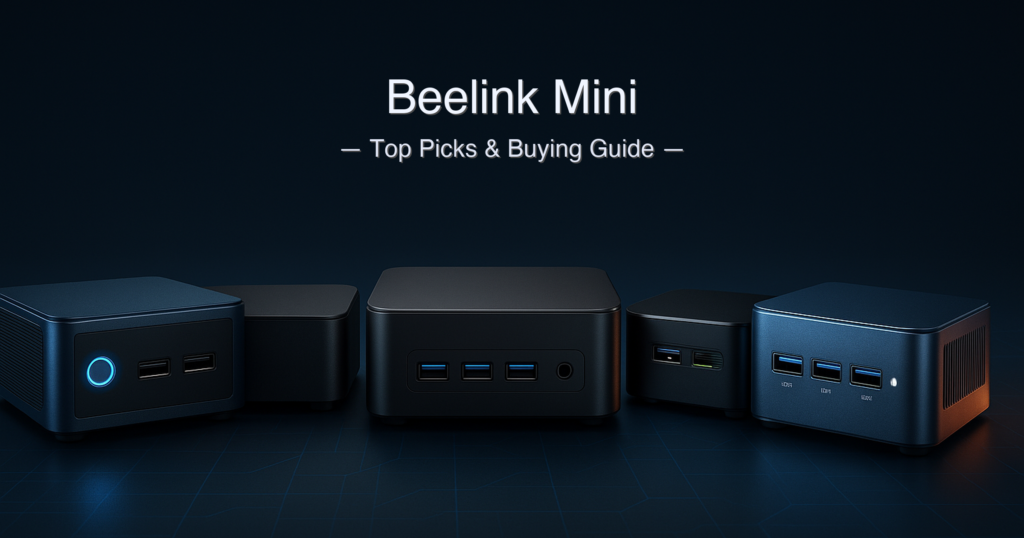
The Beelink mini PC is the name most buyers type first — and for good reason. Beelink’s SER series has spent years delivering AMD Ryzen performance in palm-sized boxes that sit quietly behind a monitor. But the market has moved fast. In 2026, GEEKOM, GMKtec, ACEMAGIC, and BOSGAME are shipping hardware that goes head-to-head with Beelink on specs and undercuts it on price in several tiers.
We’ve seen the forums: people who replaced a decade-old tower with a mini PC and never looked back, and people who wish someone had warned them about soldered RAM or throttled TDP limits before they clicked Buy. This guide saves you that research.
Quick answer: The GEEKOM AX8 Max is the top Beelink mini PC alternative of 2026 — its Zen 4 Ryzen 7 8745HS, DDR5 RAM, dual USB4, and 3-year warranty make it the clearest all-round winner. For a genuine Beelink mini PC with the best warranty in the category, the Beelink SER5 Pro 5625U is our pick at the mid-range tier.
What we evaluated
- CPU generation and architecture (Zen 3 vs Zen 4)
- RAM type and upgradeability (DDR4 SO-DIMM vs LPDDR4X soldered vs DDR5 SO-DIMM)
- Connectivity: Wi-Fi generation, LAN speed, USB version
- Display output capability (triple 4K vs quad display)
- Warranty duration (1-year vs 3-year)
- Price tier and value for the spec level
Specs cross-referenced from manufacturer pages, TechPowerUp, and community deal trackers. All prices shown as tiers — check current Amazon pricing via the links below.
Table of Contents
- Quick Picks
- Specs at a Glance
- How We Chose
- 1. GEEKOM AX8 Max — Best Overall
- 2. GMKtec NucBox M5 Plus — Best Value Powerhouse
- 3. Beelink SER5 Pro 5625U — Best Beelink Mini PC
- 4. ACEMAGIC K1 Ryzen 7 7730U — Best for Light Gaming
- 5. BOSGAME E5 Ryzen 3 5300U — Best Budget Entry
- Side-by-Side Comparison
- Buying Guide
- Is a Beelink Mini PC Worth It Compared to a Tower PC?
- Beelink SER5 Pro vs GMKtec M5 Plus
- FAQ
- Final Verdict
Quick Picks
| # | Product | Best For | CPU | RAM / Storage | Score | Price Tier |
|---|---|---|---|---|---|---|
| 1 | GEEKOM AX8 Max | Best Overall | Ryzen 7 8745HS (Zen 4) | 16GB DDR5 / 1TB PCIe 4 | 9.5 / 10 | Premium (around $600+) |
| 2 | GMKtec NucBox M5 Plus | Best Value Powerhouse | Ryzen 7 5825U (Zen 3) | 32GB DDR4 / 1TB PCIe 3 | 8.7 / 10 | Mid-High (around $450–around $600) |
| 3 | Beelink SER5 Pro 5625U | Best Beelink Mini PC | Ryzen 5 5625U (Zen 3) | 16GB DDR4 / 480GB PCIe 3 | 8.4 / 10 | Mid-Range (around $350–around $450) |
| 4 | ACEMAGIC K1 7730U | Best for Light Gaming | Ryzen 7 7730U (Zen 3) | 16GB LPDDR4X / 512GB | 8.1 / 10 | Mid-High (around $450–around $600) |
| 5 | BOSGAME E5 5300U | Best Budget Entry | Ryzen 3 5300U (Zen 3) | 16GB DDR4 / 512GB PCIe 3 | 7.6 / 10 | Entry (around $250–around $350) |
Specs at a Glance
| Spec | GEEKOM AX8 Max | GMKtec M5 Plus | Beelink SER5 Pro | ACEMAGIC K1 | BOSGAME E5 |
|---|---|---|---|---|---|
| CPU | Ryzen 7 8745HS | Ryzen 7 5825U | Ryzen 5 5625U | Ryzen 7 7730U | Ryzen 3 5300U |
| Architecture | Zen 4 (4nm) | Zen 3 (7nm) | Zen 3 (7nm) | Zen 3 (7nm) | Zen 3 (7nm) |
| Cores / Threads | 8C / 16T | 8C / 16T | 6C / 12T | 8C / 16T | 4C / 8T |
| Boost Clock | Up to 5.1 GHz | Up to 4.5 GHz | Up to 4.3 GHz | Up to 4.5 GHz | Up to 3.8 GHz |
| RAM (installed) | 16GB DDR5 | 32GB DDR4 | 16GB DDR4 | 16GB LPDDR4X ⚠️ | 16GB DDR4 |
| Storage | 1TB PCIe Gen 4 | 1TB PCIe Gen 3 | 480GB PCIe Gen 3 | 512GB M.2 | 512GB PCIe Gen 3 |
| iGPU | Radeon 780M (RDNA 3) | Radeon Vega 8 | Radeon 7-core 1800MHz | Radeon Vega 8 | Radeon 6-core 1500MHz |
| Display outputs | Quad (2×HDMI + 2×USB4) | Triple 4K | Triple 4K | Triple 4K | Triple 4K |
| Wi-Fi | Wi-Fi 6E | Wi-Fi 6E | Wi-Fi 6 | Wi-Fi 6 | Wi-Fi 5 |
| LAN | Dual 2.5GbE | Dual 2.5GbE | 1× 2.5GbE | 1× 2.5GbE | Dual 2.5GbE |
| USB4 / Thunderbolt | 2× USB4 (40Gbps) | None | None | None | None |
| Warranty | 3 years | 1 year | 3 years | 1 year | 1 yr machine / 3 yr parts |
⚠️ ACEMAGIC K1 RAM note: The 16GB LPDDR4X is soldered to the motherboard and cannot be upgraded — confirmed on the ACEMAGIC official product page. All other machines use SO-DIMM slots and support RAM expansion. BOSGAME E5 (ASIN B0CNPD2V3G) ships with 16GB DDR4 in this configuration; verify your specific listing variant before purchase.
How We Chose
- CPU generation matters more than clock speed. A Zen 4 chip at 5.1 GHz does more per clock than a Zen 3 chip at 4.5 GHz. We ranked architecture first, then multi-core throughput.
- RAM type and upgradeability. DDR5 SO-DIMM (GEEKOM) and DDR4 SO-DIMM (Beelink, GMKtec, BOSGAME) are user-upgradeable. LPDDR4X soldered (ACEMAGIC K1) is not — an important distinction most guides skip.
- Warranty as a trust signal. A 3-year warranty from a brand willing to back its hardware for that long says something about build confidence. We weight it in our scores.
- Real connectivity, not theoretical ports. Wi-Fi 5 vs Wi-Fi 6 vs Wi-Fi 6E affects daily throughput. USB4 (40Gbps) opens eGPU and fast storage options no other machine here offers.
1. GEEKOM AX8 Max — Best Overall Beelink Mini PC Alternative
Quick Verdict: The most capable mini PC in this guide by a clear margin. Zen 4 performance, DDR5 memory, dual USB4 ports, quad-display output, and a 3-year warranty justify the premium tier price tag. If you’ve been on the fence between a Beelink mini and something more future-proof, this is the machine that ends that conversation.
⭐⭐⭐⭐⭐ Score: 9.5 / 10
✅ Pros:
- Zen 4 Ryzen 7 8745HS boosts to 5.1 GHz — fastest CPU in this guide by architecture generation
- Dual USB4 (40Gbps) ports support external GPU docks and 8K displays — unique at this form factor
- Quad-display output (2×HDMI + 2×USB4 via DP Alt mode) — the only machine here that drives four screens
- DDR5-5600 SO-DIMM (user-upgradeable to 64GB) and PCIe Gen 4 NVMe SSD
- Aircraft-grade aluminum chassis with IceBlast 2.0 cooling — three performance modes via BIOS
- 3-year limited warranty from GEEKOM — strongest coverage in this guide
- SD card slot — useful for photographers and content creators
❌ Cons:
- Highest price tier in this guide — a significant step above the Beelink mini and GMKtec options
- Ships with only 16GB DDR5 in the listed ASIN (B0DSPB26NK) — 32GB configurations exist but cost more
- Single M.2 PCIe slot for primary NVMe storage — no second NVMe slot without using the 2.5″ SATA bay
- No USB4 on the front panel — both 40Gbps ports are rear-facing
Key Specs
| Spec | Value |
|---|---|
| CPU | AMD Ryzen 7 8745HS, 8C/16T, up to 5.1 GHz (Zen 4, 4nm) |
| iGPU | Radeon 780M (RDNA 3, 12 CUs, up to 2900 MHz) |
| RAM | 16GB DDR5-5600 SO-DIMM (upgradeable to 64GB) |
| Storage | 1TB NVMe PCIe Gen 4 (single M.2 2280 slot) |
| Display | Quad: 2×HDMI + 2×USB4 (DP Alt); supports 8K single display |
| Networking | Dual 2.5GbE LAN, Wi-Fi 6E, Bluetooth 5.2 |
| USB | 2×USB4 (40Gbps), 4×USB 3.2 Gen 2 Type-A, 1×USB 2.0 |
| OS | Windows 11 Pro (pre-installed) |
| Dimensions | ~135 × 132 × 47mm |
| Warranty | 3 years (GEEKOM official) |
Performance & Real-World Use
The TechPowerUp review of the AX8 Max found Cinebench 2024 multi-core scores competitive with Intel Core Ultra 7 class systems, while Radeon 780M iGPU scores in 3DMark Night Raid land at 29,587 overall — enough for casual 1080p gaming in titles like League of Legends and CS2. The Zen 4 architecture gives it a clear generational lead over the Zen 3 machines elsewhere in this guide.
The dual 2.5GbE ports are genuinely useful for NAS builds, link aggregation, or running isolated network segments — a feature shared with the GMKtec M5 Plus and BOSGAME E5, but rare at any price. The IceBlast 2.0 cooling keeps noise impressively low: quiet mode runs fanless for light office work, while performance mode lets the chip stretch to its full 5.1 GHz boost.
Our Take: The GEEKOM AX8 Max is the answer to “what should I buy if I want a Beelink mini but want the best possible hardware?” Zen 4, USB4, DDR5, quad displays, and a 3-year warranty in a premium metal chassis — it outclasses every other machine in this guide and earns its price tier. The 16GB RAM ceiling on the base ASIN is worth noting; if your workload involves VMs or heavy multitasking, budget for the 32GB variant.
Buy this if: you want the most capable AMD mini PC under $700 with future-proof USB4 and a proper warranty.
Skip this if: you’re on a tight budget or need more than 16GB RAM without paying extra.
➡️ Check current price on Amazon — GEEKOM AX8 Max
2. GMKtec NucBox M5 Plus — Best Value Powerhouse
View GMKtec NucBox M5 Plus on Amazon
Quick Verdict: Ships with 32GB DDR4 and 1TB storage at a mid-high price — more RAM out of the box than any other machine here. Ryzen 7 5825U is a proven 8-core Zen 3 chip, Wi-Fi 6E is a genuine bonus at this tier, and dual 2.5GbE makes it homelab-ready. The 1-year warranty is the weakest point.
⭐⭐⭐⭐½ Score: 8.7 / 10
✅ Pros:
- 32GB DDR4 installed out of box — the most RAM of any machine in this guide at its price tier
- 1TB PCIe 3.0 NVMe SSD included — no day-one storage upgrade needed
- Wi-Fi 6E (triple-band 2.4/5/6GHz) — faster and less congested wireless than Wi-Fi 6
- Dual 2.5GbE LAN — supports NAS, link aggregation, or dual-network configurations
- Dual M.2 2280 slots — expand storage to 4TB without adapters
- Expandable to 64GB DDR4 via two SO-DIMM slots
❌ Cons:
- Only 1-year warranty — shortest coverage among the top three machines here
- No USB4 — limited to USB 3.2 Gen 2 for external high-speed devices
- Amazon listing title (B0CD7Y4C5Y) says “16GB RAM 512GB SSD” but bullets confirm 32GB/1TB — verify your variant at checkout ⚠️
- Radeon Vega 8 iGPU (older RDNA 1 architecture) — weaker gaming performance than ACEMAGIC K1’s Vega 8
Key Specs
| Spec | Value |
|---|---|
| CPU | AMD Ryzen 7 5825U, 8C/16T, up to 4.5 GHz (Zen 3, 7nm) |
| iGPU | Radeon Vega 8 (8 CUs, up to 2000 MHz) |
| RAM | 32GB DDR4-3200 SO-DIMM (upgradeable to 64GB) |
| Storage | 1TB PCIe Gen 3 M.2 2280 (dual M.2 slots, up to 4TB) |
| Display | Triple 4K@60Hz via HDMI + DP + USB-C |
| Networking | Dual 2.5GbE, Wi-Fi 6E, Bluetooth 5.2 |
| USB | 2×USB 3.2, 2×USB 2.0, 1×USB-C (PD/DP) |
| OS | Windows 11 Pro |
| Dimensions | ~128 × 127 × 47mm |
| Warranty | 1 year (GMKtec official) |
Who It’s For
The M5 Plus is the pick for buyers who want to buy once and not think about RAM again. Developers running Docker containers, users running Proxmox with multiple VMs, or small-office setups that need dual-LAN routing will find the 32GB/1TB configuration genuinely ready to work from day one. The GMKtec official product page confirms dual M.2 slots and expandability to 64GB RAM.
The Ryzen 7 5825U is a capable Zen 3 chip — not the newest architecture, but proven stable and efficient. Where it falls short relative to the GEEKOM is the iGPU: Vega 8 is a generation behind the 780M and the Vega 8 for gaming or GPU-accelerated tasks. If gaming or creative GPU work is important, step up or look at the ACEMAGIC K1 instead.
Our Take: If raw out-of-box spec value is your priority, the GMKtec M5 Plus wins outright — 32GB DDR4, 1TB NVMe, Wi-Fi 6E, and dual 2.5GbE at a mid-high price is a combination no Beelink mini at this tier matches. The 1-year warranty and older Vega 8 iGPU are the two honest downsides. Buy through Amazon for buyer protection given GMKtec’s minimal support reputation.
Buy this if: you want maximum pre-installed RAM and storage without a premium chassis price.
Skip this if: warranty longevity or GPU performance matters more than raw storage spec.
➡️ Check current price on Amazon — GMKtec NucBox M5 Plus
3. Beelink SER5 Pro 5625U — Best Beelink Mini PC
View Beelink SER5 Pro on Amazon
Quick Verdict: The Beelink mini PC that earns its reputation. Ryzen 5 5625U with 6 cores and a 4.3 GHz boost, 2.5GbE LAN, Wi-Fi 6, and a 3-year warranty from a brand that actually backs it. Not the fastest or most loaded machine here, but the most balanced for everyday buyers who want a trusted name and solid after-sales coverage.
⭐⭐⭐⭐☆ Score: 8.4 / 10
✅ Pros:
- 3-year warranty from Beelink — confirmed on the official Beelink warranty page and matched only by GEEKOM here
- Ryzen 5 5625U: 6-core Zen 3, 4.3 GHz boost — solid productivity chip with no real-world bottlenecks for office workloads
- Triple 4K@60Hz via HDMI + DP 1.4 + USB-C — full triple-monitor support for multi-screen setups
- Wi-Fi 6 + Bluetooth 5.4 — modern wireless with the latest BT revision
- 2.5GbE single LAN — fast enough for most home and office use
- Expandable to 64GB DDR4 and up to 4TB storage (M.2 + 2.5″ SATA bay)
- Compact 5×4.4×1.65-inch chassis — genuinely pocketable between desks
❌ Cons:
- Only 480GB SSD out of box — smaller than GMKtec’s 1TB at a comparable or higher price
- Single 2.5GbE port — no dual-LAN capability for NAS or routing setups
- 6 cores vs 8 cores on the GMKtec and ACEMAGIC options — noticeable in heavy multi-threaded workloads
Key Specs
| Spec | Value |
|---|---|
| CPU | AMD Ryzen 5 5625U, 6C/12T, up to 4.3 GHz (Zen 3, 7nm) |
| iGPU | Radeon 7-core, 1800 MHz |
| RAM | 16GB DDR4 dual-channel SO-DIMM (upgradeable to 64GB) |
| Storage | 480GB NVMe PCIe Gen 3 M.2 2280; 2.5″ SATA expansion bay |
| Display | Triple 4K@60Hz via 1×HDMI + 1×DP 1.4 + 1×USB-C |
| Networking | 1×2.5GbE, Wi-Fi 6, Bluetooth 5.4 |
| USB | 3×USB 3.2 Gen 2 (10Gbps), 1×USB 2.0, 1×USB-C |
| OS | Windows 11 Pro |
| Dimensions | ~126 × 113 × 42mm |
| Warranty | 3 years (Beelink official) |
The Beelink Advantage
Beelink’s SER5 Pro sits in the sweet spot between entry-level N-series mini PCs and premium Ryzen 7 machines. The Ryzen 5 5625U handles browser-heavy workloads, Zoom calls, 4K video playback, and light photo editing without complaint. The cooling system runs at 20–30dB under normal load — quiet enough to sit next to a monitor without being a distraction.
What sets the SER5 Pro apart from cheaper alternatives is the 3-year warranty. Beelink has published this on its official warranty page and it’s the same coverage GEEKOM offers at twice the price. For buyers who want a Beelink mini PC and don’t want to worry about support after the first year, this is the right choice. Linux support is confirmed — Ubuntu, CentOS, and Debian all run well per the product page.
Our Take: The Beelink SER5 Pro 5625U is the most balanced option in this guide for a mainstream buyer who specifically wants a Beelink mini. The 3-year warranty, clean Windows 11 Pro install, and no-nonsense Ryzen 5 performance make it easy to recommend. If you need 8 cores or more storage, step up to the GMKtec M5 Plus — but for most desk setups, the SER5 Pro is more than enough.
Buy this if: you want a genuine Beelink mini PC with 3-year warranty coverage and proven reliability.
Skip this if: you need 8-core performance or a 1TB SSD without buying a separate drive.
➡️ Check current price on Amazon — Beelink SER5 Pro 5625U
4. ACEMAGIC K1 Ryzen 7 7730U — Best Beelink Mini PC Alternative for Light Gaming
Quick Verdict: The Ryzen 7 7730U’s Zen 3 architecture and Radeon Vega 8 iGPU give this the strongest integrated graphics of the sub-around $600 machines in this guide. The catch is significant: RAM is LPDDR4X soldered — you cannot upgrade it. If 16GB is enough for your workflow, this is a compelling light-gaming pick. If it isn’t, look elsewhere.
⭐⭐⭐⭐☆ Score: 8.1 / 10
✅ Pros:
- Ryzen 7 7730U: 8 cores, 16 threads, Zen 3 architecture (8C/16T, up to 4.5 GHz)
- Radeon Vega 8 iGPU — equal to GMKtec’s Vega 8, and stronger than the 7-core (Beelink) and 6-core (BOSGAME) iGPUs; handles 1080p e-sports titles at playable frame rates
- Triple 4K@60Hz display output via HDMI 2.0 + DP + USB-C
- Compact 5×5×1.6-inch chassis — one of the smallest footprints in this guide
- 1-year warranty from ACEMAGIC (for purchases after August 2025)
- Wi-Fi 6 and Bluetooth 5.2 included
❌ Cons:
- ⚠️ RAM is LPDDR4X soldered — not upgradeable. Confirmed on the official ACEMAGIC product page. 16GB is the permanent ceiling for this machine.
- Only 512GB SSD — same capacity as the BOSGAME E5 but at a higher price tier
- Single 2.5GbE LAN — no dual-LAN for NAS or routing
- Amazon listing (B0BQHBWPYX) says “Upgraded 7640HS/6800H” — marketing language; this is a 7730U, not an H-series chip
Key Specs
| Spec | Value |
|---|---|
| CPU | AMD Ryzen 7 7730U, 8C/16T, up to 4.5 GHz (Zen 3, 7nm) |
| iGPU | Radeon Vega 8 (8 CUs, up to 2000 MHz) |
| RAM | 16GB LPDDR4X-3733 — soldered, NOT upgradeable ⚠️ |
| Storage | 512GB M.2 2280 SSD; second M.2 slot available (up to 4TB) |
| Display | Triple 4K@60Hz via HDMI 2.0 + DP + USB-C |
| Networking | 1×2.5GbE, Wi-Fi 6, Bluetooth 5.2 |
| USB | 3×USB 3.2 Gen 2, 1×USB-C |
| OS | Windows 11 Pro |
| Dimensions | ~127 × 127 × 41mm |
| Warranty | 1 year (Amazon B0BQHBWPYX); 2 years via acemagic.com |
Gaming Performance Reality Check
The Radeon Vega 8 is on par with the Vega 8 in the GMKtec M5 Plus (both 8 CUs at up to 2000 MHz), and a meaningful step up from the 7-core iGPU in the Beelink SER5 Pro. At 1080p, the Vega 8 handles League of Legends, CS2, and Dota 2 comfortably above 60fps. More demanding titles like Elden Ring or Cyberpunk 2077 require dropping to low settings and 720p. This is not a gaming PC — but it handles casual titles better than anything else at this price in this guide.
The soldered RAM is the hard constraint to understand before purchase. It means the machine you buy today is the machine you keep. There is no RAM upgrade path. If 16GB becomes tight as your workload grows — and it will if you’re running virtual machines or heavy browser sessions — you will need to replace the whole unit rather than add a stick.
Our Take: ACEMAGIC K1 scores an 8.1 because the Radeon Vega 8 is genuinely good and the 7730U is a capable 8-core chip — but the soldered RAM drops the score from where it could otherwise be. If you are confident 16GB covers your needs permanently, it’s a strong compact gaming-leaning mini PC. If there’s any chance you’ll want more RAM later, pick the Beelink SER5 Pro or GMKtec M5 Plus instead.
Buy this if: you want the strongest iGPU performance under $500 and are happy with 16GB permanently.
Skip this if: you think you might ever need more than 16GB RAM, or want dual-LAN.
➡️ Check current price on Amazon — ACEMAGIC K1 Ryzen 7 7730U
5. BOSGAME E5 Ryzen 3 5300U — Best Budget Entry
Quick Verdict: A no-frills entry point into AMD Ryzen mini PC territory. The 4-core 5300U is not a powerhouse, but it runs Windows 11 Pro cleanly, pushes three 4K displays, and ships with dual 2.5GbE LAN at a price that makes it hard to argue with for light office use or a media server setup. The 16GB DDR4 configuration and Wi-Fi 5 define its ceiling clearly.
⭐⭐⭐⭐☆ Score: 7.6 / 10
✅ Pros:
- Dual 2.5GbE LAN at an entry price tier — a feature usually reserved for mid-range and above
- Triple 4K@60Hz output (HDMI 2.0 + DP + USB-C) — full multi-monitor capability on a budget
- Windows 11 Pro pre-installed — not Home — with Linux Ubuntu support confirmed
- Second M.2 slot for storage expansion up to 2TB
- VESA mount included — clean monitor-back deployment
- Quiet operation — copper heat pipes keep fan noise under 25dB in typical use
❌ Cons:
- 16GB DDR4 in this configuration — adequate for light use; may feel limited under heavy browser multitasking or VMs
- Wi-Fi 5 only — not Wi-Fi 6 or 6E; slower wireless throughput in congested environments
- Ryzen 3 5300U: 4 cores only — the clear performance floor of this guide
- Dual LAN ports are 1000Mbps (Gigabit) on some reviews — the 2.5GbE claim in Amazon title needs verification at checkout ⚠️
Key Specs
| Spec | Value |
|---|---|
| CPU | AMD Ryzen 3 5300U, 4C/8T, up to 3.8 GHz (Zen 3, 7nm) |
| iGPU | Radeon 6-core, 1500 MHz |
| RAM | 16GB DDR4-3200 SO-DIMM (this ASIN); upgradeable to 64GB |
| Storage | 512GB NVMe PCIe Gen 3; second M.2 slot (up to 2TB) |
| Display | Triple 4K@60Hz via HDMI 2.0 + DP + USB-C |
| Networking | Dual 2.5GbE (claimed), Wi-Fi 5, Bluetooth 5.0 |
| USB | 3×USB 3.2 Type-A, 1×USB 2.0, 1×USB-C |
| OS | Windows 11 Pro |
| Warranty | 1-year machine / 3-year parts (BOSGAME) |
Who It’s For
The BOSGAME E5 makes sense in specific scenarios: a dedicated media server or Plex box, a digital signage display driver, a spare office machine for basic browsing and document work, or a starter mini PC for someone who genuinely cannot justify mid-range pricing. The dual 2.5GbE is a real differentiator at this price — you won’t find that pairing often below the around $350 tier.
The 16GB DDR4 is adequate for light everyday use, but may feel tight if you run multiple VMs, Docker containers, or heavy browser sessions simultaneously. The 4-core Ryzen 3 5300U is the more limiting factor for demanding workloads.
Our Take: The BOSGAME E5 scores 7.6 because it fills a genuine niche — dual 2.5GbE and triple 4K output at an entry price — but Wi-Fi 5 and the 4-core Ryzen 3 5300U create real limitations for anything beyond light daily use. It’s not a Beelink mini in performance or brand recognition, but it’s a legitimate option for buyers with a strict budget who need the networking features.
Buy this if: you need dual 2.5GbE LAN and triple 4K display at an entry price, and your workload is genuinely light.
Skip this if: you’ll be running more than 3–4 browser tabs, or if you want Wi-Fi 6 or need more than 16GB RAM.
➡️ Check current price on Amazon — BOSGAME E5 Ryzen 3 5300U
Side-by-Side Comparison
| Feature | GEEKOM AX8 Max | GMKtec M5 Plus | Beelink SER5 Pro | ACEMAGIC K1 | BOSGAME E5 |
|---|---|---|---|---|---|
| RAM upgradeable? | Yes (DDR5 SO-DIMM) | Yes (DDR4 SO-DIMM) | Yes (DDR4 SO-DIMM) | No (LPDDR4X soldered) ⚠️ | Yes (DDR4 SO-DIMM) |
| Max RAM | 64GB DDR5 | 64GB DDR4 | 64GB DDR4 | 16GB (ceiling) | 64GB DDR4 |
| USB4 / eGPU ready | Yes (×2, 40Gbps) | No | No | No | No |
| Wi-Fi generation | Wi-Fi 6E | Wi-Fi 6E | Wi-Fi 6 | Wi-Fi 6 | Wi-Fi 5 |
| Dual 2.5GbE LAN | Yes | Yes | No (single) | No (single) | Yes |
| SD card slot | Yes | No | No | No | No |
| Quad display support | Yes | No | No | No | No |
| Warranty | 3 years | 1 year | 3 years | 1 yr (Amazon) / 2 yrs (acemagic.com) | 1 yr / 3 yr parts |
| Price tier | Premium (around $600+) | Mid-High (around $450–around $600) | Mid (around $350–around $450) | Mid-High (around $450–around $600) | Entry (around $250–around $350) |
| Score | 9.5 / 10 | 8.7 / 10 | 8.4 / 10 | 8.1 / 10 | 7.6 / 10 |
Buying Guide: How to Choose a Beelink Mini PC or Rival
CPU Architecture: Zen 3 vs Zen 4
Four of the five machines here use Zen 3 (BOSGAME, Beelink, GMKtec, ACEMAGIC K1). The GEEKOM AX8 Max alone runs Zen 4 — a full generation newer, with better per-core performance and a more capable iGPU. If you’re keeping this machine for 4+ years, the architecture gap matters. For a 2–3 year office PC, Zen 3 does the job without the price premium.
RAM Type and Upgradeability
This is the single most important spec most guides skip. Four machines here use SO-DIMM slots — you can swap in more RAM as needed. The ACEMAGIC K1 uses LPDDR4X soldered to the board. There is no upgrade path. Buy the RAM configuration you expect to need for the life of the machine. DDR5 (GEEKOM) offers higher bandwidth than DDR4 (everyone else), which benefits the Radeon 780M iGPU noticeably in gaming and creative tasks.
Connectivity: Wi-Fi 5 vs Wi-Fi 6 vs Wi-Fi 6E
Wi-Fi 5 (BOSGAME E5) maxes out at 867Mbps in ideal conditions and lacks the 6GHz band. Wi-Fi 6 (Beelink, ACEMAGIC) supports up to 2.4Gbps and better handles congested environments. Wi-Fi 6E (GMKtec, GEEKOM) adds the 6GHz band for the fastest throughput in environments with many devices. If you run a router that supports 6GHz, Wi-Fi 6E is a real upgrade worth paying for.
USB4 and External GPU
Only the GEEKOM AX8 Max includes USB4 (40Gbps) ports. These let you connect an external GPU enclosure — a genuine path to discrete GPU performance from a mini PC. They also support 8K displays and fast external NVMe enclosures at full PCIe bandwidth. No other machine in this guide offers this. If eGPU expansion is on your roadmap, the GEEKOM is the only option here.
Display Output: Triple vs Quad
All five machines support at least triple 4K@60Hz output — a genuinely impressive capability for devices this size. The GEEKOM AX8 Max goes further with quad-display support via its dual USB4 ports. If you’re building a four-monitor trading desk or digital signage array, the GEEKOM is the only machine here that handles it natively.
Warranty Comparison
| Brand / Model | Warranty | Notes |
|---|---|---|
| GEEKOM AX8 Max | 3 years | Confirmed on geekompc.com official page |
| Beelink SER5 Pro | 3 years | Confirmed on bee-link.com warranty page |
| ACEMAGIC K1 | 1 year (Amazon) / 2 years (acemagic.com) | For purchases after Aug 1, 2025; acemagic.com |
| BOSGAME E5 | 1 yr machine / 3 yr parts | Per bosgamepc.com and product listing |
| GMKtec M5 Plus | 1 year | Confirmed gmktec.com warranty page |
Price Tiers and Value
Entry tier (under $300): BOSGAME E5 — basic 4-core Ryzen 3, good for light tasks and media playback. Mid-range (around $350–around $450): Beelink SER5 Pro — 6-core Ryzen 5, 3-year warranty, the strongest value if brand trust matters. Mid-high (around $450–around $600): GMKtec M5 Plus or ACEMAGIC K1 — 8-core chips with more storage or better iGPU respectively. Premium (around $600+): GEEKOM AX8 Max — the only Zen 4 machine, USB4, DDR5, quad display. Each tier has a clear winner — don’t pay mid-high prices for mid-range specs.
Is a Beelink Mini PC Worth It Compared to a Tower PC?
For most home office and everyday computing needs, yes — a Beelink mini PC or rival is a legitimate tower replacement. The Ryzen 5 and Ryzen 7 U-series chips in these machines deliver multi-core performance that would have required a mid-range tower desktop three years ago. You save significant desk space, run quietly, and consume under 20W at idle compared to 60W+ for a typical tower.
The genuine limitations are GPU and thermal headroom. Mini PCs run mobile TDP-limited chips — 15–28W versus 65–125W for desktop processors. Combined CPU and GPU loads can trigger TDP throttling on all five machines here, which caps sustained performance under heavy workloads. For 3D rendering, video encoding at high bitrates, or AAA gaming above 1080p, a tower with a discrete GPU will still outperform any mini PC in this guide. For everything else — office work, coding, 4K media, light creative tasks, and casual gaming — any machine above the Beelink SER5 Pro tier handles it without issue.
Beelink SER5 Pro vs GMKtec M5 Plus: Which Ryzen Mini PC Should You Buy?
Both machines share Zen 3 architecture and similar form factors. The GMKtec M5 Plus ships with 32GB DDR4 and 1TB NVMe — double the RAM and more than double the storage of the Beelink SER5 Pro’s base config. That raw spec lead is real. The Ryzen 7 5825U (GMKtec) has 8 cores versus 6 on the Beelink’s Ryzen 5 5625U, which matters for multi-threaded tasks like video encoding or running multiple VMs.
The Beelink fights back with its 3-year warranty versus GMKtec’s 1-year coverage, Wi-Fi 6 (versus Wi-Fi 6E on GMKtec — a point to the GMKtec), and Beelink’s established track record for after-sales support. If you need maximum specs for the money, buy the GMKtec. If you want peace of mind and a brand with a longer service history, the Beelink mini PC is the safer long-term buy. There is no wrong answer — it depends on whether you value raw specs or warranty coverage more.
FAQ: Beelink Mini PC
Is Beelink a good brand of mini PC?
Yes, Beelink is a well-established and generally reliable mini PC brand. Founded in 2011 and based in Shenzhen, Beelink has built a strong reputation for delivering competitive AMD Ryzen and Intel mini PCs with a 3-year warranty — one of the longest in the category. Their SER series AMD models are consistently recommended by enthusiast communities for value and performance, though some buyers note that support responses can vary when purchasing through Amazon versus direct.
What is the best Beelink mini PC to buy?
The best Beelink mini PC for most buyers in 2026 is the Beelink SER5 Pro 5625U — it balances a capable 6-core Ryzen 5 processor, Wi-Fi 6, triple 4K display support, and a 3-year warranty at a mid-range price. If you need more cores or storage, the GMKtec NucBox M5 Plus offers 8 cores and 32GB RAM at a competitive price. For the best overall performance regardless of brand, the GEEKOM AX8 Max leads this guide.
Can a Beelink mini PC replace a desktop?
For most office, productivity, media, and casual gaming workloads, yes. A Beelink mini PC running a Ryzen 5 or Ryzen 7 chip handles web browsing, Office applications, Zoom calls, 4K streaming, and light photo editing without issue. Where it cannot replace a tower is in sustained heavy workloads — 3D rendering, AAA gaming above 1080p, or professional video encoding — where desktop CPUs and discrete GPUs hold a significant thermal and power advantage.
How long does a Beelink mini PC last?
A Beelink mini PC typically lasts 5–8 years under normal usage, similar to any quality mini desktop. Beelink provides a 3-year warranty, which covers manufacturing defects and component failure during that window. The limiting factor over time is usually software obsolescence — Windows 11 support cycles and driver updates for AMD Ryzen hardware are generally well-maintained, meaning these machines stay usable longer than their chassis size might suggest.
Does Beelink mini PC support Linux?
Yes. The Beelink SER5 Pro and other SER-series AMD models officially support Linux distributions including Ubuntu, CentOS, and Debian. AMD Ryzen drivers on Linux are well-maintained and community-documented. The Beelink product page and Amazon listings confirm Linux compatibility, and the Beelink community forum has active threads covering installation and configuration. Beelink mini PCs are also popular for homelab applications running Proxmox, Docker, and Home Assistant.
Final Verdict
Below are our 5 top picks for the Beelink mini of 2026 — ranked by editorial score, with the strengths and trade-offs that matter most when you sit down to buy.
GEEKOM AX8 Max — The clear overall winner. Zen 4, DDR5, USB4, quad displays, 3-year warranty. If budget allows, this is the machine to buy. Check current price on Amazon.
GMKtec NucBox M5 Plus — Best pure spec-per-dollar machine. 32GB DDR4, 1TB NVMe, Wi-Fi 6E, dual 2.5GbE — more storage and RAM out of box than anything else at this price. Accept the 1-year warranty and buy through Amazon for buyer protection. Check current price on Amazon.
Beelink SER5 Pro 5625U — The right pick if you specifically want a Beelink mini PC with brand trust and 3-year warranty coverage. Competent 6-core performance for everyday use. Check current price on Amazon.
ACEMAGIC K1 Ryzen 7 7730U — Best light-gaming iGPU (Radeon Vega 8) in the mid-range. The soldered 16GB LPDDR4X is a permanent ceiling — verify that’s acceptable before buying. Check current price on Amazon.
BOSGAME E5 Ryzen 3 5300U — Solid entry point for budget buyers who need dual-LAN and triple 4K at the lowest price in this guide. If your workload extends beyond basic browsing, step up to a machine with more cores and RAM headroom from this guide. Check current price on Amazon.
MasteriTech
MasteriTech publishes spec-driven comparisons and clear buying guidance for everyday tech buyers — cutting through marketing claims with verified specifications and structured editorial analysis.
https://masteritech.com/about/
Published: July 24, 2026