MasteriTech

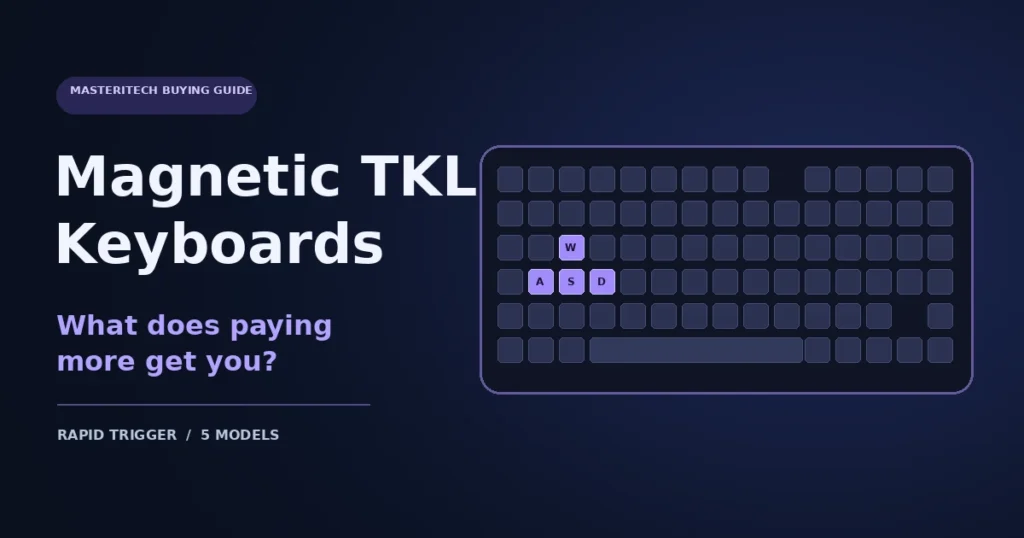
All five of these magnetic Rapid Trigger TKL gaming keyboards let you tune when a keystroke registers and how quickly it can register again. You don’t need the most expensive board to get that feature. Spend more for something you’ll notice every day: wireless flexibility, controls you can change without opening software, or a particular switch and typing feel.
As an Amazon Associate, MasteriTech earns from qualifying purchases.
Five magnetic Rapid Trigger TKL keyboards compared
| Model | Connection and polling | Why choose it? |
|---|---|---|
| Redragon K707 HE | Wired; up to 8,000 Hz (claimed) | Budget starting point; proprietary switches |
| Pulsar PCMK 2 HE TKL | Wired; up to 8,000 Hz (claimed) | Browser tuning and compatible magnetic switch swaps |
| Keychron K8 HE | 1,000 Hz wired or 2.4 GHz; 125 Hz Bluetooth | Work and gaming on the same board |
| Logitech G PRO X TKL RAPID | Wired; 1,000 Hz | On-board controls and independently measured responsiveness |
| SteelSeries Apex Pro TKL Gen 3 | Wired (selected version) | OLED, onboard profiles and Protection Mode |
What Rapid Trigger actually does
On a TKL board, you still get the function and arrow keys, but the number pad is gone, leaving more room to move your mouse. Actuation is the point where a keypress counts. Rapid Trigger changes the reset according to key travel, so you can lift and press again without returning to a fixed reset point. That can feel more responsive in games where you repeatedly tap movement keys. Start with moderate sensitivity, then tune the keys you actually use. A light touch that triggers a movement key could be an accidental keystroke while typing.
Hall effect and TMR are different ways to sense magnetic movement. Keychron confirms the K8 HE uses TMR sensors, despite the HE in its name. Both technologies can support Rapid Trigger. Neither tells you how fast the complete keyboard responds.
Which keyboard fits your setup?
Redragon K707 HE: Start here on a tight budget
The Concrete Jungle K707 HE gets you an 87-key wired layout and magnetic tuning without buying into a premium lineup. Redragon lists a 0.1–3.9 mm actuation range, three layers of damping and four spare switches in the box. Its switches are proprietary, so this isn’t the model I’d buy to experiment with multiple switch brands.
Pulsar PCMK 2 HE TKL: For buyers who want to tune
The black ANSI PCMK 2 HE TKL adds magnetic hot-swap and Pulsar’s Bibimbap browser configurator for Windows and Mac. Pulsar lists an actuation range of 0.1–4.0 mm, but its own page gives conflicting guidance about switch polarity. Before ordering replacements, verify the exact switch and firmware combination. If it’s close in price to the Redragon and you want to experiment with switches, the Pulsar is the more interesting option.
Keychron K8 HE: One board for work and play
Choose the standard black K8 HE if you want Bluetooth for day-to-day use and a faster reporting mode for gaming. Use the 2.4 GHz receiver or cable for the rated 1,000 Hz; Bluetooth is 125 Hz. Keychron’s Launcher setup requires a cable and a supported browser. Check the fitted switches before buying spares: Keychron lists separate Gateron Double-Rail and Lime versions, with different replacement compatibility.
Logitech G PRO X TKL RAPID: Strong evidence at 1,000 Hz
The original wired PRO X TKL RAPID reports at 1,000 Hz. The newer PRO X2 RAPID is the 8,000 Hz model. RTINGS measured strong latency performance on the original but found possible repeat inputs at its most sensitive settings. Logitech’s manual shows how to change board-wide actuation and Rapid Trigger without software; G HUB is for individual-key and finer actuation adjustments. This would be my wired pick if you value independent performance evidence and don’t want to open an app for every change.
SteelSeries Apex Pro TKL Gen 3: Pay for the controls
The wired Apex Pro TKL Gen 3 is the upgrade if you’ll use the OLED menu and saved onboard profiles. SteelSeries also includes OmniPoint 3.0 switches and Protection Mode, which is designed to make nearby accidental keypresses less likely. Don’t pay the premium just to get Rapid Trigger; every board here already offers it.
Pay for the features you’ll use, not the polling number
A 1,000 Hz USB report rate means a nominal interval of 1 ms; 8,000 Hz means 0.125 ms. Those figures are not the time between pressing a key and seeing an action on screen. Sensor behavior, firmware, filtering, and your PC and game all play a part. This is a research-based comparison, not a side-by-side test. Check the exact layout, seller, warranty and return window before ordering, especially if you’re particular about feel or accidental inputs.
For Counter-Strike 2, Rapid Trigger is distinct from features that automate opposing movement inputs. Valve advises disabling input automation such as Snap Tap for official matches. Keep features of that type off and check your league or tournament rules before playing.
Putting together the rest of your setup? See our guide to 27-inch 1440p gaming monitors for a similar look at when higher numbers are worth paying for.