MasteriTech

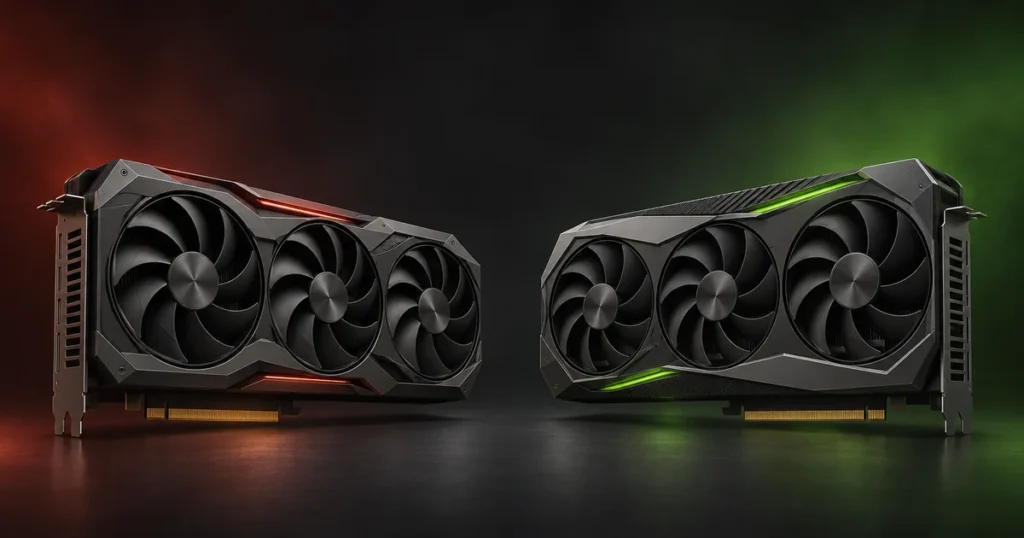
If an RTX 5060 Ti 16GB costs about $50 more than an RX 9060 XT 16GB, I’d pay the difference for a game I know runs better with ray tracing or for an app that specifically needs CUDA. For a 1440p gaming PC where neither matters, I’d start with the Radeon and put the saving toward the rest of the build.
Both GPUs have 16GB of video memory, but that doesn’t make them interchangeable. This US buyer’s guide compares two GPU families and five specific cards. It draws on manufacturer specifications and published benchmarks, not in-house tests of these five models.
RX 9060 XT vs RTX 5060 Ti 16GB at a glance
| Your priority | Where I’d start |
|---|---|
| 1440p gaming without heavy ray tracing | RX 9060 XT 16GB if it’s meaningfully cheaper. Check benchmarks for the games you actually play. |
| Ray tracing, DLSS or a CUDA-based app | RTX 5060 Ti 16GB. The premium matters most when you will use those features. |
| A small case | ASUS Dual Radeon if length is the problem; PNY GeForce if you’re limited to two slots. Measure both. |
| Local AI | RTX 5060 Ti for CUDA-first software; Radeon can make sense if your chosen tool and OS explicitly support it. |
| Two models with the same GPU | Compare price, fit, warranty and measured noise before spending more for a different cooler. |
Gaming: what the extra money buys
In TechSpot’s 18-game 1440p test, the RX 9060 XT averaged 70 fps, about 1% behind the RTX 5060 Ti. Tom’s Hardware’s separate 1440p Ultra raster suite put the GeForce around 6% ahead (62.3 vs 58.6 fps). The game mix and test settings differ. Together, the results point to a relatively small gap in conventional gaming, not a guaranteed win of the same size in every game.
Ray tracing can make the gap more noticeable. Tom’s Hardware’s four-game ray-tracing suite put the RTX ahead by about 10–11% across its tested resolutions. But TechSpot measured only a 2 fps gap in Spider-Man Remastered at 1440p with ray tracing (90 vs 88 fps). Look up your particular game before paying extra. If the Radeon already clears your target frame rate or you prefer ray tracing off, the premium is harder to justify.
Upscaling and frame generation can help on either platform in supported games. Compare native performance first, then compare upscaling at similar image-quality settings. Frame generation can make motion look smoother, but it doesn’t turn a low underlying frame rate into equally responsive gameplay. If you mainly play competitive games at low settings, don’t buy a card on the strength of generated-frame numbers.
Local AI: check the software before you pick the GPU
For local AI, the more useful question is “Will my tool run well on this GPU?” rather than “Which card has 16GB?” NVIDIA has the clearer path for software that lists CUDA as its supported GPU backend. AMD lists the RX 9060 XT in its ROCm compatibility documentation, but support still depends on the operating system, framework and version. Check your app’s instructions before assuming a Windows workflow will behave the same way on Linux, or vice versa.
In Tom’s Hardware’s MLPerf Client 0.5 test, the RTX generated about 84 tokens per second versus 67 on the RX using Llama 2 7B. Both ran on DirectML. That’s about 26% faster for the RTX in that test, not a prediction for a different model or for CUDA versus ROCm.
On either card, the amount of memory a model actually needs changes with its quantization, context length, and runtime. Sixteen gigabytes gives you room to work; it doesn’t guarantee a particular model or context size will fit.
Five exact cards compared
| Model | Cooler | Dimensions (L × H × T) | Power connector | Maker’s PSU guidance |
|---|---|---|---|---|
| ASUS Dual RX 9060 XT 16GB | 2 fans | 202 × 120 × 49 mm | 1 × 8-pin | 550 W recommended |
| XFX Swift RX 9060 XT OC 16GB | 3 fans | 290 × 124 × 49 mm | 1 × 8-pin | 450 W minimum |
| PNY RTX 5060 Ti 16GB OC Dual Fan | 2 fans | 245 × 120 × 39.9 mm | 1 × 8-pin | 600 W recommended |
| ASUS Dual RTX 5060 Ti 16GB OC | 2 fans | 229 × 120 × 50 mm | 1 × 8-pin | 550 W recommended |
| ASRock RX 9060 XT Challenger Pro 16GB OC | 3 fans | 290 × 123 × 41 mm | 1 × 8-pin | 550 W recommended |
PSU figures are manufacturer guidance for the system, not measured graphics-card power consumption. Case fit depends on more than length: check the thickness, the clearance above the power plug and any front fans or radiator in the card’s path. Fan count alone won’t tell you which card is quieter.
As an Amazon Associate I earn from qualifying purchases. The Amazon links below are to the exact US listings. Check the current price, seller, return policy and warranty before ordering. MasteriTech’s affiliate disclosure.
1. ASUS Dual Radeon RX 9060 XT 16GB: best starting point for a short case
At 202 mm, this is the shortest card here. It’s a sensible starting point if a longer triple-fan cooler won’t clear the front of your case. It’s still 49 mm thick, so don’t confuse short with slim. Look for model DUAL-RX9060XT-16G; this is not the white card or the 8GB variant.
Check ASUS Dual RX 9060 XT 16GB on Amazon US · ASUS specifications
2. XFX Swift RX 9060 XT OC 16GB: the longer Radeon alternative
The Swift RX-96TS316B7 is 290 mm long, adds a third fan and has a factory boost specification of up to 3,320 MHz. I’d choose it over the ASUS Radeon if it fits, the total cost is competitive and there’s a cooler or warranty advantage I can verify. The extra fan by itself isn’t a reason to pay more.
Check XFX Swift RX 9060 XT OC 16GB on Amazon US · XFX specifications
3. PNY RTX 5060 Ti 16GB OC Dual Fan: the slim NVIDIA card
This VCG5060T16DFXPB1-O model is the thinnest of the five at 39.9 mm. PNY specifies two slots, a 2,692 MHz boost clock and 16GB of GDDR7. It’s the NVIDIA card I’d check first if I wanted CUDA or DLSS and had a two-slot case. Just make sure there’s room for its 245 mm length.
Check PNY RTX 5060 Ti 16GB OC on Amazon US · PNY specifications
4. ASUS Dual RTX 5060 Ti 16GB OC: shorter, with dual BIOS
The DUAL-RTX5060TI-O16G is 16 mm shorter than the PNY but 10.1 mm thicker. ASUS gives you a physical dual-BIOS switch for performance and quiet modes. That’s useful if you want the option or need the shorter length. I wouldn’t pay a large premium expecting a major frame-rate jump over the PNY: they use the same GPU, and we haven’t measured a difference between these exact cards.
Check ASUS Dual RTX 5060 Ti 16GB OC on Amazon US · ASUS specifications
5. ASRock RX 9060 XT Challenger Pro 16GB OC: a thinner triple-fan Radeon
ASRock’s RX9060XT CLP 16GO has three fans like the XFX, but it’s 41 mm thick rather than 49 mm. It still needs 290 mm of length. That combination makes it worth checking if you have a long case with a nearby expansion card. Make sure the listing says Challenger Pro; the standard Challenger is a different design.
Check ASRock RX 9060 XT Challenger Pro 16GB OC on Amazon US · ASRock specifications
My buying rule
Start with the games or apps you’ll use and decide which GPU family makes sense. Filter out the cards that won’t fit. Then compare the remaining offers, including shipping, returns and who covers the warranty. If both families meet your needs and the Radeon is noticeably cheaper, I’d take the saving. If the NVIDIA card is only modestly more and you know you’ll use CUDA, DLSS or stronger ray tracing in a specific title, I’d pay for it.
If neither offer is compelling and your current PC still does the job, wait. A bestseller rank or a crossed-out price isn’t a reason to replace a working GPU.
Planning a new build? See MasteriTech’s PC case cooling and fit guide before choosing a card.