MasteriTech

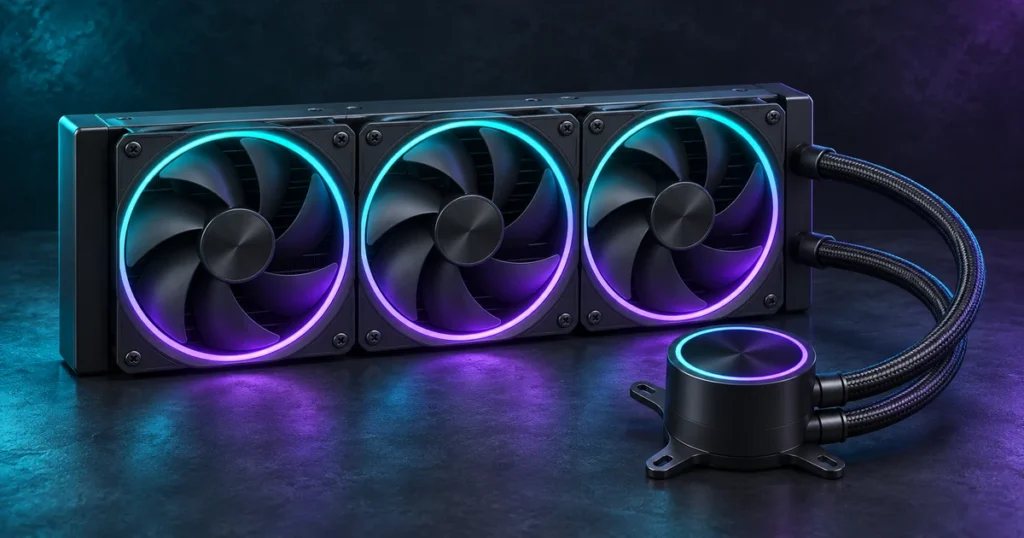
Budget 360mm AIO coolers all promise the same basic thing: three fans and a large radiator to move heat out of your PC. Paying more can get you a longer warranty, a fan aimed at the motherboard, or a model with better independent test coverage. It doesn’t automatically get you lower temperatures, less noise, or more FPS.
Quick take: Start with the Thermalright if price is the deciding factor. Pick the Cooler Master if you can buy it at a modest premium and want five years of listed coverage. Look at the MSI if you want a cooler with useful independent noise-normalized data. Consider the MONTECH if you have room for a thicker stack and want airflow around the CPU socket. The Thermaltake is worth comparing at checkout, but don’t buy it expecting an earlier sale price.
Affiliate disclosure: As an Amazon Associate, we earn from qualifying purchases.
Five budget 360mm AIO coolers compared
| Model | Radiator (L × W × D) | With fans | Warranty | Why consider it? |
|---|---|---|---|---|
| Thermalright Aqua Elite 360 V6 ARGB | 397 × 120 × 27 mm | 52 mm | 3 years | Lowest-cost candidate; standard-thickness stack |
| Cooler Master MasterLiquid 360 Core II | 394 × 119.2 × 27.2 mm | 52.2 mm | 5 years | Longer warranty without a thicker radiator |
| MSI MAG CoreLiquid A13 360 | 394 × 119.6 × ~27 mm | ~52 mm | 3 years | Measured cooling at a fixed noise level |
| Thermaltake TH360 V2 ARGB Sync | 396 × 120 × 27 mm | 52 mm | Confirm with seller | Rotating infinity-mirror cap; verify LGA1851 kit |
| MONTECH CyberFlow ARGB 360 | 397 × 120 × 32 mm | 57 mm | 6 years | Magnetic VRM fan; needs more clearance |
All five are the black 360mm ARGB versions. “With fans” adds the listed radiator and fan thicknesses; it does not account for screws, brackets, tubing bends, or installation room. Warranty figures are manufacturer listings, not proof of how long the pump will last. Check terms for your seller and region.
Which cooler should you buy?
Thermalright Aqua Elite 360 V6 ARGB: Start here if every dollar counts
Thermalright Aqua Elite 360 V6 ARGB gives you three 120mm PWM ARGB fans, a PWM pump rated up to 2,800 RPM, and AM4, AM5, LGA1700 and LGA1851 support. Thermalright Aqua Elite 360 V6 ARGB manufacturer specs list a three-year warranty, though you should confirm coverage with the seller. Make sure the listing says V6; older Aqua Elite models are not the same cooler. This is the price-first pick, not a claim that it matches the others under a sustained workstation load.
Cooler Master MasterLiquid 360 Core II: The middle-ground pick
Cooler Master MasterLiquid 360 Core II adds a dual-chamber pump and an infinity-mirror pump top in a roughly 52mm stack. Cooler Master MasterLiquid 360 Core II manufacturer specs list five years of coverage and support for AM4, AM5, LGA1700 and LGA1851. PC Gamer’s testing of the 360 Core II found it competitive in its test suite, but not a clear upgrade over the Arctic Liquid Freezer III. Its attraction here is the combination of fit, tested performance, and warranty, not the lighting alone.
MSI MAG CoreLiquid A13 360: A pick with useful noise data
MSI MAG CoreLiquid A13 360 supports AM4, AM5, LGA1700 and LGA1851. MSI MAG CoreLiquid A13 360 manufacturer specs list a three-year warranty. The more persuasive reason to consider it is independent testing: Tom’s Hardware measured 249 W cooled on its Core i7-14700K rig with noise held at 38.9 dBA. On its different, 253 W Core Ultra 9 285K test, the A13 360 performed on par with Thermalright’s Peerless Assassin 140 air cooler. These are results from two specific test setups, not a wattage rating or a ranking across all five models.
Thermaltake TH360 V2 ARGB Sync: Buy at the right price
Thermaltake TH360 V2 ARGB Sync has a copper cold plate, three 120mm fans, and a rotating infinity-mirror cap so you can orient the top after fitting the block. Thermaltake TH360 V2 ARGB Sync manufacturer specs list AM4, AM5 and LGA1700. The global sheet for the same part number also lists LGA1851, which the US product page doesn’t explicitly list. For an LGA1851 build, verify the bracket in the box with the seller. The retailer’s warranty claim and Thermaltake’s general AIO policy differ, so confirm coverage for that offer. An earlier Black Friday promotion is not a reliable guide to what you’ll pay now.
MONTECH CyberFlow ARGB 360: For a case with room to spare
MONTECH CyberFlow ARGB 360 has a thicker radiator, three preinstalled fans and a removable magnetic fan aimed at the voltage regulators around the CPU socket. MONTECH CyberFlow ARGB 360 manufacturer specs list six years of coverage and AM4, AM5, LGA1700 and LGA1851 support. The radiator and fans take up 57mm before hardware, about 5mm more than the others. Consider paying extra if you want those features and have confirmed the space; a thicker radiator and a VRM fan don’t by themselves prove a CPU-temperature or noise advantage.
Later CyberFlow batches use a 2,600 RPM motherboard (VRM) fan instead of the original 3,500 RPM version. Ask the seller which version ships, or request the updated fan for free from MONTECH if you already own the original.
Check fit before comparing prices
Measure the whole stack. A “360mm” mount has space for three 120mm fans, but these radiators are 394–397mm long. A case can support a 360mm radiator at the front without supporting one up top. Check RAM and motherboard heatsink clearance at the top, or graphics-card clearance behind a front-mounted radiator. Leave room for the tubing to turn without kinking.
Check the headers. Match the pump and fan connectors to the motherboard manual. For motherboard-controlled lighting, look for a 5V three-pin ARGB header, not a 12V four-pin RGB header. If you’re weighing LCDs, wiring, or refill options as well, see our broader 360mm AIO fit and features guide.
Buy for your actual workload. If the CPU is already cool and quiet while gaming, a different cooler won’t boost frame rates on its own. For long CPU renders or compiles, look for tests at sustained loads with noise held constant. Don’t line up manufacturer dBA figures as if they came from the same test bench. If a good air cooler fits and meets your noise target, it’s a reasonable place to save.
Bottom line
Compare the live offers for the exact models after checking fit and warranty. I’d start with the Cooler Master for a budget build where a five-year warranty matters, or the Thermalright if the price gap is substantial. Pick the MSI for the independent measurements, not because it costs more. This guide compares manufacturer specifications and published lab results; MasteriTech did not bench-test these five coolers side by side.