MasteriTech

Product Roundup
Five OLED Ultrawides: Choose the Upgrade Your Desk Will Actually Use
By MasteriTech · October 11, 2026
An OLED ultrawide can make a supported game feel expansive, but the biggest refresh number does not settle the purchase. Start with your computer’s display output, your normal seating position and the balance between text and gaming. These five exact monitors offer different answers. MasteriTech scores are editorial buying assessments, not laboratory measurements.
As An Amazon Associate, I Earn From Qualifying Purchases.
01
5. Alienware AW3423DWF — discount-dependent purchase
The older DWF can still make sense when its buying terms reward the compromises. Its 165Hz headline maximum is available over DisplayPort at native resolution; the verified HDMI mode is limited to 100Hz. The same screen therefore presents a different proposition depending on your computer’s output and cable.
For a DisplayPort-equipped desktop, that may be an acceptable tradeoff. For an HDMI-only device, compare the actual supported mode rather than assuming the headline refresh rate applies universally. Its gentler 1800R curve may also suit someone who prefers a less pronounced bend than LG’s 800R.
**Choose it if:** the relative value is compelling and its connection limits suit your system. **Check first:** the precise DWF model, rather than confusing it with the similarly named DW, and the output you will actually use.
**MasteriTech score: 7.8/10.**
02
4. LG UltraGear 34GS95QE-B — deep-curve immersion
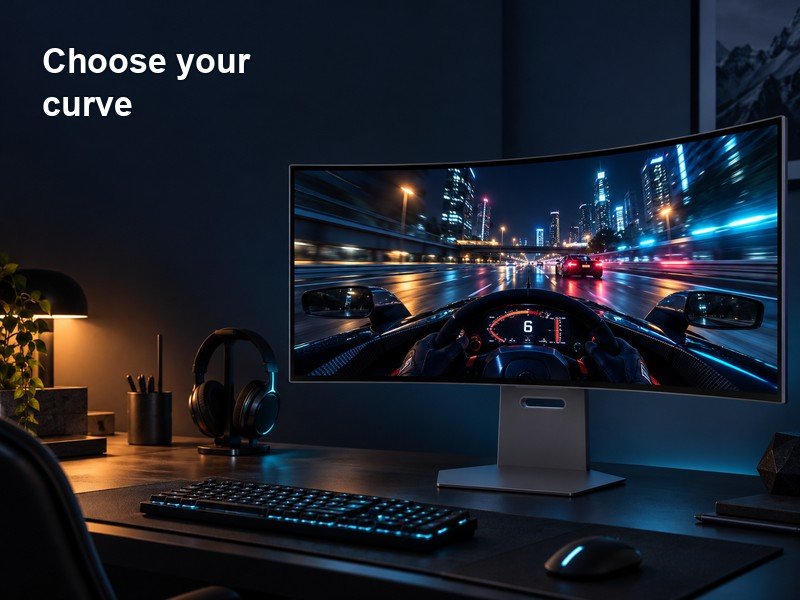
The LG’s defining choice is its 800R bend. The lower radius means a tighter curve than the 1800R models here; it is a geometry description, not an instruction to sit exactly 800 millimetres away. Its 240Hz OLED panel can suit someone who sits centrally and wants the display to wrap more strongly into their view.
A deep curve deserves more thought when you share the screen, move around the desk or spend long sessions judging straight lines. It can be immersive for one person and distracting for another. Desk depth, stand placement and your usual eye position matter more than an argument that greater curvature is automatically better.
**Choose it if:** you actively prefer a strong wraparound effect for games. **Check first:** your seating and desk layout, ideally with a comparable curve in person or a suitable return policy.
**MasteriTech score: 8.2/10.**
03
3. Alienware AW3425DW — straightforward gaming upgrade
The AW3425DW offers a clear update path for someone who likes the familiar 1800R ultrawide shape but wants a 240Hz ceiling. Its 3440×1440 QD-OLED panel and appropriate DisplayPort/HDMI connections support that gaming focus without requiring you to choose LG’s much deeper curve.
At the headline maximum, 240Hz provides an update opportunity roughly every 4.17 milliseconds; 165Hz provides one roughly every 6.06 milliseconds. Those figures are calculated intervals, not measured end-to-end latency. Real motion depends on the game, graphics card, frame pacing and settings.
**Choose it if:** a faster gaming ceiling is your main upgrade. **Check first:** the frame rates you actually sustain. Raising refresh rate can help when the rest of the system supplies the frames, but it does not remove GPU limits.
**MasteriTech score: 8.5/10.**
04
2. ASUS ROG Swift PG34WCDN — premium speed and connectivity
The PG34WCDN pairs a 360Hz advertised ceiling with RGB stripe OLED technology. That makes it interesting beyond competitive games: text edges matter when you spend the rest of the day reading code, spreadsheets or documents. It remains a 3440×1440 ultrawide, so the pixel layout does not turn it into a higher-resolution monitor.
Connectivity is a meaningful part of its premium position. The verified specification includes DisplayPort 2.1a at 80Gbps, HDMI 2.1 and USB-C with 90W Power Delivery and display support. A compatible laptop can therefore benefit from a different workflow than an accessory-only USB-C port permits. Confirm that your laptop supports the required display mode and that 90W meets its power needs.
**Choose it if:** you can use both its high refresh ceiling and its connection features. **Check first:** your graphics card’s frame delivery at ultrawide resolution. A 360Hz panel does not create 360 frames per second in every game.
**MasteriTech score: 9.1/10.**
05
1. Alienware AW3426DW — balanced newer-panel upgrade
The AW3426DW makes the strongest case when your monitor has to handle work as well as games. Its advertised QD-OLED Penta Tandem construction uses five emitting stacks, while an RGB stripe subpixel layout targets text clarity. These are different changes: the stack describes the panel construction; the stripe describes how the red, green and blue subpixels sit beside each other.
The 280Hz ceiling is useful for fast play, but the broader appeal is the combination of newer panel structure and everyday readability. It retains an 1800R curve and 3440×1440 resolution. Text still depends on scaling, font rendering, viewing distance and the content itself, so a stripe layout is not a promise that every application will look identical.
**Choose it if:** you want a newer OLED panel for a desk that alternates between documents and games. **Check first:** your actual connection requirements and the regional warranty. Its accessory charging capability should not be confused with a high-power USB-C laptop display connection.
**MasteriTech score: 9.3/10.**